


How to Run a DNS Ad Blocker with W5500 Ethernet on ESP32-S3?
ESP32_AdBlocker is an Arduino-based DNS sinkhole that blocks ads and trackers by answering blocked DNS queries with 0.0.0.0,
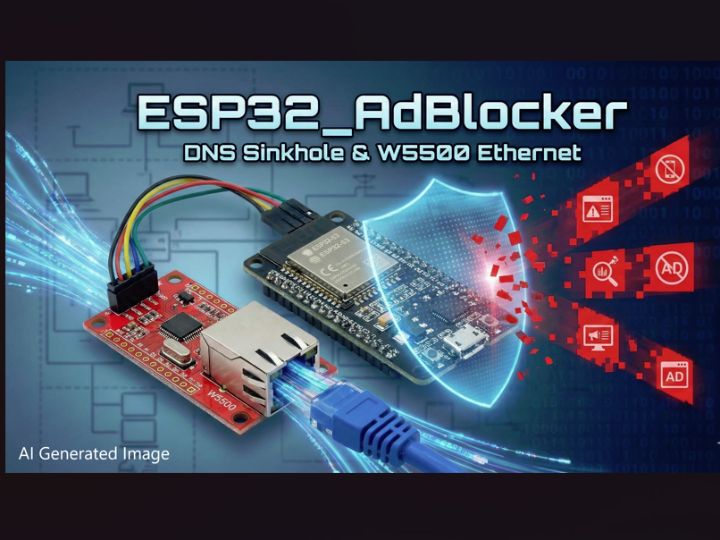

WIZnet - W5500
x 1

What the Project Does
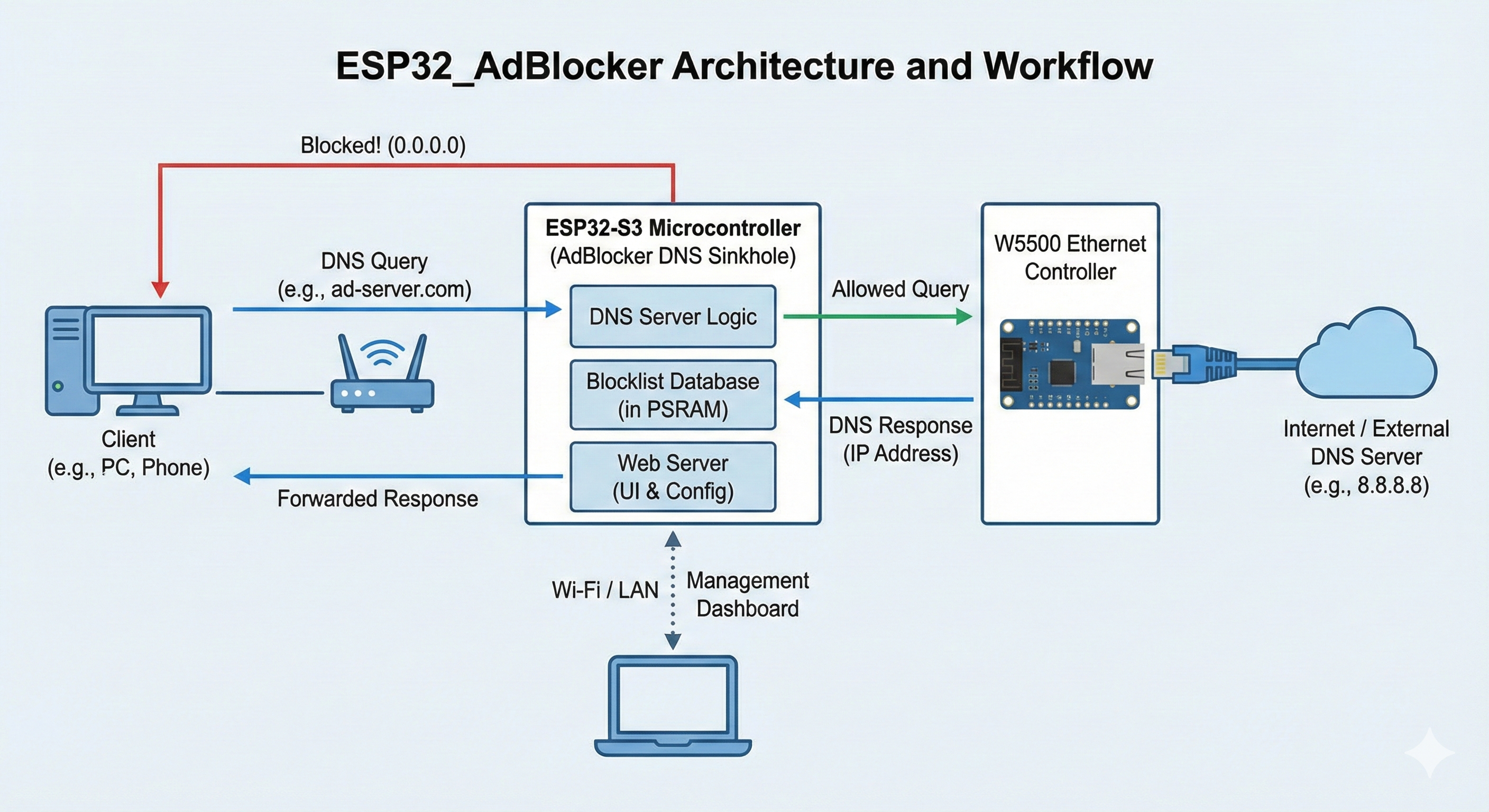
At runtime, the firmware listens for DNS requests from your LAN (typically UDP/53). For each query:
- It normalizes/parses the requested domain name.
- It checks whether the domain is present in the locally stored blocklist (downloaded and periodically refreshed).
- If blocked (or not resolvable per the project’s logic), it returns
0.0.0.0so clients can’t reach the target host. - Otherwise it resolves the domain through configured upstream DNS servers and replies with the resolved IPv4 address.
Operationally, the project is designed for large lists: it expects PSRAM (and calls out ESP32-S3 + 8MB PSRAM as a good fit) and reports sub-100µs blocklist checks once loaded. It also ships a web interface for status counters and blocklist management (reload blocklist URL, add/remove/check domains, view logs).
Where WIZnet Fits
The repo includes an Ethernet network mode intended for boards with built-in Ethernet or for setups that connect an external Ethernet controller over SPI. The README explicitly notes that Ethernet mode was tested with a W5500 connected to an ESP32-S3.
In this architecture, the W5500’s practical role is straightforward:
- It provides a wired LAN interface for the DNS sinkhole, so the ESP32 can sit on your network like a small router-side service.
- The firmware exposes configuration for SPI pinout (CS/INT/RST/SCLK/MISO/MOSI) so the same codebase can switch between Wi-Fi and external Ethernet without rewriting the DNS logic.
Implementation Notes
Below are two repo-backed touchpoints that show how Ethernet/W5500 support is wired into the design.
A) Network mode switch + external SPI Ethernet pins (configuration surface)globals.h defines netMode and the SPI pin variables used to connect to an external Ethernet controller (the README calls out W5500 as the tested one). This is what enables “WiFi vs Ethernet vs Eth+AP” as a runtime-selectable behavior rather than a separate branch of firmware.
Why it matters: DNS sinkholing is only useful if clients reliably keep using your DNS endpoint. A wired W5500 link (selected by netMode) reduces “DNS disappeared” behavior caused by Wi-Fi roaming, sleep, or RF noise—especially if you’re running this as a long-lived LAN appliance.
B) DNS replies are forced to 0.0.0.0 for blocked names (core sinkhole behavior)AdBlockerDNSServer.cpp shows the modified DNS server flow: it calls back into the application’s blocklist logic and then replies with the chosen IP (including 0.0.0.0 when blocked / not resolvable in the project’s handling).
Why it matters: the project blocks at the DNS layer, so every client and app that respects LAN DNS settings inherits the block behavior without per-device ad blocker installs.
Practical Tips / Pitfalls
- Plan for PSRAM and partitioning: the repo expects PSRAM and documents ESP32-S3 + 8MB PSRAM as the safer target for current blocklist sizes.
- Set a static IPv4 address for the device and configure your router to hand it out consistently; otherwise clients may “lose” DNS when the IP changes.
- Disable Secure DNS / DNS-over-HTTPS on clients you care about; browser/app DoH can bypass your LAN DNS sinkhole entirely.
- Account for IPv6: the project states it has no IPv6 address; if your network prefers IPv6 DNS, clients may bypass IPv4 DNS.
- W5500 SPI wiring stability matters: keep SPI wiring short, provide a clean 3.3V supply, and ensure CS/INT/RST are mapped to the pins you configure in the UI (“Ethernet” config section).
- Port 53 reachability: if you place the device behind restrictive VLAN/firewall rules, confirm UDP/53 from client VLANs can reach the ESP32.
FAQ
Q1. Why use W5500 here instead of Wi-Fi?
A wired W5500 link keeps DNS service stable under typical home-lab conditions: no roaming events, fewer RF-related disconnects, and less variance from power-save behavior. For a DNS sinkhole, “always reachable” matters more than peak throughput, and Ethernet mode exists specifically to support that deployment style.
Q2. How does W5500 connect to the ESP32 platform in this project?
As an external SPI Ethernet controller. The firmware exposes configuration variables for the W5500-style wiring set—ethCS, ethInt, ethRst, and the SPI bus pins (ethSclk, ethMiso, ethMosi)—and a network mode selector (netMode) that switches between Wi-Fi and Ethernet operation.
Q3. What role does the W5500 play in THIS project specifically?
It provides the physical LAN interface used by the DNS sinkhole (UDP DNS in, DNS replies out) when you select Ethernet mode. The DNS logic (blocklist lookup, upstream resolution, and reply construction) is the same regardless of link type; W5500 is the tested external Ethernet path for getting that traffic onto the wire.
Q4. Can beginners follow this build with a W5500 module?
Yes, if they’re comfortable with: (1) flashing Arduino sketches to ESP32, (2) enabling PSRAM and choosing the right partition scheme, and (3) basic SPI wiring and troubleshooting (power, pin mapping, link presence). The web UI-based config helps, but Ethernet adds hardware variables (CS/INT/RST correctness) that Wi-Fi builds avoid.
Q5. How does W5500 Ethernet compare to simply using Wi-Fi for this DNS sinkhole?
Wi-Fi is simpler (no extra wiring) and is the default interface in this repo, but reliability can hinge on RF conditions and client roaming behavior. W5500 Ethernet adds SPI wiring and configuration steps, yet it tends to behave more like a fixed infrastructure service—useful when you want DNS to remain reachable through reboots, AP changes, or busy 2.4GHz environments.


