It explains MicroPython REPL on Raspberry Pi Pico, its interactive debugging functions and commonly used shortcut keys.
COMPONENTS
PROJECT DESCRIPTION
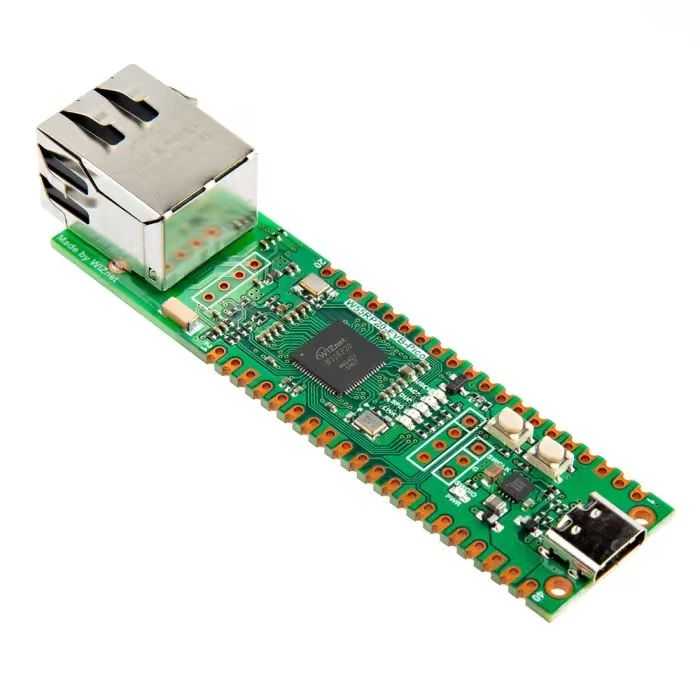
【Preliminary Note】The original hardware example in this article was written based on the RP2040. The actual hardware used in this hands-on demonstration features the W55RP20 as the main controller chip. The circuit logic and UF2 flashing operation principles are universally applicable, with only the main controller model differing. The original chip model mentioned in the circuit descriptions below is provided for reference purposes only.
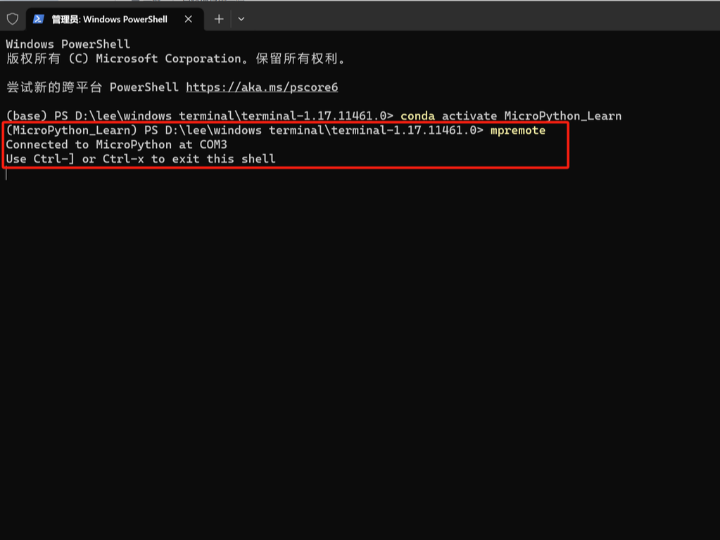
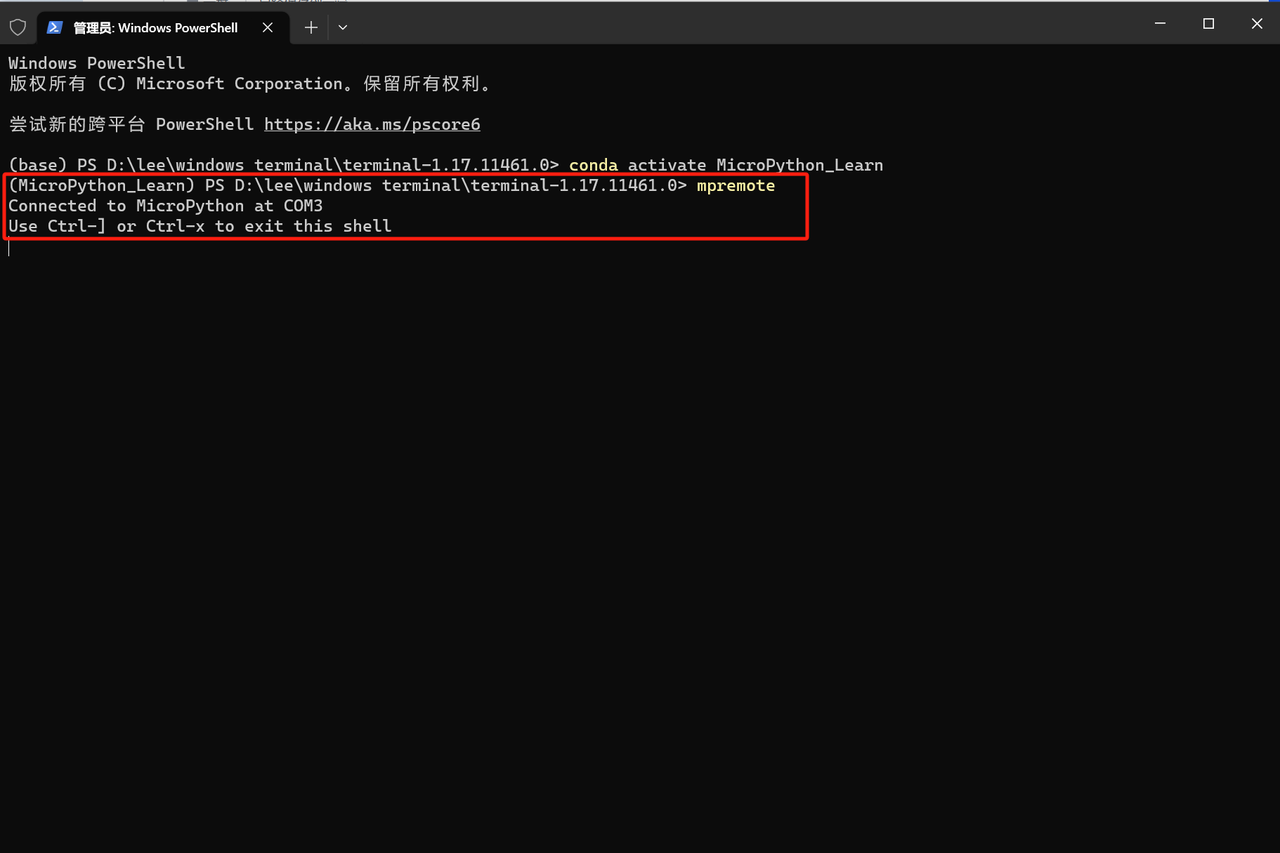
After we finish flashing the firmware to our Raspberry Pi Pico, if we use a remote terminal to connect the computer to the Raspberry Pi Pico via serial port or USB, we will find that some information is output in the terminal:
Connect to MicroPython devices with mpremote
This is because after the firmware of the Raspberry Pi Pico is burned, the internal MicroPython will run in the REPL interactive interpreter mode, which is similar to the terminal of Windows system or the shell of Unix/Linux. We can enter commands in the terminal and receive responses from the system.
Interactivity means that you can get immediate feedback on code execution. In an editor like PyCharm, after you finish writing a piece of code, you have to run it first to see how it works; if you make a slight modification, you have to run it again to check the effect. In an interactive interpreter, by contrast, it's like a program that's always running — you can make changes at any time and get feedback right away.
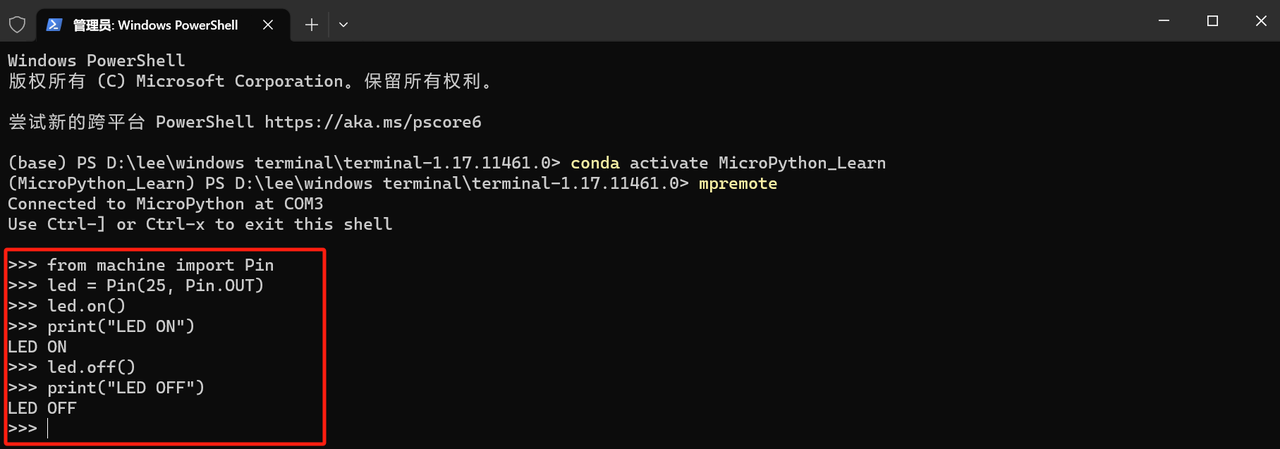
As shown in the figure, by entering the following commands, we can turn on the onboard LED of the Raspberry Pi Pico, turn off the onboard LED, and output information in the terminal:
Controlling LED hardware in REPL
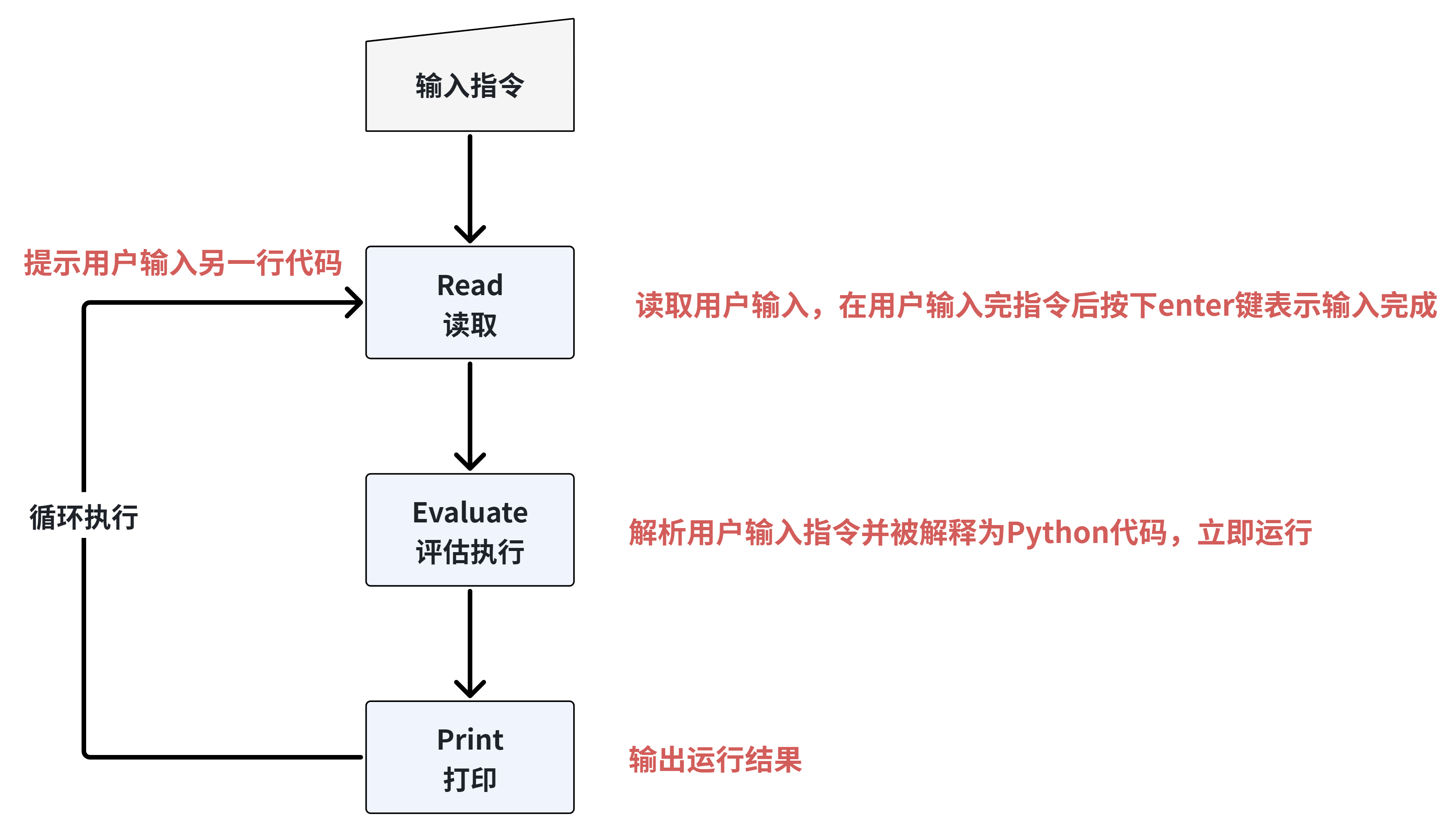
REPL is the abbreviation for Read-Evaluate-Print Loop. Many programming languages come with a REPL, which acts like a miniature Shell that facilitates interaction between the interpreter (core) and commands. It allows users to conveniently input various commands to be executed by MicroPython's internal interpreter and observe the running status, thus playing a very significant role in program debugging.
Through MicroPython 's REPL interactive environment, we can accomplish the following tasks:
Access and control the IO pins and peripherals of the Raspberry Pi Pico
View help information and disk files
Output debug information
Test Code
However, it should be noted that once the code in the REPL has been executed, it cannot be rolled back or undone. Additionally, when you close the REPL environment, all variables, functions, etc. defined in the REPL will be lost, and a brand new session will be started the next time you launch the REPL.
1. Workflow of REPL
The workflow of REPL is shown in the following figure:
Example of REPL Workflow and LED Hardware Control
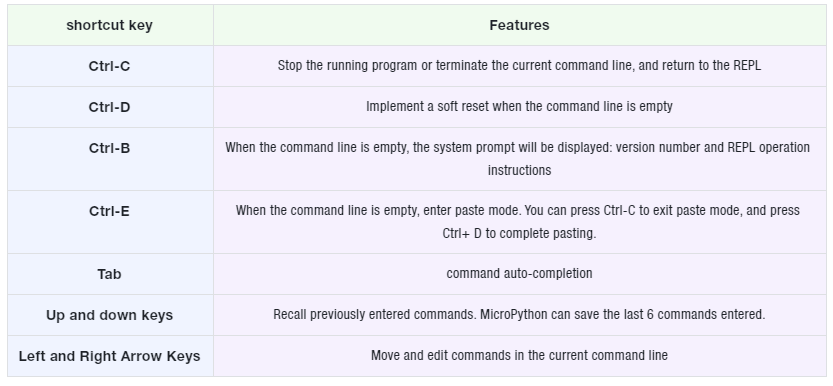
2. REPL Shortcuts
All shortcut keys except Ctrl-C only take effect when the command line is empty (i. e. no characters have been entered).