



Pico Ethernet Series 4/6: MicroPython UDP Echo‑Server Lab
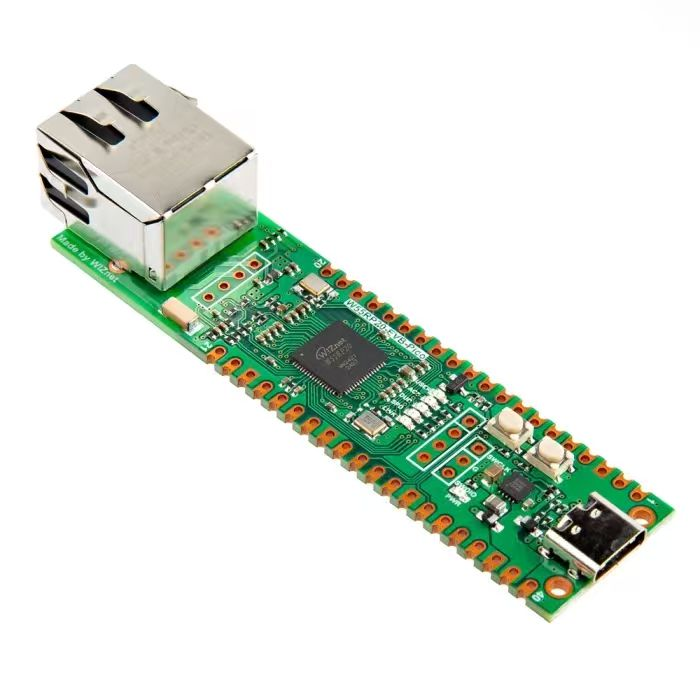
It is the fourth chapter of Pico Ethernet practical series, introducing hands‑on development of UDP echo‑server based on W5500 and MicroPython.
UDP Protocol Experiment
UDP is a connection‑less transport‑layer protocol. It applies to scenarios requiring fast, simple data transmission without setting‑up and maintaining connections. Data can be sent without prior connection establishment. Each datagram is transmitted independently, and no connection state needs to be created or maintained.
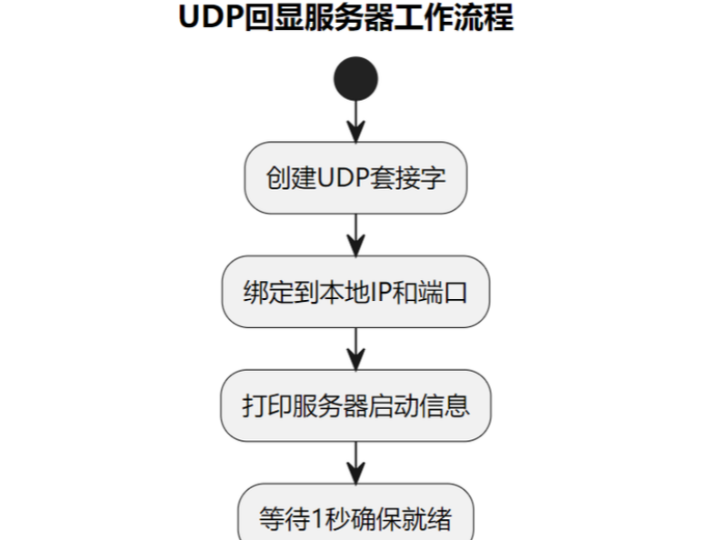
Workflow for UDP communication is shown below:
Create UDP socket Each host device first creates a UDP socket.
Bind to port Each UDP socket is bound to a specific port number. The port acts like a house number on the host, enabling incoming packets to find the correct application program.
Send data When the host wants to transmit data, it hands data to UDP. UDP prepends a UDP header, and the assembled payload known as a "datagram" is sent onto the network.
Receive data On the receiver side, datagrams are routed to the correct host and port and then delivered to the corresponding application.
The source code below can be found in the provided resource package under elegance‑devkit v1\Demo\43 ETH_UDP.
We will run a UDP experiment: use MicroPython on Raspberry Pi Pico to control the Wiznet W5500 Ethernet module for listening to UDP datagrams and echo received payload back to the sender. Sample code is as follows:
# Python env   : MicroPython v1.23.0 on Wiznet W5500
# -*- coding: utf-8 -*-
# @Time    : 2024/8/8 2:28 PM
# @Author  : Li Qingshui
# @File    : main.py
# @Description : Ethernet experiment for UDP protocol test
# ======================================== Import related modules ========================================
# Import socket module for creating and managing network connections
from usocket import socket, AF_INET, SOCK_DGRAM
# Import hardware‑related modules
from machine import Pin,SPI
# Import time‑related modules
import time
# Import network‑related modules
import network
# ======================================== Global variables ============================================
# Device IP address
ip = '192.168.1.20'
sn = '255.255.255.0'
gw = '192.168.1.1'
dns= '8.8.8.8'
# Tuple object for network configuration
netinfo=(ip, sn, gw, dns)
# Listening port
localport = 8000
# ======================================== Function definitions ============================================
# Initialize network interface
def w5x00_init() -> network.WIZNET5K:
    """
    Initialize network.WIZNET5K instance, set static IP and bring‑up network connection.
    Args:
        None
    Returns:
        network.WIZNET5K: Initialized and connected network.WIZNET5K instance.
    Raises:
        None
    """
    # Declare global variable
    global localport
    # Initialize SPI object
    spi = SPI(0, 2_000_000, mosi=Pin(19), miso=Pin(16), sck=Pin(18))
    # Instantiate network.WIZNET5K, pass chip‑select pin CS and reset pin RST
    nic = network.WIZNET5K(spi, Pin(17), Pin(20))
    # Activate network interface
    nic.active(True)
    # Apply static‑IP settings: host‑ip, subnet‑mask, gateway, dns‑server
    nic.ifconfig(netinfo)
    # Block until network link becomes available
    while not nic.isconnected():
        time.sleep(1)
        # Print register debug information
        print(nic.regs())
    # Print applied network parameters
    print('ip :', nic.ifconfig()[0])
    print('sn :', nic.ifconfig()[1])
    print('gw :', nic.ifconfig()[2])
    print('dns:', nic.ifconfig()[3])
    # Return WIZNET5K instance
    return nic

def udp_loop(nic: 'network.WIZNET5K') -> None:
    """
    UDP main listening loop, receive and print UDP datagrams.
    Args:
        nic (network.WIZNET5K): WIZNET5K instance for reading network‑interface configuration.
    Returns:
        None: This function returns nothing.
    Raises:
        None: This function does not throw exceptions.
    """
    # Declare global variable
    global localport
    # Create UDP socket
    # AF_INET is an address family constant representing IPv4 protocol
    # SOCK_DGRAM is socket type constant representing UDP protocol
    s = socket(AF_INET, SOCK_DGRAM)
    # Bind socket to specified local IP and port
    s.bind((nic.ifconfig()[0], localport))
    # Print UDP listening status including IP and port
    print(f"Opened UDP loopback\r\nip:{nic.ifconfig()[0]},port:{localport}")
    # Wait one second to make sure socket is ready
    time.sleep(1)
    # Infinite loop for continuously listening UDP datagrams
    while True:
        # Receive up to 2048 bytes; returns payload and sender address
        # This is a blocking call: program will hang here until data arrives
        data, addr = s.recvfrom(2048)
        # Print received data and sender address
        print(f'Received:{data} from:{addr}')
        # Send received data back to sender
        s.sendto(b'%s' % data, addr)
# ======================================== Custom classes ============================================
# ======================================== Initialization ==========================================
# 3‑second power‑on delay for hardware stabilization
time.sleep(3)
# Print debug banner
print("FreakStudio : Using W5x00 Ethernet to do UDP Connect Test")
# Initialize W5500 module
nic = w5x00_init()
# ======================================== Main program ===========================================
# Run UDP listening loop
udp_loop(nic)
Inside the UDP server main loop (function udp_loop()), these operations are performed:
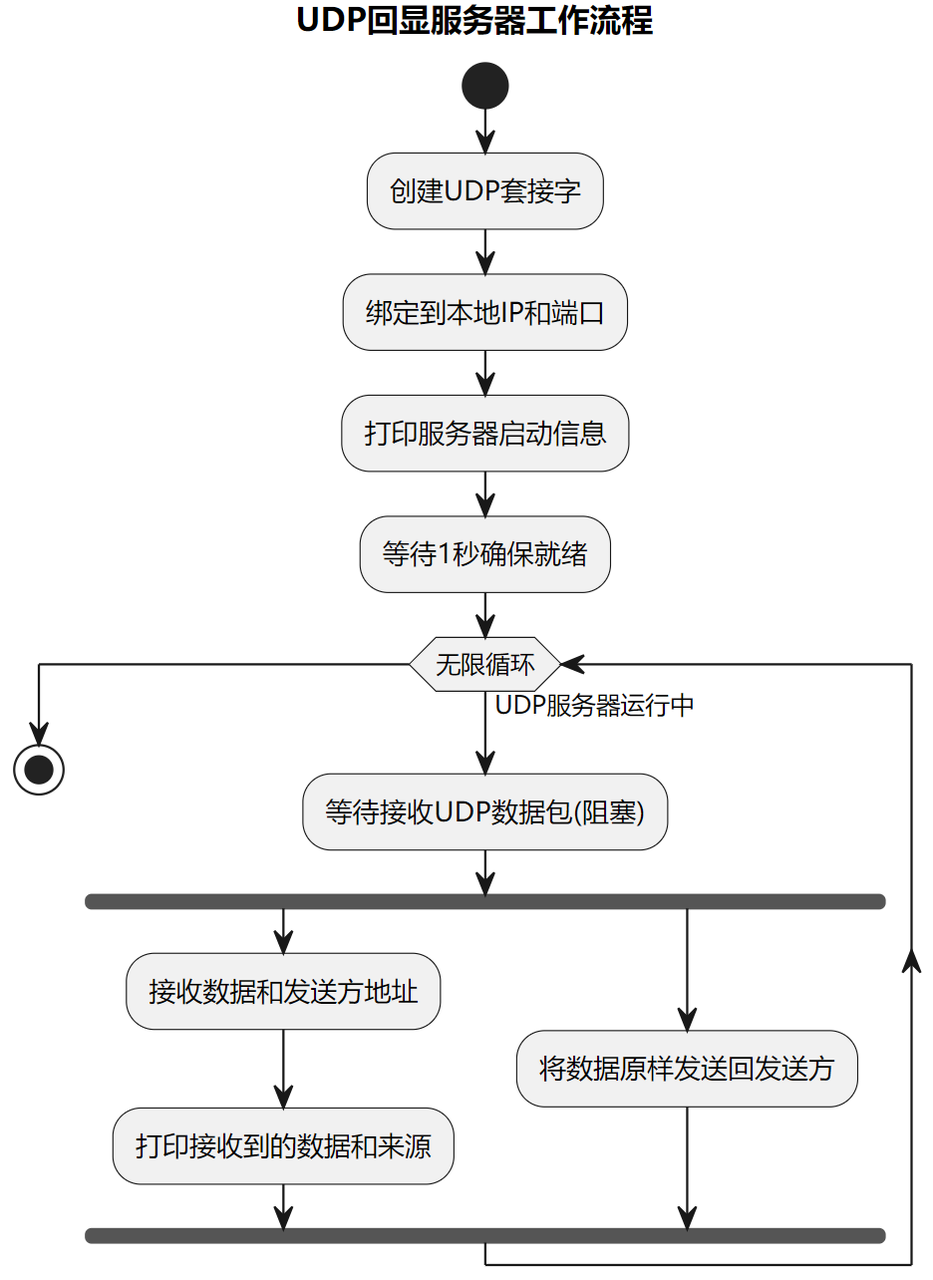
- Create UDP socket: use IPv4 address family (
AF_INET) and UDP socket type (SOCK_DGRAM). - Bind socket: bind socket to W5500 local IP address and designated port.
- Print listening information: output current listening IP address and port number.
- Wait for datagrams: block inside infinite loop waiting for incoming UDP packets via
recvfrom. - Print and echo data: after receiving payload, print sender address and content, then send the same data back by calling
sendto.
Important note: during UDP listening you do not need to pre‑define sender IP and port. The UDP server only binds its own local IP and port. It can receive packets from any remote peer, and obtains sender address information through the recvfrom() return value.
Flash firmware and open serial terminal. You can observe the following output messages:
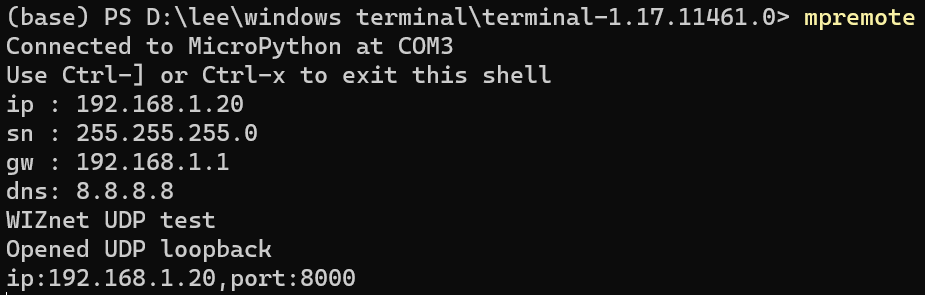
Launch NetAssist software, select protocol type as UDP. Set local host address to PC host address (192.168.1.6). Keep default local port 8080, leave other options unchanged, then click the Open button.
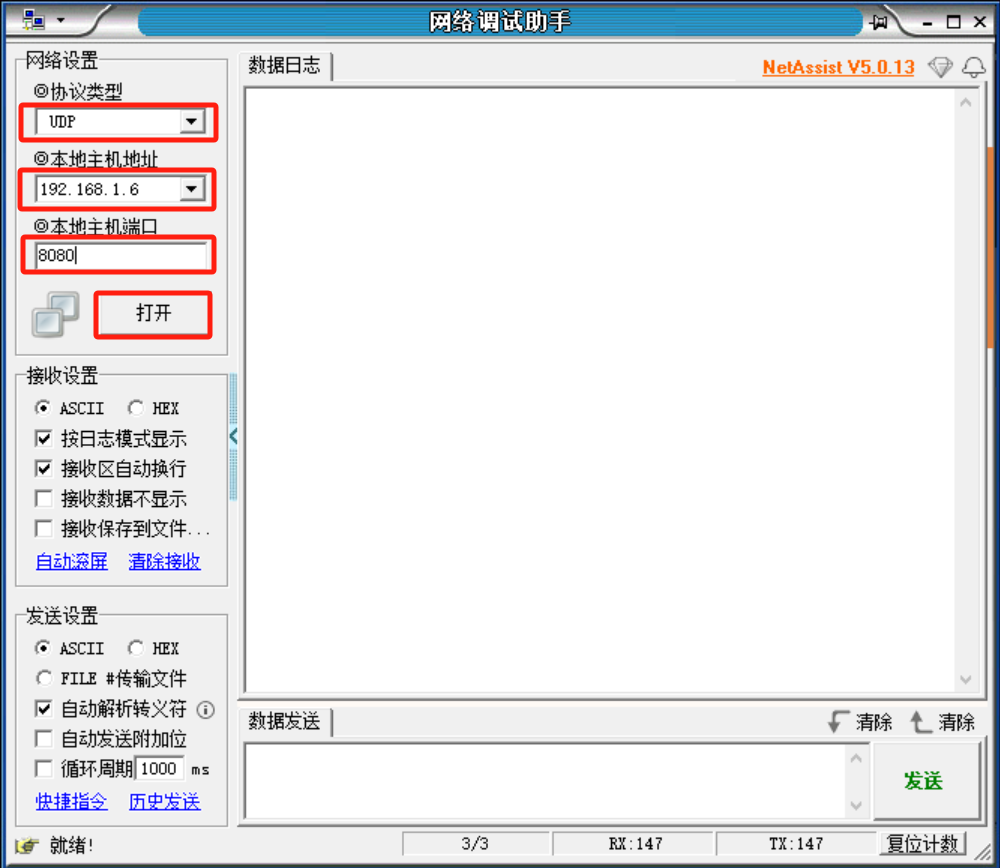
Input test data. You can see that Pico‑W5500 module correctly receives and echoes back the payload.