



MicroPython Pico DHCP Explained: Dynamic‑IP Implementation & Debugging
DHCP dynamic‑IP implementation and debugging for Pico+W5500.
DHCP Protocol Experiment
DHCP can automatically assign new IP addresses to devices, so users do not need to modify configurations manually. In the following sample code, we try to obtain network parameters dynamically via DHCP:
If DHCP acquisition succeeds, use the dynamically assigned network configuration. If DHCP acquisition fails, fall back to static network‑configuration parameters.
Wait until the network link is up and print the obtained network‑configuration information.
The source code below can be found in the provided resource package under elegance‑devkit v1\Demo\44 ETH_DHCP.
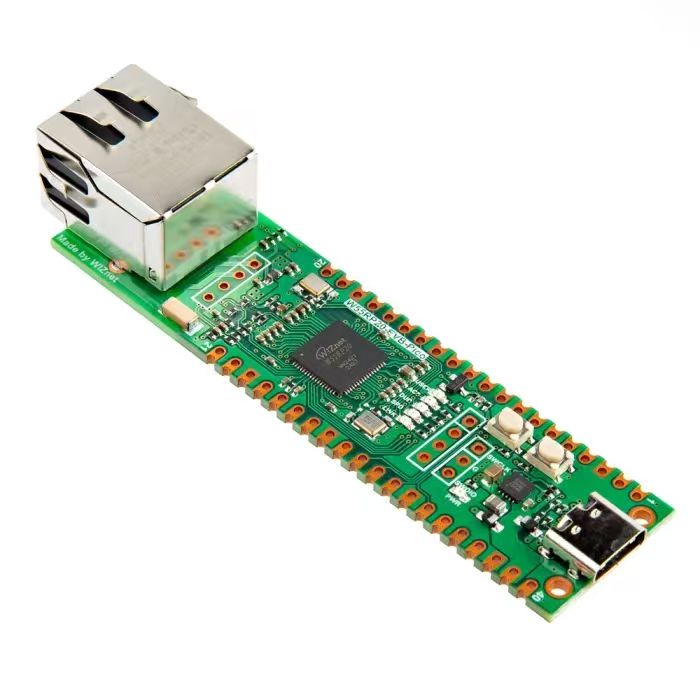
Note: To run the DHCP protocol experiment normally, the Ethernet port of the W5500 module must be connected to a router.
Sample code:
# Python env   : MicroPython v1.23.0 on Wiznet W5500
# -*- coding: utf-8 -*-
# @Time    : 2024/8/8 3:23 PM
# @Author  : Li Qingshui
# @File    : main.py
# @Description : Ethernet experiment for DHCP protocol test
# ======================================== Import related modules ========================================
# Import socket module for creating and managing network connections
from usocket import socket
# Import hardware‑related modules
from machine import Pin,SPI
# Import time‑related modules
import time
# Import network‑related modules
import network
# ======================================== Global variables ============================================
# Static fallback device IP address
ip = '192.168.1.20'
sn = '255.255.255.0'
gw = '192.168.1.1'
dns= '8.8.8.8'
# Tuple object for static network configuration
netinfo=(ip, sn, gw, dns)
# ======================================== Function definitions ============================================
# Initialize network interface
def w5x00_init() -> 'network.WIZNET5K':
    """
    Initialize network.WIZNET5K instance, set static IP and bring‑up network connection.
    Returns:
        network.WIZNET5K: Initialized and connected network.WIZNET5K instance.
    Raises:
        None: No exception is thrown, but falls back to static config when DHCP fails.
    """
    # Declare global variable
    global netinfo
    # Initialize SPI object
    spi = SPI(0, 2_000_000, mosi=Pin(19), miso=Pin(16), sck=Pin(18))
    # Instantiate network.WIZNET5K, pass chip‑select pin CS and reset pin RST
    nic = network.WIZNET5K(spi, Pin(17), Pin(20))
    # Activate network interface
    nic.active(True)
    try:
        print("\r\nConfiguring DHCP")
        # Try to get IP address, subnet mask, gateway, DNS and other settings via DHCP
        nic.ifconfig('dhcp')
    except:
        print("\r\nDHCP fails, use static configuration")
        # Use static IP configuration when DHCP request fails
        nic.ifconfig(netinfo)
    # Block until network link becomes available
    while not nic.isconnected():
        time.sleep(1)
        # Print register debug information
        print(nic.regs())
    # Print applied network parameters
    print('ip :', nic.ifconfig()[0])
    print('sn :', nic.ifconfig()[1])
    print('gw :', nic.ifconfig()[2])
    print('dns:', nic.ifconfig()[3])
    # Return WIZNET5K instance
    return nic
# ======================================== Custom classes ============================================
# ======================================== Initialization ==========================================
# 3‑second power‑on delay for hardware stabilization
time.sleep(3)
# Print debug banner
print("FreakStudio : Using W5x00 Ethernet to do DHCP test")
# Initialize W5500 module
nic = w5x00_init()
# ======================================== Main program ===========================================
# Empty main loop
while True:
    time.sleep(1)
Flash firmware and open serial terminal. You will see output similar to below:
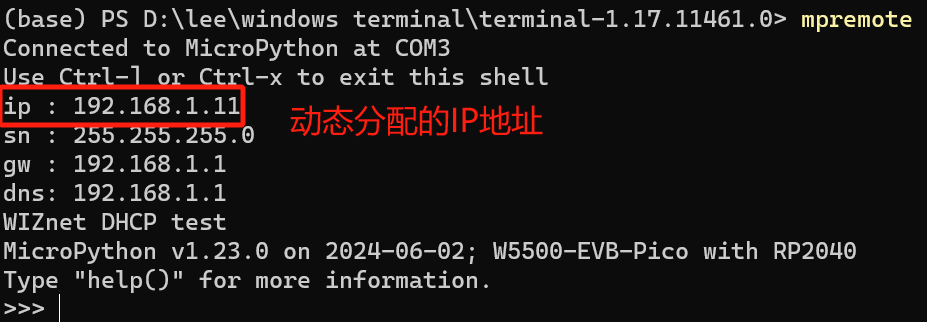
The dynamically assigned host IP address is 192.168.1.11. Perform a ping test against this address:
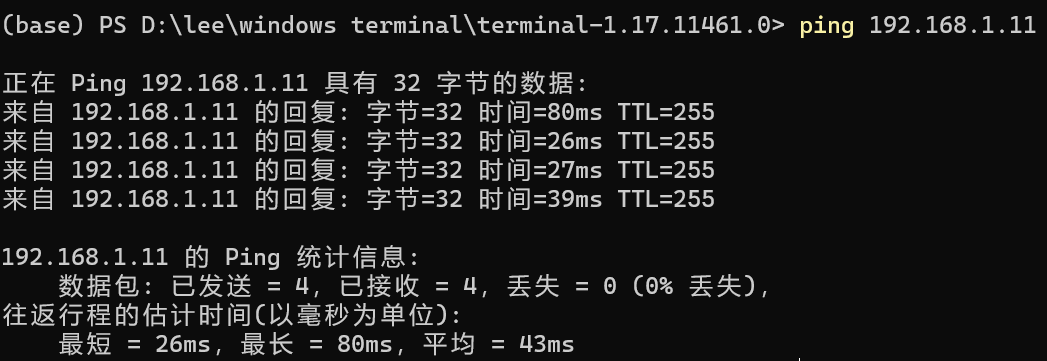
The ping test succeeds, which proves that the dynamically‑assigned IP address works normally.