In-depth Analysis of 88 PIO: How Control Registers Govern the Operation of the finite-state machine
Key RP2040 PIO registers cover control, FIFO status, EXECCTRL, SHIFTCTRL and PINCTRL for state‑machine configuration.
0
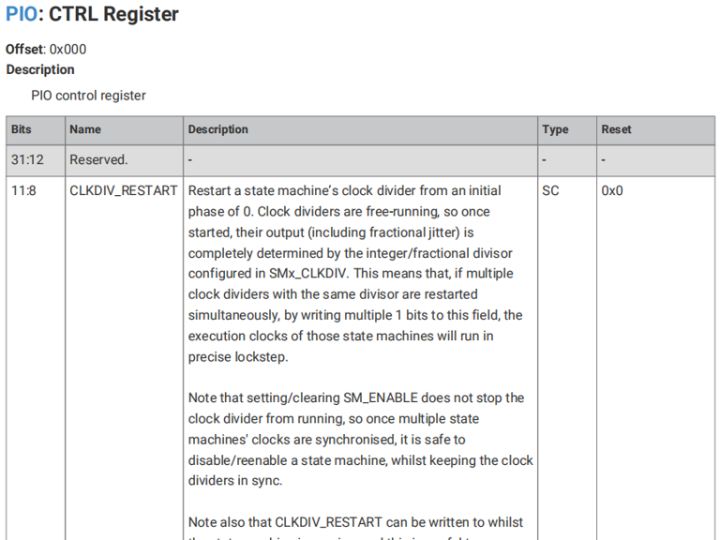
Project description
【Preliminary Note】The original hardware example in this article was written based on the RP2040. The actual hardware used in this hands-on demonstration features the W55RP20 as the main controller chip. The circuit logic and UF2 flashing operation principles are universally applicable, with only the main controller model differing. The original chip model mentioned in the circuit descriptions below is provided for reference purposes only.
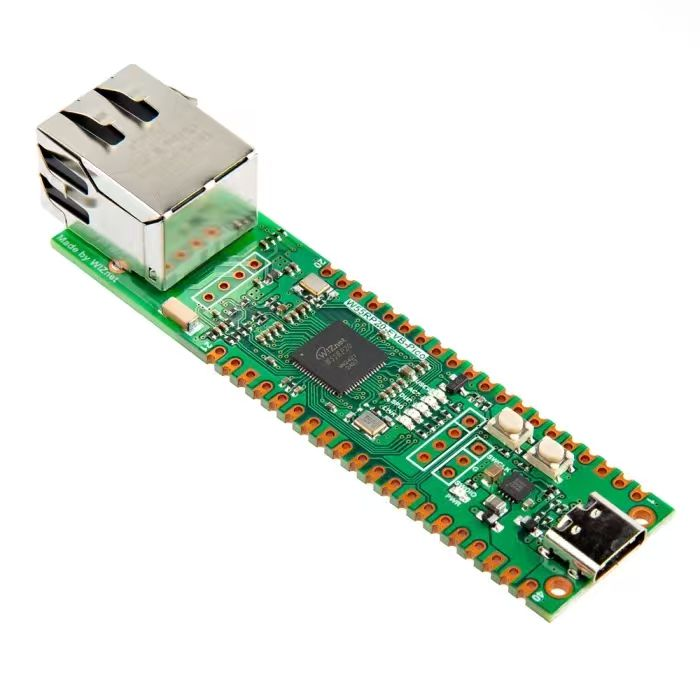
Related registers for controlling PIO on Raspberry Pi Pico
The base addresses of the PIO0 and PIO1 registers are 0x502000000 and 0x503000000 respectively.
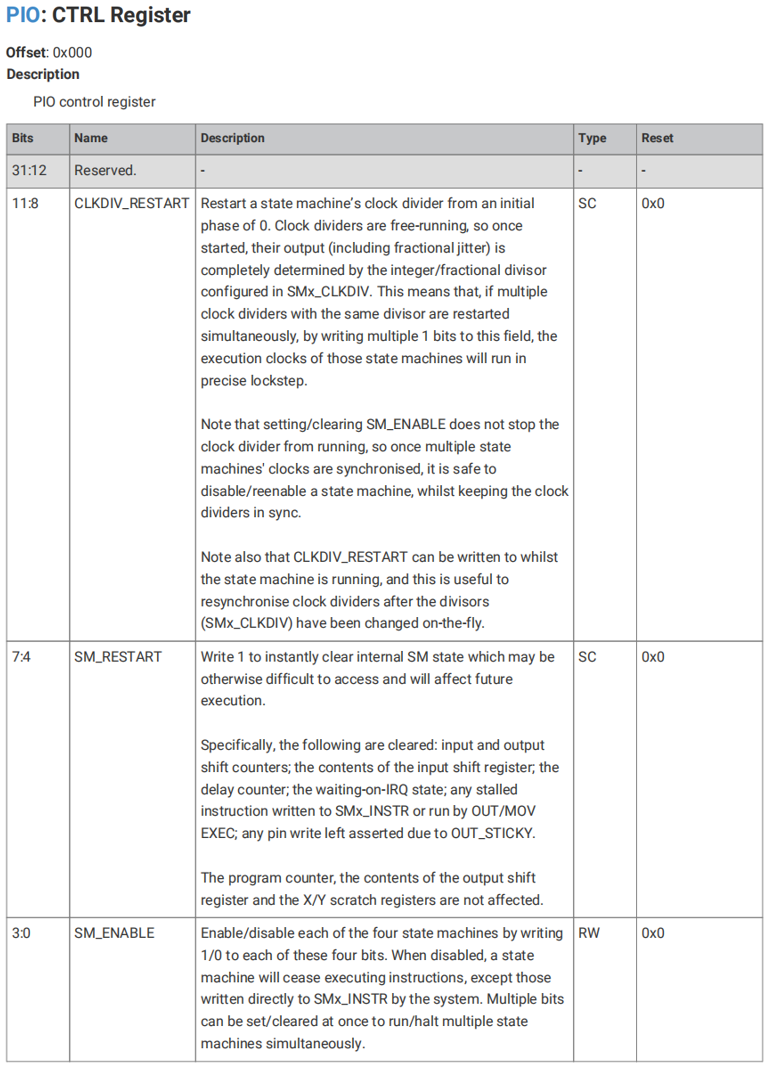
We can perform operations such as resetting the clock division signal, resetting or enabling the finite-state machine, etc. , by reading from and writing to the CTRL control register:
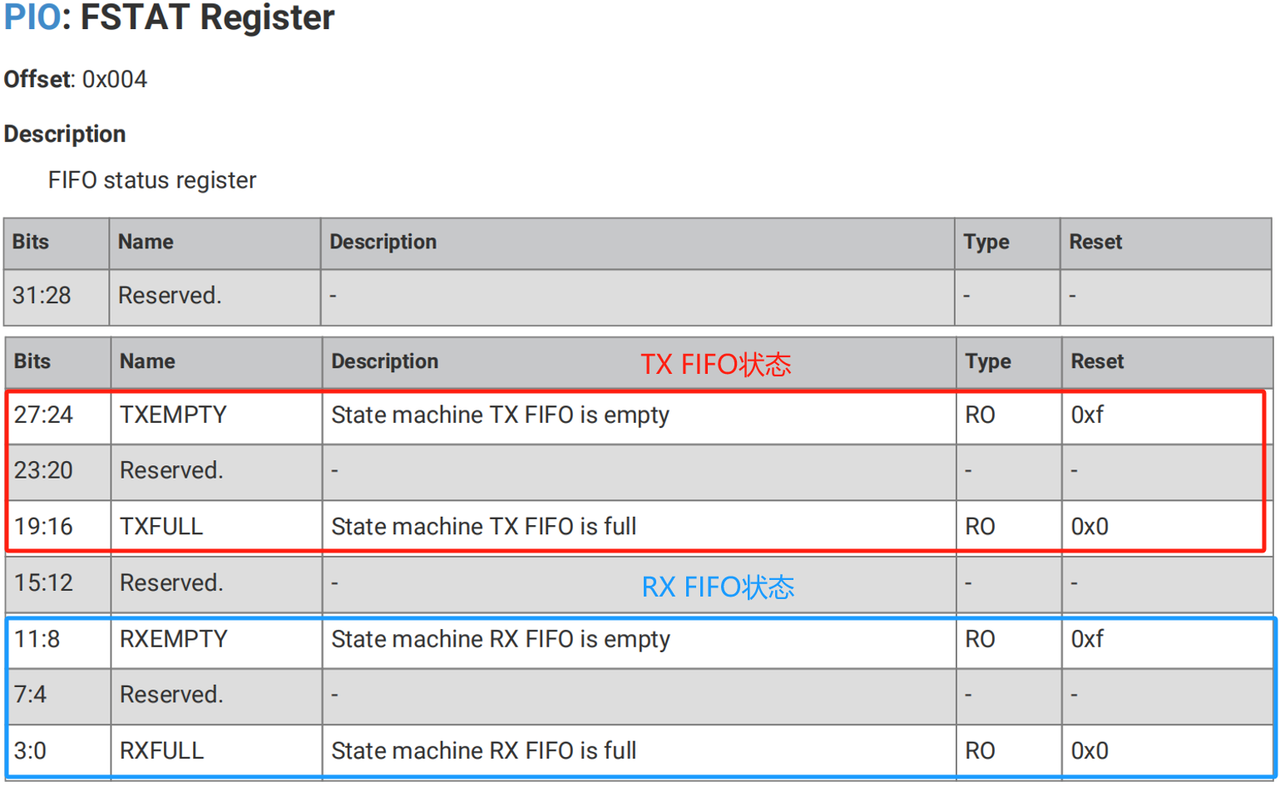
The FIFO status can be obtained by reading the FSTAT register:
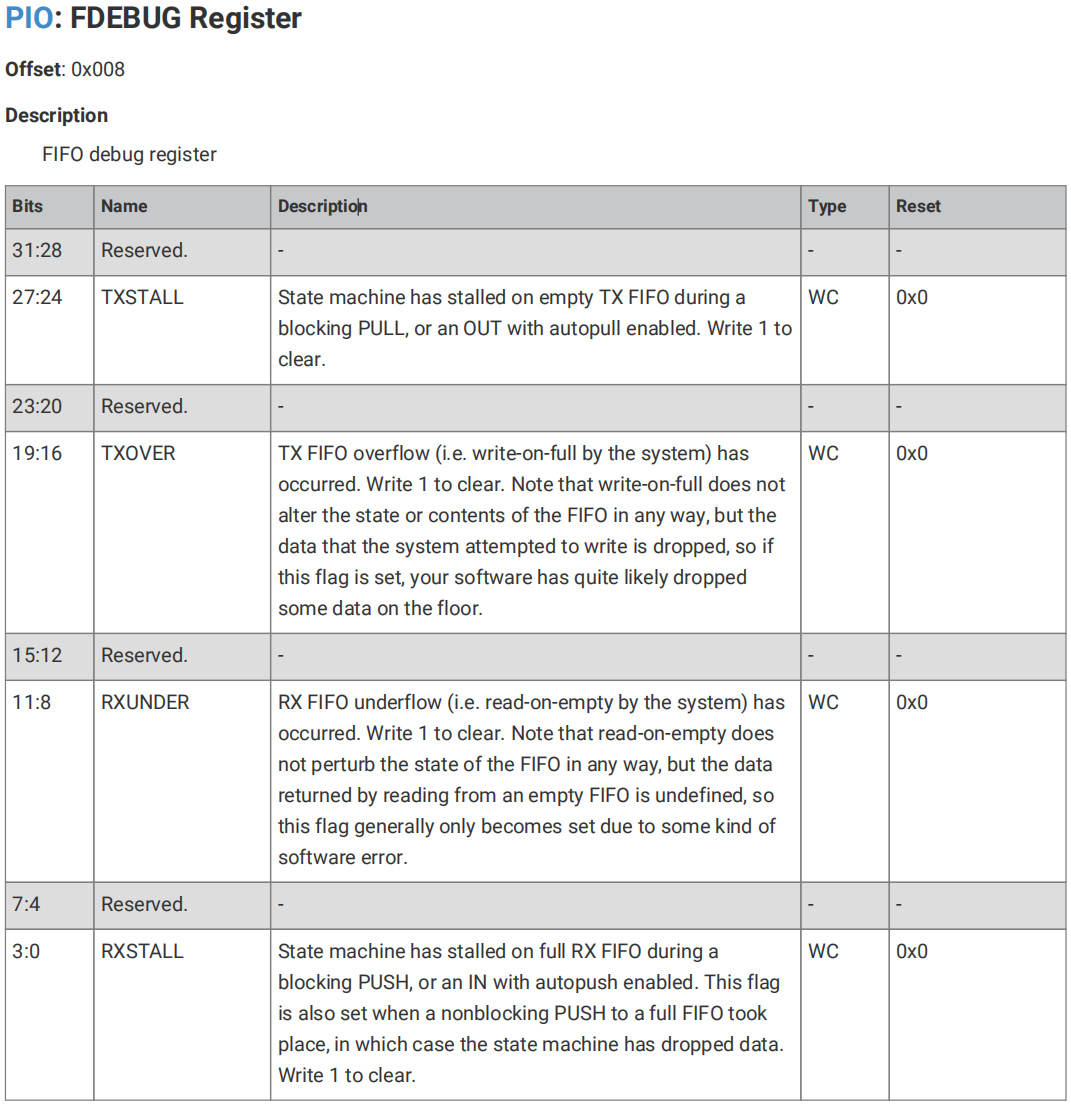
We can debug the FIFO by configuring the FDEBUG register to set TX FIFO pause and overflow, as well as RX FIFO empty read and pause:
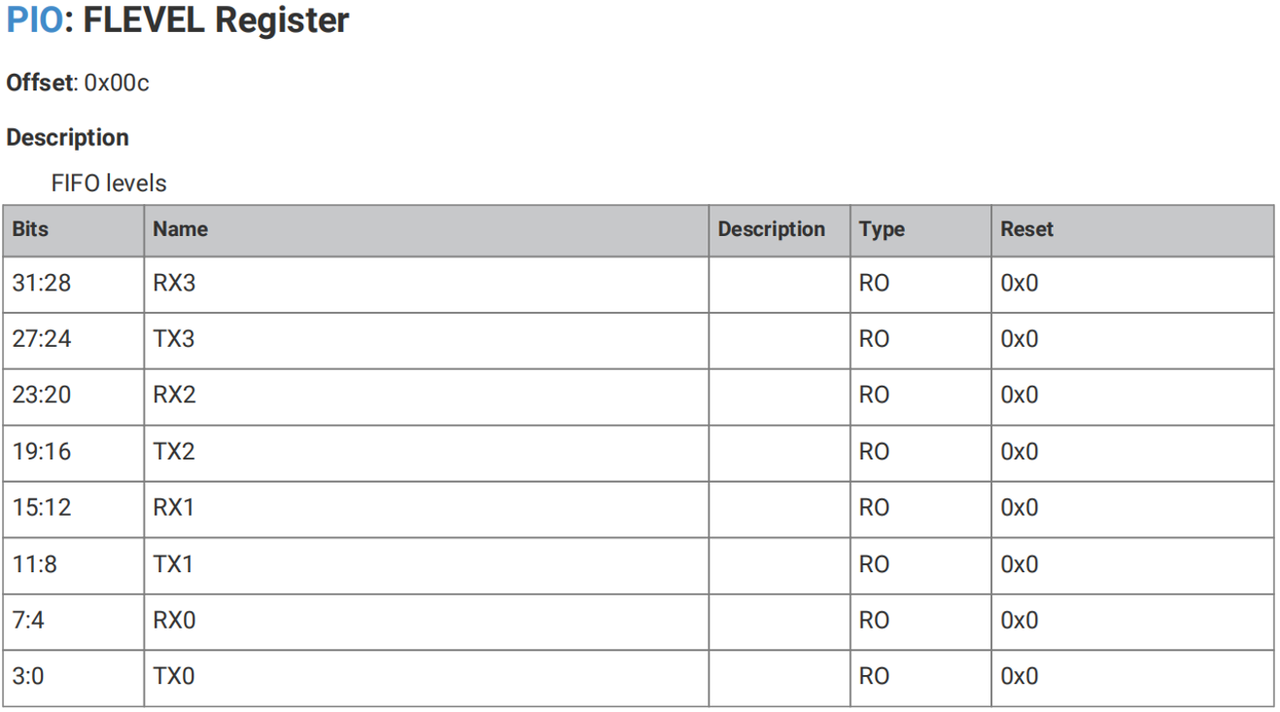
We can read the FIFO levels via the FLEVEL register:
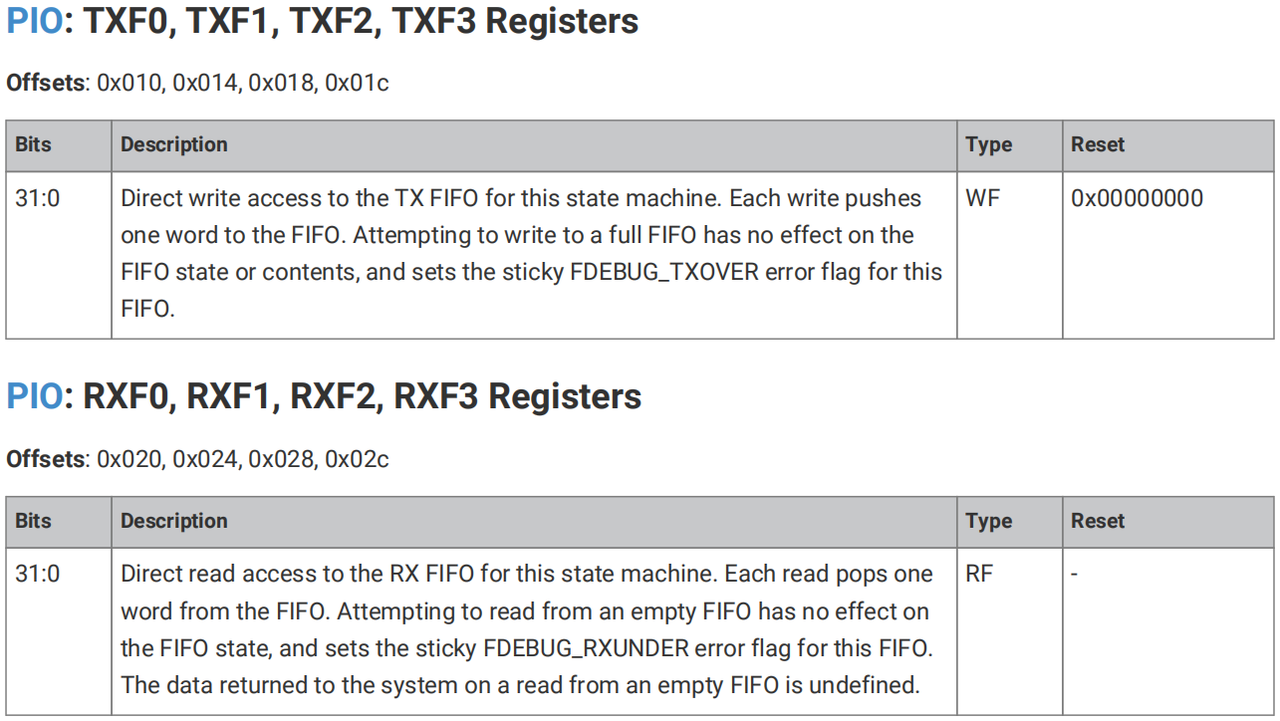
We can directly read and write the FIFO (x= 0~3) through the TXFx register and RXFx register:
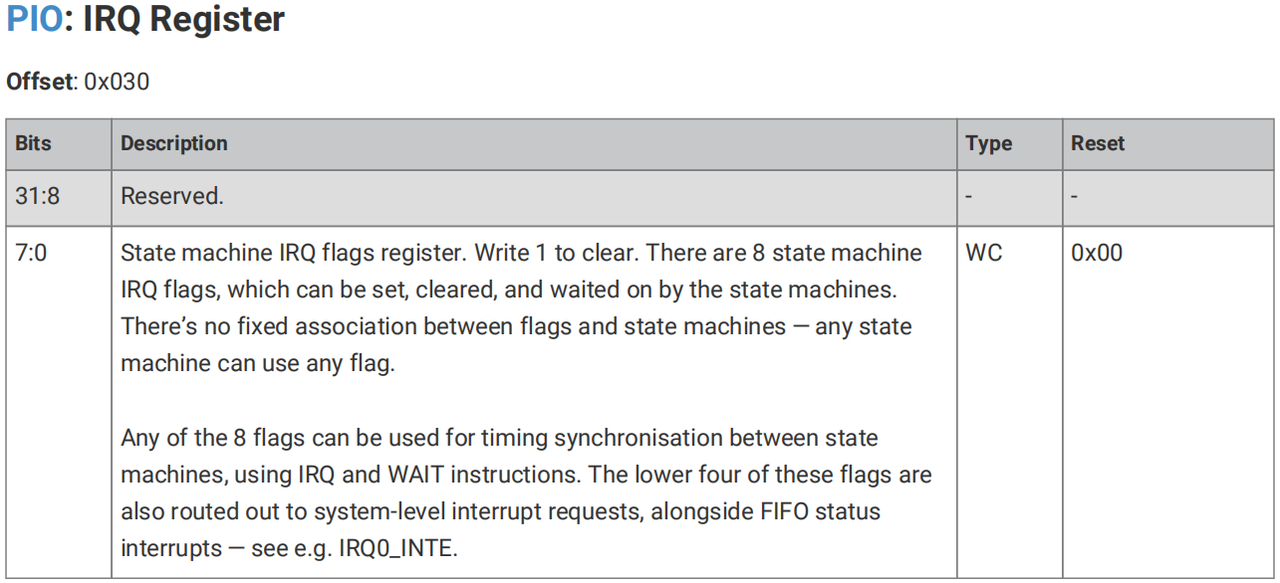
We can write 1 to the IRQ register to clear the interrupt flag bit of the finite-state machine:
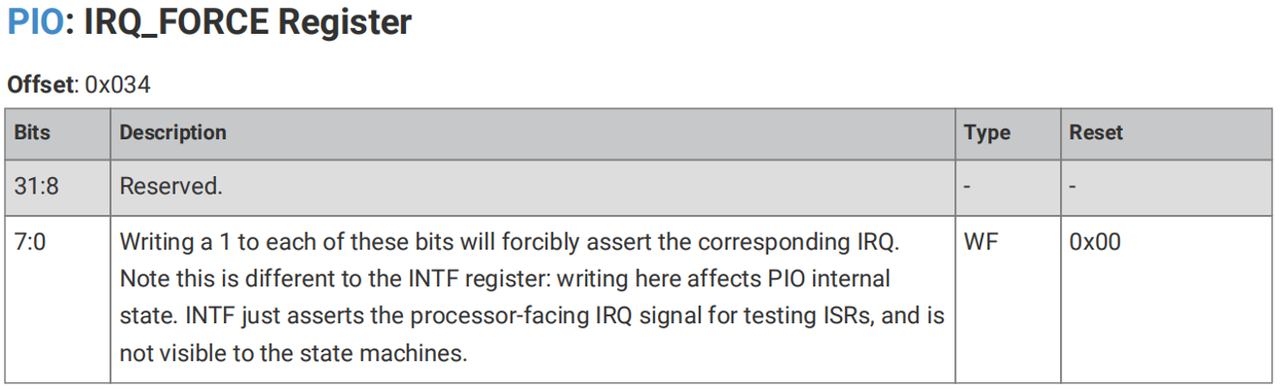
We can write 1 to the IRQ_FORCE register to forcefully assert the corresponding IRQ:
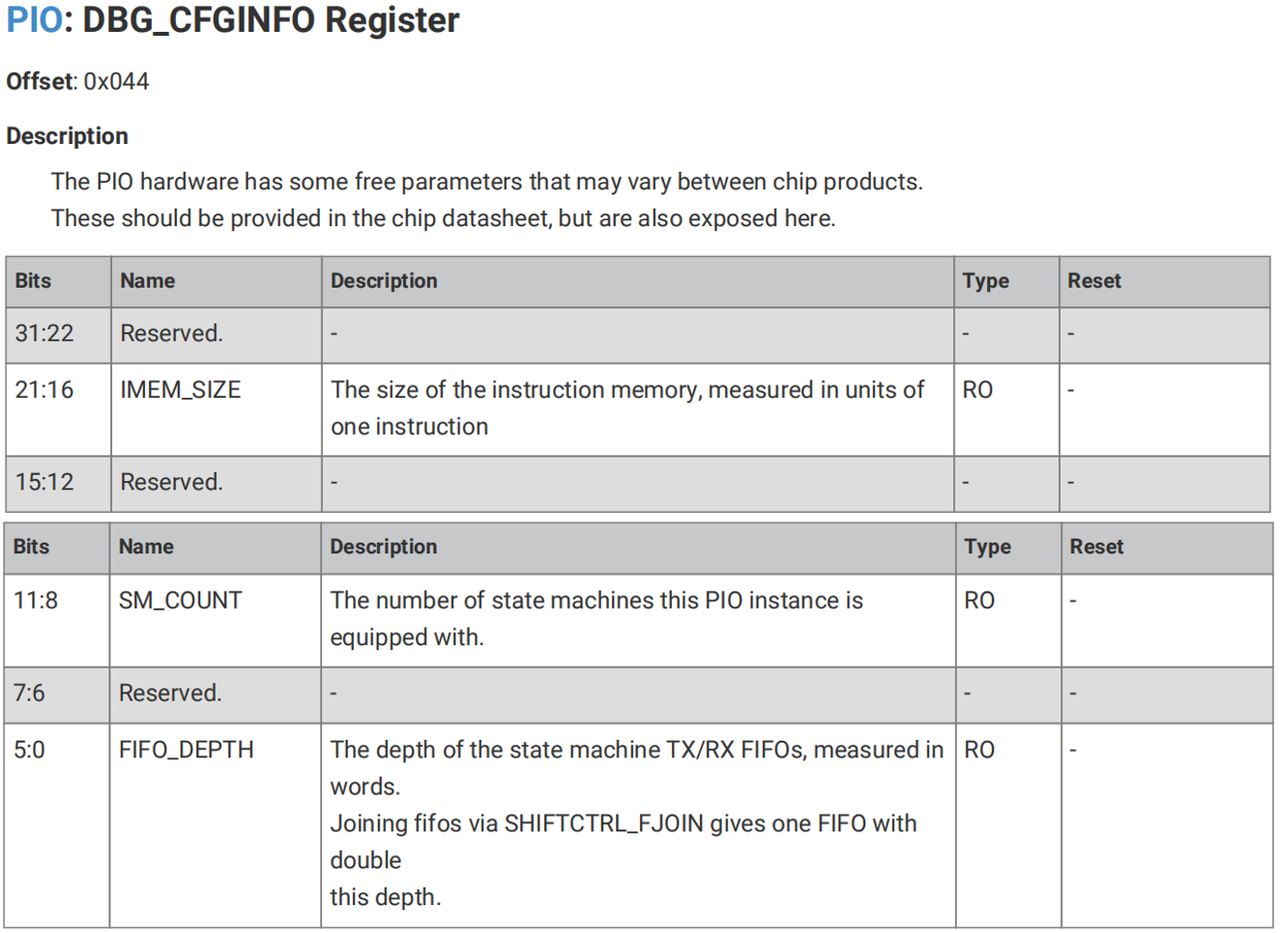
We can read the size of the instruction memory, the number of finite-state machines, and the depth of the TX/RX FIFOs by reading the DBG_CFGINFO register:
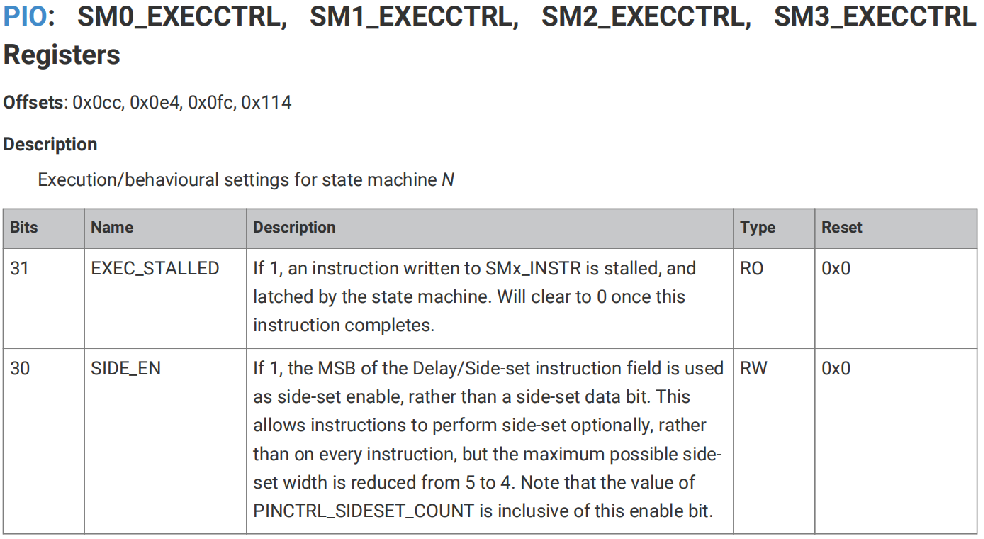
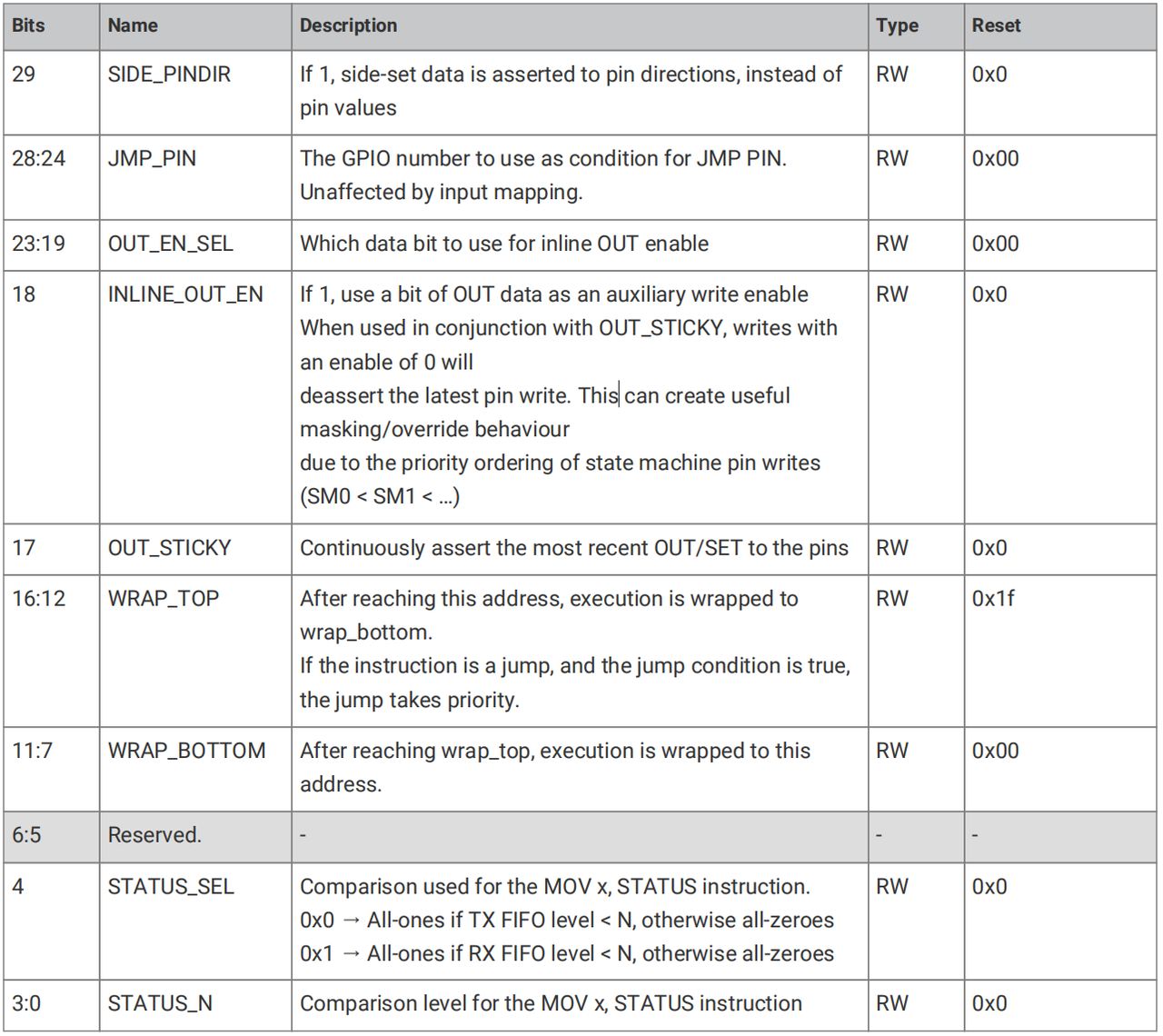
We can control the behavior of the finite-state machine through the EXECCTRL register, including enabling Side-set operations, jumping to Pin pins, WRAP wrap-around, etc. :
We can control the behavior of the OSR and ISR shifters via the SHIFTCTRL register, including operations such as FIFO merging, PUSH and PULL, and setting counter thresholds for auto-load and auto-push:
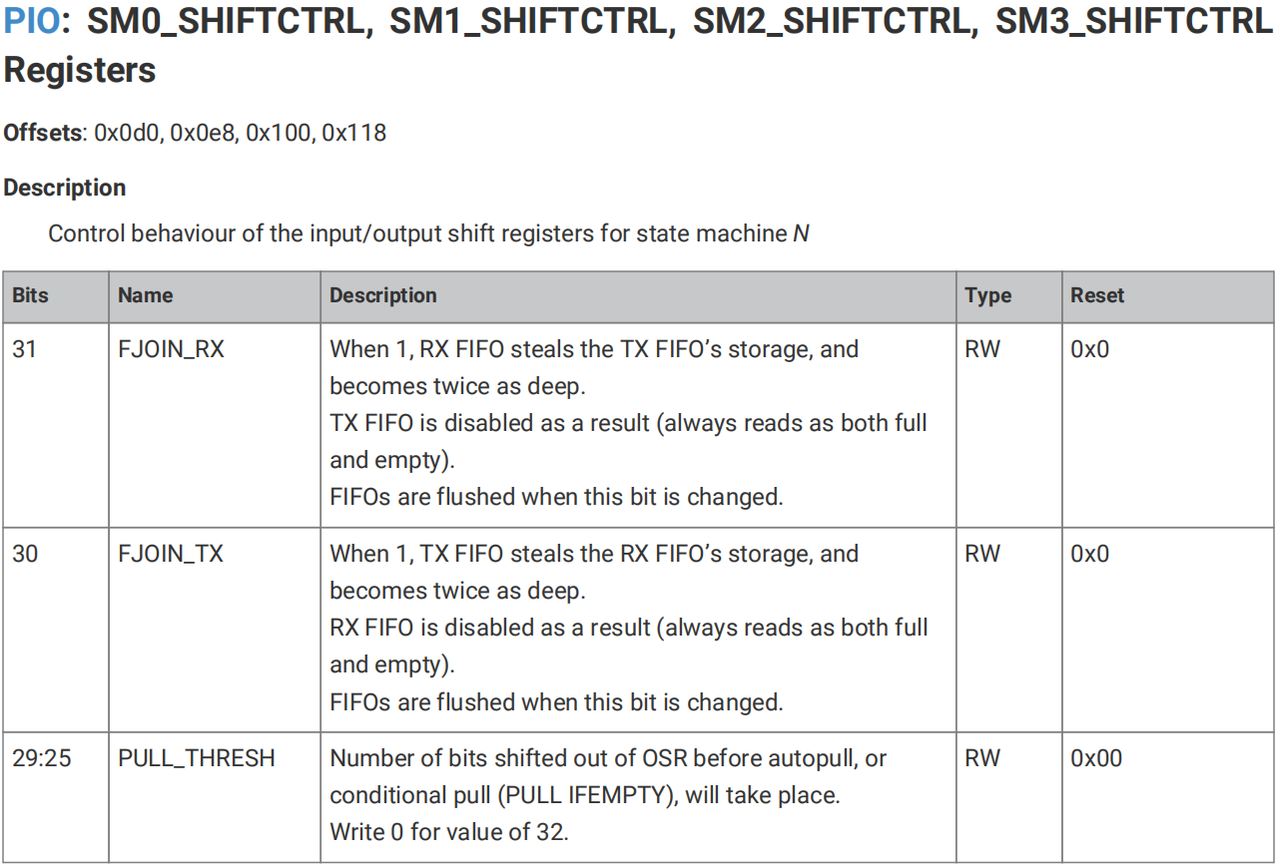
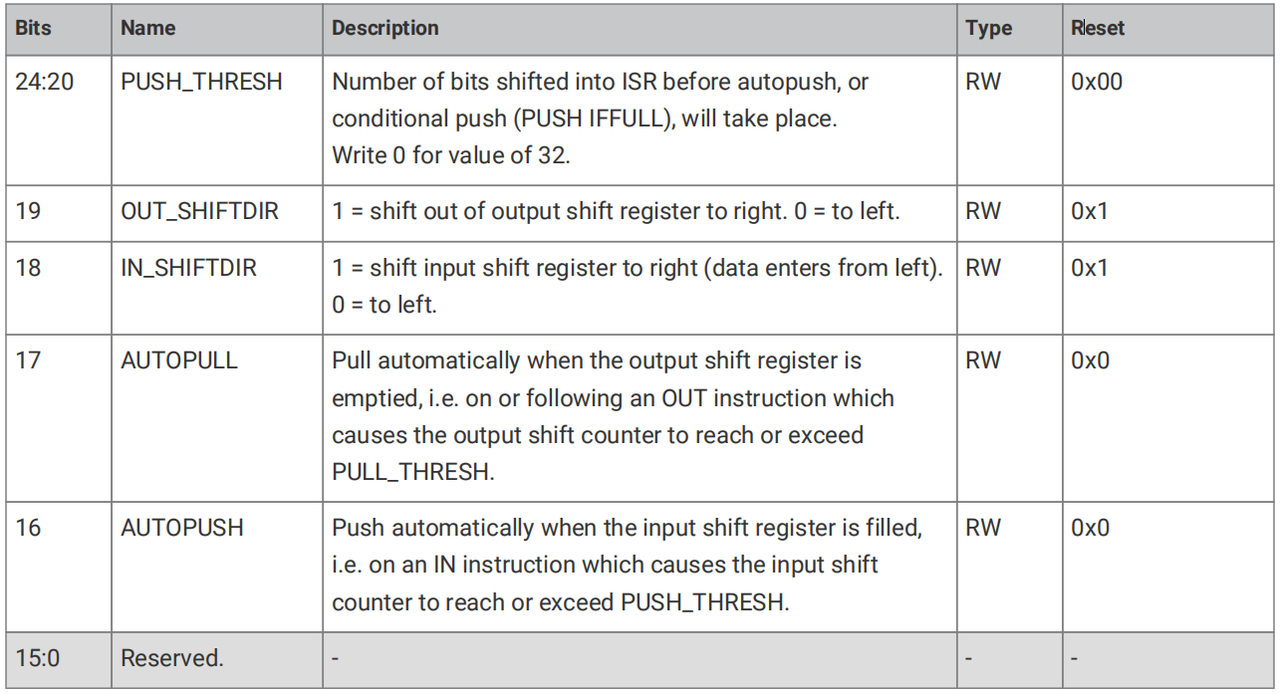
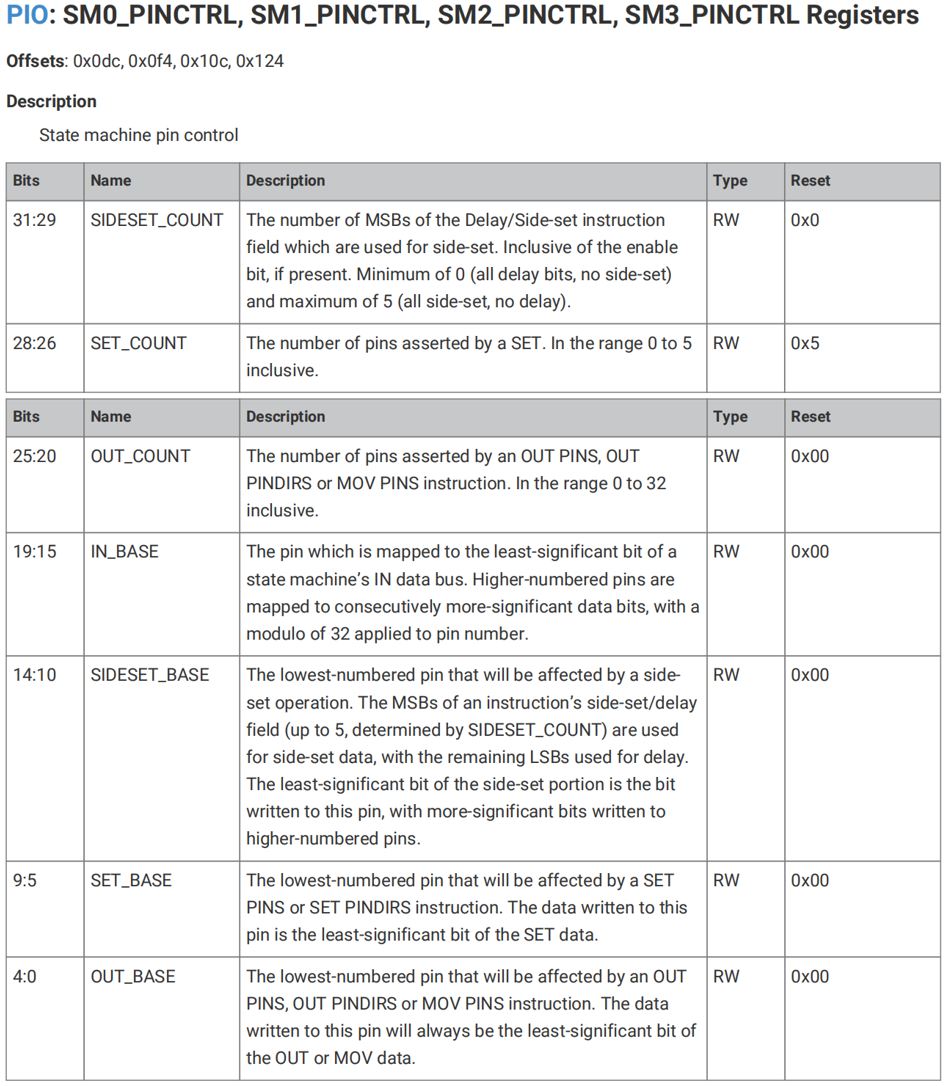
We can control pins via PINCTRL, including counting for SET and OUT operations, as well as read/write operations on the pin base address for four types of operations:
We have already explained the INSTR instruction register, CLKDIV frequency division register, INTE interrupt enable register, INTF interrupt forced trigger register, INTR raw interrupt register and INTS masked interrupt register. Here we only explain some key registers in PIO control, and you can refer to the manual for the remaining registers by yourself.We will not elaborate further on the principles and underlying mechanisms of PIO here, as our focus is on implementing different communication interfaces with PIO. Those interested can refer to the RP2040 datasheet and Pico SDK development manual to learn more about the underlying principles of PIO.

