



Illustrated Ethernet Protocol: Error Types and Auto‑Negotiation
It covers common Ethernet errors and the auto‑negotiation workflow.
Common Ethernet Error Types
Ethernet is one of the core technologies for modern network communication. Nevertheless, various errors may occur during actual operation. Below are common Ethernet error types and their descriptions:
Collision Collisions happen when two or more devices attempt to transmit data at the same time. This occurs frequently in half‑duplex Ethernet networks such as hub‑based networks.
Frame Error A data frame gets corrupted during transmission, resulting in mismatched checksum such as FCS.
Jumbo Frame Data frames exceeding the standard Ethernet frame length of 1518 bytes.
Runt Frame Frames shorter than 64 bytes, usually caused by collisions or hardware malfunctions.
CRC Error Cyclic Redundancy Check Error Mismatched frame CRC checksum, indicating data corruption during transmission.
Dropped Frame Frames are discarded when the buffer of a switch or router is full.
Duplex Mismatch Two ends of a network link are configured with different duplex modes, one port full‑duplex and the other half‑duplex.
- Auto‑Negotiation
Auto‑Negotiation is a feature defined in Ethernet standards. It automatically determines optimal connection parameters such as speed and duplex mode between Ethernet devices. This feature helps network devices communicate at the best possible performance and reduces manual‑configuration mistakes.
Workflow of Auto‑Negotiation is shown below:
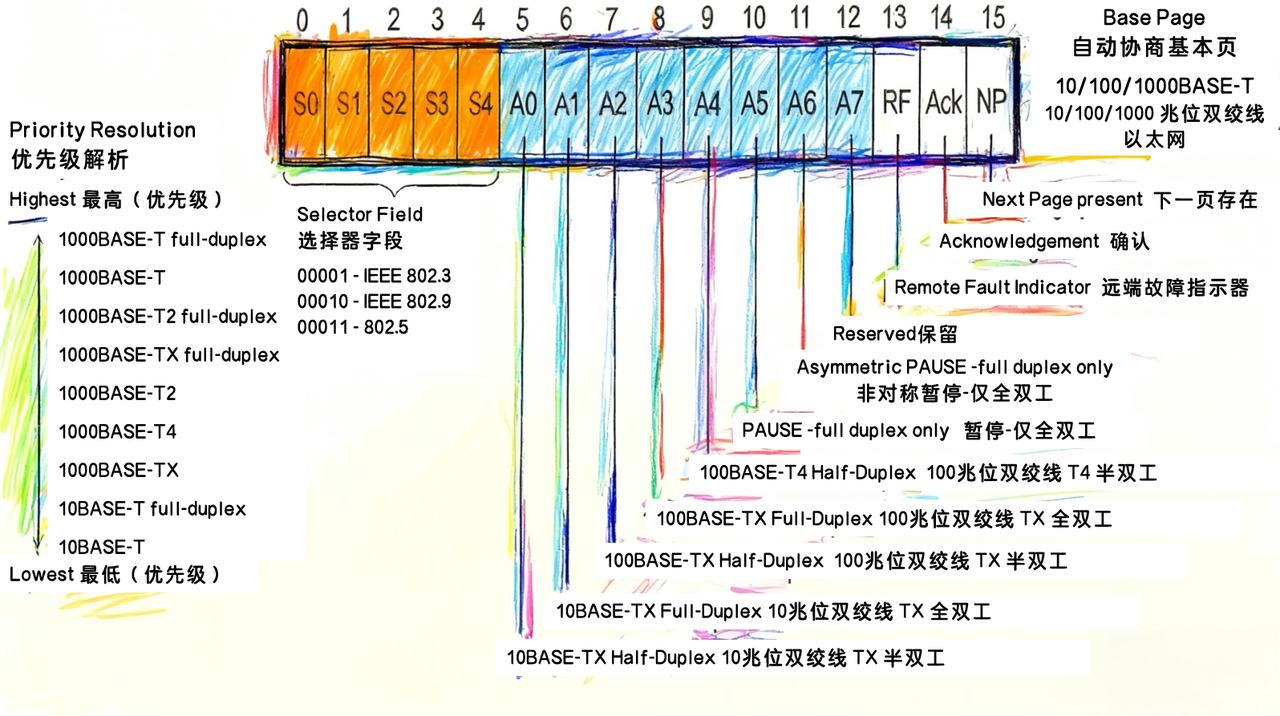
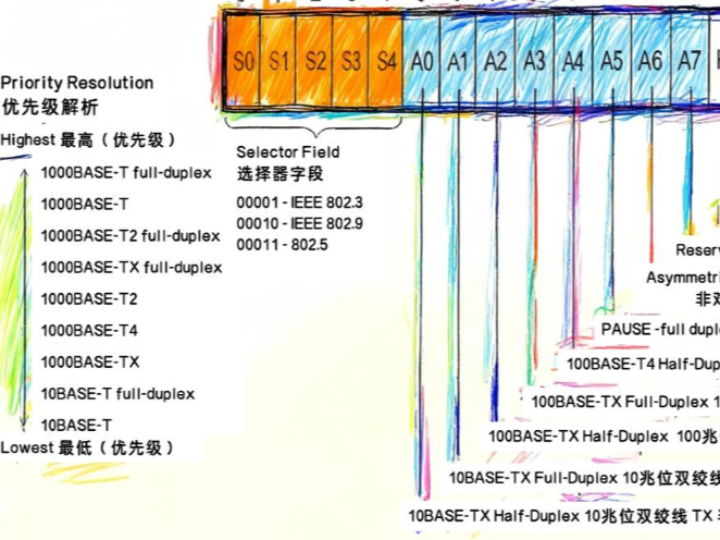
Auto‑Negotiation data frame
Initial Connection When two network devices such as a computer and a switch get connected, they exchange Auto‑Negotiation frames through the PHY physical layer to start the auto‑negotiation procedure.
Capability Exchange Each device sends capability frames advertising its supported speed and duplex modes. These frames are known as FLP Fast Link Pulse.
Select Optimal Configuration Based on exchanged capability frames, both devices select the highest mutually‑supported speed and the best available duplex mode, either full‑duplex or half‑duplex.
Apply Connection Parameters Devices configure their respective network interfaces according to negotiation results and start regular data communication.