Embedded 101: Wokwi vs Unicorn — Pick the Right MicroPython Online Simulator
BIPES primarily generates MicroPython code, with limited experimental support for other languages.
COMPONENTS
PROJECT DESCRIPTION
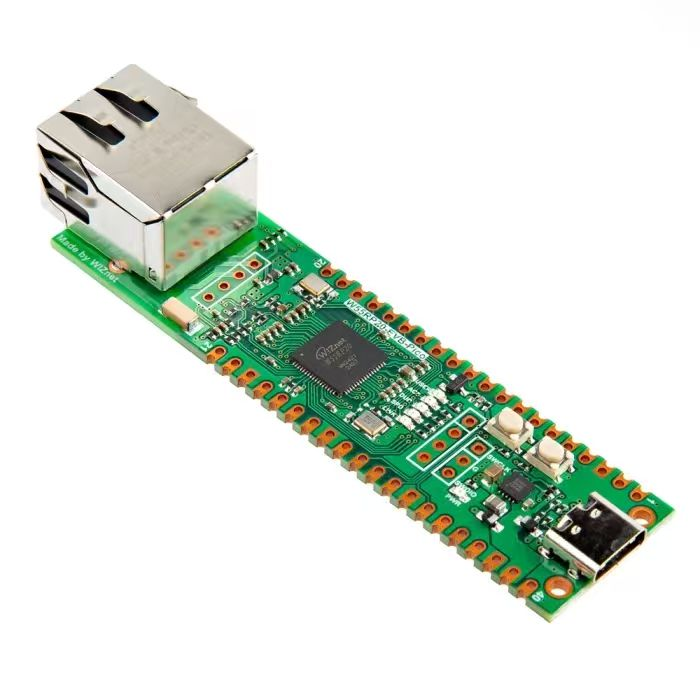
【Preliminary Note】The original hardware example in this article was written based on the RP2040. The actual hardware used in this hands-on demonstration features the W55RP20 as the main controller chip. The circuit logic and UF2 flashing operation principles are universally applicable, with only the main controller model differing. The original chip model mentioned in the circuit descriptions below is provided for reference purposes only.
Tweet
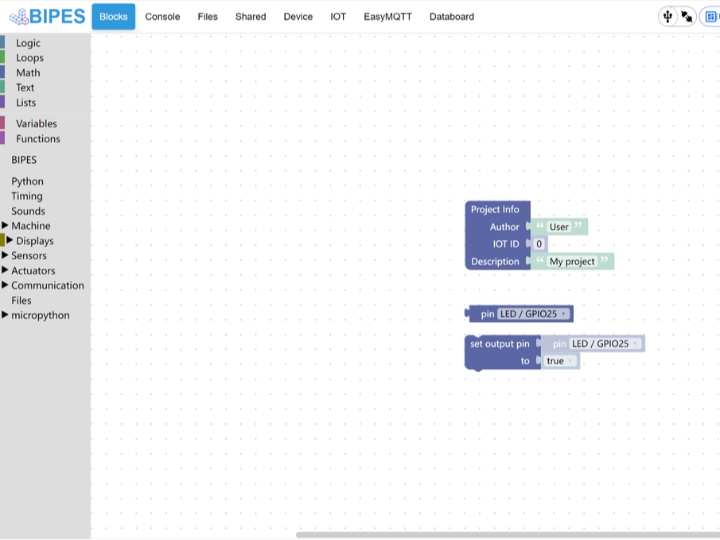
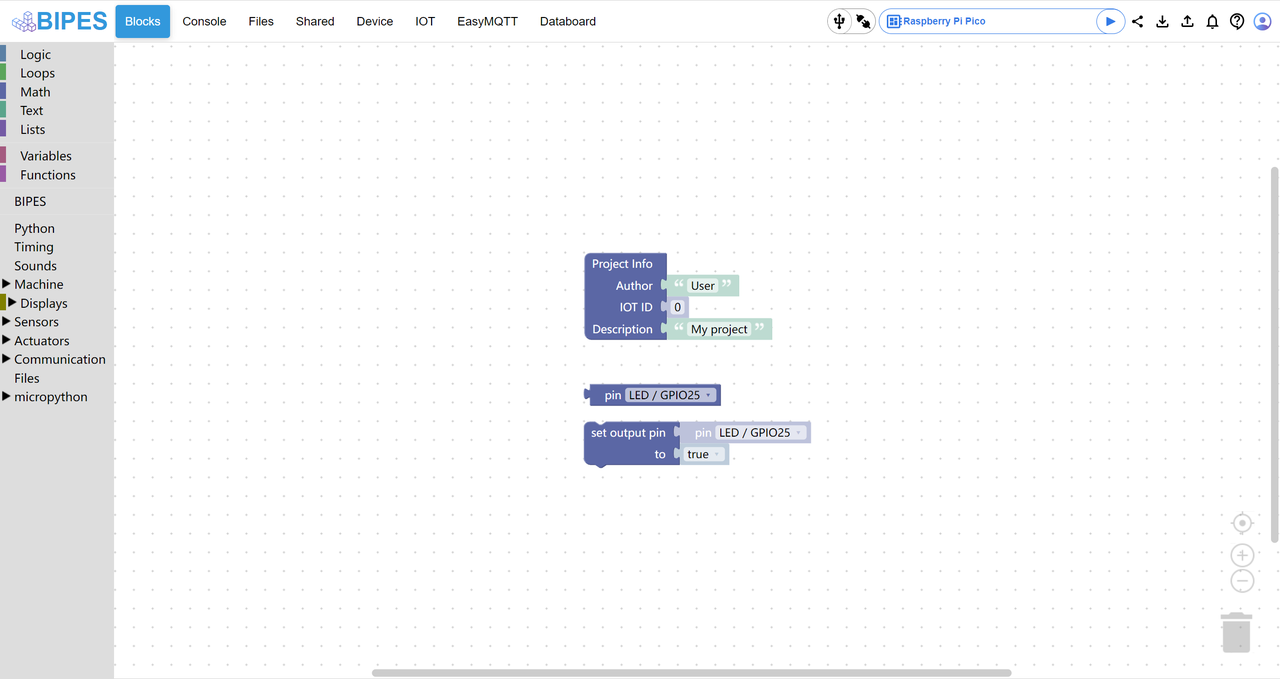
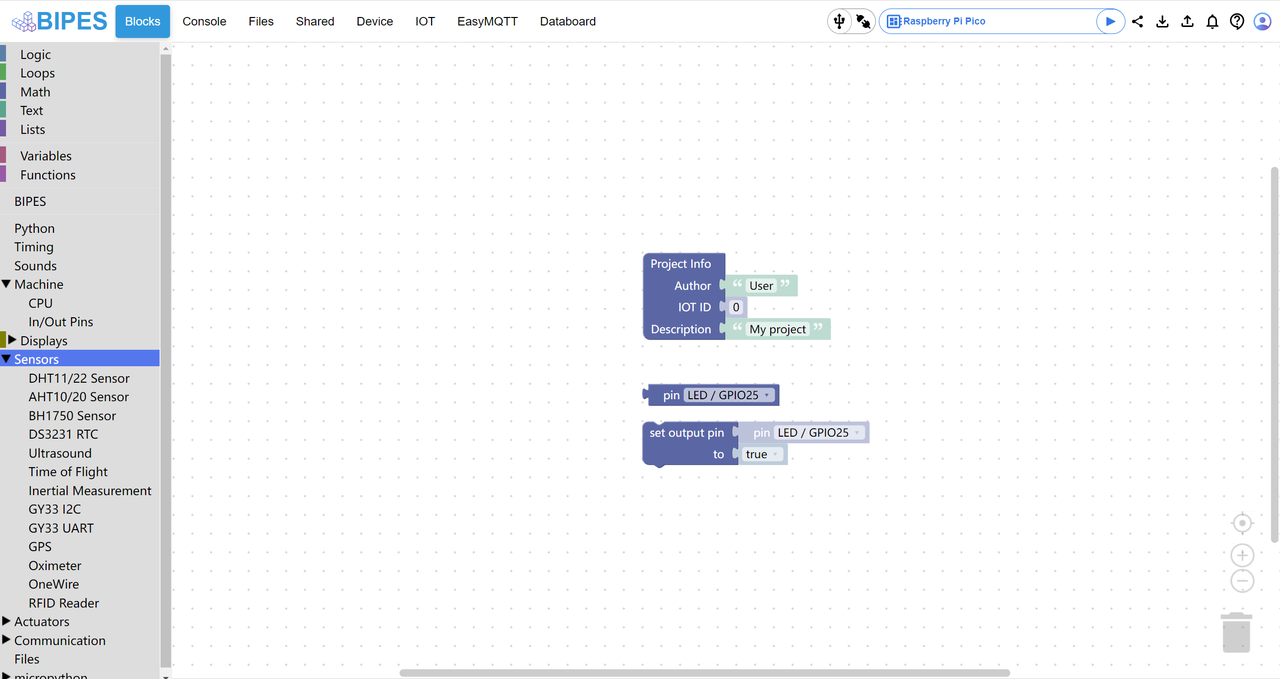
bipes is a beginner-friendly tool for MicroPython hardware development: it is a browser-based online tool that requires no local software installation. Users can directly drag and drop the graphical blocks on the left (such as those in the categories of logic, hardware control, sensors, etc.) to piece together MicroPython code — as shown in the figure, the "set output pin" block is used to control the onboard LED (GPIO25 pin) of the Raspberry Pi Pico to turn it on.
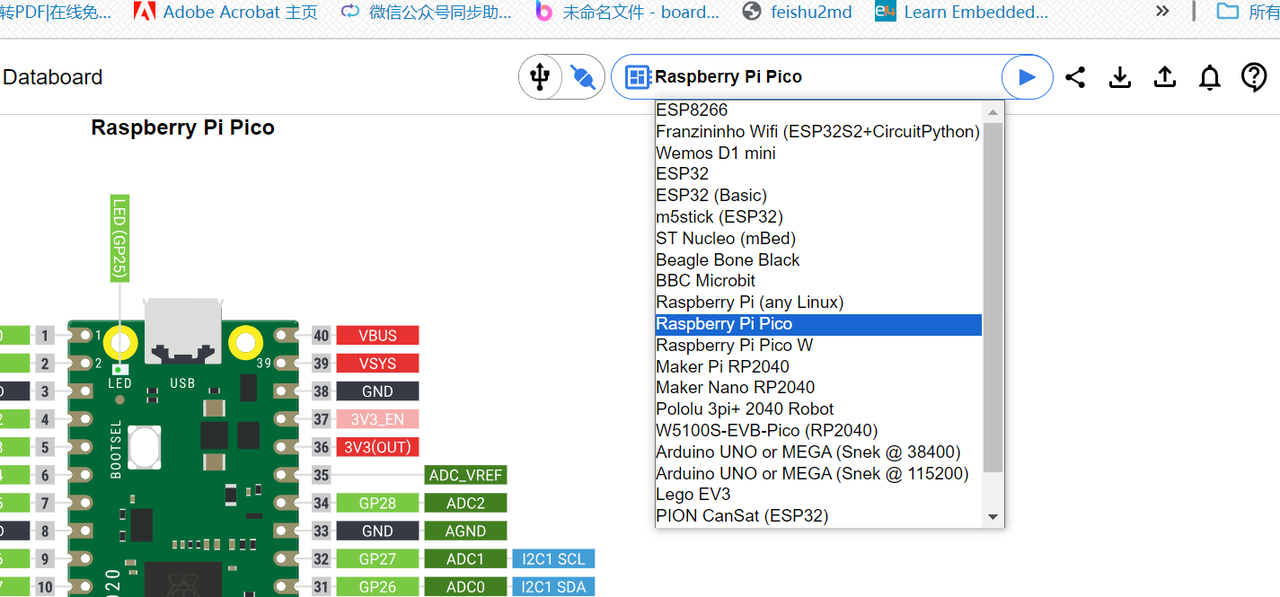
BIPES supports a variety of development boards (including ESP8266, ESP32, and Raspberry Pi Pico), and can connect to microcontrollers via Wi-Fi or serial port.
The left-side menu provides dedicated blocks for multiple sensors such as DHT11/22 (temperature and humidity sensors), ultrasonic sensors, gyroscopes, and more.
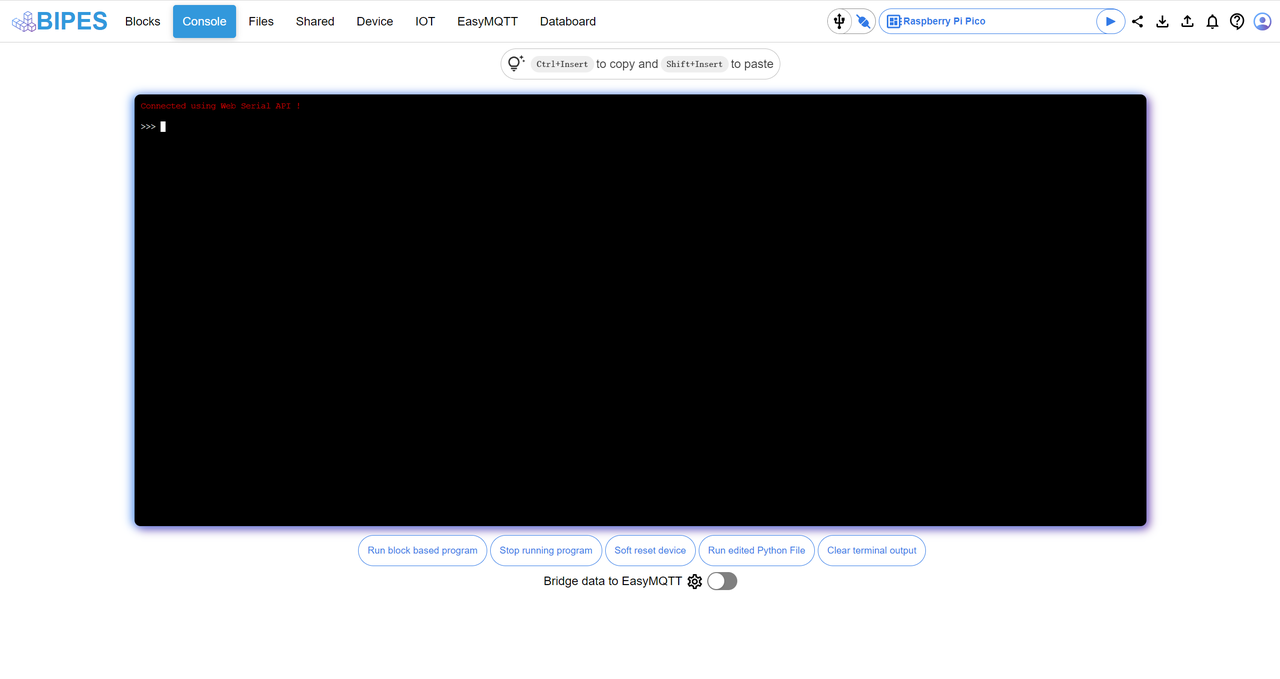
It is also equipped with a device interaction and log viewing area:
The top area displays the device connection status (the text "Connected using Web Serial API" in the figure indicates that the Pico is already connected);
Bottom Button Functions:
Run block-based program: Run the program you have built with blocks;
Soft reset the device: soft reboot the development board (for use when the program freezes);
Run edited Python File: Run the Python code file that you have manually edited;
Here you can view the program running logs and error messages in real time, and also directly input MicroPython commands to interact with the device.
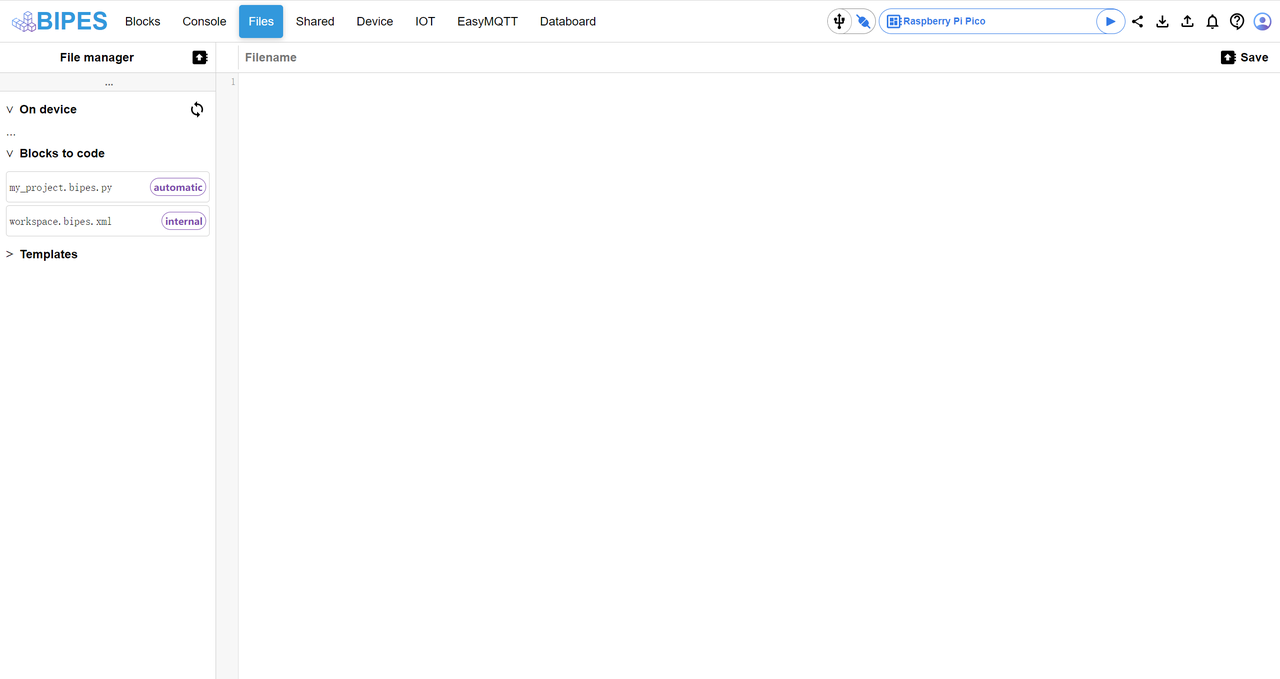
We can also manage files between the development board and the local machine:
The left side is divided into 3 sections:
On-device: Files stored in the internal memory of the development board (you can upload, download and delete files on the development board here);
Blocks to code: Code files automatically generated by blocks (. bipes. py is a runnable Python file, and workspace. bipes. xml is a block configuration file);
Templates: Official project templates (for quickly building functions directly via templates);
Operation: For example, to save the. py file generated by the blocks to the development board, just select the. pyOn device area and click the upload button.
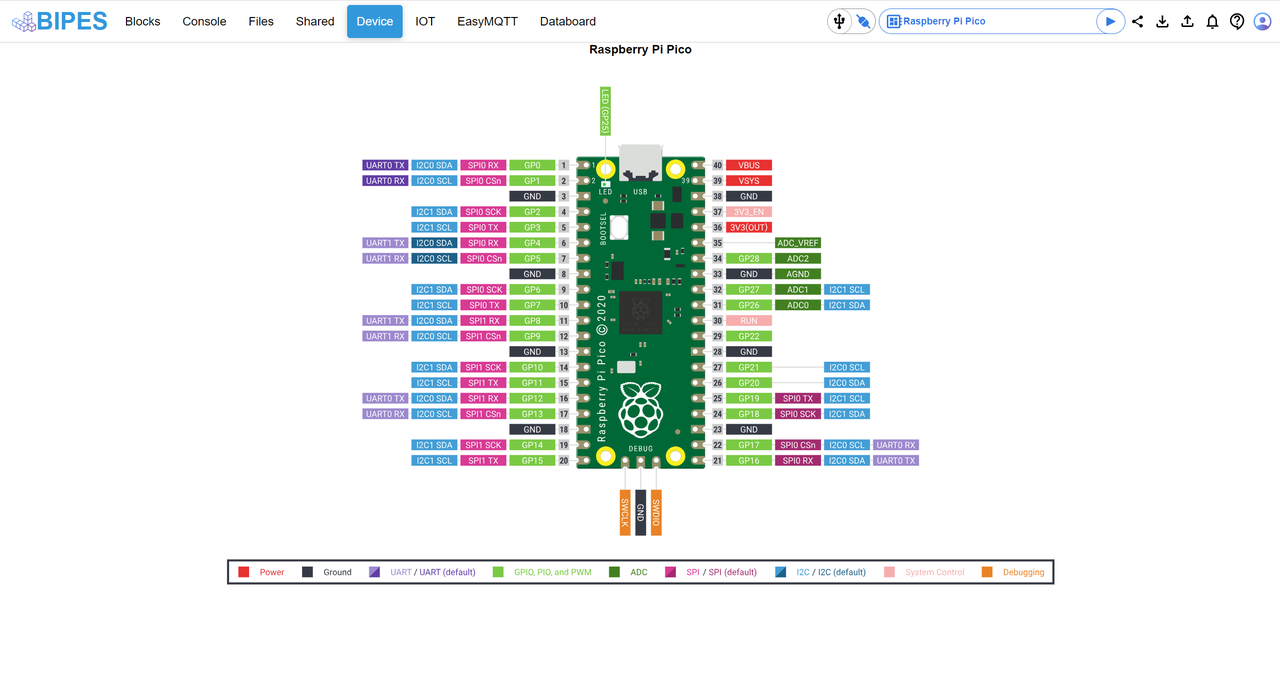
This website also provides a Device tab, which serves as the pin reference area for the development board, displaying the complete pinout of the Raspberry Pi Pico, with different colors corresponding to different functions (for example, GPIO is marked in green and I2C in blue).