Embedded 101: MicroPython v1.23.0 vs v1.27.0 on Pico — In-Depth Iteration Comparison
It covers flashing MicroPython UF2 firmware for Pico, firmware types, and differences between v1.23.0 and later versions.
COMPONENTS
PROJECT DESCRIPTION
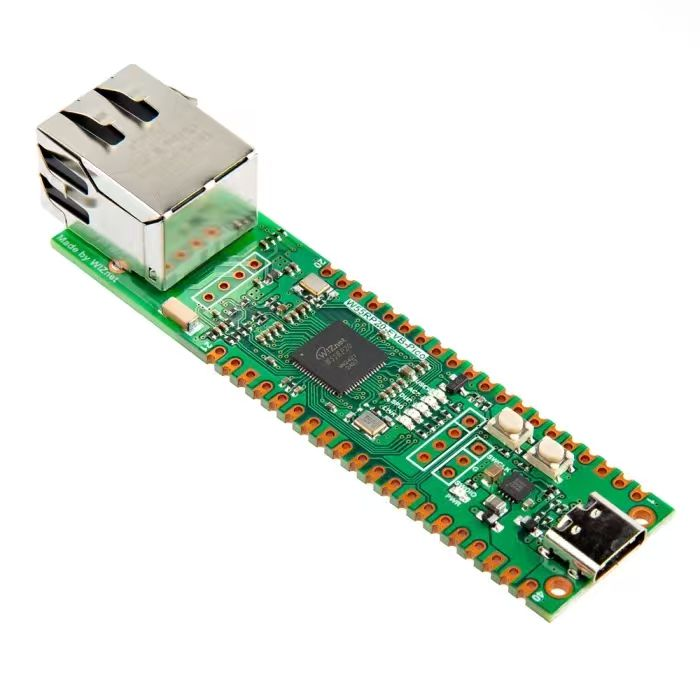
【Preliminary Note】The original hardware example in this article was written based on the RP2040. The actual hardware used in this hands-on demonstration features the W55RP20 as the main controller chip. The circuit logic and UF2 flashing operation principles are universally applicable, with only the main controller model differing. The original chip model mentioned in the circuit descriptions below is provided for reference purposes only.
1. Flashing MicroPython Firmware to Raspberry Pi Pico
In most parts of this tutorial, the Raspberry Pi Pico uses the MicroPython firmware version RPI_PICO-20240602-v1.23.0. uf2.
You can download it via the following link: https://micropython.org/download/RPI_PICO/
If you do not want to use the pre-built version — for example, if you want to develop an extended C module for MicroPython — you will need to obtain the source code of MicroPython, modify it, and then perform a cross-compilation to build your own MicroPython firmware binary.
When flashing the firmware, you first need to hold down the BOOTSEL button on the Raspberry Pi Pico, then connect the Raspberry Pi Pico to your computer via a USB cable while keeping the button pressed. Note: if your computer does not prompt that a new device is connected, it is most likely because the USB cable you are using is a charging cable rather than a data cable.
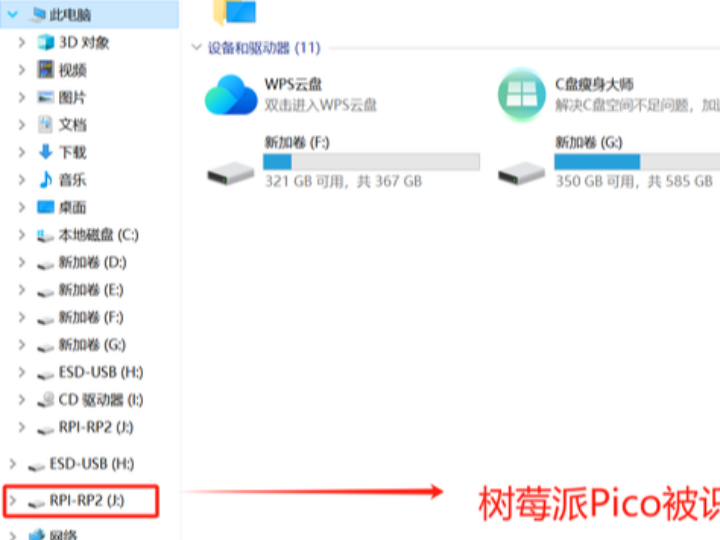
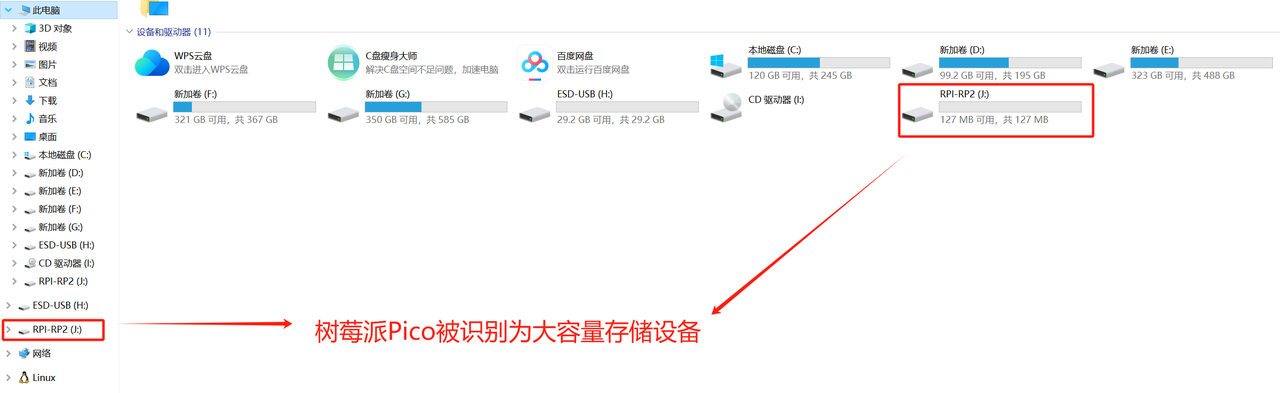
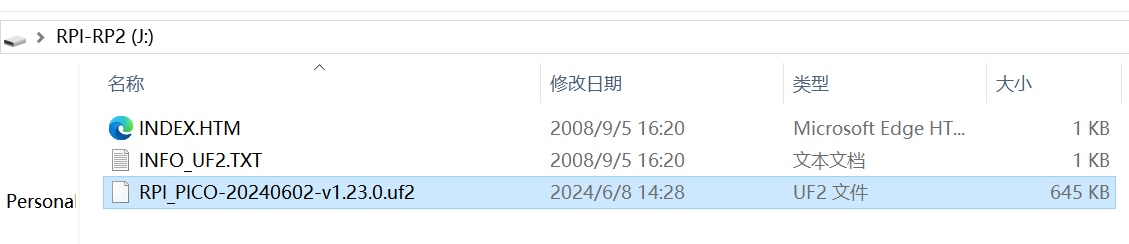
After the Raspberry Pi Pico is connected to a computer via USB, the Pico will be recognized as a mass storage device. When you open This PC, you will find a new RPI-RP2 volume appears:
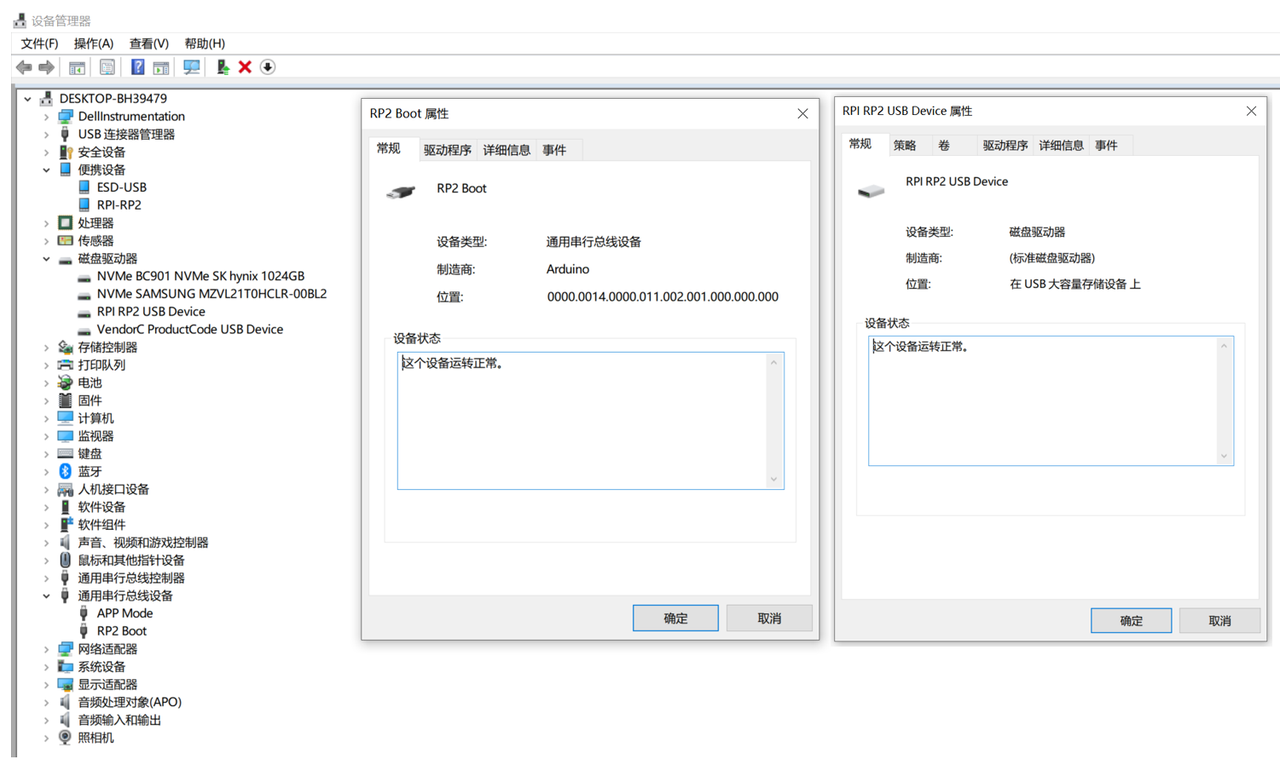
Open Device Manager, and by default two devices will appear: Universal Serial Bus Device and disk Drive.
Simply drag the prepared firmware RPI_PICO-20240602-v1.23.0. uf2 file into the drive that pops up after you plug in the Pico, and this will program the firmware into the flash memory of the Raspberry Pi Pico:
Programming the UF2 file into the flash takes a few seconds; once completed, the development board will automatically restart, causing the RPI-RP2 drive to disappear, and then MicroPython will start running.
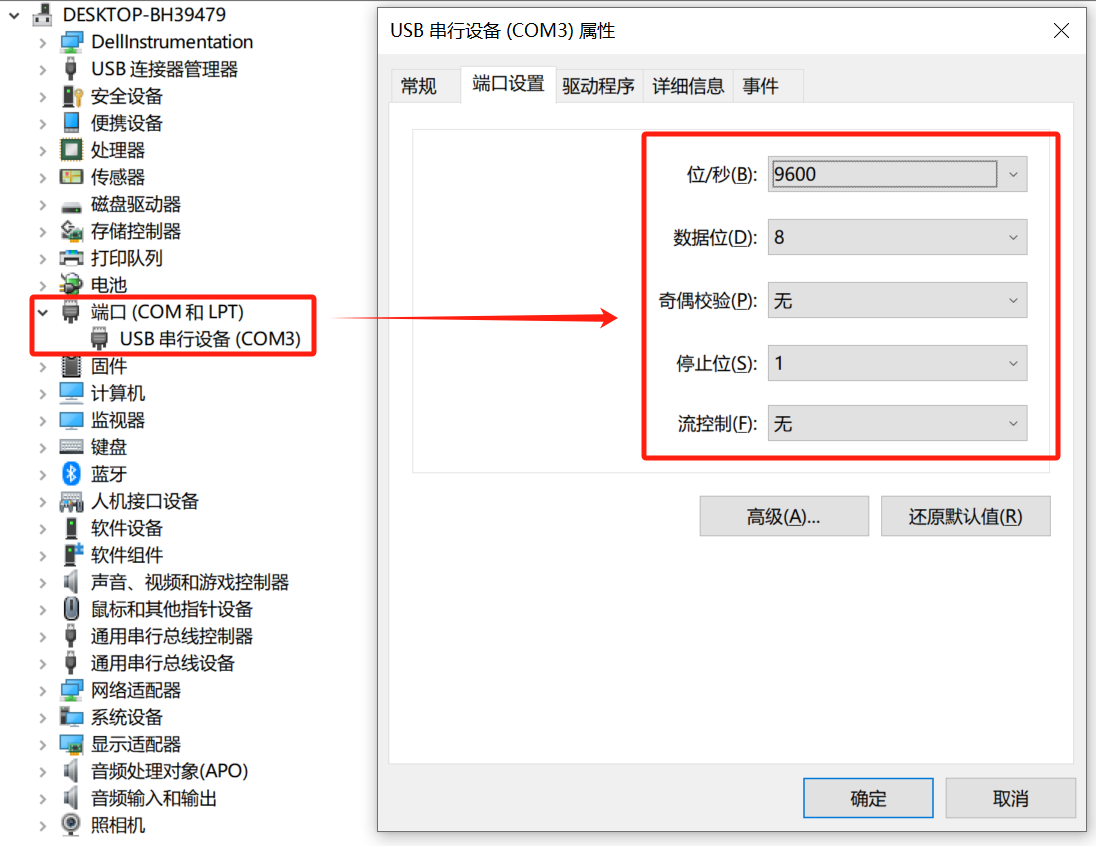
Open Device Manager to check the ports, and you will find a new COM port appears in Device Manager. We can access the REPL (similar to a command line) of the Raspberry Pi Pico through this port (which is actually the USB virtual serial port on the Raspberry Pi Pico).
2. MicroPython Firmware Version on Raspberry Pi Pico
Some of you may have noticed that the latest version of the MicroPython firmware currently is v1.27.0+, so why do most of the codes in our tutorials use v1.23.0?
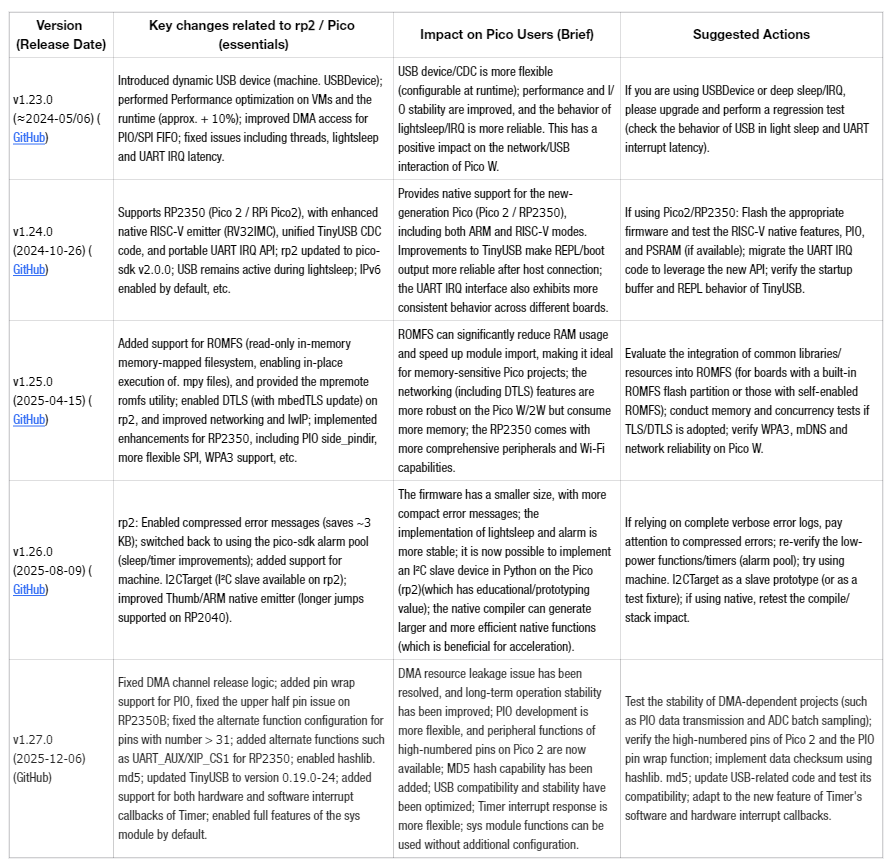
Here we list the change table of MicroPython firmware versions v1.23.0 to v1.27.0 for Raspberry Pi Pico:
测试依赖 DMA 的项目(如 PIO 数据传输、ADC 批量采样)稳定性;验证 Pico 2 高编号引脚及 PIO 引脚环绕功能;利用 hashlib.md5 实现数据校验;更新 USB 相关代码并测试兼容性;适配 Timer 软硬中断回调新特性。
Table 1.1 Overview of Version Differences and Improvements of MicroPython Firmware (v1.23.0 → v1.27.0)
From a pedagogical perspective, most of the core fundamentals of MicroPython fundamentals remain unchanged: Python syntax/REPL interaction model, the basic machine API concepts (GPIO, ADC, PWM, basic I²C/SPI read/write operations), module import mechanism, and the debugging/serial interaction workflow have stayed consistent between v1.23 and v1.27. As a result, classroom examples and exercise code can continue to be used in the vast majority of cases without modification or only with minor adjustments.
Only a few low-level or advanced features have been modified (such as the addition of RP2350 support and RISC-V native emitter, in-place execution of ROMFS. mpy, DTLS/mbedTLS updates, machine. I2CTarget (I²C slave), TinyUSB startup buffer, sys. exit ()/exception behavior and error message compression, etc.), and we will gradually update these new features in subsequent tutorials.