It introduces Python PyPI packaging, and explains MicroPython library installation via mip/mpremote and how to build custom MicroPython packages.
COMPONENTS
PROJECT DESCRIPTION
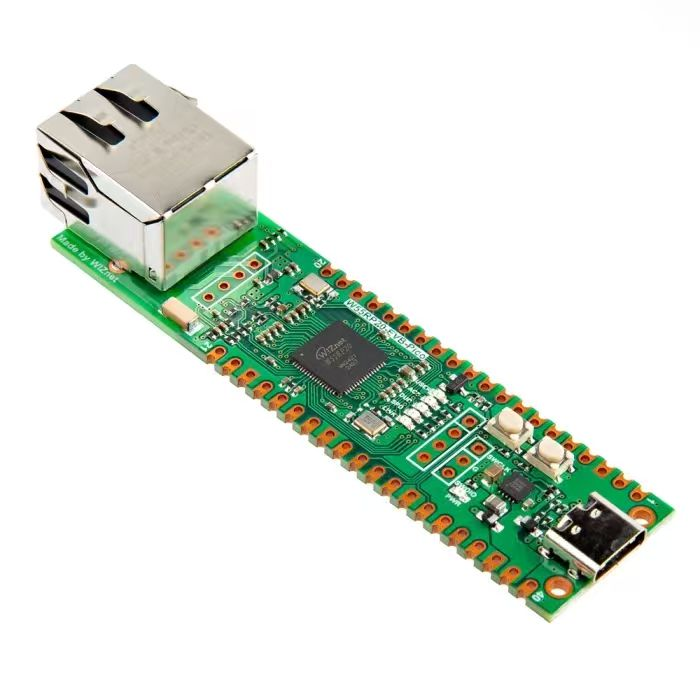
【Preliminary Note】The original hardware example in this article was written based on the RP2040. The actual hardware used in this hands-on demonstration features the W55RP20 as the main controller chip. The circuit logic and UF2 flashing operation principles are universally applicable, with only the main controller model differing. The original chip model mentioned in the circuit descriptions below is provided for reference purposes only.
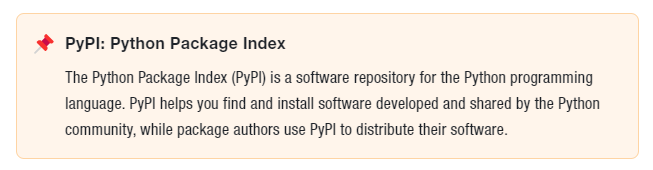
Taking the Python on the host computer as an example, Python modules and packages can be packaged into archive files suitable for inter-system transmission and stored on the Python Package Index (PyPI). Users who need to install modules and packages only need to execute the corresponding pip installation command to complete the download and deployment.
Packaging refers to further encapsulating your source code and pre-configuring all project deployment tasks, so that users can get it and use it immediately without worrying about how to deploy it; while distribution means uploading the packaged Python modules and packages to the Python Package Index, so that they can be installed and used as an open-source library via the pip install command.
Distribution of Python packages can be divided into two categories:
Released in the form of source packages: The installation process of a source package involves decompressing first, then compile, and finally installing, so it is cross-platform. Since compilation is required for each installation, its installation speed is relatively slower compared to the binary package installation method. Essentially, a source package is a Compressed Packet, and its common formats include: ZIP, tar, gztar, and bztar.
Released in the form of binary packages: The installation process of binary packages eliminates the need to compile, and directly proceeds to decompression and installation, so the installation speed is faster compared with source packages. Since packages compiled on different platforms are not interchangeable, packages for multiple platforms need to be pre-compiled before release. Common formats of binary packages include: egg, wheel.
Just like Python on a host computer, MicroPython supports the creation of "third-party" packages, their distribution, and easy installation in each user's environment.
The distribution package format of MicroPython is the well-known tar. gz format, where the Gzip compressor acts as an external wrapper for the TAR Compressed Packet, with a default dictionary size of 4KB.
1. Installation Package Process
The basic process of the installation package is as follows:
Remote Installation (MIP method):
You can install packages/modules in either bytecode format (. mpy) or source code format (. py). For example, when installing the random source code module, you need to first delete the existing random. mpy file, then use the mip. install (GitHub link of the corresponding file) command to complete the installation.
After installation, you need to add the /lib directory where the modules are stored to the Python system path (by running sys. path. append ('/lib')) before you can directly use import to import modules.
Manual Installation (via mpremote):
It is applicable to MicroPython development boards without local network capabilities, and is operated via the host PC with the help of the mpremote tool (which supports USB/UART connection to devices).
You can install packages via installable packages, files at specified links, or repositories such as GitHub/GitLab, with the command format as mpremote mip install <package name/link/repository address>.
The following parameters can be configured during installation:--target-path (to specify the installation path), --no-mpy (to disable compiling into. mpy files), --index, and others.
2. Create and distribute your own packages and modules
The process for creating and distributing your own packages and modules with MicroPython is briefly summarized as follows:
Standardize package structure: organize the file directory, including core function. py files, optional __init__. py (to mark as a package), README. md (documentation), LICENSE (open source license), examples folder (sample code), etc.
Code specification check: By leveraging the pre-commit hook, the tools black and Flake8 are automatically invoked to conduct code format specification and static checking, ensuring that the code complies with the specifications.
Compile / Optimization (Adaptation for Embedded Environments): Compile. py files into. mpy bytecode; for low-memory devices, packages can be "frozen" into firmware bytecode (pre-compiled and stored in ROM).
Prepare distribution metadata: Create files such as package. json and manifest. py to specify clear information including the package name, version, and dependency relationships.
Distribution and Deployment:
Public distribution: upload to PyPI (for others to install via upip), or publish to a GitHub repository for download.
Device deployment: For devices without network support, the directory image can be cross-installed via Unix ports and then transferred to the device; for low-memory devices, the firmware containing the frozen package shall be directly flashed.