Embedded 101: MicroPython Kernel Development — From Beginner to Contributor
This overview covers MicroPython kernel development, including source building, compiler workflow, memory management, C extensions and platform porting.
COMPONENTS
PROJECT DESCRIPTION
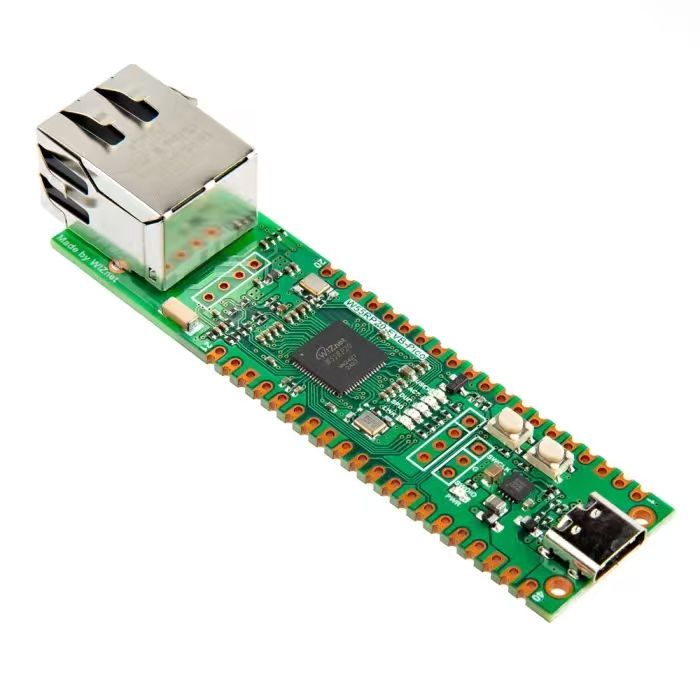
【Preliminary Note】The original hardware example in this article was written based on the RP2040. The actual hardware used in this hands-on demonstration features the W55RP20 as the main controller chip. The circuit logic and UF2 flashing operation principles are universally applicable, with only the main controller model differing. The original chip model mentioned in the circuit descriptions below is provided for reference purposes only.
MicroPython Kernel Development
Since this tutorial mainly focuses on applying MicroPython to write sensor module drivers and develop simple programs, as well as how to get started with MCU programming using the Raspberry Pi Pico, we will only provide a brief overview of the content in this section.
First of all, we need to understand the basic terms:
Source Code: This refers to the program code of MicroPython itself (written in C and Python). We need to obtain this code first before we can conduct subsequent research and modifications;
Build environment: The "toolkit" that needs to be installed on your computer, which is used to "translate" source code into programs (i. e., "firmware") that can run directly on hardware;
Compiler: A tool that converts the Python code you write into an "intermediate code"(bytecode), which can be directly understood by the MicroPython interpreter on the hardware;
Memory Management: When MicroPython runs on hardware, how does it "manage Memory Space"(such as storing variables and program data) to avoid memory waste or overflow?
C extension: Add new features to MicroPython using the C language (since C runs fast and is closer to hardware), for example, add a new function module for controlling a specific sensor;
Porting: "Adapting" MicroPython to new hardware (such as a new microcontroller) so that this hardware can also run MicroPython.
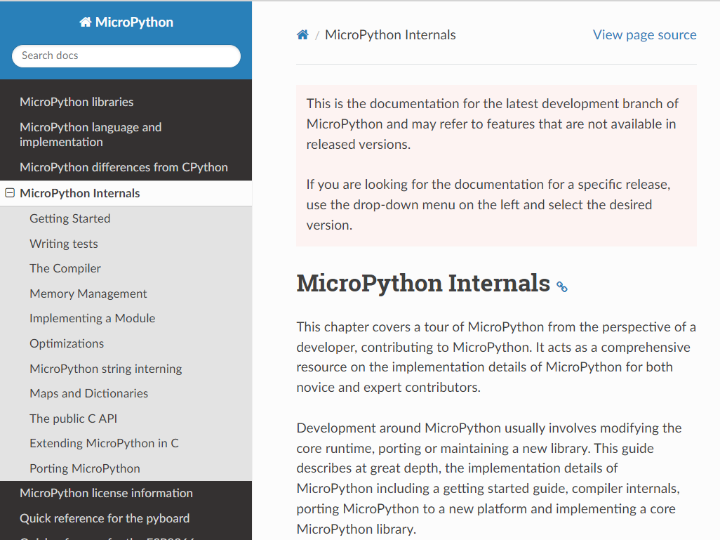
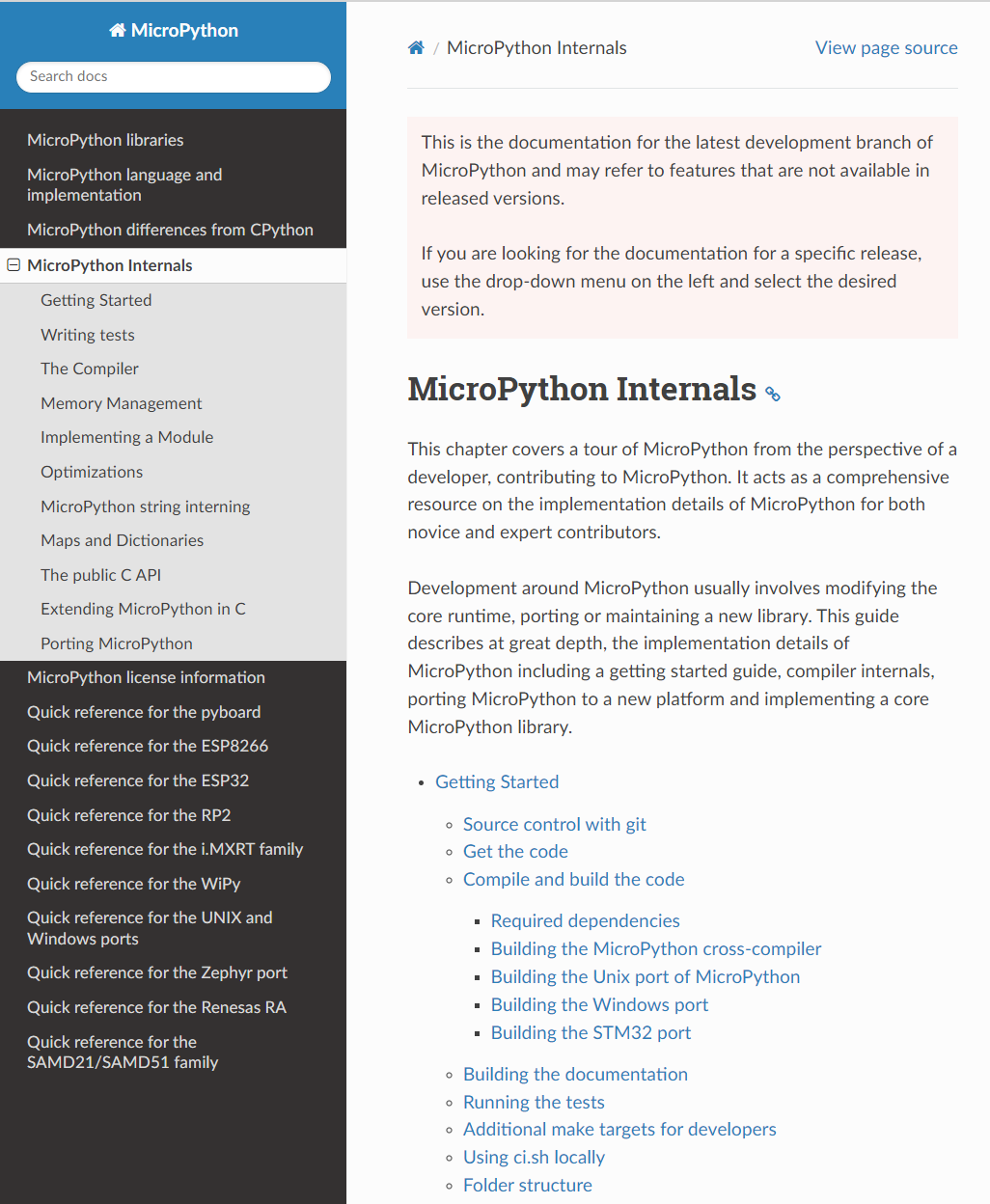
Figure 2.20 Structure Diagram of MicroPython Internal Development Guide
MicroPython Internals This chapter is a hands-on tutorial for developers who want to go from beginner to hands-on code contribution . It starts with the most basic source code acquisition and build environment setup, gradually leading you to understand how the compiler turns Python code into bytecode, how the runtime manages objects and memory, and how to write extension modules in C or port MicroPython to new hardware platforms.
It mainly includes the following contents:
Getting Started:
Use Git to obtain the source code (Git is a code management tool, just like a "code version of Baidu Cloud", which facilitates easy acquisition and updating of the source code);
Lists dependencies and build tools; explains how to build the cross-compiler (mpy-cross, a cross-compiler that can generate runnable code for other devices such as microcontrollers on your computer) and compile firmware on ports for different targets (Unix, Windows, STM32, different "ports" refer to different adaptation platforms).
It also covers how to generate documentation, run the test suite (to verify whether the modified code works properly), use additional make targets (make is an automated build tool, and a "target" refers to the specific task to be completed), and run the local CI script (ci. sh, a script that automatically checks whether the code complies with specifications).
Provides a description of the project directory/file structure (explaining the purpose of each file and folder in the source code directory) and a guide on how to write tests.
The Compiler:
It covers all stages ranging from lexicon (token, which splits Python code into the smallest "syntactic units", such as keywords and variable names), syntax (grammar, the writing rules for Python code), parsing (checking whether the code conforms to the syntax rules and generating a syntax tree) to the entire compile process.
Explain the multi-pass process of a compiler (first/second/third/fourth passes, the multi-step workflow of a compiler for processing code to gradually optimize and generate bytecode), how to emit bytecode (generate intermediate code), and the optional native code generation (directly generate machine code executable by hardware for faster execution);
It also explains how to add new syntax rules or lexical tokens, which facilitates extending Python's syntax or implementing new language features, such as adding a new keyword to Python.
Memory Management and Object Model (Memory Management):
Explains MicroPython's object model (everything in MicroPython, such as variables, lists, and functions, is essentially an "object", and this section covers the underlying structure of these objects), as well as the object allocation strategy and memory allocation details (how to allocate Memory Space for objects);
Introduce the string interning (QSTR) mechanism: a memory optimization method that caches frequently used strings to avoid redundant storage, which can be generated either at compile time or at runtime;
It also discusses the implementation details of mappings/dictionaries (including open addressing, linear probing, etc. Note that dictionary is the Attribute–Value Pair structure in Python, and this part explains how MicroPython implements dictionaries efficiently).
Modules and C Extensions (Implementing a Module / C API):
How to implement the core modules (core module, the basic modules that come with MicroPython such as math) and general modules.
Usage of the public C API (the C-language interface for you to write code in C to extend MicroPython), how to extend MicroPython in C, and the structure and examples of external C modules.
Discuss the mechanism, supported features and limitations of incorporating native machine code (code that can be directly executed by hardware) into. mpy files; including how to define, compile and invoke native/C modules in MicroPython;
It covers the methods of using Picolibc in building modules and more examples (Picolibc is a lightweight C language library suitable for embedded devices).
Optimizations and Special Features:
Optimization methods such as frozen bytecode: package commonly used Python modules directly into the firmware, eliminating the need to reload them every time the program runs, thus reducing memory usage and speeding up startup;
Other optimization strategies for code or runtime will also be covered in this section.
Porting (Porting MicroPython):
Starting from the minimal runnable firmware, this section explains how to build a MicroPython port for a new platform (the process of adapting to new hardware, including support for stdin/stdout, which refers to standard input and output, such as receiving and transmitting data via a serial port);
Provide configuration instructions, build and run steps, and guidance on how to add modules to the target port (to enable the new hardware to use the added functional modules)