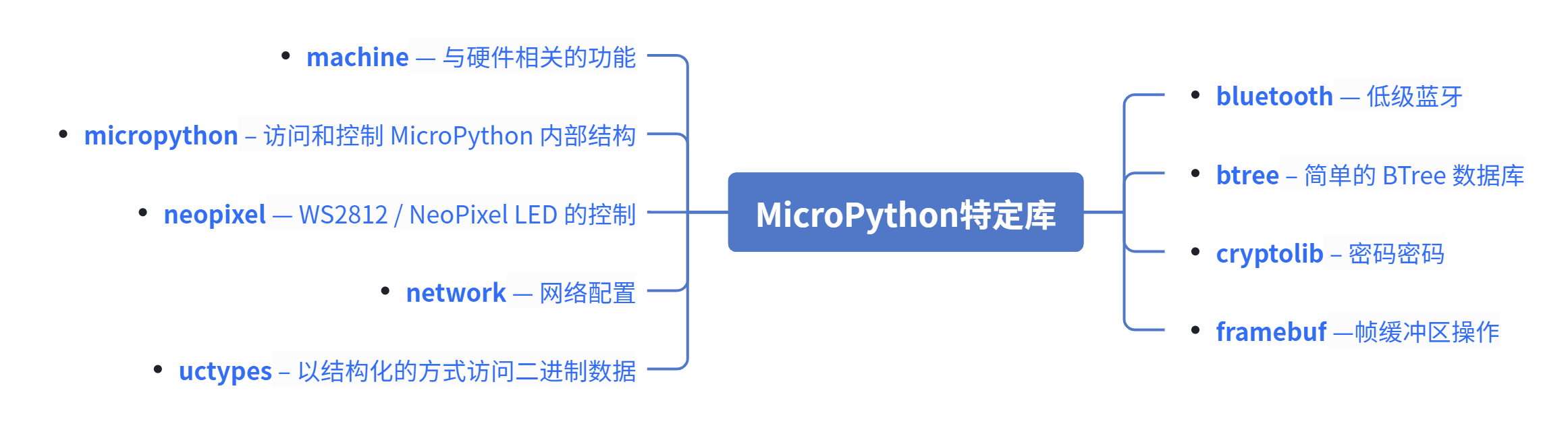
Embedded 101: From machine to rp2 — MicroPython Core Modules Quick Overview
This article introduces MicroPython system architecture, startup workflow, GC, REPL, and core modules including machine and rp2 for RP2040.
COMPONENTS
PROJECT DESCRIPTION
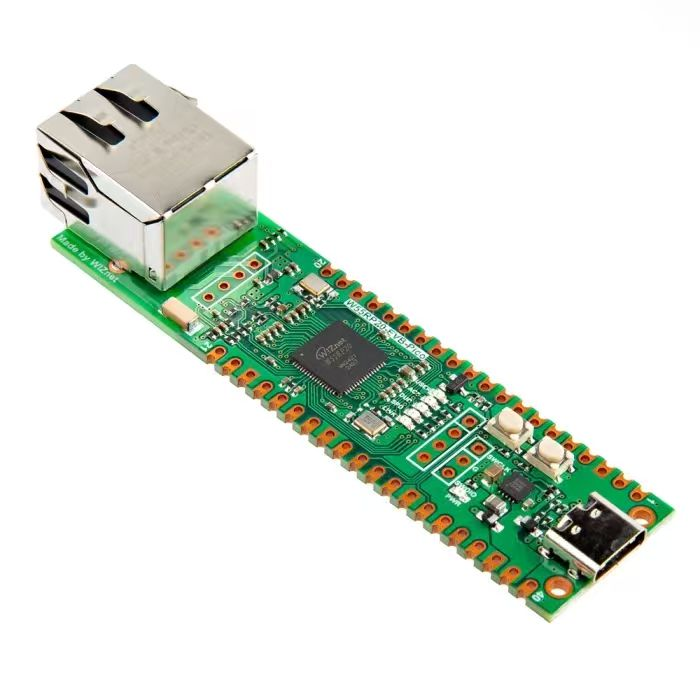
【Preliminary Note】The original hardware example in this article was written based on the RP2040. The actual hardware used in this hands-on demonstration features the W55RP20 as the main controller chip. The circuit logic and UF2 flashing operation principles are universally applicable, with only the main controller model differing. The original chip model mentioned in the circuit descriptions below is provided for reference purposes only.
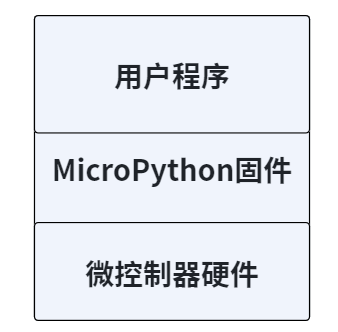
We can compare the system architecture of MicroPython to the operating system of a smartphone: the smartphone hardware corresponds to the microcontroller hardware, the smartphone's operating system (such as Android/iOS) corresponds to the MicroPython firmware, and the apps we install correspond to the user-written MicroPython programs. The firmware is the core of the entire system, responsible for connecting the hardware and user programs, just as the smartphone system connects the hardware and apps. Before understanding the system architecture, let's first grasp several key basic concepts:
Firmware: A pre-compiled package burned into the flash memory of a microcontroller, which contains the MicroPython interpreter, core libraries, and hardware drivers, serving as the equivalent of the "operating system kernel + runtime environment" for embedded devices.
REPL (Interactive Interpreter): Its full name stands for "Read-Eval-Print-Loop". Simply put, it is the "real-time command line" of MicroPython — you input a line of code, and it will be executed immediately with the result returned, which facilitates debugging and quick code testing.
Bootloader: A small program that runs first after the microcontroller is powered on. It is responsible for loading the firmware from the flash memory into the RAM for execution, serving as the "power-on initiator" for hardware.
Garbage Collector (GC): A built-in memory management tool of MicroPython that automatically cleans up memory occupied by unused variables, objects and other data to prevent embedded devices from freezing due to insufficient memory, which is an optimized design for the small memory of microcontrollers.
1. System Architecture of MicroPython
The typical structure of a MicroPython system is as follows:
Figure 2.5 Typical Structure Diagram of MicroPython System
It consists of user programs, MicroPython firmware and microcontroller hardware; the firmware and hardware are the most fundamental and fixed components, and we can only write and modify the user programs. The MicroPython firmware is similar to an embedded operating system, which is mainly used to run user programs and provide a REPL command interpreter.
Dedicated MicroPython development boards, such as the pyboard, Raspberry Pi Pico, etc. , can directly flash the firmware provided by the official to run the source code;
For other types of development boards supported by MicroPython, you need to compile the source code by yourself to generate the firmware;
If you are using a MicroPython-compatible development board, you need to port the MicroPython system by yourself.
Before programming an MCU with MicroPython, we first need to flash the MicroPython firmware corresponding to the specific MCU chip. Once the flashing is complete, upload the written MicroPython program to the microcontroller, and then restart the MCU:
After the device is powered on, the bootloader is responsible for loading the MicroPython firmware from flash memory into RAM, and the firmware contains the interpreter and the basic Runtime Environment;
Before MicroPython starts executing Python code, it initializes the necessary hardware and peripherals, including setting up clocks, initializing GPIOs, and configuring peripherals.
MicroPython will locate and execute predefined startup scripts (such as main. py), which can contain user-defined initialization code or program logic. The MicroPython interpreter will first compile Python code into bytecode, a process that is dynamically completed on the device, thus eliminating the need for the complex pre-compilation process;
The compiled bytecode is executed by the MicroPython interpreter, which converts the bytecode into specific operations and runs these operations on the hardware.
MicroPython manages the stack and memory in microcontrollers, and its built-in garbage collector (GC) also periodically cleans up unused objects to free up Memory Space;
Once the startup script finishes executing, MicroPython enters the REPL mode and waits for the user to input commands or code.
2. machine module — hardware-related functions
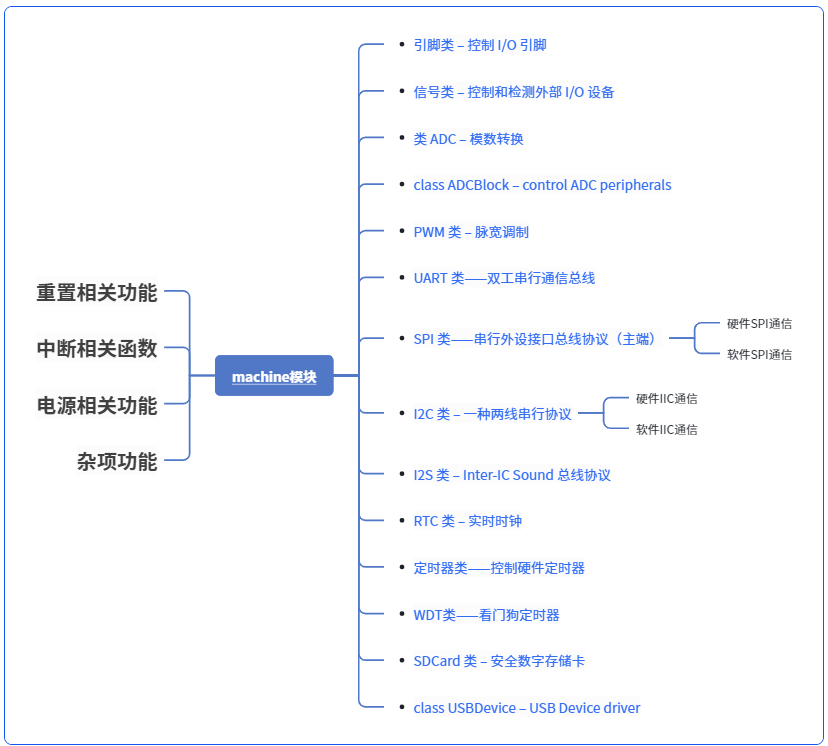
The machine module contains board-specific functions related to the hardware on a particular board. Most functions in this module enable direct and unrestricted access to and control over system hardware blocks such as the CPU, timers, buses, etc. Improper use may lead to board malfunction, locking up, crashes, and in extreme cases, hardware damage.
3. rp2 module — RP2040-specific features
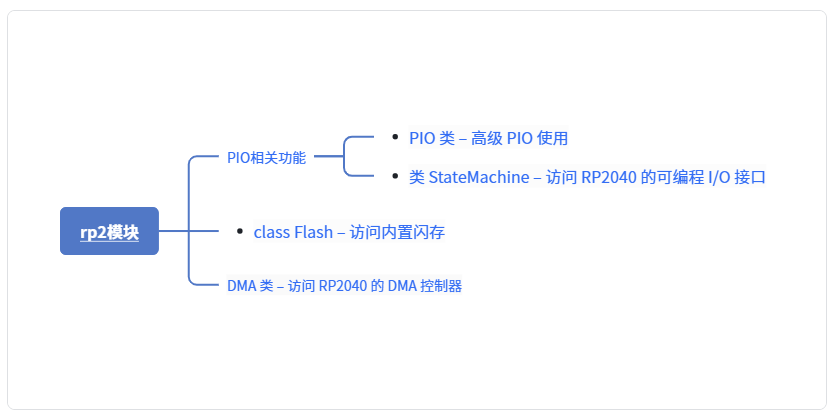
This rp2 module contains functions and classes specific to the RP2040, such as those used in the Raspberry Pi Pico.
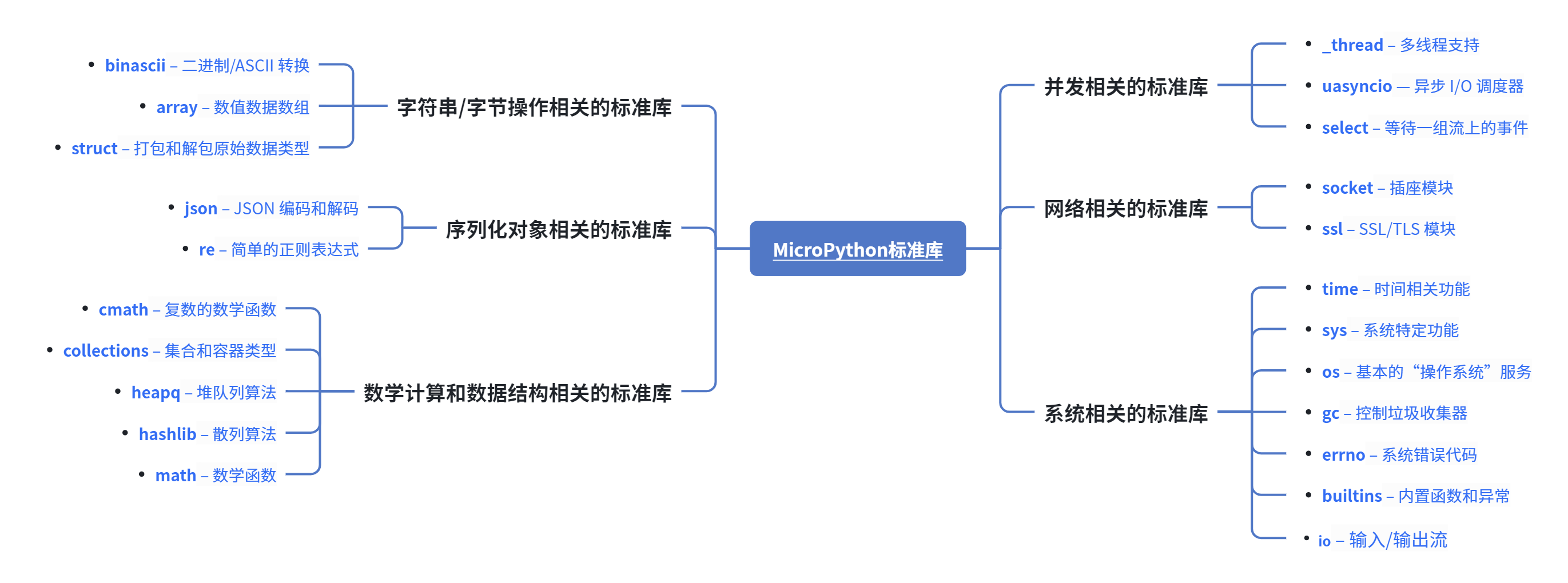
4. MicroPython Standard Micro-library
The following standard Python libraries have been "micro-ized" to align with the philosophy of MicroPython. They provide the core functionality of the corresponding modules and are intended to replace the standard Python libraries.