



Wiznet Ethernet Module with MicroPython: Online Dynamic Library Installation via uPyPI and mip
Discover how the Wiznet Ethernet module (W5500-EVB-PICO) enables online dynamic library installation in MicroPython using the uPyPI package platform and mip.
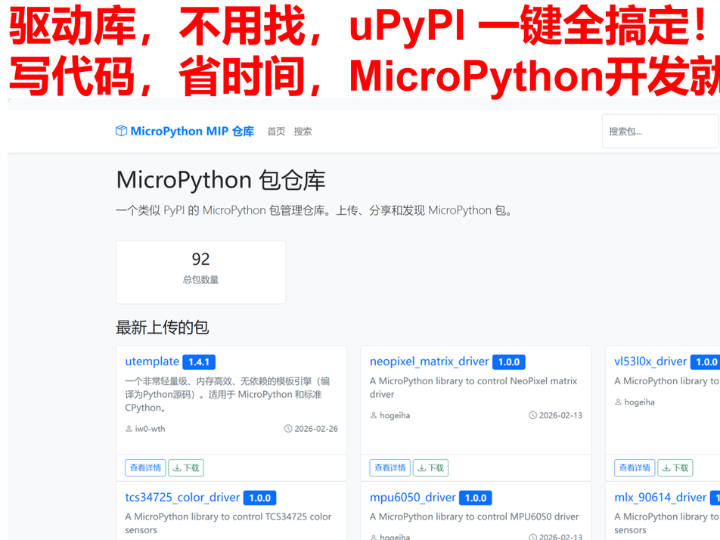
Streamlining IoT Development: Dynamic Package Management via uPyPI and Mip
The latest documentation for the W5500-EVB-Pico addresses a critical bottleneck in embedded software engineering: dependency management. In complex MicroPython projects—such as heart rate monitoring with the MAX30102 or TCP client communication—scripts often rely on a web of external drivers and utility libraries. Manually managing these files is not only tedious but leads to "monolithic code" that breaks modularity and hinders long-term maintenance.
The Problem: The "Missing Module" Trap
Embedded developers frequently encounter runtime errors when a main script (e.g., tcp_client.py) cannot find its supporting files (e.g., wiznet5k.py or socket_utils.py). The documentation highlights that as IoT projects scale, these dependency chains become multi-layered. Simply copying and pasting code into a single file is an anti-pattern that creates technical debt and makes updates nearly impossible.
The Solution: Network-Driven Installation with mip
By leveraging the stable, high-speed 10/100 Mbps Ethernet connection of the Wiznet W5500, developers can move away from manual USB file transfers. The tutorial introduces uPyPI (the MicroPython equivalent of the Python Package Index) and mip (the MicroPython Package Installer).
This pairing allows the W5500-EVB-Pico to perform online dynamic library installation. Instead of using a PC as a middleman, the board reaches out directly to the internet to fetch, install, and resolve nested dependencies automatically.
Three-Step Implementation Workflow
The guide provides a streamlined path to achieving modularity:
Modularization: Create standalone, reusable dependency packages (e.g., math_utils.py).
Integration: Write the core application logic that imports these external modules.
One-Click Deployment: Connect the W5500-EVB-Pico to a router and use the mip tool to install the required packages and their sub-dependencies over the network.
Strategic Impact
Using the W5500 for package management transforms the development cycle. It ensures that the firmware environment remains clean and modular, allowing for "live" updates and easier collaboration. By treating the W5500-EVB-Pico as a true network-native device, developers can focus on application logic while the hardware handles the heavy lifting of protocol management and automated setup. This foundation paves the way for advanced IoT deployment strategies and scalable sensor gateways.
For more details, please refer to this link: https://f1829ryac0m.feishu.cn/wiki/GBdWwgwxbimV37k3vLVc2vypnOg