



How to Run MicroPython Ethernet with WIZnet W5500 on ESP32-C3?
This ESP32-C3 education project records the process of building and flashing MicroPython so an ESP32-C3 can use a WIZnet W5500 Ethernet module as a wired networ
How to Run MicroPython Ethernet with WIZnet W5500 on ESP32-C3?
Summary
This ESP32-C3 education project records the process of building and flashing MicroPython so an ESP32-C3 can use a WIZnet W5500 Ethernet module as a wired network interface. The W5500 provides the SPI-connected Ethernet controller, hardware TCP/IP stack, socket resources, and packet buffering, while MicroPython provides the high-level scripting environment for network experiments and classroom debugging.
What the Project Does
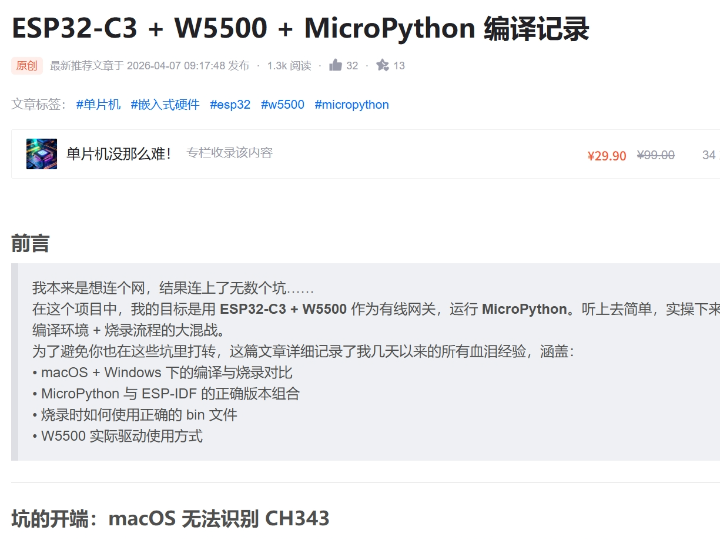
The project goal is to use ESP32-C3 + W5500 as a wired gateway running MicroPython. The source article frames the work as a practical build-and-flash record rather than a finished application: it covers macOS and Windows build differences, MicroPython and ESP-IDF version matching, correct .bin selection during flashing, and W5500 driver usage.
The architecture is useful for education because it separates three concerns that students often mix together. ESP32-C3 runs the MicroPython firmware and user scripts. W5500 provides the wired Ethernet path over SPI. The MicroPython network layer exposes the interface so normal socket or HTTP-style experiments can be written at the Python level instead of starting with a full C network stack.
The public CSDN preview confirms the W5500 and MicroPython target, but the full article content is locked behind the CSDN column subscription. Because the complete build commands, patch set, and driver code cannot be fully inspected from the accessible page, this article does not claim project-specific source code beyond what is visible in the public preview.
Where WIZnet Fits
The exact WIZnet product is W5500. In this project, W5500 is the wired Ethernet controller connected to ESP32-C3 through SPI. It provides the Ethernet MAC/PHY, hardwired TCP/IP stack, 8 independent sockets, and 32 KB internal Tx/Rx buffer memory. WIZnet documents W5500 as supporting TCP, UDP, ICMP, IPv4, ARP, IGMP, and PPPoE, with SPI up to 80 MHz.
This matters because ESP32-C3 already has Wi-Fi capability, but the project is explicitly about making wired Ethernet work under MicroPython. W5500 shifts the Ethernet transport and socket-buffering work into a dedicated controller, leaving the ESP32-C3 to handle firmware boot, SPI access, MicroPython runtime behavior, and user scripts.
MicroPython’s documentation states that WIZnet W5500 is supported on the ESP32 port through the network.LAN interface. The ESP32 quick reference also documents SPI Ethernet interfaces and lists network.PHY_W5500 as a supported SPI Ethernet type.
Implementation Notes
The public source verifies the project target but does not expose complete source files. The following is not copied from the article.
Conceptual integration example based on MicroPython ESP32 LAN documentation
import network
from machine import Pin, SPI

spi = SPI(1, sck=Pin(12), mosi=Pin(13), miso=Pin(14))

lan = network.LAN(
    spi=spi,
    phy_type=network.PHY_W5500,
    phy_addr=0,
    cs=Pin(10),
    int=Pin(11),
)

lan.active(True)
print(lan.ipconfig("addr4"))
This code shows the architecture MicroPython expects for ESP32 SPI Ethernet: an SPI bus, chip select, interrupt pin, W5500 PHY type, and network activation. The actual ESP32-C3 board pins must be changed to match the hardware design. MicroPython notes that SPI Ethernet clock speed is configured at compile time, not only by the SPI object created in the script.
For a compiled MicroPython image, the important build-time question is whether W5500 support is included in the selected firmware configuration. MicroPython documents WIZnet support as a compile-time option for some ports and notes that the ESP32 port uses network.LAN for W5500.
Practical Tips / Pitfalls
- Confirm the USB-UART bridge first. The source article specifically reports trouble with a CH343 serial chip under macOS and a switch to Windows for compilation and flashing.
- Treat MicroPython, ESP-IDF, and board target as a matched set. A firmware image built for the wrong ESP32 variant or wrong MicroPython/ESP-IDF combination may flash but fail later.
- Verify W5500 support in the firmware before debugging wiring. If the build does not include SPI Ethernet support, Python-level network code will not fix it.
- Route SPI cleanly: SCK, MOSI, MISO, CS, INT, and reset should be stable before testing DHCP or sockets.
- Start with a static IP or simple LAN status check before higher-level protocols. It reduces the number of variables while verifying the W5500 path.
- Keep Wi-Fi and W5500 tests separate during lessons. Students should know whether a socket is using WLAN or LAN.
FAQ
Q: Why use WIZnet W5500 with ESP32-C3 MicroPython?
A: W5500 provides wired Ethernet, hardware TCP/IP offload, 8 sockets, and internal packet buffers. This lets an ESP32-C3 MicroPython project use a stable wired network path while keeping user code at the Python socket layer instead of building a full Ethernet stack in application code.
Q: How does W5500 connect to the ESP32-C3 platform?
A: W5500 connects over SPI. At minimum the design needs SCK, MOSI, MISO, chip select, interrupt, reset, power, ground, and the RJ45/magnetics side of the Ethernet module. MicroPython’s ESP32 documentation shows W5500 configuration through network.LAN(spi=..., phy_type=network.PHY_W5500, cs=..., int=...).
Q: What role does W5500 play in this project?
A: W5500 is the Ethernet transport device. ESP32-C3 runs MicroPython and user scripts, while W5500 handles the wired Ethernet interface, TCP/IP socket engine, and packet buffers used by MicroPython’s LAN network interface.
Q: Can beginners follow this education project?
A: Yes, but it is best for learners who already understand ESP32 flashing, serial ports, SPI wiring, and basic IP addressing. The article is especially useful as a build-and-flash troubleshooting record because it highlights the practical problems around USB drivers, firmware images, ESP-IDF compatibility, and W5500 driver enablement.
Q: How does W5500 compare with Wi-Fi on ESP32-C3?
A: Wi-Fi is simpler when the lesson is about wireless access-point connection and password-based networking; MicroPython exposes that through network.WLAN(). W5500 is better when the lesson needs a fixed wired LAN path, SPI Ethernet bring-up, and explicit Ethernet module behavior through network.LAN(). Both can use normal sockets after the network interface is active, but they teach different system boundaries.
Source
Original article: CSDN, “ESP32-C3 + W5500 + MicroPython 编译记录.” The public preview confirms the ESP32-C3, W5500, MicroPython, build/flash, and W5500 driver-use scope, but the full article is locked behind CSDN subscription access.
MicroPython reference: network.WIZNET5K documentation and ESP32 quick reference for SPI Ethernet using network.LAN and PHY_W5500.
WIZnet product reference: W5500 documentation.
Tags
#W5500 #WIZnet #ESP32C3 #MicroPython #SPIEthernet #networkLAN #Education #Ethernet #WiFi #FirmwareBuild #EmbeddedPython #TCPIP