



How to Resolve DNS with WIZnet W5500 on STM32F10x?
This STM32F10x maker project shows how to add DNS resolution to a WIZnet W5500 Ethernet application using WIZnet ioLibrary.
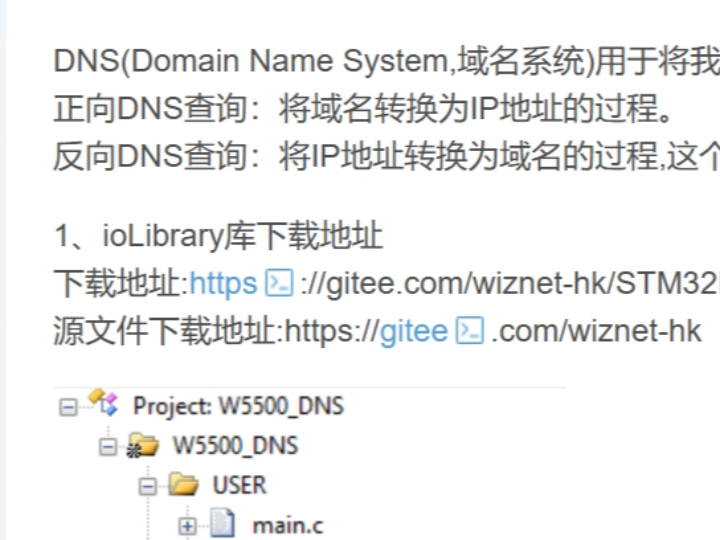
How to Resolve DNS with WIZnet W5500 on STM32F10x?
Summary
This STM32F10x maker project shows how to add DNS resolution to a WIZnet W5500 Ethernet application using WIZnet ioLibrary. The STM32 configures the W5500 over SPI, applies static network information, starts the DNS client on W5500 socket 0, resolves a domain name, and prints the returned IPv4 address through UART.
What the Project Does
The project is a DNS client example for an STM32F10x microcontroller connected to a WIZnet W5500 Ethernet controller. DNS is used to translate a human-readable domain name into an IP address, which is a required building block before maker projects can move from local LAN demos to HTTP clients, SNTP clients, MQTT clients, or other internet-facing applications.
The example follows a clear startup sequence: initialize the STM32 delay system, interrupt priority, UART, LED, timer, SPI1, W5500 reset pin, and W5500 interrupt pin; register W5500 SPI callbacks; reset the W5500; check the chip version register; wait for the PHY link; write static network settings; open socket 0; then call the DNS routine to resolve the configured domain name.
The article’s network configuration uses MAC 00:08:DC:11:11:11, local IP 192.168.1.199, subnet 255.255.255.0, gateway 192.168.1.1, DNS server 180.76.76.76, static IP mode, local port 4000, and the domain name www.baidu.com. The resolved IP is stored in domain_ip[4].
Where WIZnet Fits
The exact WIZnet product is W5500. In this architecture, W5500 is the Ethernet controller and socket engine between the STM32F10x firmware and the wired network. The STM32 does not implement the Ethernet MAC, PHY, or full TCP/IP stack by itself. Instead, it talks to W5500 through SPI and uses WIZnet ioLibrary functions for socket access, network configuration, and DNS handling.
W5500 is a hardwired TCP/IP stack internet controller with SPI access up to 80 MHz, embedded 10/100 Ethernet MAC and PHY, support for TCP, UDP, IPv4, ARP, ICMP, IGMP, and PPPoE, 8 independent sockets, and 32 KB internal Tx/Rx buffer memory. WIZnet also documents ioLibrary as an MCU-independent driver library that supports services including DHCP, DNS, MQTT, SNTP, TFTP, and HTTP Server.
For a maker build, this separation is useful. The STM32 firmware can stay focused on board bring-up and application flow, while W5500 handles the Ethernet-side transport and socket buffering. DNS then becomes a reusable block: once the board can resolve a domain name, the same platform can be extended into HTTP, SNTP, MQTT, or cloud-connected experiments.
Implementation Notes
File: wiz_platform.c
What it configures: W5500 SPI chip-select, single-byte SPI transfer, burst SPI transfer, reset, and DNS timing.
Why it matters: WIZnet ioLibrary is platform-independent, so the STM32-specific SPI and timing functions must be connected before the DNS client can use W5500 socket communication.
void wizchip_spi_cb_reg(void)
{
    reg_wizchip_cs_cbfunc(wizchip_select, wizchip_deselect);
    reg_wizchip_spi_cbfunc(wizchip_read_byte, wizchip_write_byte);
    reg_wizchip_spiburst_cbfunc(wizchip_read_buff, wizchip_write_buff);
}
The same platform layer configures TIM2 as a 1 ms interrupt source and calls DNS_time_handler() every 1000 ms. That timing path is important because DNS retry and timeout handling depend on a periodic timer.
File: Test_DNS.c
What it configures: W5500 socket 0 as the DNS client socket and runs domain-name resolution.
Why it matters: The DNS client needs a socket, a working DNS server IP, a query domain, a destination buffer for the resolved address, and retry handling.
DNS_init(0, buf);
wizchip_getnetinfo(&net_info);

switch (DNS_run(net_info.dns, domain_name, domain_ip))
{
    case DNS_RET_SUCCESS:
        printf("> Translated %s to %d.%d.%d.%d\r\n",
               domain_name, domain_ip[0], domain_ip[1],
               domain_ip[2], domain_ip[3]);
        break;
}
The article’s do_dns() routine initializes DNS on socket 0, reads the W5500 network information, calls DNS_run(), retries up to DNS_RETRY, and prints either the resolved IP address or a DNS failure message.
Practical Tips / Pitfalls
- Verify SPI before DNS. The repository troubleshooting notes recommend checking whether SPI read/write works and whether the W5500 version register can be read correctly.
- Wait for PHY link before running DNS. The example polls
CW_GET_PHYLINKand prints 10/100 Mbps and duplex information after link-up. - Make sure the DNS server is reachable from the configured subnet. The article uses static IP mode, so local IP, gateway, subnet mask, and DNS server must match the actual LAN.
- Keep one W5500 socket available for DNS. This example uses socket 0 for DNS resolution.
- Call the DNS timer handler periodically. In this project, TIM2 calls
DNS_time_handler()once per second. - Use UART logs during bring-up. The example prints reset, network configuration, PHY state, DNS success, and DNS failure messages.
- Confirm the domain name buffer and output IP buffer are valid. The example stores the query in
domain_name[]and the resolved address indomain_ip[4].
FAQ
Q: Why use WIZnet W5500 for DNS on STM32F10x?
A: W5500 provides the wired Ethernet interface, hardwired TCP/IP engine, socket resources, and internal buffers needed for UDP-based DNS traffic. The STM32 can run a small application flow around ioLibrary instead of maintaining the full Ethernet and TCP/IP stack in firmware.
Q: How does W5500 connect to STM32F10x in this project?
A: The example uses SPI1. PA5 is SCK, PA6 is MISO, PA7 is MOSI, PA4 is chip select, PC5 is W5500 reset, and PC4 is W5500 interrupt input.
Q: What role does W5500 play in this DNS project?
A: W5500 stores the local network configuration, maintains the wired Ethernet link, provides socket 0 for DNS communication, sends the DNS query to the configured DNS server, and returns the resolved IP address through the ioLibrary DNS routine.
Q: Can beginners follow this maker project?
A: Yes, if they already understand basic STM32 firmware, SPI wiring, UART debugging, and IPv4 settings. The example is maker-friendly because each layer is visible: hardware initialization, W5500 verification, PHY link check, static IP setup, DNS socket setup, and final domain resolution.
Q: What should be checked first if DNS resolution fails?
A: Check W5500 version-register access, PHY link status, static IP/subnet/gateway/DNS values, LAN cable, router reachability, socket allocation, and whether DNS_time_handler() is being called every second.
Source
Original article: CSDN, “测试W5500的第6步_使用ioLibrary库创建DNS,” first published on 2025-05-23 and marked as CC BY-SA 4.0.
Source repository referenced by the article: WIZnet HK, STM32F10x_W5500_Examples, licensed under Mulan PSL v2. The repository describes 7.DNS as a DNS example and provides the STM32F10x W5500 example set.
WIZnet product reference: W5500 documentation and ioLibrary Driver documentation.
Tags
#W5500 #WIZnet #STM32F10x #STM32F103 #DNS #ioLibrary #Ethernet #SPI #EmbeddedC #Maker #NetworkStack #TCPIP