



How to Port Robot Ethernet Networking with WIZnet W5500 on MCU Platforms?
This robotics-focused article explains how to use WIZnet W5500 as the Ethernet controller when porting wired networking to an MCU-based robot node.
How to Port Robot Ethernet Networking with WIZnet W5500 on MCU Platforms?
Summary
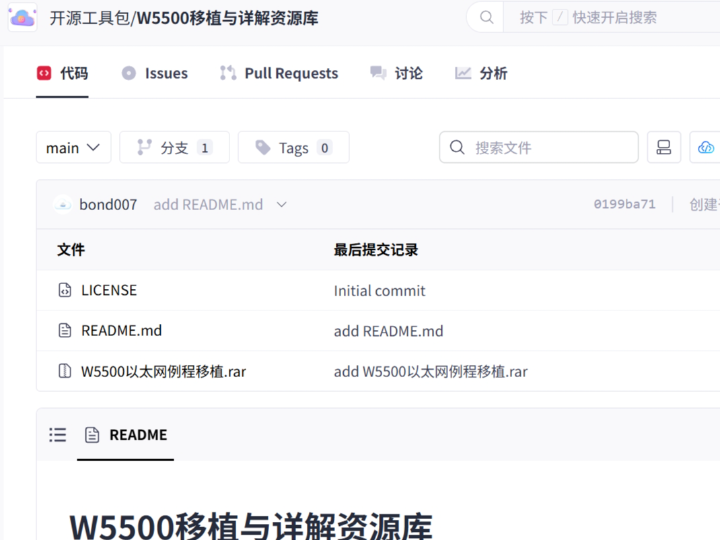
This robotics-focused article explains how to use WIZnet W5500 as the Ethernet controller when porting wired networking to an MCU-based robot node. The GitCode repository is a W5500 porting resource that provides a W5500 migration tutorial and a WIZnet driver-library package, but its downloadable archive contents were not exposed as readable source files during verification. At the verified level, W5500 connects to the robot MCU over SPI and provides the Ethernet MAC/PHY, hardwired TCP/IP stack, socket engine, and Tx/Rx buffering, while the robot firmware handles motion-side data, packet framing, diagnostics, and recovery behavior.
What the Project Does
The source project is a W5500 porting resource rather than a complete robot application. Its purpose is to help developers move W5500 into an MCU project by following a porting tutorial and importing a WIZnet driver library. The related CSDN mirror describes two main resource files: a W5500 porting explanation archive that covers hardware connection through software configuration, and an iolibrary_bsd_ethernet_v103 driver package where the close function may need project-specific adjustment.
For robotics, this maps naturally to a robot node that needs a wired service or telemetry interface. The robot MCU reads sensors, tracks motor or actuator state, formats telemetry, accepts configuration commands, and logs diagnostic events. W5500 provides the Ethernet path. The practical data flow is:
Robot firmware → W5500 driver/socket layer → SPI → W5500 → RJ45 Ethernet → robot supervisor, service laptop, gateway, or factory test system.
This is useful when a robot needs a deterministic bench, calibration, factory-test, or fixed-cell network path. The Ethernet interface should not block the motion-control loop. It should behave as a bounded service channel with explicit link state, socket state, timeout handling, and reset recovery.
Where WIZnet Fits
The exact WIZnet product is W5500. W5500 sits between the robot MCU and the Ethernet connector. The MCU communicates with W5500 through SPI, chip select, reset, and optionally interrupt. W5500 handles Ethernet MAC/PHY operation, hardwired TCP/IP processing, socket state transitions, and packet buffering.
WIZnet documents W5500 as a hardwired TCP/IP Internet controller that connects to an external MCU through SPI up to 80 MHz. It integrates a 10/100 Ethernet MAC and PHY, supports TCP, UDP, ICMP, IPv4, ARP, IGMP, and PPPoE, provides 8 independent sockets, and includes 32 KB of internal Tx/Rx buffer memory.
That split matters in robotics. The MCU should keep ownership of robot timing, packet format, watchdog policy, and safety-related state. W5500 should own the network transport boundary: link state, socket state, interrupt causes, TX free space, RX received size, and the hardwired TCP/UDP behavior. This keeps the robot network interface understandable without forcing the robot firmware to carry a full software TCP/IP stack.
Implementation Notes
The GitCode repository confirms W5500 usage and porting resources, but the archive contents were not exposed as inspectable source files. Therefore, the snippets below are not claimed to come from the GitCode archive. They are verified reference snippets from WIZnet’s official ioLibrary_Driver, which is the type of driver family referenced by the source project. WIZnet’s W5500 documentation also links ioLibrary_Driver as an official driver resource.
File: Ethernet/wizchip_conf.h
What it configures: chip selection and W5500 SPI interface mode.
Why it matters: this is the compile-time boundary where a robot firmware project selects W5500 and tells the driver to use the correct host interface model.
#define W5100 5100 #define W5100S 5100+5 #define W5200 5200 #define W5300 5300 #define W5500 5500 #define W6100 6100

#elif (_WIZCHIP_ == W5500) #define _WIZCHIP_ID_ "W5500\0"

#ifndef _WIZCHIP_IO_MODE_ #define _WIZCHIP_IO_MODE_ _WIZCHIP_IO_MODE_SPI_ #endif
The same configuration file defines W5500-specific SPI modes and sets _WIZCHIP_SOCK_NUM_ to 8 for W5200 and later devices, which includes W5500. It also exposes control operations for reset, interrupt, PHY status, PHY link state, and network timeout configuration.
File: Ethernet/W5500/w5500.h
What it configures: W5500 common and socket register access for local IP, socket mode, socket command, socket status, PHY configuration, and version checking.
Why it matters: robot firmware needs register-level visibility to distinguish wiring faults, PHY/link faults, IP setup faults, socket timeout, and peer disconnect.
#define setSIPR(sipr) \
    WIZCHIP_WRITE_BUF(SIPR, sipr, 4)

#define getSIPR(sipr) \
    WIZCHIP_READ_BUF(SIPR, sipr, 4)

#define setSn_MR(sn, mr) \
    WIZCHIP_WRITE(Sn_MR(sn),mr)

#define getSn_SR(sn) \
    WIZCHIP_READ(Sn_SR(sn))
The W5500 header defines Sn_MR as the socket mode register, Sn_CR as the socket command register, and Sn_SR as the socket status register. It also documents commands such as OPEN, LISTEN, CONNECT, DISCON, CLOSE, SEND, and RECV, which are the state-machine controls a robot network task must handle safely.
Practical Tips / Pitfalls
- Bring up Ethernet before enabling robot motion. Confirm SPI access, chip identity, PHY link, MAC address, and IP configuration first.
- Route reset to the MCU. A robot should be able to recover the Ethernet controller without rebooting the full motion controller.
- Use interrupt when receive, disconnect, timeout, or send-complete handling must be event-driven instead of polling-heavy.
- Treat W5500’s 8 sockets as a fixed design resource. Reserve sockets for telemetry, command/control, service console, discovery, diagnostics, and future expansion.
- Keep the robot packet format compact. Include node ID, message type, sequence number, timestamp, status flags, payload length, and checksum where needed.
- Watch the
closepath during porting. The source project specifically warns that the BSD ioLibraryclosefunction may require project-specific modification. - Test cable removal, switch reboot, duplicate IP, peer restart, socket close, and timeout as normal robot field states.
FAQ
Q: Why use WIZnet W5500 for a robot MCU Ethernet port?
A: W5500 gives the robot MCU wired Ethernet with hardwired TCP/IP, 8 sockets, and 32 KB internal Tx/Rx buffering. That lets the robot firmware focus on telemetry, command parsing, service access, diagnostics, and recovery policy while W5500 handles the Ethernet MAC/PHY and TCP/UDP transport boundary.
Q: How does W5500 connect to the robot platform?
A: W5500 connects to the MCU through SPI plus chip select, reset, power, and ground. Interrupt is optional for a first bring-up, but it is useful in robotics when receive, disconnect, timeout, or send-complete events should not depend on continuous polling.
Q: What role does W5500 play in this project?
A: W5500 is the wired Ethernet transport engine. The robot MCU owns sensor data, motion-side state, packet framing, watchdog behavior, and recovery policy. W5500 owns the Ethernet link, hardwired TCP/IP processing, socket state machine, and TX/RX packet buffers.
Q: Can beginners follow this porting path?
A: Yes, if the work is staged. The recommended order is power validation, SPI read/write test, reset test, W5500 version or ID check, PHY link check, static IP setup, UDP test, TCP test, socket-close handling, then robot-specific telemetry and service commands.
Q: What if the robot already uses Wi-Fi?
A: Keep Wi-Fi for untethered movement if the robot must be cable-free. Use W5500 for fixed robot cells, calibration benches, factory diagnostics, service ports, and controller-to-supervisor links where visible link state, firmware-controlled reset, and explicit socket behavior are more valuable than wireless mobility.
Source
Original source: GitCode repository for a W5500 porting and driver-resource package. The repository description states that it provides W5500 chip porting tutorial resources and related driver-library downloads. The repository page lists an MIT license, but the downloadable archive contents were not exposed as readable source files during verification.
Related CSDN mirror: “W5500移植与详解资源库,” which describes the W5500 porting explanation archive, the iolibrary_bsd_ethernet_v103 package, and the warning that the close function may need adjustment. The article states that it follows CC 4.0 BY-SA.
WIZnet product reference: W5500 documentation and feature list.
WIZnet driver reference: official ioLibrary_Driver, including W5500 configuration, socket APIs, register access, and Berkeley-style socket functions.
Tags
#W5500 #WIZnet #Robotics #MCU #Ethernet #SPI #HardwareWiring #Registers #NetworkStack #Firmware #Socket #TCP #UDP #RobotDiagnostics