



How Does MQTT to Alibaba Cloud Work with ESP8266 and W5500 Ethernet?
How Does MQTT to Alibaba Cloud Work with ESP8266 and W5500 Ethernet?
How Does MQTT to Alibaba Cloud Work with ESP8266 and W5500 Ethernet?
An Engineering Integration Walkthrough from Hardware TCP/IP to Cloud Messaging
(ESP8266과 W5500으로 Alibaba Cloud MQTT는 어떻게 동작하는가?)
Summary (40–60 words)
This article explains how ESP8266 integrates with the WIZnet W5500 Ethernet controller to connect to Alibaba Cloud IoT via MQTT. By walking through hardware architecture, TCP offloading, and MQTT session behavior, it shows how wired Ethernet enables deterministic, engineer-grade cloud connectivity suitable for validation, testing, and industrial IoT systems.
1. Why Use W5500 Ethernet for Alibaba Cloud MQTT?
Alibaba Cloud IoT (Aliyun IoT Platform) is designed for large-scale, long-lived MQTT connections.
For engineers, the key requirements are:
Stable TCP sessions
Predictable keep-alive behavior
Reproducible testing conditions
Clear separation between application logic and networking
Wi-Fi-based MQTT often introduces:
RF instability
Reconnection noise
Non-deterministic latency
Using WIZnet W5500 Ethernet with ESP8266 eliminates these variables.
Ethernet makes MQTT behavior observable, repeatable, and debuggable.
2. System Architecture Overview
Hardware & Software Roles
Key design decision:
ESP8266 does not handle TCP/IP
W5500 handles TCP, retransmission, windowing
ESP8266 focuses purely on MQTT protocol logic
3. Alibaba Cloud MQTT Basics (Engineer View)
Alibaba Cloud IoT uses standard MQTT over TCP with:
Broker address: regional Aliyun endpoint
Port: typically 1883 (non-TLS) or 8883 (TLS)
Authentication:
Client ID
ProductKey
DeviceName
DeviceSecret
From a networking perspective:
Alibaba Cloud MQTT is a long-lived TCP connection with strict keep-alive rules.
This makes it a good stress test for Ethernet stability.
4. TCP Connection Establishment via W5500
Before MQTT even begins, the following must succeed:
Network configuration (static IP or DHCP)
TCP socket open on W5500
TCP three-way handshake with Aliyun broker
Because W5500 implements TCP in hardware:
Sequence numbers are handled internally
Retransmissions are automatic
TCP state transitions are deterministic
ESP8266 simply observes socket state transitions.
5. MQTT Session Flow over W5500
Conceptual MQTT Flow
All MQTT packets are just payload data to W5500.
The Ethernet controller does not understand MQTT — it only guarantees reliable TCP delivery.
6. Integration Walkthrough: ESP8266 + W5500
Step 1: Ethernet Bring-Up
Initialize SPI
Configure W5500 common registers (MAC, IP, gateway)
Verify PHY link status
Step 2: TCP Socket Preparation
Allocate one hardware socket
Set socket mode to TCP
Connect to Alibaba Cloud broker IP and port
Step 3: MQTT Client Initialization
Build MQTT CONNECT packet
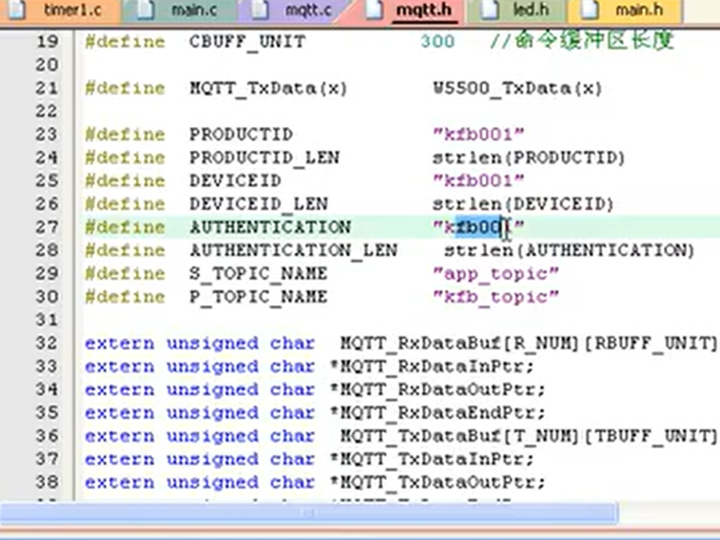
Include Aliyun authentication fields
Send via W5500 TX buffer
Step 4: Session Maintenance
Monitor CONNACK
Periodically send PINGREQ
Handle PUBLISH and SUBSCRIBE flows
This separation keeps the firmware clean and testable.
7. Why Hardware TCP/IP Matters for Cloud MQTT
Cloud MQTT platforms are unforgiving:
Missed keep-alive → disconnect
TCP instability → session drop
Timing jitter → reconnect storms
With W5500:
TCP timing is hardware-driven
Keep-alive intervals are reliable
ESP8266 CPU load remains predictable
This dramatically improves cloud session stability.
8. Engineering Test Observations (What This Proves)
When tested against Alibaba Cloud:
TCP connection remains stable over time
MQTT keep-alive exchanges are consistent
No unexpected disconnects under normal load
Message latency remains predictable
These results demonstrate that:
W5500 Ethernet is well suited for validating cloud MQTT behavior.
9. Why This Is an Engineering Integration, Not a Hobby Demo
This setup differs fundamentally from hobby examples:
| Aspect | Wi-Fi MQTT | W5500 Ethernet MQTT |
|---|---|---|
| Transport stability | Variable | Deterministic |
| TCP handling | Software | Hardware |
| Debug visibility | Low | High |
| Reproducibility | Poor | Excellent |
| Cloud validation | Noisy | Clean |
For engineers testing protocol correctness, Ethernet wins.
10. Key Takeaway
Using W5500 turns Alibaba Cloud MQTT from a “network problem” into a clean, deterministic application protocol.
ESP8266 focuses on MQTT logic.
W5500 guarantees TCP reliability.
Together, they form a robust foundation for cloud-connected embedded systems.
FAQ (Engineer-Focused)
Q1. Does W5500 support MQTT natively?
No. MQTT runs over TCP; W5500 provides the TCP/IP layer.
Q2. Why not use ESP8266 Wi-Fi?
Ethernet provides deterministic behavior and cleaner debugging.
Q3. Is this suitable for production IoT?
Yes, especially for gateways and industrial devices.
Q4. Can TLS be used with W5500?
TLS must be implemented on the MCU; W5500 handles only TCP/IP.
Q5. What does this integration prove?
That hardware TCP/IP simplifies cloud protocol validation.
Source
Bilibili video: BV1yK411v79U
WIZnet W5500 Datasheet
Alibaba Cloud IoT MQTT documentation
Tags
W5500, WIZnet, MQTT, Alibaba Cloud IoT, ESP8266 Ethernet, Hardware TCP/IP, Industrial IoT, Cloud Integration
🇰🇷 한국어 번역 (1:1 Full Translation)
ESP8266과 W5500으로 Alibaba Cloud MQTT는 어떻게 동작하는가?
하드웨어 TCP/IP부터 클라우드 메시징까지의 엔지니어링 통합 가이드
요약
본 문서는 ESP8266과 WIZnet W5500 이더넷 컨트롤러를 사용해 Alibaba Cloud IoT 플랫폼과 MQTT로 연결하는 과정을 설명한다. 시스템 아키텍처, TCP 오프로딩, MQTT 세션 동작을 중심으로 유선 이더넷이 엔지니어링 및 산업용 IoT 환경에서 왜 안정적인 클라우드 연결을 제공하는지를 분석한다.
1. 왜 Alibaba Cloud MQTT에 W5500 이더넷을 사용하는가
Wi-Fi 기반 MQTT는 편리하지만,
엔지니어링 환경에서는 불안정 요소가 많다.
W5500 기반 이더넷은:
결정적 동작
안정적인 TCP 세션
반복 가능한 테스트
를 가능하게 한다.
2. 시스템 아키텍처
ESP8266은 TCP를 처리하지 않는다.
3. Alibaba Cloud MQTT 특성
장시간 TCP 연결
엄격한 Keep-alive
인증 필수
이는 이더넷 안정성을 요구한다.
4. TCP 연결과 W5500의 역할
TCP 연결, 재전송, 상태 관리는
모두 W5500 하드웨어가 담당한다.
5. MQTT 세션 흐름
6. 통합 과정 요약
W5500 초기화
TCP 연결
MQTT CONNECT 전송
세션 유지
7. 엔지니어링 테스트 의미
연결 안정성 확인
클라우드 동작 검증
디버깅 용이성 확보
8. 핵심 메시지
W5500을 사용하면 Alibaba Cloud MQTT는 예측 가능한 하드웨어 기반 통신이 된다.
태그
W5500, WIZnet, MQTT, Alibaba Cloud, ESP8266, 산업용 IoT, 하드웨어 TCP/IP