



OnStepX-Configurator
A browser-based tool for configuring, compiling, and flashing OnStepX telescope firmware, including W5100/W5500 Ethernet options for SmartWebServer.
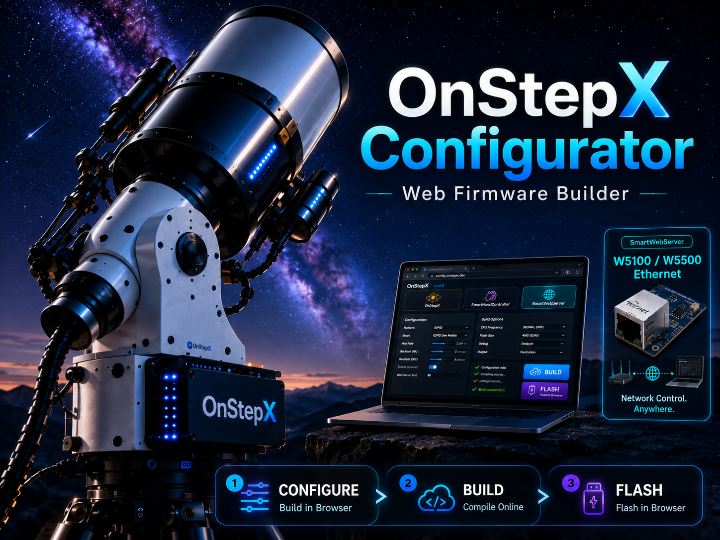
OnStepX Configurator — Web-Based Telescope Controller Firmware Builder with W5100/W5500 Ethernet Support
Recommended Components
- WIZnet W5500
- WIZnet W5100
- ESP32 / ESP8266
- Teensy 3.2 / 4.0 / 4.1
- STM32 BlackPill F411
- STM32F407 / BTT SKR PRO
- STM32F446 / FYSETC S6
- OnStepX
- SmartHandController
- SmartWebServer
PROJECT DESCRIPTION
📌 Overview
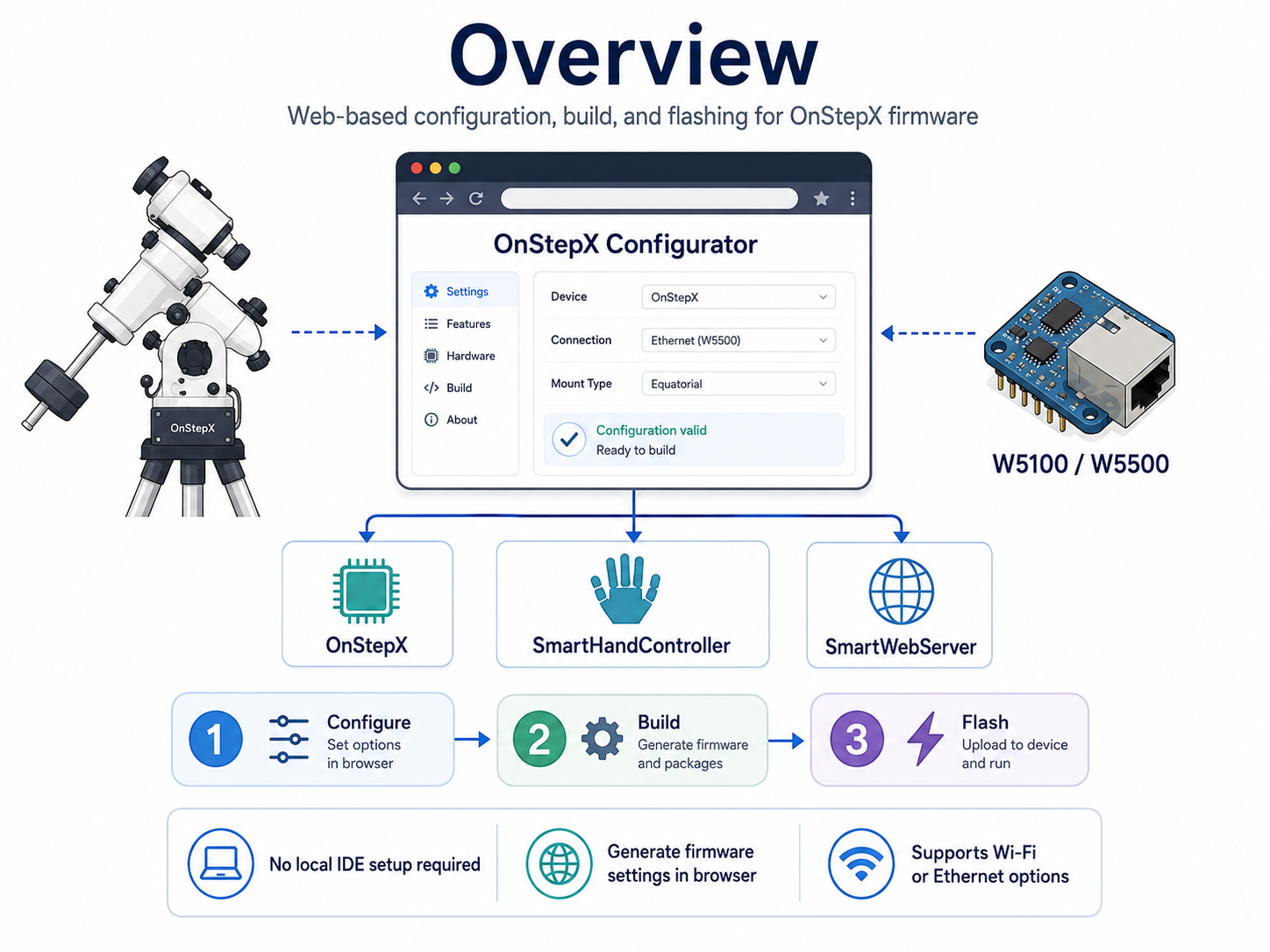
OnStepX-Configurator is a web-based configuration, build, and flashing tool for telescope mount controller firmware. Normally, using OnStepX requires installing Arduino IDE or PlatformIO, downloading the source code, editing Config.h, building the firmware, and then flashing it to a controller board. This project simplifies that process by letting users configure and prepare firmware directly from a web browser.
In simple terms, the user selects the telescope mount type, controller board, motor setup, stepper driver, and related options in the browser. The configurator then generates the firmware settings and helps build firmware that can be flashed to the target board. The README explains that users can prepare firmware for an OnStepX controller without installing Arduino IDE, PlatformIO, or a C++ toolchain on their own computer.
The WIZnet-related part is mainly in SmartWebServer configuration. SmartWebServer is a separate firmware option that lets a telescope mount be controlled through a web browser or network client. In the configurator, SmartWebServer can be configured for WIFI, ETHERNET_W5100, or ETHERNET_W5500, which means users can choose wired Ethernet through W5100/W5500 instead of relying only on Wi-Fi.
📌 What is OnStepX?
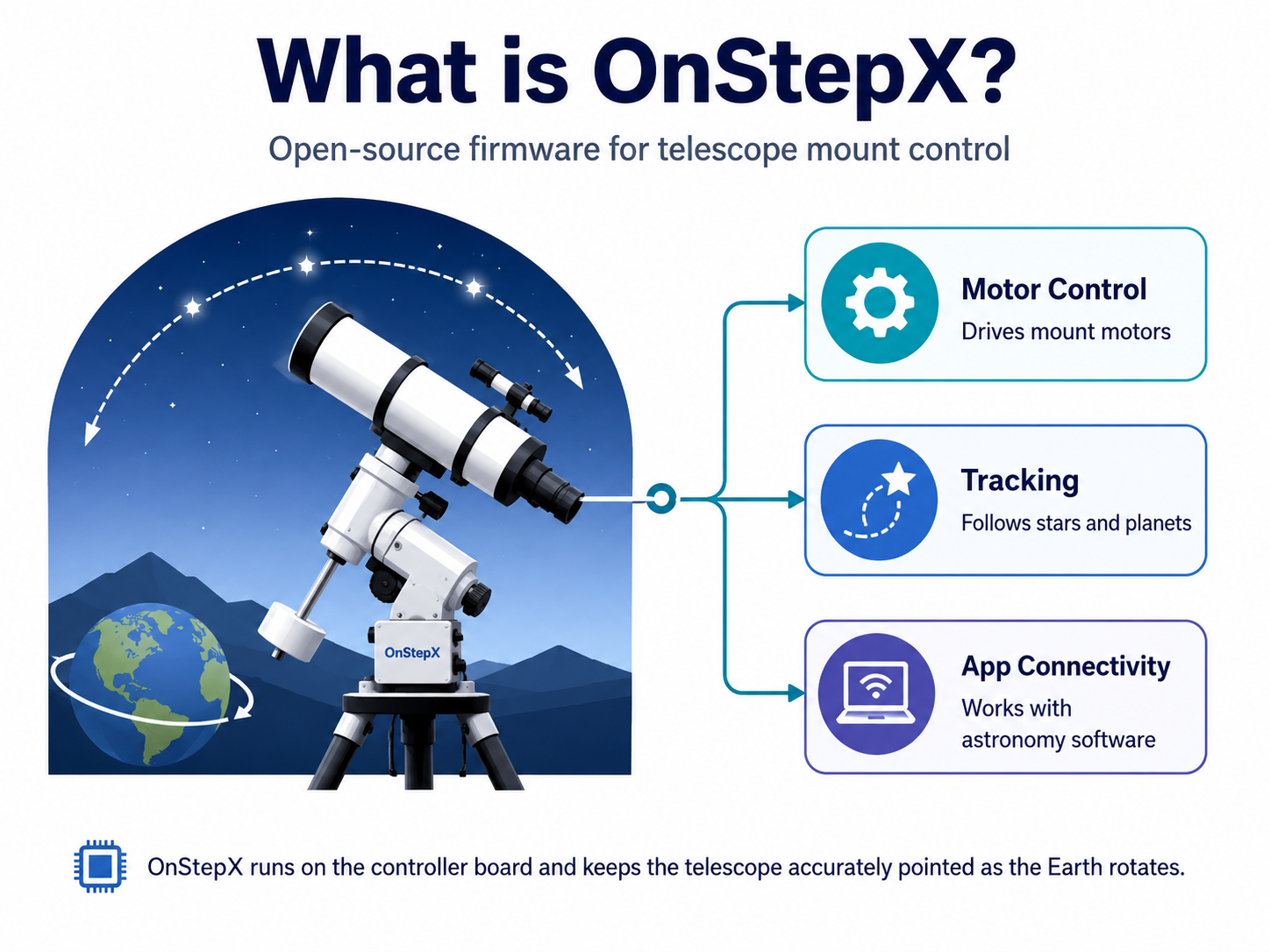
OnStepX is open-source firmware for controlling a telescope mount. During astronomy observation, the telescope must keep tracking stars, planets, or deep-sky objects. Because Earth rotates, an object will slowly drift out of view unless the mount moves precisely to follow it.
OnStepX controls the mount motors, calculates tracking behavior, and lets astronomy applications communicate with the mount. The README describes OnStepX as the mount controller firmware that runs on the controller board attached to the mount, drives stepper drivers, and communicates with client apps such as SkySafari and KStars.
So this project is not a general IoT configuration tool. It is a specialized configurator for preparing and flashing telescope mount control firmware.
📌 What This Project Helps Users Do
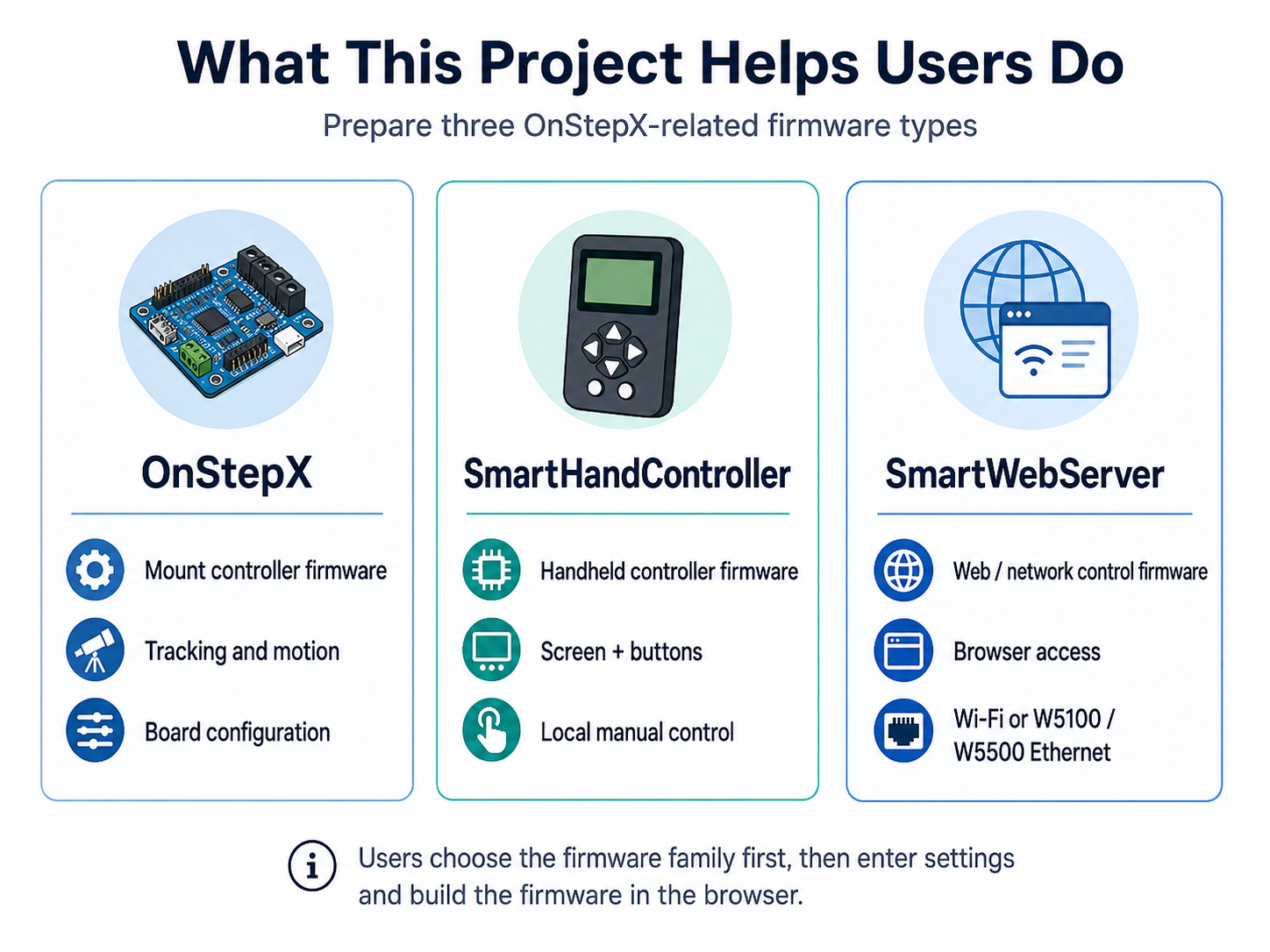
This project helps users prepare three related firmware types.
- OnStepX is the main firmware for the telescope mount controller. It moves the motors, handles tracking behavior, and communicates with astronomy software.
- SmartHandController is firmware for a handheld controller. It can use a screen and buttons so users can move the telescope or adjust settings without always using a phone or laptop.
- SmartWebServer is firmware for a network bridge and web control device. It allows a telescope mount to be controlled from a browser or network client. The README explains SmartWebServer as a separate web UI and Wi-Fi/Ethernet bridge firmware for the mount.
The user first chooses which firmware they want to create: mount controller, hand controller, or web/network server. Then they fill in the required settings and build the firmware through the web tool.
📌 How It Works for a User
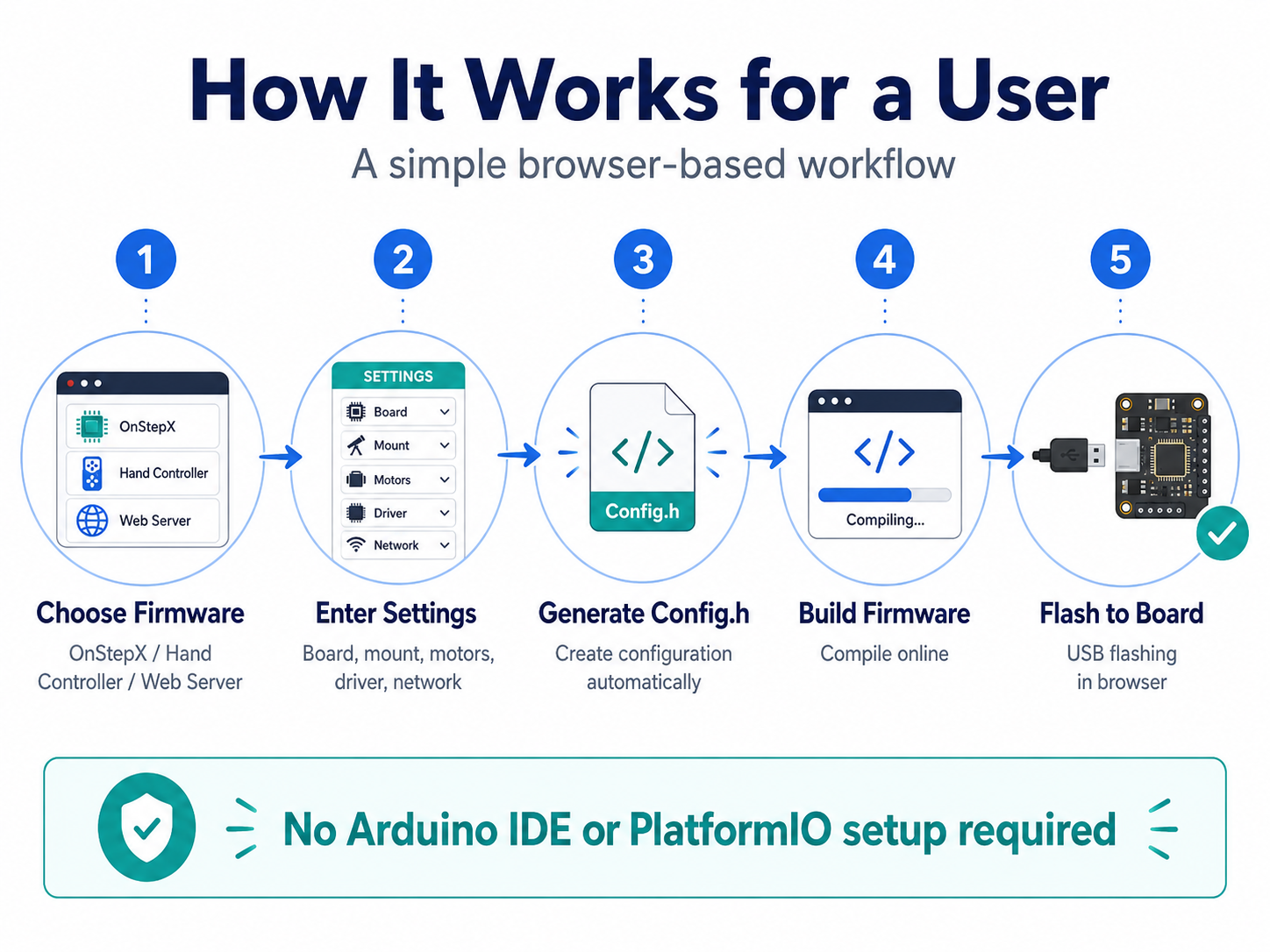
The user flow is designed to be straightforward.
First, the user chooses which firmware to build. Most users building a mount controller will choose OnStepX. Users who want browser or network-based telescope control can choose SmartWebServer. Users who want a physical handheld controller can choose SmartHandController.
Next, the user enters board and mount details. This includes the controller board, mount type, motor steps, gear ratio, stepper driver type, microstepping, and related axis settings. The README notes that PINMAP, MOUNT_TYPE, axis steps per degree, driver model, and microsteps are among the key settings users usually need to configure.
After the settings are complete, the tool generates Config.h. This is the configuration file that tells the OnStepX family firmware how the specific board and mount should behave.
Finally, the user compiles the firmware and flashes it to the board over USB from the browser. The biggest advantage is that users do not need to set up a local firmware build environment themselves.
📌 Where W5100/W5500 Comes In
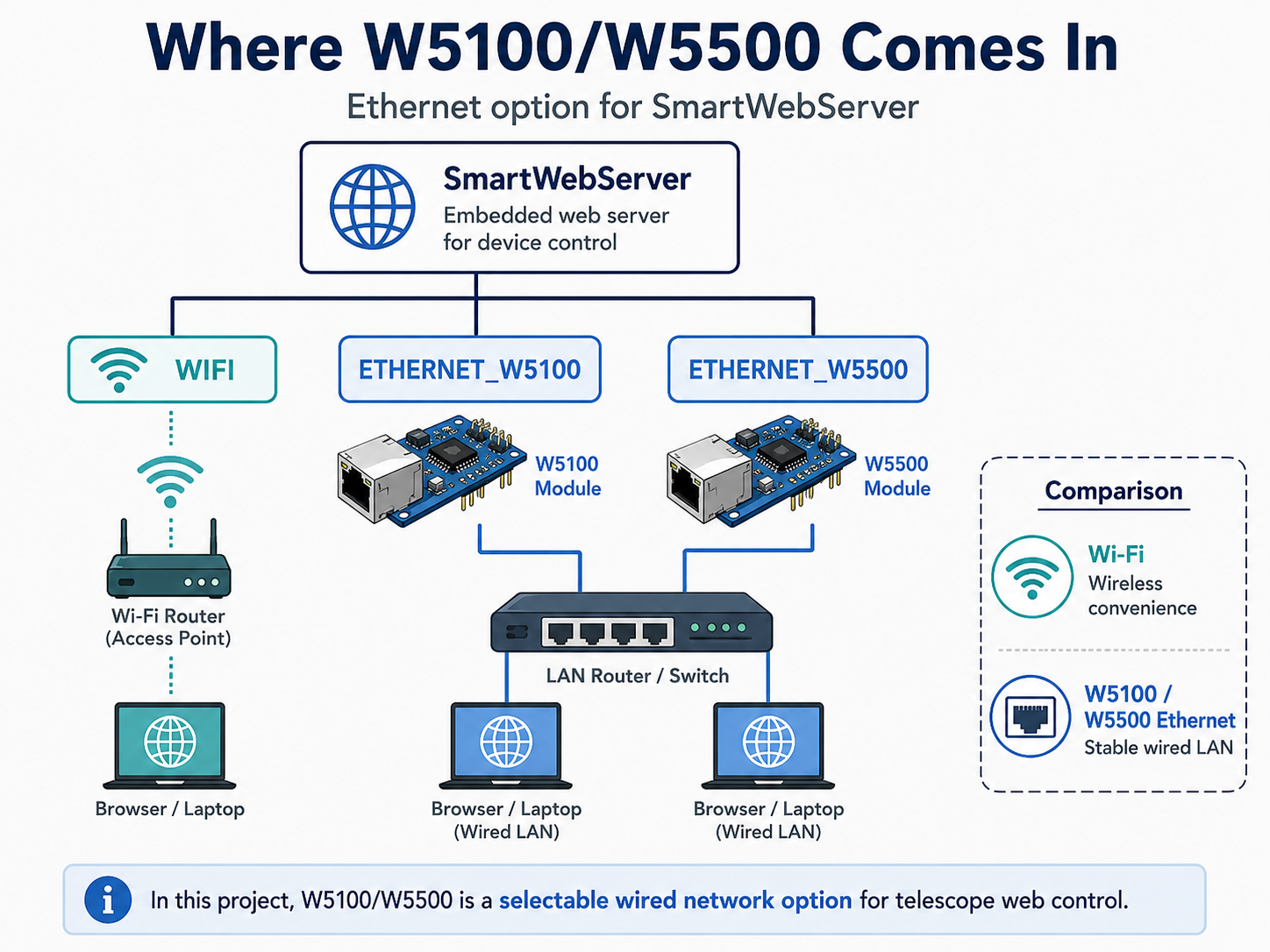
WIZnet W5100/W5500 is mainly relevant in SmartWebServer mode.
SmartWebServer is the network-facing device that lets users control the telescope from a web browser or network client. ESP32/ESP8266-based SmartWebServer setups often use Wi-Fi, but Wi-Fi is not always reliable in astronomy environments. With W5100 or W5500 Ethernet, the telescope control network can use wired LAN instead.
The SmartWebServer configuration includes network mode options such as WIFI, ETHERNET_W5100, and ETHERNET_W5500. It also includes an Ethernet shield MAC address setting for wired Ethernet configurations.
So, in this project, W5100/W5500 should be understood as the option that lets a telescope web control device use wired Ethernet instead of Wi-Fi.
📌 Features
- Browser-based configuration generation
Users select board, mount type, motor specifications, driver model, microstepping, and network options through the web UI. The tool then generates the configuration needed by the OnStepX family firmware. - Firmware build without local toolchain setup
Users can create firmware without installing Arduino IDE or PlatformIO. This lowers the barrier for people who want to try OnStepX but are not familiar with firmware build environments. - Support for OnStepX, SmartHandController, and SmartWebServer
The configurator supports firmware for the telescope mount controller, handheld controller, and web/network bridge. These firmwares are not combined onto one chip; they are configured and flashed to separate boards when needed. - Board default settings
After selecting a PINMAP, users can apply board defaults such as driver model, microsteps, motor current, and mount type. This helps reduce configuration mistakes for beginners. - W5100/W5500 Ethernet configuration
SmartWebServer can be configured forETHERNET_W5100orETHERNET_W5500, making it useful for telescope users who prefer wired LAN over Wi-Fi. - Browser-based flashing
The tool supports browser flashing for several board families. The README explains Web Serial for ESP32, WebUSB DFU for STM32, and WebHID for Teensy.
📌 System Architecture
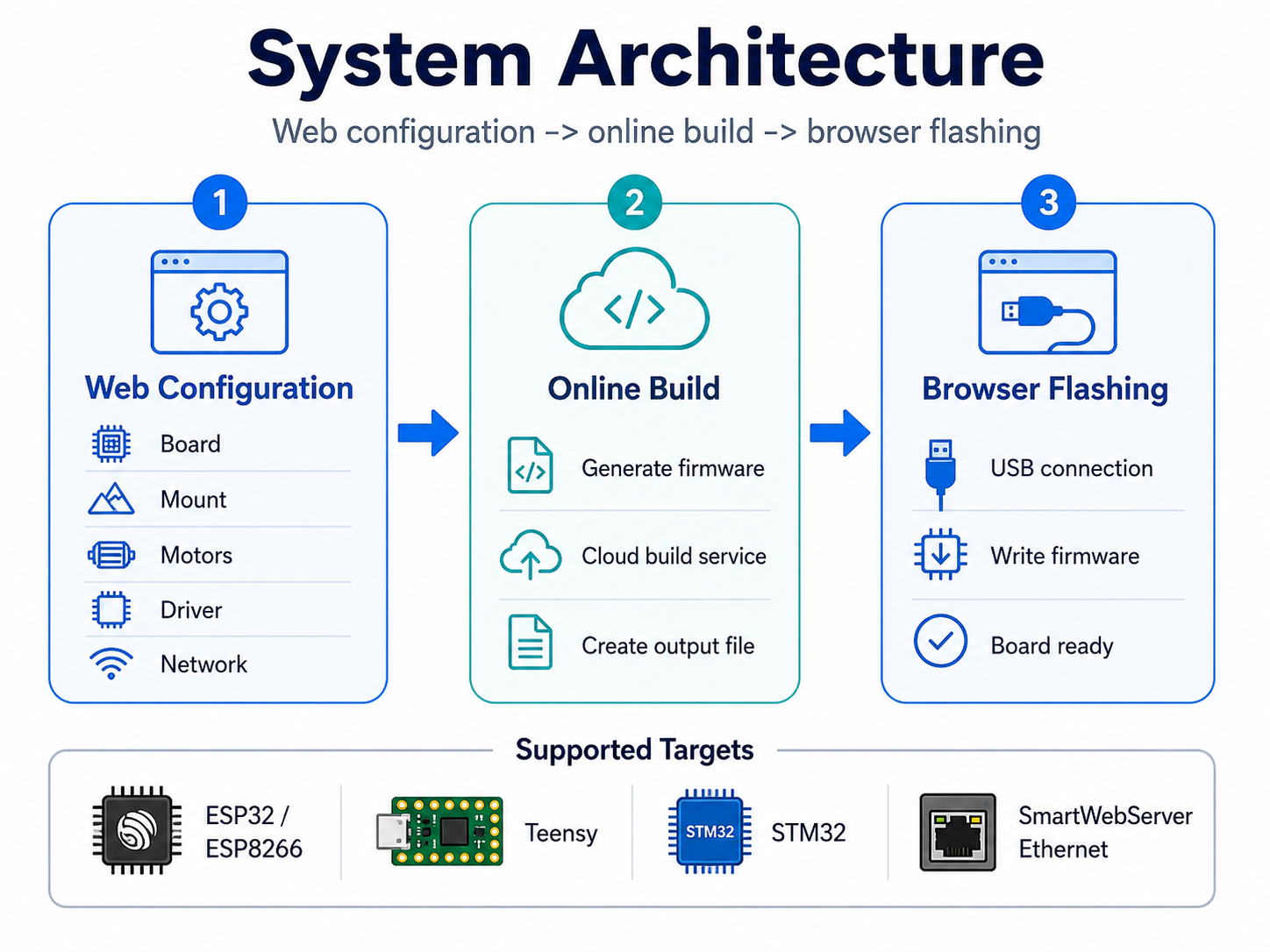
For general users, the project can be understood as three connected parts: web configuration, online firmware build, and browser-based flashing.
The first part is the web configuration screen. Users choose board, mount, motor, driver, and network settings directly in the browser. They do not need to edit the source code manually.
The second part is online firmware building. When the user clicks compile, the selected firmware and settings are used to create a firmware file that can run on the target board. This means users do not need to install complicated build tools on their own computer. The README explains that the project uses cloud services such as GitHub Actions and Cloudflare Workers for this process.
The third part is browser flashing. Once the firmware is built, the browser can write it to the board connected by USB. The flashing method depends on the board type, but the goal is to keep the workflow inside the browser as much as possible.
📌 Role and Application of the WIZnet Chip
Related WIZnet products: W5100 / W5500
This repository does not directly implement W5100/W5500 driver code. Its role is to help users configure and build firmware, especially SmartWebServer firmware, with the desired network option.
The WIZnet chips are useful as wired Ethernet options for SmartWebServer. SmartWebServer lets users access and control the telescope mount through a browser or network client, so network reliability matters. In observing locations where Wi-Fi is unstable, or in fixed observatory setups, W5100/W5500-based wired Ethernet can be a better choice.
A user can choose ETHERNET_W5100 or ETHERNET_W5500 in SmartWebServer mode, set the Ethernet shield MAC address, and then build firmware for that configuration.
In short, W5100/W5500 in this project means: a wired LAN option for telescope web control instead of Wi-Fi.
📌 Network Stack Note
This repository does not directly implement the low-level W5100/W5500 network stack. Therefore, it is not appropriate to classify this repository itself as either an lwIP implementation or a direct WIZnet TOE/socket-library implementation.
More accurately, OnStepX-Configurator creates the configuration needed to select W5100/W5500 Ethernet mode for SmartWebServer and helps build the target firmware with that setting. The actual W5100/W5500 behavior depends on the SmartWebServer firmware being built.
So the safest description is:
This project is not a WIZnet Ethernet driver example. It is a configurator that makes it easier to choose and build SmartWebServer firmware with W5100/W5500 Ethernet mode.
📌 Hybrid Network Status
This project considers both Wi-Fi and Ethernet because SmartWebServer lets the user choose WIFI, ETHERNET_W5100, or ETHERNET_W5500.
However, it is not a hybrid router that bridges Wi-Fi and Ethernet at the same time. It is better understood as a tool that lets users choose whether their SmartWebServer firmware should use Wi-Fi or W5100/W5500 Ethernet.
So the correct description is: a selectable Wi-Fi or Ethernet network configuration tool, not a simultaneous wired/wireless bridge.
📌 Why This Project Is Useful
OnStepX-family firmware is powerful, but it requires many configuration values. Mount type, gear ratio, motor steps, microstepping, driver model, driver current, and board pinmap must be selected correctly.
This configurator organizes that complexity into a web UI. Users can calculate steps per degree, enter motor and driver values, choose the mount type, and review the generated configuration before building. The README also explains that PINMAP, MOUNT_TYPE, axis steps per degree, driver model, and microsteps are the settings users almost always need to change.
For WIZnet users, the SmartWebServer Ethernet option is especially useful. Astronomy setups are often used outdoors, remotely, or in environments where Wi-Fi may be unreliable. W5100/W5500 Ethernet can provide a more stable wired control path for telescope operation.
📌 Additional Insight for WIZnet Makers
The value of this project is less about WIZnet driver code and more about making Ethernet-enabled firmware easier for users to configure and adopt.
Many open-source firmware projects are powerful but difficult for beginners because users must install build tools and edit configuration files manually. OnStepX-Configurator exposes W5100/W5500 Ethernet choices in the web UI and connects configuration, build, and flashing into a guided workflow.
For WIZnet makers, this gives several useful insights:
- W5100/W5500 can be used in telescope control networks.
- Ethernet features become easier to adopt when they are visible in the configurator UI.
- In astronomy environments where Wi-Fi is unreliable, wired Ethernet can improve the user experience.
- A complete “configure → build → flash” workflow can be more valuable to beginners than a driver example alone.
📌 Things to Know Before Building
This project is user-friendly, but telescope control firmware must still be configured carefully.
Before building, users should check:
- Whether they are building OnStepX, SmartHandController, or SmartWebServer
- Whether the controller board and PINMAP match
- Whether the mount type is GEM, Fork, or Alt-Az
- Whether motor steps, worm teeth, gear ratio, and microsteps are correct
- Whether the stepper driver model and driver current are correct
- Whether SmartWebServer should use Wi-Fi or W5100/W5500 Ethernet
- Whether the W5100/W5500 Ethernet shield MAC address is unique on the network
- Whether the browser supports the needed flashing API, such as Web Serial, WebUSB, or WebHID
The README warns that a wrong PINMAP can drive the wrong step/enable pins and potentially damage stepper drivers, limit switches, or the MCU. For the first flash, it is safer to keep motors disconnected and check the serial output first.
📌 Summary
OnStepX-Configurator is a user-friendly web configurator that lets users configure, build, and flash OnStepX-family telescope control firmware from a browser. It supports OnStepX, SmartHandController, and SmartWebServer, helping users create firmware without setting up a local development environment.
The key WIZnet-related feature is SmartWebServer configuration. The tool lets users select ETHERNET_W5100 or ETHERNET_W5500 network mode and provides Ethernet shield MAC address settings.
Therefore, this project is best understood not as a WIZnet chip driver example, but as a tool that makes W5100/W5500 Ethernet-based telescope web control firmware easier to configure, build, and flash.
📌 FAQ
Q1. What is this project?
It is a configurator that lets users configure, build, and flash OnStepX-family telescope control firmware from a browser.
Q2. What is OnStepX?
OnStepX is telescope mount controller firmware. It moves the motors, handles tracking, and communicates with astronomy apps such as SkySafari and KStars.
Q3. What is SmartWebServer?
SmartWebServer is firmware for a separate network device that lets users control the telescope from a web browser or network client.
Q4. Where are WIZnet chips involved?
In SmartWebServer configuration, users can choose ETHERNET_W5100 or ETHERNET_W5500 network mode.
Q5. Does this repository directly implement a W5500 driver?
No. This repository is a configuration, build, and flashing tool. W5100/W5500 behavior depends on the SmartWebServer firmware that this tool builds.
Q6. Is this lwIP or TOE/socket-library based?
This repository itself does not implement the low-level W5100/W5500 network stack. Its key role is to generate the configuration that selects W5100/W5500 Ethernet mode for SmartWebServer.
Q7. Is this a wired/wireless hybrid network example?
It can select Wi-Fi or W5100/W5500 Ethernet mode, but it is not a simultaneous Wi-Fi/Ethernet bridge. It is a configurable network-mode builder for SmartWebServer firmware.