


MCP for Raspberry Pi Pico W
Pico W MCP firmware with JSON-RPC tools and WireGuard-ready build; build via Pico SDK and toggle the onboard LED from an agent.
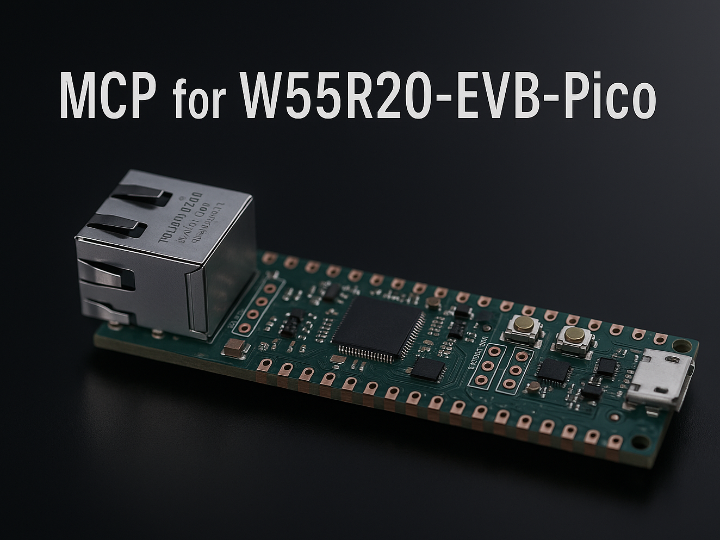
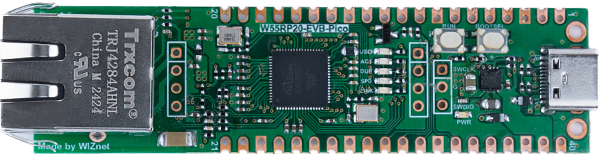
WIZnet - W55RP20-EVB-Pico
x 1

Overview
This project delivers an MCP (Model Context Protocol)–oriented firmware for the Raspberry Pi Pico W. It exposes device capabilities as JSON-RPC tools so an IDE agent (e.g., Copilot Chat) can remotely perform actions like toggling the onboard LED. The repo includes PICO-SDK build instructions and a WireGuard import script to scaffold a secure tunnel around MCP traffic for remote operation scenarios. (GitHub)
Original Language & Author
The source is written in English and maintained by @h7ga40. The README outlines an agent-driven workflow (VS Code Copilot Chat) that invokes the device’s JSON-RPC tools, making it a practical bridge between LLM/IDE agents and embedded targets. (GitHub)
Key Highlights
JSON-RPC tool surface (LED control)
The firmware exposes tools/list and tools/call with three tools: set_location, set_switch_id, and set_switch. Typical sequence: set a location and switch id, then call set_switch with "on"/"off" to toggle the LED. The LED changes only when the request’s location/switch_id matches prior settings (or both are omitted). (GitHub)
Agent workflow
Intended to run under GitHub Copilot Chat (agent mode) in VS Code; the repo references a short flow (“how_it_works.mp4”). (GitHub)
PICO-SDK setup & environment
The README summarizes installing pico-sdk 2.2.0 under ~/.pico-sdk/sdk/2.2.0 and exporting PICO_SDK_PATH accordingly. (GitHub)
Build in a few commands
mkdir build
cd build
cmake -E env PICO_SDK_FETCH_FROM_GIT=1 cmake ..
make -j$(nproc)
On success, artifacts like pico_mcp.uf2 appear in build/. (GitHub)
Networking stack & WireGuard scaffold
The tree includes llhttp (HTTP parser), parson (JSON), lwipopts.h for lwIP, and a CMake import named pico_wireguard_import.cmake—handy if you want to protect MCP traffic through a WireGuard VPN. (WireGuard key/peer setup is not yet documented in the repo.) (GitHub)
Why It Matters (Curator’s View)
Hands-on with modern control patterns: Recreate the MCP model—an IDE/LLM agent calls device “tools” over JSON-RPC—on real hardware. (GitHub)
Security-ready architecture: The WireGuard import script hints at a clean path to VPN-protected remote control, ideal for field boxes, labs, or home setups. (GitHub)
Lean networking practice: Work directly with lwIP + llhttp + parson to internalize JSON-RPC control beyond classic REST-style sketches. (GitHub)
MIT-licensed starting point: Easy to repurpose for commercial/education use, with a clear template to add more tools (GPIO, I²C, SPI, sensors). (GitHub)
Quick Reproduce (Checklist)
Install PICO-SDK under ~/.pico-sdk/sdk/2.2.0 and set PICO_SDK_PATH. (GitHub)
Build
mkdir build && cd build
cmake -E env PICO_SDK_FETCH_FROM_GIT=1 cmake ..
make -j$(nproc)
Expect pico_mcp.uf2 in build/. (GitHub)
Flash & run: Copy the UF2 via BOOTSEL.
Call tools: Use tools/list to discover tools, then call set_location → set_switch_id → set_switch to toggle the LED. (GitHub)
(Optional) Secure tunnel: Use pico_wireguard_import.cmake as a starting point to integrate WireGuard and test MCP over a VPN. (GitHub)
Next-Step Ideas
Expand the toolset: Add JSON-RPC tools for relays, GPIO, sensors; pattern mirrors the LED tool.
Port to Ethernet boards: Try a W55RP20-EVB-Pico (wired) variant to evaluate stability and latency on Ethernet vs. Wi-Fi.
Operational demo: Build a small VPN-protected remote maintenance scenario (agent ↔ field device) and document provisioning.
-
Source
