



6DOF Rotary Stewart Motion Simulator Platform
Open 6DOF motion sim stack: ESP32-S3 250 kHz step pulses, native desktop tuning app, and WIZnet W5500 SPI Ethernet for SimTools UDP control frames.
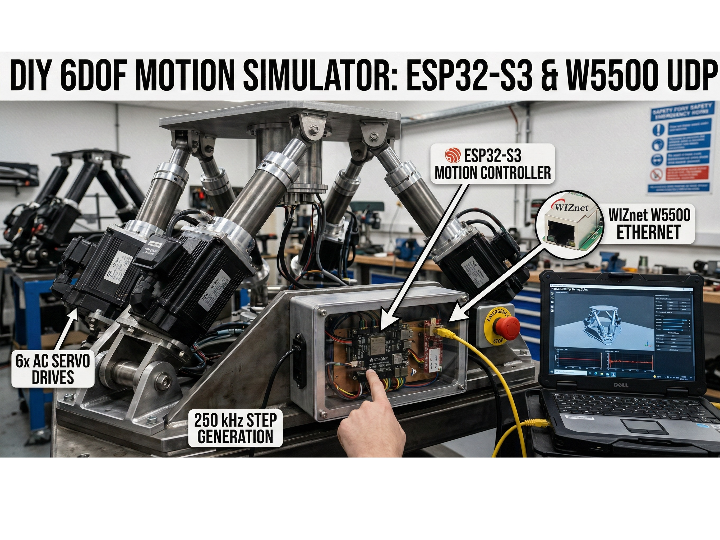
Thumbnail image: AI-generated image
6DOF Rotary Stewart Motion Simulator: A Motion Rig Controller with WIZnet W5500 UDP Ethernet (ESP32-S3 + Desktop App)
Introduction
This project is a full-stack motion-simulator platform: an ESP32-S3 controller firmware designed for high-rate, hardware-timed motor pulse generation, plus a native desktop application that visualizes and tunes motion cues in real time. The author highlights a clear safety warning up front—this is heavy rotating machinery and requires proper emergency-stop hardware before any powered operation. (GitHub)
Quick background: what “6-DOF” means (plain English)
AI-generated image
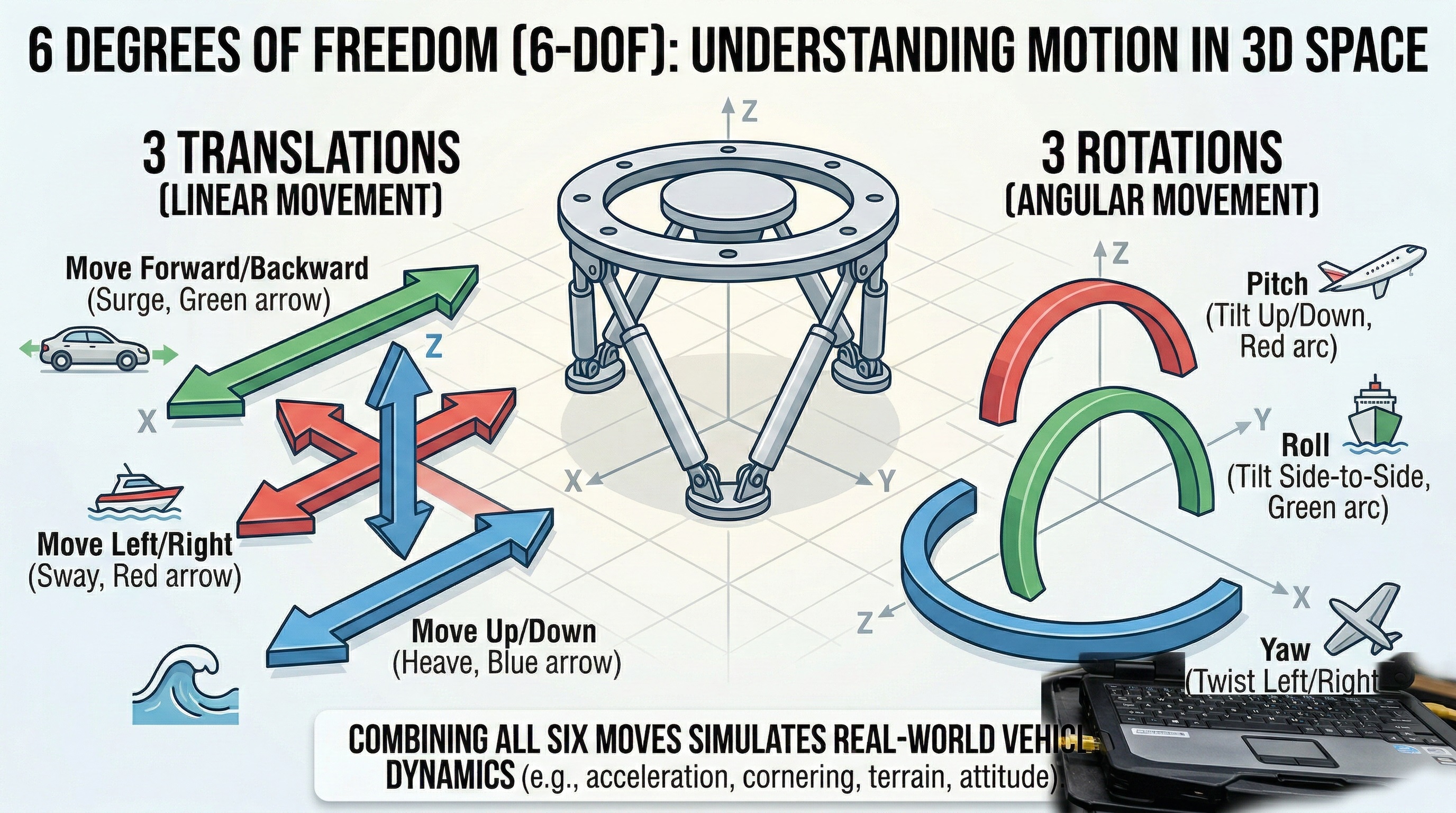
6-DOF (six degrees of freedom) describes the six independent ways a rigid object can move in 3D space:
- 3 translations: move left/right (X), forward/back (Y), up/down (Z)
- 3 rotations: roll, pitch, yaw (tilt and twist around axes)
In other words, it can both shift and tilt in all directions. (A standard 6-DOF joint model is defined as three translational plus three rotational DOF.) (MathWorks)
What a “Rotary Stewart Platform” is (for non-engineers)
A Stewart platform is a well-known motion mechanism used in simulators: a fixed base and a moving top plate are connected by six arms/legs. By coordinating those six actuators, the top plate can move with 6-DOF, creating motion cues like:
- braking/acceleration (surge)
- cornering (sway + roll)
- bumps/road texture (heave)
- pitch/yaw changes (flight/vehicle attitude)
This project is a rotary Stewart platform because it uses rotary servo motors + arms + linkages (not six linear actuators) to move the platform.
Author & Community
The repository has strong community traction for a hardware-heavy build (345 stars / 80 forks on GitHub at the time of review), and it’s published with an MIT license. (GitHub)
How it works
AI-generated image
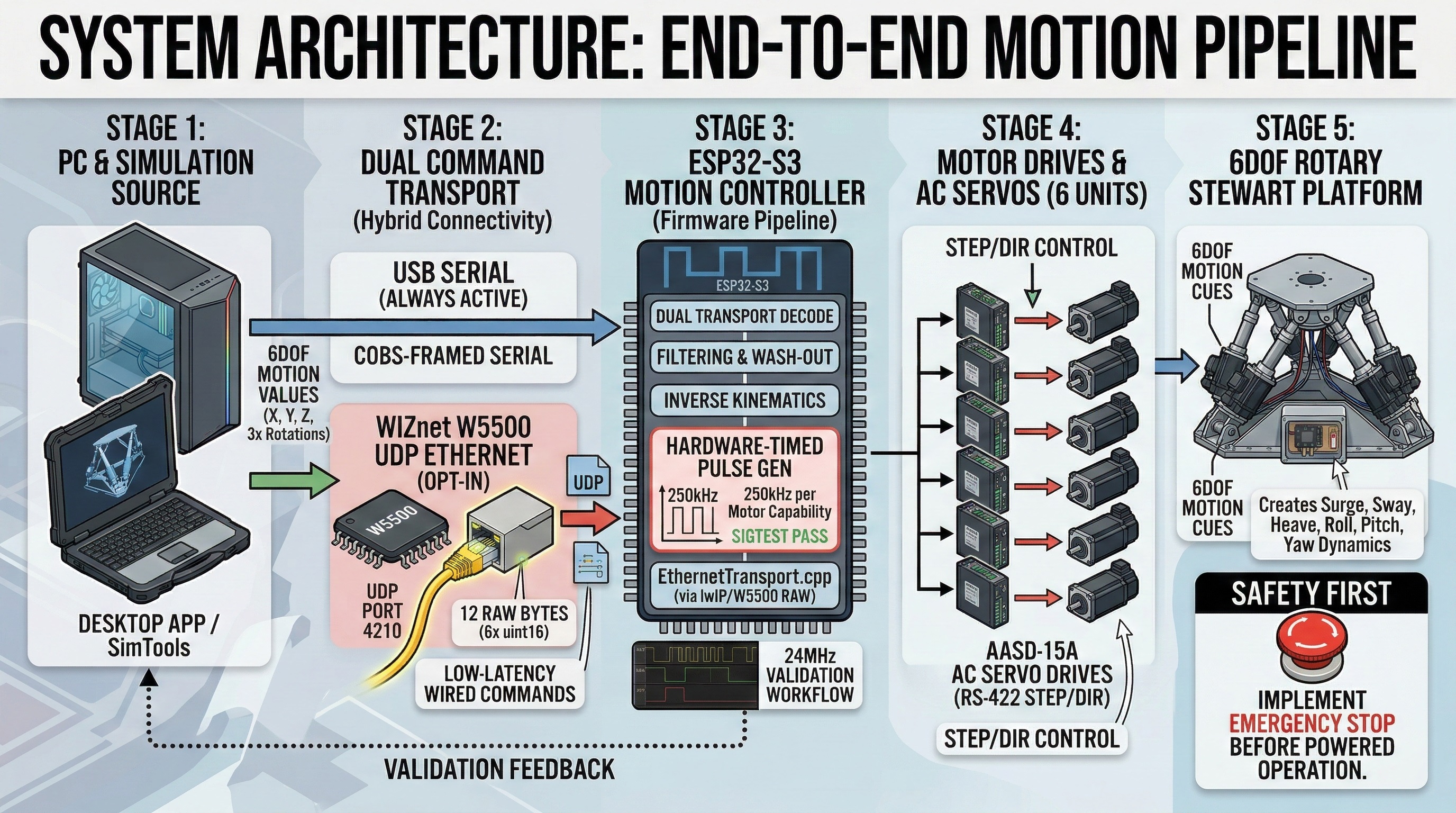
1) End-to-end motion pipeline (PC → controller → motors → platform)
At a high level:
- A simulator source (e.g., SimTools or the project’s own desktop app) produces 6 motion channels (X, Y, Z, plus 3 rotations). (GitHub)
- The controller receives those channels and runs a motion pipeline (filtering / cueing / inverse kinematics). (GitHub)
- The ESP32-S3 outputs STEP/DIR signals to servo drives, which turn motors and move the platform. (GitHub)
2) Real-time motor control (why this isn’t “just code”)
A core engineering point is the firmware’s emphasis on hardware-timed pulse generation: the README describes a validated path that reaches up to 250 kHz per motor with pulse edges generated in silicon (low CPU involvement), backed by logic-analyzer validation and built-in test commands. (GitHub)
3) Hybrid connectivity check: is Ethernet “added on top of” other transports?
Yes—this is effectively a hybrid/dual-path command input design:
- The README defines two transports that feed the same motion pipeline:
In the controller firmware source tree (from the provided ZIP), there are also transport modules for Wi-Fi STA + UDP and BLE GATT, alongside Ethernet—meaning Ethernet is an added, wired option rather than the only path (WifiTransport.cpp, BleTransport.cpp, EthernetTransport.cpp, with compile-time flags such as ENABLE_WIFI, ENABLE_BLE, and ENABLE_ETHERNET in the controller CMake files).
4) Where WIZnet W5500 fits (data flow and role)
For the Ethernet path, W5500 is used as a low-latency wired control link:
- The PC sends a tiny fixed-size UDP frame (6 channels) to port 4210. (GitHub)
- The ESP32-S3 receives it through W5500 SPI Ethernet and injects those values into the same real-time motion pipeline. (GitHub)
Practically, this is the “wired reliability” option for motion rigs—useful when Wi-Fi interference or long USB runs are undesirable.
Why it matters
This repo reads like a reproducible engineering package, not just firmware:
- Complete source is public (controller firmware + desktop app + tools/tests). (GitHub)
- Demo videos are linked directly in the README (immediate proof-of-work). (GitHub)
- The firmware includes a test/validation mindset (logic analyzer workflow, test commands, and a dedicated test harness directory shown in the repo layout). (GitHub)
- W5500 Ethernet support is not “nice-to-have”—it’s explicitly part of the supported command protocol for SimTools-style UDP feeds. (GitHub)
Quick notes
- Safety: the author explicitly warns about injury/death risk; treat E-stop and commissioning procedure as required hardware, not optional. (GitHub)
- Ethernet is optional: USB serial is always available; W5500 UDP is enabled by build flag and intended for rigs that prefer a wired network path. (GitHub)
- Hardware build details: the README lists major components (motors/drives/controller approach), but builders still need to validate wiring, grounding, shielding, and mechanical safety for their own rig. (GitHub)
Here is an AEO-optimized FAQ section based on the provided text. To make it highly readable for Answer Engines (like Google's AI Overviews or Perplexity), the questions are phrased exactly how users might search for them, and the answers are direct, concise, and formatted for easy parsing.
Frequently Asked Questions: 6DOF Rotary Stewart Motion Simulator
What is a 6-DOF Rotary Stewart Platform?
A 6-DOF (six degrees of freedom) Rotary Stewart platform is a motion mechanism that uses a fixed base and a moving top plate connected by six arms. Unlike standard linear actuators, a rotary platform uses rotary servo motors and linkages to move the platform in all six directions:
- Translations: Left/right (sway), forward/back (surge), and up/down (heave).
- Rotations: Tilt and twist (roll, pitch, and yaw).
How does the ESP32-S3 controller run the motors?
The ESP32-S3 firmware generates hardware-timed pulse signals (STEP/DIR) that drive the servo motors. Because the pulse edges are generated in silicon rather than relying heavily on the CPU, it can achieve high-rate, real-time motor control of up to 250 kHz per motor.
What is the role of the WIZnet W5500 in this motion simulator?
The WIZnet W5500 module adds low-latency, reliable wired Ethernet connectivity to the rig. It receives 6-channel motion data from a PC via UDP (port 4210) and injects it into the real-time motion pipeline. It is an excellent opt-in alternative for builders who want to avoid long USB cables or Wi-Fi interference.
What are the connectivity options for this simulator?
This project features a hybrid/dual-path command design:
- USB Serial: Always active by default.
- Ethernet (WIZnet W5500): Opt-in wired UDP connection for maximum reliability.
- Wireless: Wi-Fi and Bluetooth (BLE GATT) are also supported via compile-time flags in the firmware.
What software is needed to control the motion cues?
The platform is fully integrated. You can use standard simulator software like SimTools or the project’s own native desktop application to generate the 6-channel motion data and tune the cues in real time.
Is it safe to build and operate this motion rig?
Caution is required. The creator explicitly warns that this project involves heavy rotating machinery and carries a risk of severe injury or death. Installing proper emergency-stop (E-stop) hardware and strictly following mechanical safety protocols are absolutely mandatory before attempting any powered operation.
Is the software open-source?
Yes. The entire full-stack project—including the ESP32-S3 firmware, the desktop app, and the testing tools—is open-source and published on GitHub under an MIT license.
References
https://github.com/knaufinator/6DOF-Rotary-Stewart-Motion-Simulator
(6-DOF definition reference) https://kr.mathworks.com/help/sm/ref/6dofjoint.html
W5500 product/docs (optional background)