



How to Build a TCP Server with WIZnet W5500 on AI8051U?
This AI8051U Industrial IoT project demonstrates how to use the WIZnet W5500 as a wired TCP server interface.
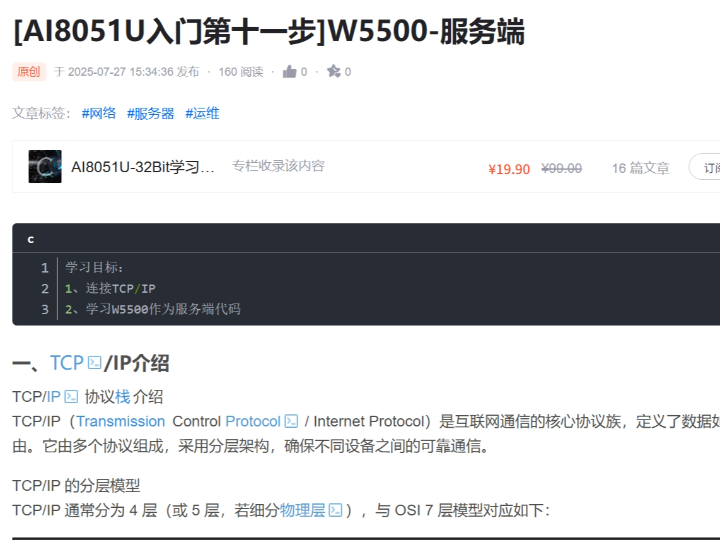
How to Build a TCP Server with WIZnet W5500 on AI8051U?
Summary
This AI8051U Industrial IoT project demonstrates how to use the WIZnet W5500 as a wired TCP server interface. The AI8051U firmware controls W5500 over SPI, while W5500 provides the Ethernet MAC/PHY, hardwired TCP/IP stack, socket state machine, and packet buffers needed to listen for client connections and exchange TCP data on a local industrial network. The accessible CSDN preview confirms the project goal is to connect TCP/IP and study W5500 server-side code.
What the Project Does
The project is a TCP server example for an AI8051U microcontroller paired with a WIZnet W5500 Ethernet controller. The CSDN article is titled “[AI8051U Beginner Step 11] W5500 Server,” and its learning objectives are to connect TCP/IP and study W5500 server code. The accessible article text introduces TCP/IP layering and then moves into the server section, but the full server implementation is behind CSDN’s subscription unlock.
At the architecture level, the AI8051U firmware acts as the embedded application controller. W5500 acts as the wired Ethernet and TCP/IP device. The expected server flow is: initialize the MCU peripherals, bring up SPI communication, configure W5500 network parameters, open a W5500 socket in TCP mode, put the socket into listen state, wait for a client connection, receive TCP payloads, send responses, and recover the socket if the client disconnects or a timeout occurs. The CSDN search summary for the article states that the project includes W5500 TCP server code, socket-state handling, data send/receive, and a successful client/server communication test.
For Industrial IoT, this pattern maps directly to field devices such as controllers, gateways, data collectors, and test fixtures. A supervisory PC, HMI, gateway, or local service tool can connect to the embedded TCP server and exchange command or telemetry data over wired Ethernet.
Where WIZnet Fits
The exact WIZnet product is W5500. In this project, W5500 is not just a physical Ethernet adapter; it is the network-stack boundary for the AI8051U firmware. The MCU drives W5500 through SPI, while W5500 handles Ethernet MAC/PHY operation, TCP/IP protocol processing, socket state, and internal packet buffering.
W5500 is well suited to this role because it is a hardwired TCP/IP embedded Ethernet controller with an embedded 10/100 Ethernet MAC and PHY. It supports TCP, UDP, IPv4, ICMP, ARP, IGMP, and PPPoE, provides 8 independent sockets, includes 32 KB of internal Tx/Rx buffer memory, and supports SPI up to 80 MHz.
This matters on an AI8051U-class embedded controller because a TCP server must remain responsive while the application still handles device logic. By using W5500, the firmware does not need to carry the full TCP/IP stack internally. It can manage a compact state machine around socket states such as closed, initialized, listening, established, and close-wait. For Industrial IoT systems, that separation helps keep firmware structure predictable and reduces the amount of RAM and timing-sensitive stack code inside the MCU.
Implementation Notes
The accessible article preview and search result confirm W5500 server-side use, but the full project source code is not publicly visible from the accessible page. Because the code cannot be verified line by line, the following is not copied from the project.
Conceptual integration example based on WIZnet ioLibrary
#include "wizchip_conf.h"
#include "socket.h"

#define SERVER_SOCKET   0
#define SERVER_PORT     5000

static uint8_t tx_size[8] = {2,2,2,2,2,2,2,2};
static uint8_t rx_size[8] = {2,2,2,2,2,2,2,2};

void w5500_network_init(void)
{
    reg_wizchip_cs_cbfunc(w5500_select, w5500_deselect);
    reg_wizchip_spi_cbfunc(w5500_spi_read, w5500_spi_write);

    wizchip_init(tx_size, rx_size);

    /* Configure MAC, IP, subnet, gateway, and DNS here. */
    wizchip_setnetinfo(&net_info);
}
This layer exists because WIZnet ioLibrary is platform-independent. The AI8051U firmware must provide chip-select control and SPI byte-access functions before W5500 socket APIs can operate. WIZnet’s ioLibrary provides Berkeley-style socket APIs and supports W5500 among other WIZnet TCP/IP chips.
void tcp_server_task(void)
{
    uint8_t status = getSn_SR(SERVER_SOCKET);

    switch (status) {
    case SOCK_CLOSED:
        socket(SERVER_SOCKET, Sn_MR_TCP, SERVER_PORT, 0);
        break;

    case SOCK_INIT:
        listen(SERVER_SOCKET);
        break;

    case SOCK_ESTABLISHED:
        if (getSn_RX_RSR(SERVER_SOCKET) > 0) {
            uint8_t buf[256];
            int32_t len = recv(SERVER_SOCKET, buf, sizeof(buf));

            if (len > 0) {
                send(SERVER_SOCKET, buf, len);
            }
        }
        break;

    case SOCK_CLOSE_WAIT:
        disconnect(SERVER_SOCKET);
        close(SERVER_SOCKET);
        break;
    }
}
This conceptual task shows the firmware pattern behind a W5500 TCP server. The MCU polls the W5500 socket state, opens the socket in TCP mode, enters listen state, receives payload data after a client connects, sends a response, and closes the socket cleanly when the peer disconnects. WIZnet’s TCP documentation describes this same server-side flow: socket initialization, listen command, establishment after a client SYN, receive-buffer checking, data processing, timeout handling, and socket close.
Practical Tips / Pitfalls
- Verify SPI communication before debugging TCP. If the AI8051U cannot read W5500 registers reliably, the socket state machine will never be trustworthy.
- Check PHY link before opening the server socket. A listening socket is not useful if the RJ45 link, magnetics, cable, or switch port is not active.
- Use a fixed test IP during bring-up. Industrial devices often move to DHCP or configured static IP later, but first validation should remove addressing ambiguity.
- Keep the server socket state machine explicit. Handle
SOCK_CLOSED,SOCK_INIT,SOCK_LISTEN,SOCK_ESTABLISHED, andSOCK_CLOSE_WAITrather than assuming the connection remains stable. - Size buffers according to the protocol, not only available RAM. W5500 has 32 KB internal buffer memory, but the MCU still needs safe application buffers for received payloads.
- Add watchdog and reconnect behavior. Industrial devices must recover from cable removal, switch reboot, client crash, TCP timeout, and malformed requests.
- Separate service protocol from raw TCP transport. Define command framing, length checks, CRC or checksum, and timeout rules above the W5500 socket layer.
FAQ
Q: Why use WIZnet W5500 for a TCP server on AI8051U?
A: W5500 provides the wired Ethernet MAC/PHY, hardwired TCP/IP stack, 8 hardware sockets, and internal packet buffers. That lets the AI8051U firmware focus on device commands, telemetry, and socket-state handling instead of implementing the full TCP/IP stack in MCU software.
Q: How does W5500 connect to the AI8051U platform?
A: W5500 connects through SPI plus chip-select, reset, interrupt, power, ground, and Ethernet magnetics/RJ45 circuitry. In firmware, the AI8051U must register W5500 SPI read/write and chip-select callbacks before calling WIZnet socket APIs.
Q: What role does W5500 play in this project?
A: W5500 is the TCP server transport engine. The AI8051U decides what the server means at the application level, while W5500 listens for TCP client connections, maintains the socket state, stores received packets, and transmits responses over wired Ethernet.
Q: Can beginners follow this project?
A: It is suitable for developers who already understand embedded C, SPI, IPv4 addressing, UART debugging, and basic TCP client/server behavior. For Industrial IoT use, the important next step is not only making a connection, but also defining reconnect policy, command framing, watchdog recovery, and installation diagnostics.
Q: What should be checked first if the TCP client cannot connect?
A: Start with W5500 register access, PHY link, IP address, subnet, gateway, port number, PC firewall rules, and whether the socket reaches SOCK_LISTEN. If the socket never reaches listen state, the issue is usually below the application protocol.
Source
Original article: CSDN, “[AI8051U入门第十一步]W5500-服务端,” published as an original article and marked in the search result as CC 4.0 BY-SA. The accessible preview confirms the TCP/IP and W5500 server learning goals, but the full code section is locked behind CSDN subscription access.
WIZnet TCP reference: W5500 TCP Function documentation.
WIZnet driver reference: Wiznet/ioLibrary_Driver, MIT license.
WIZnet product reference: W5500 Datasheet.
Tags
#W5500 #WIZnet #AI8051U #TCPServer #Ethernet #SPI #ioLibrary #EmbeddedC #IndustrialIoT #NetworkStack #Firmware #HardwiredTCPIP
AI8051U에서 WIZnet W5500으로 TCP 서버를 구축하는 방법은?
요약
이 AI8051U Industrial IoT 프로젝트는 WIZnet W5500을 유선 TCP 서버 인터페이스로 사용하는 방법을 보여줍니다. AI8051U 펌웨어는 SPI로 W5500을 제어하고, W5500은 로컬 산업용 네트워크에서 클라이언트 연결을 수신하고 TCP 데이터를 교환하는 데 필요한 Ethernet MAC/PHY, 하드웨어 TCP/IP 스택, 소켓 상태 머신, 패킷 버퍼를 제공합니다. 접근 가능한 CSDN 미리보기에서는 이 프로젝트의 목표가 TCP/IP 연결과 W5500 서버 측 코드 학습임을 확인할 수 있습니다.
프로젝트가 하는 일
이 프로젝트는 AI8051U 마이크로컨트롤러와 WIZnet W5500 이더넷 컨트롤러를 결합한 TCP 서버 예제입니다. CSDN 원문 제목은 “[AI8051U 입문 제11단계] W5500 서버”이며, 학습 목표는 TCP/IP를 연결하고 W5500 서버 코드를 학습하는 것입니다. 접근 가능한 글에서는 TCP/IP 계층을 소개한 뒤 서버 섹션으로 넘어가지만, 전체 서버 구현 코드는 CSDN 구독 잠금 뒤에 있습니다.
아키텍처 관점에서 AI8051U 펌웨어는 임베디드 애플리케이션 컨트롤러 역할을 합니다. W5500은 유선 이더넷 및 TCP/IP 장치 역할을 합니다. 예상되는 서버 흐름은 MCU 주변장치 초기화, SPI 통신 bring-up, W5500 네트워크 파라미터 설정, W5500 소켓을 TCP 모드로 열기, listen 상태 진입, 클라이언트 연결 대기, TCP payload 수신, 응답 전송, 클라이언트 연결 종료 또는 타임아웃 발생 시 소켓 복구입니다.
Industrial IoT 환경에서 이 패턴은 컨트롤러, 게이트웨이, 데이터 수집기, 테스트 장비 같은 현장 장치에 직접 적용됩니다. 감독 PC, HMI, 게이트웨이, 로컬 서비스 도구가 임베디드 TCP 서버에 접속해 명령이나 텔레메트리 데이터를 유선 이더넷으로 교환할 수 있습니다.
WIZnet이 들어가는 위치
이 프로젝트에서 사용되는 WIZnet 제품은 W5500입니다. W5500은 단순한 물리적 이더넷 어댑터가 아니라 AI8051U 펌웨어의 네트워크 스택 경계입니다. MCU는 SPI로 W5500을 구동하고, W5500은 Ethernet MAC/PHY 동작, TCP/IP 프로토콜 처리, 소켓 상태, 내부 패킷 버퍼링을 담당합니다.
W5500은 이 역할에 적합합니다. W5500은 하드웨어 TCP/IP 기반 임베디드 이더넷 컨트롤러이며, 내장 10/100 Ethernet MAC 및 PHY를 포함합니다. TCP, UDP, IPv4, ICMP, ARP, IGMP, PPPoE를 지원하고, 8개 독립 소켓, 32 KB 내부 Tx/Rx 버퍼 메모리, 최대 80 MHz SPI 인터페이스를 제공합니다.
AI8051U급 임베디드 컨트롤러에서 TCP 서버는 장치 로직을 처리하면서도 클라이언트 연결에 계속 응답해야 합니다. W5500을 사용하면 펌웨어가 전체 TCP/IP 스택을 MCU 내부에 직접 포함할 필요가 없습니다. 대신 closed, initialized, listening, established, close-wait 같은 소켓 상태를 중심으로 작은 상태 머신을 관리하면 됩니다. Industrial IoT 시스템에서는 이런 분리가 펌웨어 구조를 예측 가능하게 만들고, MCU 내부 RAM과 타이밍 민감한 스택 코드 부담을 줄입니다.
구현 참고 사항
접근 가능한 원문 미리보기와 검색 결과에서는 W5500 서버 측 사용을 확인할 수 있지만, 전체 프로젝트 소스 코드는 공개 페이지에서 확인할 수 없습니다. 따라서 아래 코드는 해당 프로젝트에서 복사한 코드가 아닙니다.
WIZnet ioLibrary 기반 개념적 통합 예제
#include "wizchip_conf.h"
#include "socket.h"

#define SERVER_SOCKET   0
#define SERVER_PORT     5000

static uint8_t tx_size[8] = {2,2,2,2,2,2,2,2};
static uint8_t rx_size[8] = {2,2,2,2,2,2,2,2};

void w5500_network_init(void)
{
    reg_wizchip_cs_cbfunc(w5500_select, w5500_deselect);
    reg_wizchip_spi_cbfunc(w5500_spi_read, w5500_spi_write);

    wizchip_init(tx_size, rx_size);

    /* MAC, IP, subnet, gateway, DNS를 여기서 설정한다. */
    wizchip_setnetinfo(&net_info);
}
이 계층은 WIZnet ioLibrary가 플랫폼 독립 구조이기 때문에 필요합니다. AI8051U 펌웨어는 W5500 소켓 API를 사용하기 전에 칩 셀렉트 제어 함수와 SPI 바이트 접근 함수를 제공해야 합니다.
void tcp_server_task(void)
{
    uint8_t status = getSn_SR(SERVER_SOCKET);

    switch (status) {
    case SOCK_CLOSED:
        socket(SERVER_SOCKET, Sn_MR_TCP, SERVER_PORT, 0);
        break;

    case SOCK_INIT:
        listen(SERVER_SOCKET);
        break;

    case SOCK_ESTABLISHED:
        if (getSn_RX_RSR(SERVER_SOCKET) > 0) {
            uint8_t buf[256];
            int32_t len = recv(SERVER_SOCKET, buf, sizeof(buf));

            if (len > 0) {
                send(SERVER_SOCKET, buf, len);
            }
        }
        break;

    case SOCK_CLOSE_WAIT:
        disconnect(SERVER_SOCKET);
        close(SERVER_SOCKET);
        break;
    }
}
이 개념적 task는 W5500 TCP 서버의 펌웨어 패턴을 보여줍니다. MCU는 W5500 소켓 상태를 폴링하고, TCP 모드로 소켓을 열고, listen 상태에 들어가며, 클라이언트가 연결되면 payload 데이터를 수신하고 응답을 전송합니다. 상대 장치가 연결을 종료하면 소켓을 정리해 다음 연결을 받을 수 있게 합니다.
실무 팁 / 주의점
- TCP를 디버깅하기 전에 SPI 통신을 먼저 검증해야 합니다. AI8051U가 W5500 레지스터를 안정적으로 읽지 못하면 소켓 상태 머신을 신뢰할 수 없습니다.
- 서버 소켓을 열기 전에 PHY 링크를 확인해야 합니다. RJ45 링크, 마그네틱 회로, 케이블, 스위치 포트가 활성화되지 않으면 listen 소켓은 의미가 없습니다.
- bring-up 단계에서는 고정 테스트 IP를 사용하는 것이 좋습니다. 산업용 장치는 이후 DHCP나 설정 가능한 static IP로 확장할 수 있지만, 초기 검증에서는 주소 관련 변수를 줄이는 편이 좋습니다.
- 서버 소켓 상태 머신을 명확히 유지해야 합니다.
SOCK_CLOSED,SOCK_INIT,SOCK_LISTEN,SOCK_ESTABLISHED,SOCK_CLOSE_WAIT를 처리해야 하며, 연결이 항상 유지된다고 가정하면 안 됩니다. - 버퍼 크기는 사용 가능한 RAM만 보고 정하지 말고 프로토콜 기준으로 정해야 합니다. W5500은 32 KB 내부 버퍼를 제공하지만, MCU 쪽에서도 수신 payload를 안전하게 처리할 애플리케이션 버퍼가 필요합니다.
- watchdog과 재연결 동작을 추가해야 합니다. 산업용 장치는 케이블 분리, 스위치 재부팅, 클라이언트 비정상 종료, TCP 타임아웃, 잘못된 요청으로부터 회복해야 합니다.
- raw TCP 전송과 서비스 프로토콜을 분리해야 합니다. W5500 소켓 계층 위에 명령 프레이밍, 길이 검사, CRC 또는 체크섬, 타임아웃 규칙을 정의하는 것이 좋습니다.
FAQ
Q: AI8051U에서 TCP 서버를 구현할 때 왜 WIZnet W5500을 사용하나요?
A: W5500은 유선 Ethernet MAC/PHY, 하드웨어 TCP/IP 스택, 8개 하드웨어 소켓, 내부 패킷 버퍼를 제공합니다. AI8051U 펌웨어는 전체 TCP/IP 스택을 MCU 소프트웨어로 직접 구현하지 않고, 장치 명령, 텔레메트리, 소켓 상태 처리에 집중할 수 있습니다.
Q: W5500은 AI8051U 플랫폼에 어떻게 연결하나요?
A: W5500은 SPI와 칩 셀렉트, 리셋, 인터럽트, 전원, GND, 이더넷 마그네틱 및 RJ45 회로를 통해 연결합니다. 펌웨어에서는 WIZnet 소켓 API를 호출하기 전에 AI8051U의 SPI 읽기/쓰기 함수와 칩 셀렉트 콜백을 등록해야 합니다.
Q: 이 프로젝트에서 W5500은 어떤 역할을 하나요?
A: W5500은 TCP 서버 전송 엔진 역할을 합니다. AI8051U는 애플리케이션 수준에서 서버가 어떤 명령과 데이터를 처리할지 결정하고, W5500은 TCP 클라이언트 연결 대기, 소켓 상태 유지, 수신 패킷 저장, 유선 이더넷 응답 전송을 담당합니다.
Q: 초보자도 따라할 수 있나요?
A: 임베디드 C, SPI, IPv4 주소 체계, UART 디버깅, 기본 TCP 클라이언트/서버 동작을 이해하는 개발자에게 적합합니다. Industrial IoT 용도로 확장하려면 단순 연결 성공뿐 아니라 재연결 정책, 명령 프레이밍, watchdog 복구, 설치 진단을 함께 설계해야 합니다.
Q: TCP 클라이언트가 접속하지 못할 때 무엇을 먼저 확인해야 하나요?
A: W5500 레지스터 접근, PHY 링크, IP 주소, 서브넷, 게이트웨이, 포트 번호, PC 방화벽 규칙, 소켓이 SOCK_LISTEN 상태에 도달했는지를 먼저 확인해야 합니다. 소켓이 listen 상태에 도달하지 못한다면 문제는 보통 애플리케이션 프로토콜보다 아래 계층에 있습니다.
출처
Original article: CSDN, “[AI8051U入门第十一步]W5500-服务端,” original article, CC 4.0 BY-SA로 표시됨. 접근 가능한 미리보기에서는 TCP/IP 및 W5500 서버 학습 목표를 확인할 수 있지만, 전체 코드 섹션은 CSDN 구독 접근 뒤에 있습니다.
https://blog.csdn.net/sinat_58149788/article/details/149690800
WIZnet TCP reference: W5500 TCP Function documentation.
https://docs.wiznet.io/Product/Chip/Ethernet/W5500/Application/tcp
WIZnet driver reference: Wiznet/ioLibrary_Driver, MIT license.
https://github.com/Wiznet/ioLibrary_Driver
WIZnet product reference: W5500 Datasheet.
https://docs.wiznet.io/assets/files/W5500_ds_v110e-226ffec190c588b69f88d629789585e1.pdf
태그
#W5500 #WIZnet #AI8051U #TCPServer #Ethernet #SPI #ioLibrary #EmbeddedC #IndustrialIoT #NetworkStack #Firmware #HardwiredTCPIP