



How to Build a DHCP-Based TCP Client with W5500 for Simple and Reliable Embedded Ethernet?
This article explains how to build a beginner-friendly embedded Ethernet application using the WIZnet W5500 with DHCP and a TCP client.
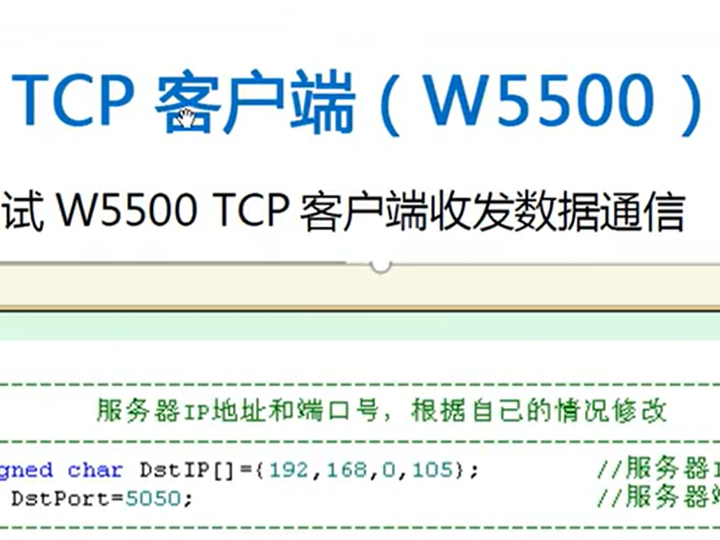
How to Build a DHCP-Based TCP Client with W5500 for Simple and Reliable Embedded Ethernet?
(W5500을 사용해 DHCP 기반 TCP 클라이언트를 구현하는 방법은?)
Summary (40–60 words)
This article explains how to build a beginner-friendly embedded Ethernet application using the WIZnet W5500 with DHCP and a TCP client. By leveraging the W5500’s hardware TCP/IP offload, developers can achieve automatic network configuration, stable TCP communication, and predictable performance suitable for education, demos, and Industrial IoT evaluation projects.
1. Introduction: Why DHCP + TCP Client Is the Ideal Starting Point
For newcomers to embedded Ethernet, the biggest barriers are usually:
Manual IP configuration
Complex TCP/IP stacks
Unstable or hard-to-debug network behavior
The combination of DHCP + TCP client on the WIZnet W5500 removes all three.
This approach allows a device to:
Automatically obtain an IP address
Confirm network connectivity
Establish a TCP connection to a server
Exchange data reliably
That is why many educational tutorials, demo projects, and evaluation boards adopt this exact workflow.
2. System Architecture Overview
A typical W5500-based DHCP + TCP client system follows this architecture:
The key architectural principle is hardware offloading.
All TCP/IP protocol processing is handled inside the W5500, not in MCU firmware.
3. DHCP Network Behavior with W5500
What DHCP Does
Dynamic Host Configuration Protocol (DHCP) allows the device to automatically obtain:
IP address
Subnet mask
Gateway
DNS server
This eliminates manual configuration and prevents common beginner mistakes such as IP conflicts.
How DHCP Works on W5500 (Conceptual)
🧩 Conceptual explanation (protocol details abstracted)
The W5500 sends DHCP discovery packets using UDP
The router responds with available network parameters
The W5500 hardware handles packet framing, checksums, and timing
The MCU only monitors DHCP state and stores the assigned values
Because DHCP is UDP-based, it benefits significantly from W5500’s hardware offloading.
4. Why Hardware TCP/IP Offload Matters
The W5500 integrates:
TCP, UDP, ICMP, ARP, IPv4 in hardware
32 KB internal TX/RX buffer
8 independent hardware sockets
SPI host interface
This means:
No software TCP/IP stack (e.g., LwIP) is required
MCU RAM usage is reduced by ~30 KB
CPU load remains low and predictable
Timing jitter is minimized
For beginners, this simplifies learning.
For Industrial IoT, it improves reliability.
5. Transition from DHCP to TCP Client
Once DHCP succeeds, the device is fully network-ready.
The next logical step is establishing a TCP client connection.
Typical Use Cases
Sending sensor data to a PC or gateway
Uploading logs
Receiving configuration commands
Demo or evaluation communication
6. TCP Client Behavior on W5500
TCP Client Flow (Beginner View)
🧩 Conceptual flow (no code assumed)
Open a TCP socket
Specify server IP and port
Request connection
Wait for connection establishment
Send application data
Receive response
Close socket
All TCP mechanisms—SYN/ACK, retransmission, timeout handling—are executed inside the W5500 hardware.
The MCU does not:
Implement TCP state machines
Handle retransmission timers
Compute checksums
This dramatically reduces firmware complexity.
7. Performance and Deterministic Behavior
Does DHCP Affect Performance?
No. DHCP:
Runs only during startup or renewal
Uses minimal packets
Has negligible runtime cost
Once an IP address is assigned, TCP performance is identical to static-IP systems.
TCP Performance with Hardware Offload
Because TCP is handled in hardware:
MCU CPU load stays low
Latency is predictable
Long-term connections are stable
This is particularly valuable in Industrial IoT, where devices run continuously.
8. Demo / Evaluation Advantages
Using DHCP + TCP client with W5500 is ideal for:
Education and training
Evaluation boards
Proof-of-concept demos
Rapid prototyping
Devices can be moved between networks without firmware changes—just plug in Ethernet and power on.
9. Complete Conceptual Application Flow
⚠️ Conceptual overview for understanding
This flow represents the simplest and most robust entry point to embedded Ethernet.
10. FAQ (W5500 + DHCP + TCP Client)
Q1. Do I need a TCP/IP stack on the MCU?
No. W5500 implements TCP/IP in hardware.
Q2. Is DHCP suitable for Industrial IoT?
Yes. DHCP is commonly used for provisioning and maintenance.
Q3. Can multiple TCP connections run at once?
Yes. W5500 supports up to 8 hardware sockets.
Q4. Is this approach beginner-friendly?
Very. It avoids protocol complexity and manual network setup.
Q5. Does hardware offload improve reliability?
Yes. It ensures deterministic behavior and reduces firmware bugs.
Source
Bilibili educational demo video (DHCP + TCP workflow)
WIZnet W5500 hardware architecture
Tags
W5500, WIZnet, DHCP, TCP Client, Embedded Ethernet, Hardware TCP/IP, SPI Ethernet, Beginner Tutorial, Industrial IoT, Demo Project
W5500을 사용해 DHCP 기반 TCP 클라이언트를 구현하는 방법은?
요약
본 문서는 WIZnet W5500을 사용하여 DHCP 기반 TCP 클라이언트를 구현하는 방법을 설명한다. 하드웨어 TCP/IP 오프로딩을 활용함으로써 자동 네트워크 설정과 안정적인 TCP 통신을 구현할 수 있으며, 교육·데모·산업용 IoT 평가 프로젝트에 적합한 구조를 제공한다.
1. DHCP + TCP 클라이언트가 이상적인 출발점인 이유
임베디드 이더넷 입문자에게 가장 큰 어려움은 다음과 같다.
IP 설정의 복잡성
TCP/IP 스택 구현 부담
불안정한 네트워크 동작
W5500 + DHCP + TCP 클라이언트 조합은 이 문제를 모두 해결한다.
2. 시스템 아키텍처 개요
핵심은 모든 TCP/IP 처리를 W5500 하드웨어에 위임한다는 점이다.
3. W5500에서의 DHCP 동작
DHCP는 다음 정보를 자동으로 할당한다.
IP 주소
서브넷 마스크
게이트웨이
DNS 서버
정적 IP 설정에서 발생하는 오류를 제거해 준다.
4. 하드웨어 TCP/IP 오프로딩의 장점
W5500은:
TCP/UDP/ICMP/ARP/IPv4 내장
32 KB 내부 버퍼
8개 하드웨어 소켓
이를 통해:
MCU 부하 감소
RAM 절약
예측 가능한 타이밍
높은 안정성
을 제공한다.
5. DHCP 이후 TCP 클라이언트 동작
TCP 클라이언트는 다음 절차로 동작한다.
TCP 소켓 생성
서버 연결
데이터 송신
데이터 수신
소켓 종료
모든 TCP 상태 관리는 W5500이 담당한다.
6. 성능 및 산업 IoT 관점
DHCP는 초기 단계에서만 실행
TCP 성능에 영향 없음
장시간 안정 동작 가능
이는 산업용 IoT 시스템에 매우 적합하다.
7. 데모 및 교육 가치
이 구조는:
교육 실습
평가 보드
PoC 데모
빠른 프로토타입
에 이상적이다.
8. 개념적 전체 흐름
9. FAQ
MCU에 TCP/IP 스택이 필요한가? → 필요 없음
DHCP는 산업용에 적합한가? → 적합
다중 TCP 연결 가능? → 최대 8개
초보자에게 적합? → 매우 적합
태그
W5500, WIZnet, DHCP, TCP 클라이언트, 임베디드 이더넷, 하드웨어 TCP/IP, 산업용 IoT, 교육용 튜토리얼