Wiznet makers

louis_m

Published January 03, 2023 ©

89 UCC

17 WCC

38 VAR

0 Contests

0 Followers

0 Following

Original Link

ESP32 + W5500 — Simple Working Example

ESP32 + W5500 — Simple Working Example

COMPONENTS Hardware components

WIZnet - W5500

x 1


PROJECT DESCRIPTION

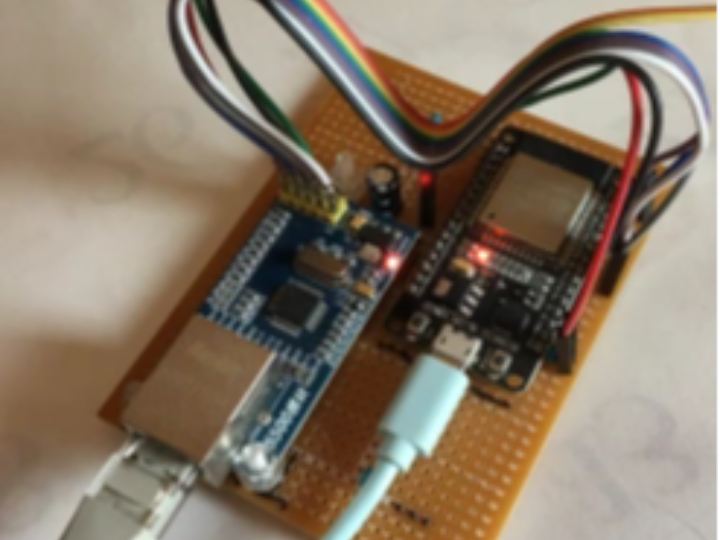
Over the past couple of days, in the course of answering questions on the popular article on adding an ethernet port to the ESP8266, I found myself putting up a link to some new code for a work-in-progress project which simply replaces the ESP8266 with an ESP32 (which seems to make a lot of sense, given the falling cost of the ESP32 modules, nowadays).  ESP32 + W5500 moduleWhile that project is for an ESP-Now gateway, it seemed like there was a need for a nice, simple test and verify project where people can do a minimum of work with the hardware (an ESP32, a W5500 module, some jumper leads and a breadboard) and get a working result in a reasonably short time.  I’d said in various places that it shouldn’t take too much work to modify the code for the ESP-Now project to handle any of the examples shipped by default with the Arduino Ethernet library, so that’s what I’ve done.

Here’s the code (along with the pinouts in the README) for the simple “UdpNtpClient” example, munged very slightly to work with the ESP32Output exampleAll it does is connect to an NTP server, retrieve the current timestamp and display the UTC time.  This is basically a 30-minute project to produce a working demostration of an ESP32 using hard-wired Ethernet.

The configuration uses a static IP and network setup (router/gateway, netmask and DNS), as the original ESP8266 project seemed to have problems with DHCP (and quite honestly, I just haven’t gotten around to trying it with the ESP32 version, yet …let me know how it goes if you do).  All of the configuration options are in the “local_config.h” file.


The original library example code uses a single NTP server, “time.nist.gov”, which seemed a little anti-social to me, so I’ve added several of the more popular geographical pools into the config file and updated the default target to be the main “pool.ntp.org”.   You should choose the one closest to you (unless you’d like to see how unreliable bare UDP really is, in which case you might like to try “antarctica.pool.ntp.org”  —  apologies if you’re reading this from McMurdo Station

Documents
Comments Write