


UART-over-Ethernet-v2
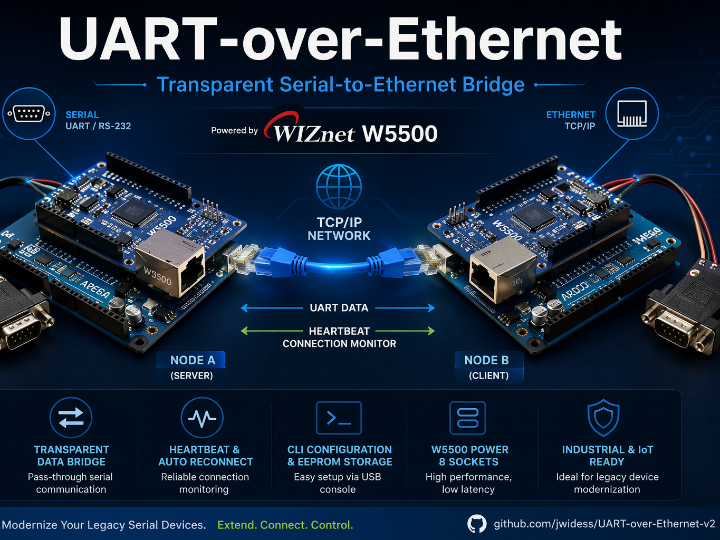
Arduino Mega + W5500 create a transparent serial-to-Ethernet bridge with heartbeat, CLI setup, and EEPROM storage—ideal for retro-fitting legacy RS-232 gear.

Arduino - Arduino Mega 2560
x 1

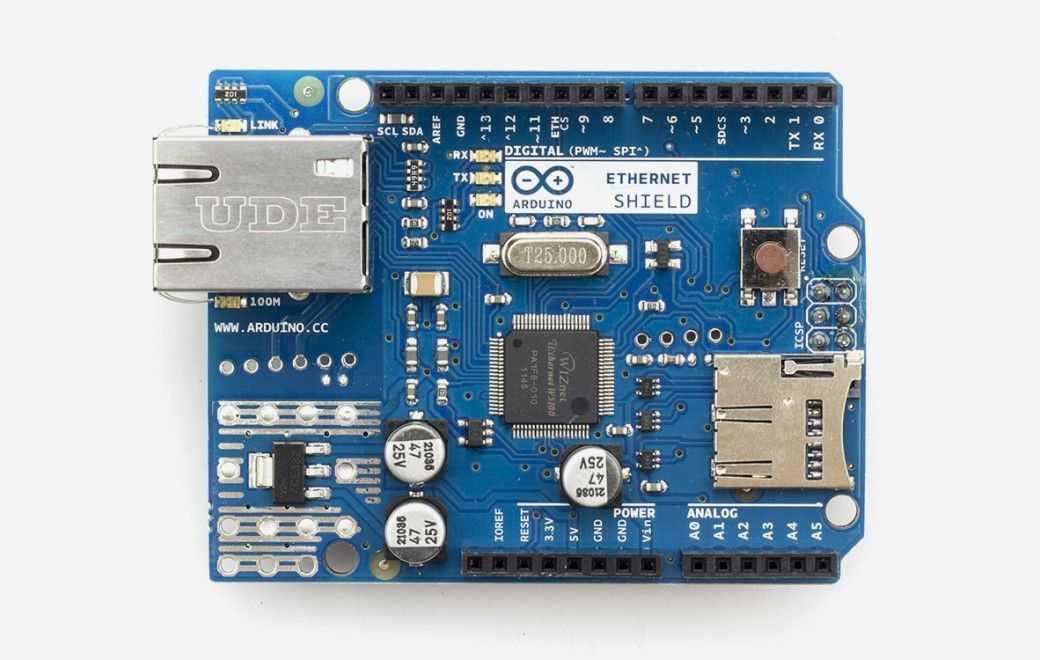
Arduino - Arduino Ethernet Shield
x 1
DESCRIPTION
Project Overview
The project converts raw UART streams into TCP/IP packets and vice-versa, enabling legacy serial devices to communicate over modern Ethernet networks without altering their native protocols. A pair of nodes can replace a long serial cable, or a single node can expose a serial port as a TCP server.
Key Features
- Transparent serial bridge up to 115.2 kbps
- Auto-reconnect & heartbeat watchdog for field reliability
- USB CLI configuration of IP, baud rate, and server/client role, persisted in EEPROM
- Status query socket and RGB LED activity indicator
Why W5500?
| Feature | Benefit to This Project |
|---|---|
| 32 KB Tx/Rx buffer | Prevents packet loss when MCU is busy |
| 80 MHz SPI | Handles high-baud UART bursts without back-pressure |
| 8 hardware sockets | Separate data, status, and future OTA channels |
| Low power (~80 mA) | Suits industrial 5 V rails |
Hardware Setup
[Serial Device] ⇄ (RS-232 or TTL) ⇄ Arduino Mega ─SPI→ W5500 ─TCP/IP→ LANSet one unit to SERVER (listens on port 3000) and the peer to CLIENT (connects to the server’s IP).
Software Implementation (snippet)
#include <Ethernet2.h>

byte mac[] = {0xDE,0xAD,0xBE,0xEF,0x55,0x00};
IPAddress ip(192,168,1,100);
EthernetServer server(3000);

void setup() {
  Serial.begin(115200);        // USB CLI
  Serial1.begin(cfg.baud);     // UART bridge
  Ethernet.init(10);           // CS pin
  Ethernet.begin(mac, ip);
  server.begin();
}
loop() moves bytes between Serial1 and the active Ethernet socket while running heartbeat and reconnection timers.
Network Architecture
UART Device ←→ Node A (W5500) ≈TCP≈ Node B (W5500) ←→ UART DeviceExtra sockets let you add WebSocket dashboards or pipe data into MQTT brokers.
Performance Results
- Continuous 9,600 bps stream: < 50 % RX buffer usage
- Automatic reconnection in ~2.3 s after cable pull, zero data loss in lab tests
- 115.2 kbps burst: < 6 ms latency, no overrun on 1 KB UART buffer
Lessons Learned
- W5500’s large buffer compensates for MCU stalls
- Field CLI cuts maintenance time versus hard-coded parameters
Future Improvements
- DHCP and optional light-weight XOR encryption
- 1-to-N multicast mode for multi-logger setups
- ESP32-P4-ETH + W5500 combo for Wi-Fi fail-over and OTA firmware
Challenges & Solutions
| Challenge | Resolution |
|---|---|
| SPI bandwidth limit on older W5100 | Upgraded to W5500 (80 MHz) |
| Data loss during link drops | 1 KB UART buffer + exponential back-off reconnect |
| On-site parameter changes | USB CLI + EEPROM persistence |
Typical Applications
- Remote PLC / sensor integration for SCADA systems
- Robotics & drone telemetry where Ethernet replaces long UART runs
- IoT gateways bridging serial environmental sensors to MQTT/HTTP
- Educational labs for protocol analysis and networked serial experiments
Q&A for the “Transparent UART-over-Ethernet Bridge with WIZnet W5500”
1. What does this project do?
It converts UART (serial) data into TCP/IP packets and back again, creating a transparent Serial-to-Ethernet bridge.
Two W5500-equipped Arduino Mega nodes can replace a long serial cable or expose a single serial port as a network socket.
2. Which hardware is used?
The bridge pairs an Arduino Mega 2560 with a WIZnet W5500 Ethernet Shield.
Optional MAX3232 level shifters support true RS-232 voltage levels.
3. Why choose the WIZnet W5500 instead of other Ethernet chips?
W5500 offers an 80 MHz SPI bus, 32 KB on-chip buffer, and eight hardware sockets—ideal for high-baud, low-latency serial tunneling.
Lower power draw (~80 mA) and a proven TCP/IP off-load engine boost reliability in industrial settings.
4. What baud rates are supported?
The firmware is tested up to 115 200 bps without data loss.
Lower or custom baud rates can be selected via the USB CLI.


