



rosserial
rosserial
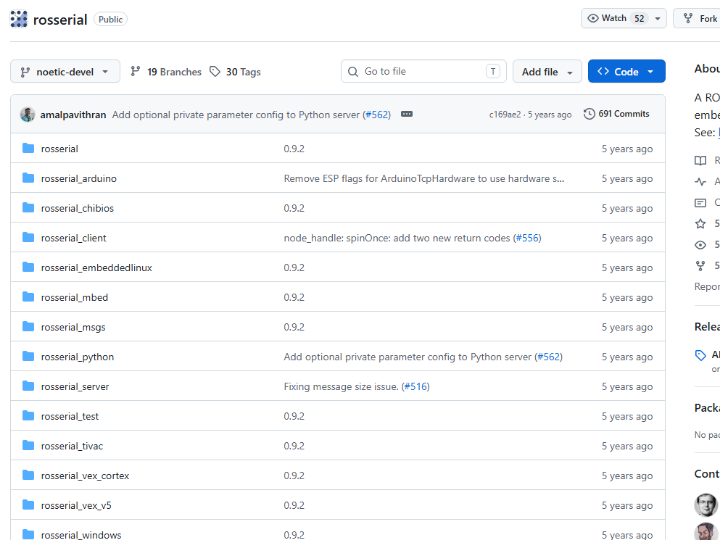
rosserial Project Introduction
1. Project Overview
rosserial is a lightweight communication library that connects small embedded devices, such as Arduino boards, to a ROS 1 system.
A typical ROS system usually runs on relatively powerful devices such as PCs, SBCs, or robot controllers. However, small MCUs such as Arduino, Teensy, and STM32 have limited memory and processing power, making it difficult for them to run full ROS nodes directly.
rosserial solves this problem by allowing small MCUs to communicate with a ROS system. Through the rosserial protocol, an MCU can publish and subscribe to ROS topics, while rosserial_python or rosserial_server on the ROS PC acts as a bridge between the MCU and the ROS network.
In other words, rosserial is a bridge technology that extends small MCUs into ROS 1 robot systems as sensor nodes or actuator nodes. The GitHub repository also describes rosserial as a ROS client library for “small embedded devices, such as Arduino.”
2. Key Features
Connecting Small MCUs to ROS
The main purpose of rosserial is to connect small MCU platforms, such as Arduino, to the ROS ecosystem.
For example, an Arduino can read ultrasonic sensors, encoders, IMUs, buttons, relays, or motor drivers and publish the data as ROS topics. In the opposite direction, the Arduino can subscribe to commands from a ROS PC and control motors, LEDs, relays, servos, or other actuators.
ROS Topic-Based Communication
With rosserial, even small MCUs can use the familiar ROS publish/subscribe communication model.
| Role | Example |
|---|---|
| Publisher | Sends sensor values, encoder data, or button states |
| Subscriber | Receives motor speed commands or LED control commands |
| Service | Handles request-and-response operations |
This allows a small MCU to behave like a lightweight ROS node inside a larger robot system.
Serial and TCP Communication Support
rosserial is most commonly used over USB Serial or UART. However, rosserial_arduino also includes ArduinoTcpHardware, which supports TCP-based communication.
With this structure, an Arduino can connect to a ROS PC running a rosserial socket server over Ethernet, instead of being connected through a USB cable.
This means rosserial can be extended beyond simple USB-based communication into wired LAN-based MCU-to-ROS communication.
3. Software Architecture
The rosserial project consists of multiple packages that handle communication between the MCU and the ROS PC.
| Component | Role |
|---|---|
| rosserial_client | rosserial client library for embedded devices |
| rosserial_arduino | rosserial library for the Arduino environment |
| rosserial_python | Handles serial-based rosserial connections on the PC side |
| rosserial_server | Handles TCP socket-based rosserial connections |
| ros_lib | ROS message and node library used in the Arduino IDE |
| ArduinoTcpHardware | Enables TCP connection through an Arduino Ethernet Shield |
The basic system structure is as follows:
[Sensors / Actuators]
        |
        | GPIO, I2C, SPI, UART, PWM, ADC, etc.
        v
[Arduino / MCU]
        |
        | rosserial protocol
        | USB Serial or TCP/Ethernet
        v
[ROS PC / SBC]
        |
        | rosserial_python or rosserial_server
        v
[ROS 1 Master / ROS Nodes]
The MCU directly interfaces with sensors and actuators, while the ROS PC converts the rosserial messages into ROS topics, services, and node-level communication.
4. Difference from micro-ROS / ROS 2
A technology often compared with rosserial is micro-ROS.
Both technologies aim to connect small MCUs to the ROS ecosystem, but they target different ROS generations and use different architectures.
rosserial is a lightweight MCU connection method from the ROS 1 era. An Arduino or MCU runs a rosserial client, while a rosserial node on the PC or SBC bridges the MCU to the ROS 1 network.
By contrast, micro-ROS is an MCU framework for ROS 2. A micro-ROS client runs on the MCU, while a micro-ROS Agent runs on the PC or SBC side. micro-ROS aims to bring ROS 2 concepts such as nodes, publish/subscribe, client/service, and lifecycle management into MCU environments.
| Category | rosserial | micro-ROS |
|---|---|---|
| Target ROS Version | ROS 1 | ROS 2 |
| MCU-Side Component | rosserial client | micro-ROS client |
| PC/SBC-Side Component | rosserial_python / rosserial_server | micro-ROS Agent |
| Communication Structure | Simple Serial/TCP bridge | DDS-XRCE-based ROS 2 integration |
| Transport Options | UART, USB Serial, TCP, etc. | UART, UDP, TCP, CAN-FD, etc. |
| Complexity | Relatively simple | More complex, but better aligned with ROS 2 |
| Main Purpose | Easily connect Arduino to ROS 1 | Integrate MCUs into ROS 2 systems |
| Suitable Use Cases | ROS 1 education, experiments, simple robot nodes | ROS 2 robots, industrial MCU nodes, RTOS-based systems |
An important point is that rosserial is not a micro-ROS Agent running on Arduino.
rosserial is an older and simpler approach designed to connect Arduino-class MCUs to ROS 1. micro-ROS, on the other hand, is a more formal MCU integration framework for the ROS 2 ecosystem.
Therefore, rosserial is especially suitable for ROS 1-based robot education, prototyping, and simple sensor or actuator board integration rather than modern ROS 2 systems.
5. WIZnet Product Usage
The rosserial repository itself is not a project dedicated to a specific WIZnet chip.
However, rosserial_arduino includes a TCP hardware layer for using an Arduino Ethernet Shield. It also provides a structure where an Arduino can connect to a rosserial socket server over Ethernet.
The Arduino Ethernet Library supports Arduino Ethernet Shield, Ethernet Shield 2, Leonardo Ethernet, and devices based on W5100, W5200, and W5500 Ethernet controllers.
Therefore, WIZnet products can be used in this project in the following way:
By using a WIZnet W5100, W5200, or W5500-based Arduino Ethernet Shield or Ethernet module, an Arduino-based rosserial node can be connected to a ROS system through wired Ethernet.
In other words, rosserial is not a WIZnet-specific project, but it is an important ROS application example where WIZnet Ethernet chips can provide wired network connectivity between an MCU and a ROS system.
6. Why WIZnet Ethernet Matters
Overcoming USB Serial Distance Limitations
A common rosserial setup connects an Arduino and a ROS PC through a USB cable. This is convenient for development and testing, but it has limitations in real robots or industrial equipment due to cable length, wiring complexity, noise, and maintenance issues.
With WIZnet Ethernet, MCU nodes can be connected to a wired LAN, allowing the ROS PC and MCU devices to communicate even when they are physically separated.
Stable Wired Communication
Communication stability is important in robots and industrial equipment. Wi-Fi is easy to install, but it can be affected by radio interference, signal quality changes, and network congestion.
WIZnet-based Ethernet provides a wired connection, making it suitable for fixed robot systems, laboratory automation equipment, industrial test systems, and other environments that require predictable communication.
Expanding MCU Network Capability
Many Arduino-class MCUs do not include native Ethernet connectivity. By using Ethernet controllers such as WIZnet W5100, W5200, or W5500, wired networking can be added through a simple SPI interface.
This makes it easier to connect existing Arduino-based sensor or control boards to a ROS network.
7. Possible Applications
Robot Sensor Nodes
An Arduino can read ultrasonic sensors, IR sensors, IMUs, encoders, limit switches, and other inputs, then send the data to ROS topics through rosserial.
With WIZnet Ethernet, these sensor nodes can be connected to a ROS PC through a stable wired LAN.
Robot Actuator Control
Control commands calculated by the ROS PC can be sent to an Arduino, which then controls motor drivers, servos, relays, LEDs, solenoids, and other actuators.
This structure is suitable for educational robots, mobile robots, and experimental robot platforms.
Industrial Monitoring Devices
Arduino-based devices can collect switch states, sensor values, temperature, vibration, or position data from factory equipment and forward them to a ROS-based monitoring system.
Using Ethernet can provide a more stable network configuration in environments where devices are far apart or exposed to electrical noise.
ROS Education and Research Platforms
rosserial provides an easy way for beginners to connect MCUs to ROS.
Students can publish sensor values from Arduino and monitor them on a ROS PC using tools such as RViz, rqt, and rostopic. With a WIZnet Ethernet Shield, a network-based ROS practice environment can be built without relying on USB connections.
8. Industry Use Cases
| Industry | Possible Use Case |
|---|---|
| Robotics Education | Basic robot practice using Arduino and ROS |
| Research / Universities | Sensor experiments, control algorithm testing, ROS prototyping |
| Manufacturing Automation | Equipment sensor data collection and relay/actuator control |
| Logistics Robots | Auxiliary sensor nodes, encoder input, and status monitoring |
| Service Robots | Buttons, LEDs, simple motor control, and user interfaces |
| Agricultural Automation | Environmental sensor collection and pump/valve control |
| Test Equipment | ROS-based measurement and automation control |
9. Key Meaning from the WIZnet UCC Perspective
rosserial is not a project centered directly on WIZnet products. However, when combined with a WIZnet Ethernet Shield, it becomes a meaningful ROS application example.
In particular, ArduinoTcpHardware and TCP examples show that an Arduino can connect to a rosserial socket server over Ethernet. By using a WIZnet W5100, W5200, or W5500-based Ethernet Shield, an Arduino-based sensor or control node can be connected to a ROS system through a wired network.
This structure moves beyond USB Serial-based prototyping and enables a networked MCU node architecture that is more suitable for real robots, laboratory systems, and industrial equipment.
Key Message
WIZnet Ethernet can extend an Arduino-based rosserial node from a USB Serial prototype into a stable wired ROS network device.
By combining rosserial, Arduino, ROS 1, and WIZnet Ethernet controllers, developers can build simple, reliable, and cost-effective MCU nodes for robot sensors, actuators, education platforms, and industrial automation systems.
rosserial 프로젝트 소개
1. 프로젝트 개요
rosserial은 Arduino와 같은 소형 임베디드 장치를 ROS 1 시스템에 연결하기 위한 경량 통신 라이브러리입니다.
일반적인 ROS 시스템은 PC, SBC, 로봇 제어기처럼 비교적 성능이 높은 장치에서 동작합니다. 반면 Arduino, Teensy, STM32 같은 MCU는 메모리와 연산 성능이 제한되어 있어 ROS 노드를 직접 실행하기 어렵습니다.
rosserial은 이러한 소형 MCU가 ROS 시스템과 통신할 수 있도록 도와줍니다. MCU는 rosserial 프로토콜을 통해 ROS topic을 publish하거나 subscribe할 수 있고, ROS PC에서는 rosserial_python 또는 rosserial_server가 MCU와 ROS 네트워크 사이를 중계합니다.
즉, rosserial은 소형 MCU를 ROS 1 로봇 시스템의 센서 노드 또는 액추에이터 노드로 확장해주는 브리지 기술입니다. GitHub 저장소도 rosserial을 “Arduino와 같은 small embedded devices를 위한 ROS client library”로 설명하고 있습니다.
2. 주요 특징
소형 MCU와 ROS 연결
rosserial의 가장 큰 목적은 Arduino 같은 작은 MCU를 ROS 생태계에 연결하는 것입니다.
예를 들어 Arduino가 초음파 센서, 엔코더, IMU, 버튼, 릴레이, 모터 드라이버를 제어하고, 그 데이터를 ROS topic으로 publish할 수 있습니다. 반대로 ROS PC에서 보내는 명령을 Arduino가 subscribe하여 모터, LED, 릴레이, 서보 등을 제어할 수도 있습니다.
ROS Topic 기반 통신
rosserial을 사용하면 MCU에서도 ROS의 publish/subscribe 구조를 사용할 수 있습니다.
| 역할 | 예시 |
|---|---|
| Publisher | 센서 값, 엔코더 값, 버튼 상태 전송 |
| Subscriber | 모터 속도 명령, LED 제어 명령 수신 |
| Service | 특정 동작 요청 및 응답 처리 |
이를 통해 작은 MCU도 ROS 시스템 안에서 하나의 노드처럼 동작할 수 있습니다.
Serial 및 TCP 통신 지원
rosserial은 기본적으로 USB Serial 또는 UART 기반 통신을 많이 사용합니다. 하지만 rosserial_arduino에는 TCP 기반 통신을 위한 ArduinoTcpHardware도 포함되어 있습니다.
이 구조를 사용하면 Arduino가 USB 케이블이 아니라 Ethernet 네트워크를 통해 ROS PC의 rosserial socket server에 접속할 수 있습니다.
즉, rosserial은 단순한 USB 연결뿐 아니라 유선 LAN 기반 MCU-ROS 통신으로도 확장될 수 있습니다.
3. 소프트웨어 구성
rosserial 프로젝트는 여러 패키지로 구성되어 있으며, MCU와 ROS PC 사이의 통신을 담당합니다.
| 구성 요소 | 역할 |
|---|---|
| rosserial_client | MCU용 rosserial 클라이언트 라이브러리 |
| rosserial_arduino | Arduino 환경에서 사용하는 rosserial 라이브러리 |
| rosserial_python | PC에서 Serial 기반 rosserial 연결 처리 |
| rosserial_server | TCP socket 기반 rosserial 연결 처리 |
| ros_lib | Arduino IDE에서 사용하는 ROS 메시지/노드 라이브러리 |
| ArduinoTcpHardware | Arduino Ethernet Shield를 통한 TCP 연결 지원 |
기본 동작 구조는 다음과 같습니다.
[센서 / 액추에이터]
        │
        │ GPIO, I2C, SPI, UART, PWM, ADC 등
        ▼
[Arduino / MCU]
        │
        │ rosserial protocol
        │ USB Serial 또는 TCP/Ethernet
        ▼
[ROS PC / SBC]
        │
        │ rosserial_python 또는 rosserial_server
        ▼
[ROS 1 Master / ROS Nodes]
MCU는 센서와 액추에이터를 직접 제어하고, ROS PC는 rosserial을 통해 이 데이터를 ROS topic으로 변환합니다.
4. micro-ROS / ROS 2와의 차이점
rosserial을 이해할 때 자주 비교되는 기술이 micro-ROS입니다.
두 기술은 모두 “작은 MCU를 ROS와 연결한다”는 점에서는 비슷하지만, 대상 ROS 버전과 구조가 다릅니다.
rosserial은 ROS 1 시대의 경량 MCU 연결 방식입니다. Arduino 같은 MCU가 rosserial client를 실행하고, PC/SBC 쪽의 rosserial node가 ROS 1 네트워크와 중계합니다.
반면 micro-ROS는 ROS 2용 MCU 프레임워크입니다. MCU 쪽에는 micro-ROS client가 올라가고, PC/SBC 쪽에는 micro-ROS Agent가 실행됩니다. micro-ROS는 ROS 2의 주요 개념인 node, publish/subscribe, client/service, lifecycle 등을 MCU 환경에 맞게 제공하는 것을 목표로 합니다.
| 구분 | rosserial | micro-ROS |
|---|---|---|
| 대상 ROS 버전 | ROS 1 | ROS 2 |
| MCU 쪽 구성 | rosserial client | micro-ROS client |
| PC/SBC 쪽 구성 | rosserial_python / rosserial_server | micro-ROS Agent |
| 통신 구조 | 단순 Serial/TCP 브리지 | DDS-XRCE 기반 ROS 2 연동 |
| 통신 방식 | UART, USB Serial, TCP 등 | UART, UDP, TCP, CAN-FD 등 |
| 복잡도 | 비교적 단순 | 더 복잡하지만 ROS 2 구조에 적합 |
| 사용 목적 | Arduino를 ROS 1에 쉽게 연결 | MCU를 ROS 2 시스템에 통합 |
| 적합한 상황 | ROS 1 기반 교육, 실험, 간단한 로봇 노드 | ROS 2 기반 로봇, 산업용 MCU 노드, RTOS 기반 시스템 |
중요한 점은 rosserial이 micro-ROS Agent를 Arduino에 넣은 것이 아니라는 점입니다.
rosserial은 micro-ROS보다 오래된 방식이며, ROS 1에서 Arduino와 같은 MCU를 쉽게 연결하기 위한 가벼운 메시지 브리지입니다. micro-ROS는 ROS 2 생태계에서 MCU를 더 정식으로 통합하기 위한 구조라고 볼 수 있습니다.
따라서 rosserial은 최신 ROS 2 시스템보다는, ROS 1 기반 로봇 교육, 프로토타이핑, 센서/액추에이터 보드 연결에 적합합니다.
5. WIZnet 제품 사용 여부
rosserial 저장소가 특정 WIZnet 칩을 직접 지정하는 프로젝트는 아닙니다.
하지만 rosserial_arduino에는 Arduino Ethernet Shield를 사용하기 위한 TCP 하드웨어 계층이 포함되어 있고, TCP 예제를 통해 Arduino가 Ethernet으로 rosserial socket server에 접속할 수 있는 구조를 제공합니다.
이때 Arduino Ethernet Library는 Arduino Ethernet Shield, Ethernet Shield 2, Leonardo Ethernet 및 W5100/W5200/W5500 기반 장치를 지원합니다.
따라서 이 프로젝트에서 WIZnet 제품은 다음과 같은 방식으로 연결됩니다.
WIZnet W5100 / W5200 / W5500 기반 Arduino Ethernet Shield 또는 Ethernet 모듈을 사용하면, Arduino 기반 rosserial 노드를 유선 Ethernet으로 ROS 시스템에 연결할 수 있습니다.
즉, rosserial은 WIZnet 전용 프로젝트는 아니지만, WIZnet Ethernet 칩을 통해 ROS와 MCU 사이의 유선 네트워크 통신을 구현할 수 있는 중요한 응용 사례입니다.
6. WIZnet Ethernet이 의미 있는 이유
USB Serial 거리 제한 극복
일반적인 rosserial 구성은 Arduino와 ROS PC를 USB 케이블로 연결합니다. 이 방식은 개발과 테스트에는 편리하지만, 실제 로봇이나 산업 장비에서는 거리, 배선, 노이즈, 유지보수 측면에서 한계가 있습니다.
WIZnet Ethernet을 사용하면 MCU 노드를 유선 LAN에 연결할 수 있어, ROS PC와 MCU가 물리적으로 떨어져 있어도 네트워크 기반으로 통신할 수 있습니다.
안정적인 유선 통신
로봇이나 산업 장비에서는 통신 안정성이 중요합니다. Wi-Fi는 설치가 간편하지만 전파 간섭이나 신호 품질 변화에 영향을 받을 수 있습니다.
WIZnet 기반 Ethernet은 유선 연결을 제공하므로, 고정형 로봇 장비, 실험실 자동화 장비, 산업용 테스트 장비에서 더 안정적인 통신 환경을 만들 수 있습니다.
MCU의 네트워크 기능 확장
Arduino와 같은 MCU는 자체적으로 Ethernet 기능이 없는 경우가 많습니다. WIZnet W5100, W5200, W5500 같은 Ethernet 컨트롤러를 사용하면 SPI 인터페이스만으로 유선 네트워크 기능을 추가할 수 있습니다.
이를 통해 기존 Arduino 기반 센서/제어 보드를 ROS 네트워크에 더 쉽게 연결할 수 있습니다.
7. 활용 가능한 애플리케이션
로봇 센서 노드
Arduino가 초음파 센서, IR 센서, IMU, 엔코더, 리미트 스위치 등을 읽고, rosserial을 통해 ROS topic으로 데이터를 전송할 수 있습니다.
WIZnet Ethernet을 적용하면 센서 노드를 ROS PC와 유선 LAN으로 안정적으로 연결할 수 있습니다.
로봇 액추에이터 제어
ROS PC에서 계산한 제어 명령을 Arduino가 받아 모터 드라이버, 서보, 릴레이, LED, 솔레노이드 등을 제어할 수 있습니다.
이 구조는 교육용 로봇, 모바일 로봇, 실험용 로봇 플랫폼에 적합합니다.
산업용 모니터링 장치
공장 설비의 스위치, 센서, 온도, 진동, 위치 정보를 Arduino가 수집하고, ROS 기반 모니터링 시스템으로 전달할 수 있습니다.
Ethernet을 사용하면 장비 간 거리가 멀거나 전기적 노이즈가 있는 환경에서도 안정적인 네트워크 구성이 가능합니다.
교육 및 연구용 ROS 플랫폼
rosserial은 ROS를 처음 배우는 사용자에게 MCU와 ROS를 연결하는 쉬운 방법을 제공합니다.
학생들은 Arduino에서 센서 값을 publish하고, ROS PC에서 RViz, rqt, rostopic 등을 이용해 데이터를 확인할 수 있습니다. WIZnet Ethernet Shield를 사용하면 USB 연결 없이 네트워크 기반 ROS 실습 환경을 만들 수 있습니다.
8. 산업별 활용 가능성
| 산업 분야 | 활용 가능성 |
|---|---|
| 로봇 교육 | Arduino와 ROS를 연결한 기초 로봇 실습 |
| 연구소 / 대학 | 센서 실험, 제어 알고리즘 테스트, ROS 프로토타이핑 |
| 제조 자동화 | 설비 센서 데이터 수집, 릴레이/액추에이터 제어 |
| 물류 로봇 | 보조 센서 노드, 엔코더 입력, 상태 모니터링 |
| 서비스 로봇 | 버튼, LED, 간단한 모터 제어, 사용자 인터페이스 |
| 농업 자동화 | 환경 센서 수집, 펌프/밸브 제어 |
| 테스트 장비 | ROS 기반 계측 및 자동화 제어 |
9. WIZnet UCC 관점에서의 핵심 의미
rosserial은 WIZnet 제품을 직접 중심에 둔 프로젝트는 아니지만, WIZnet Ethernet Shield와 결합했을 때 의미 있는 ROS 응용 사례가 됩니다.
특히 ArduinoTcpHardware와 TCP 예제는 Arduino가 Ethernet을 통해 rosserial socket server에 접속할 수 있음을 보여줍니다. 여기에 WIZnet W5100, W5200, W5500 기반 Ethernet Shield를 사용하면, Arduino 기반 센서/제어 노드를 ROS 시스템에 유선 네트워크로 연결할 수 있습니다.
이 구조는 USB Serial 기반 개발 단계를 넘어, 실제 로봇이나 산업 장비에 더 적합한 네트워크형 MCU 노드 구성을 가능하게 합니다.
핵심 문장
WIZnet Ethernet은 Arduino 기반 rosserial 노드를 USB Serial 프로토타입에서 안정적인 유선 ROS 네트워크 장치로 확장할 수 있게 합니다.