



esp32-modbus-w5500
This project is a simple example of implementing a Modbus TCP client using an ESP32 and the W5500 Ethernet controller.
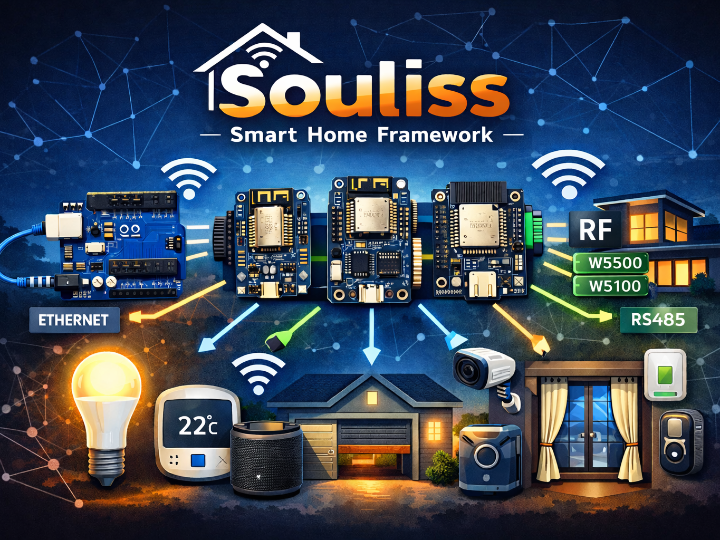
ESP32 + W5500 Based Modbus TCP Client Project Overview
This project is a simple example of implementing a Modbus TCP client using an ESP32 and the W5500 Ethernet controller. It is built with PlatformIO and the Arduino framework, and uses the W5500 to connect the ESP32 to a wired Ethernet network. Through this connection, the device communicates with a Modbus slave over TCP port 502.
Rather than trying to build a full industrial communication stack, this project focuses on showing how Modbus TCP can be implemented on ESP32 with W5500 in a straightforward way. Its structure is simple enough for makers and beginners to understand the overall flow of Ethernet communication and Modbus messaging.
Core Technologies Used
1) ESP32 + Arduino Framework
The project runs on an ESP32 development board using the Arduino-style programming model. This makes it easy for makers to test, modify, and extend.
2) W5500 for Wired Ethernet
The W5500 is connected to the ESP32 through SPI and provides wired Ethernet connectivity. This allows the project to use Ethernet instead of Wi-Fi for network communication.
3) Direct Modbus TCP Frame Handling
The project builds Modbus TCP request frames directly in code. Since the MBAP header and function codes are handled manually, it is useful for learning the actual structure of the protocol rather than relying entirely on a high-level library.
4) Coil Read/Write Operation
The current example implements coil reading and single coil writing. In other words, it demonstrates the most basic Modbus TCP operations for checking and controlling digital output states.
How W5500 Is Used in This Project
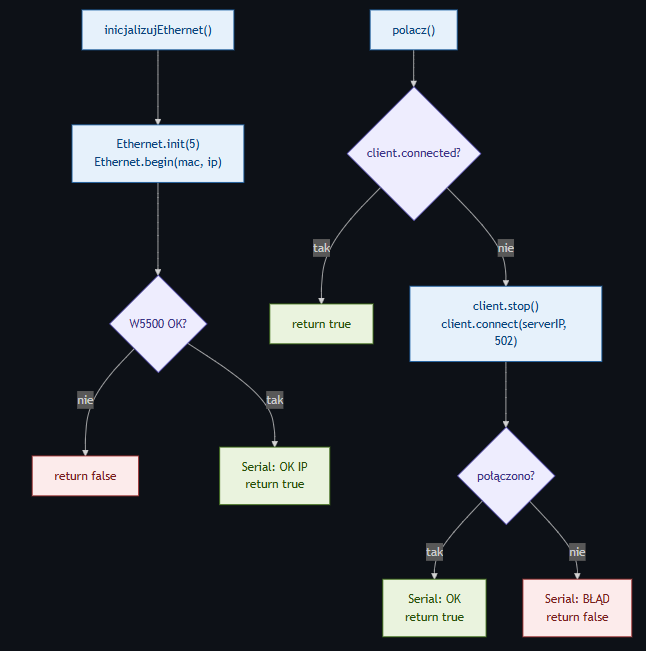
In this project, the W5500 acts as the main wired network interface for the ESP32. It is initialized during startup, used to assign a local IP address, and then provides the TCP connection needed to communicate with a Modbus slave device.
In simple terms, the W5500 is used to:
- provide a wired Ethernet interface for the ESP32,
- support the TCP communication path for Modbus TCP,
- offer a more industrial-style wired networking option instead of Wi-Fi.
Key Features from a Maker’s Perspective
This project is meaningful for makers because it provides an accessible introduction to an industrial Ethernet protocol. While many maker projects focus on Wi-Fi and MQTT, this one demonstrates Modbus TCP, which is widely used in industrial automation.
It also has a clear flow: Ethernet initialization, TCP connection, Modbus request generation, and coil control are separated in a way that is easy to follow. That makes it a good starting point for learning and for building more advanced projects.
How It Can Be Applied
Although the current project is a small demonstration, it can be extended in several ways.
One obvious application is a relay or digital output controller. The existing coil control structure can be used for Ethernet-based control of lights, switches, alarms, or contact outputs.
It can also be expanded to support Input Registers or Holding Registers, making it suitable for an industrial IoT node that reads sensor data such as temperature, pressure, or current. Combined with other ESP32 features, it could also grow into a local monitoring device, web-based dashboard, or protocol bridge.
Possible Application Areas
This project can serve as a starting point for:
- wired Ethernet-based controllers,
- Modbus TCP learning kits,
- small industrial IoT nodes,
- PLC and Modbus device test interfaces,
- relay and digital output control systems.
Q&A for the ESP32 + W5500 Modbus TCP Client Project
1. What is the ESP32 Modbus W5500 project?
The ESP32 Modbus W5500 project is a simple example of a Modbus TCP client built with an ESP32 and the W5500 Ethernet controller. It shows how to connect an ESP32 to a wired Ethernet network and communicate with a Modbus TCP slave device over TCP port 502.
2. What does this project do?
This project demonstrates basic Modbus TCP communication using wired Ethernet. It connects an ESP32 to a Modbus device through the W5500 and performs simple coil read and write operations, making it useful for learning industrial Ethernet communication.
3. Why does this project use W5500 with ESP32?
The project uses the W5500 to give the ESP32 wired Ethernet connectivity. This allows the system to communicate over Ethernet instead of Wi-Fi, which is often preferred in industrial and automation environments.
4. What is W5500 in this project?
The W5500 is a hardware Ethernet controller connected to the ESP32 through SPI. In this project, it acts as the main network interface and handles the wired TCP/IP communication required for Modbus TCP.
5. Is this project using Modbus RTU or Modbus TCP?
This project uses Modbus TCP, not Modbus RTU. Communication happens over Ethernet using TCP, typically through port 502.