



How to Add PoE-Powered Ethernet with W5500 on XIAO ESP32-S3 Plus
Add W5500 10/100 Ethernet + PoE to XIAO ESP32-S3 Plus. Hardwired TCP/IP enables stable wired IoT with low MCU load.
Seeed Studio - XIAO ESP32-S3 Plus
x 1
Step 1: Understanding the Hardware
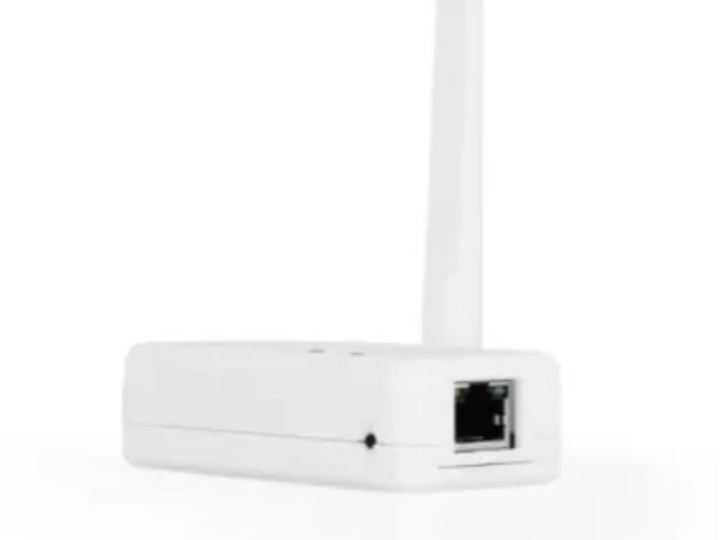
This “XIAO W5500 Ethernet Adapter” is effectively a compact PoE-ready dev board that combines XIAO ESP32-S3 Plus with the WIZnet W5500 Ethernet controller and a standard RJ45 10/100Mbps port. It integrates IEEE 802.3af PoE (listed with an isolated PoE module and power conversion) so you can run the board using a single Ethernet cable for both data and power.
Key W5500 implementation hooks relevant to firmware and performance:
Hardwired TCP/IP stack, 8 hardware sockets, 32KB internal buffer, SPI up to 80MHz (W5500 feature set)
Ethernet/protocol set shown on the product page: 10/100Mbps, TCP/UDP/ICMP/IPv4/ARP/IGMP/PPPoE
Hardware detail noted by the seller: W5500 INTn wired to ESP32-S3 GPIO D16 (a v1.2 wiring fix)
Step 2: Software/Firmware Setup
The product page does not include project-specific code, so the snippet below is conceptual integration based on WIZnet ioLibrary (not project-specific). Use it as a mental model: initialize the W5500 buffers, configure network settings, then create sockets using W5500’s hardware socket engine.
Practical setup notes for this specific board:
Ensure the SPI pins and INTn (D16) mapping match your firmware framework (Arduino/ESP-IDF/ESPHome). The page explicitly calls out the INT wiring change.
If you’re using PoE, validate the board’s power path (PoE module + conversion) and confirm your load budget based on the listed PoE implementation.
FAQ
Q1: Why use W5500 instead of running Ethernet with a software TCP/IP stack on ESP32-S3?
A: W5500 is a hardwired TCP/IP controller, meaning key protocol work is handled in the Ethernet chip rather than your MCU firmware. In practice, that reduces application RAM pressure and CPU cycles compared with maintaining a full software stack, while also giving you 8 dedicated hardware sockets and a 32KB internal buffer for stable streaming and always-on connections in embedded/industrial IoT.
Q2: How is W5500 connected to XIAO ESP32-S3 Plus on this adapter?
A: The W5500 connects to the ESP32-S3 host over SPI, with an INTn interrupt line used to signal events like received packets or socket state changes. The product page specifically notes the W5500 INTn pin is wired to D16 (v1.2 wiring fix), which is important for reliable interrupt-driven networking in frameworks such as ESPHome/ESP-IDF.
Q3: What performance and deployment benefits does this design target?
A: The design targets “wired reliability + simple installation.” You get 10/100Mbps Ethernet via W5500 and Power over Ethernet (IEEE 802.3af) so a single cable can deliver both connectivity and power. For deployed nodes (building automation, industrial monitoring), PoE reduces wiring complexity, while W5500 hardware sockets help maintain stable connections under continuous operation.
Q4: What stability advantages come from W5500’s hardwired stack and hardware sockets?
A: Hardwired TCP/IP typically improves determinism because packet handling and socket state machines live in fixed-function hardware rather than competing with application tasks. With 8 hardware sockets and internal buffering, the W5500 can manage multiple simultaneous connections with consistent behavior, which is useful for gateways, proxies, telemetry, and long-running services where you want fewer firmware-side edge cases and less tuning.
Q5: How does W5500 Ethernet compare to Wi-Fi for IoT nodes using ESP32-S3?
A: Ethernet is preferred when you need predictable connectivity and fewer RF-related failures. This adapter keeps Wi-Fi/BLE available on the ESP32-S3 while adding wired Ethernet through W5500 and optionally powering the node via PoE. That hybrid approach is useful for always-on infrastructure (controllers, proxies, monitoring devices) where Wi-Fi can be variable but BLE/Wi-Fi is still valuable for commissioning or local services.