Wiznet makers

jakelee

Published January 06, 2026 ©

13 UCC

1 VAR

0 Contests

0 Followers

0 Following

Original Link

Raspberry Pi Pico + W5500 + GPS TCP API Server

Rust-based embedded project for RP2040, W5500, and Pico-GPS-L76K GPS module to create TCP API server that can respond to HTTP request/provide GPS data in JSON.
COMPONENTS Hardware components


WIZnet - W5500-EVB-Pico-PoE

x 1


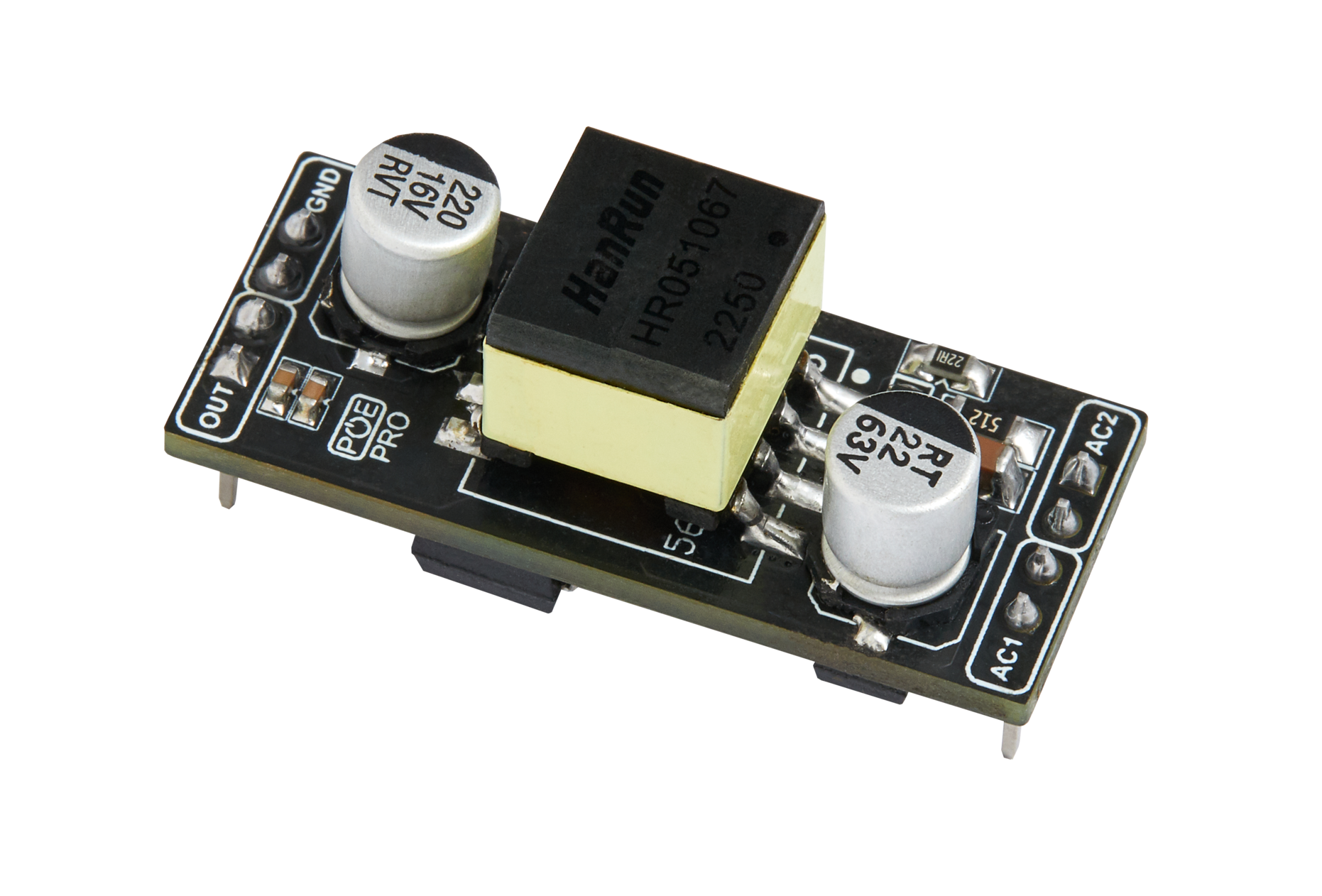
WIZnet - WIZPoE-P1

x 1


Waveshare - L76K GNSS module

x 1


PROJECT DESCRIPTION

This is a Rust-based embedded project for the Raspberry Pi Pico (RP2040) that uses:

W5500 Ethernet module for network connectivity

Pico-GPS-L76K GPS module for GPS data

Embassy asynchronous framework and embedded networking
to create a TCP API server on the Pico that can respond to HTTP requests and provide GPS data in JSON.


🧠 Key Features

The device supports:

✅ Ethernet via W5500 (SPI)
Automatic DHCP IP address
ICMP Ping responses
TCP API server on port 8080
JSON formatted responses
✅ GPS module support with NMEA 0183 parsing
✅ Provides GPS location & time over network API


🔌 Hardware Setup

MCU: Raspberry Pi Pico (RP2040)

Ethernet: W5500 connected via SPI

GPS: Pico-GPS-L76K connected via UART (9600 bps)

Detailed pin wiring for both modules is described in the README.


🧩 Network API Endpoints

Here’s how you can interact with the server:

EndpointMethodReturns
/ or /statusGET{ "status":"ok", ... }
/pingGET{ "message":"pong" }
/api/infoGETList of available endpoints
/api/gpsGETGPS data (JSON)
/api/gps/mode/{...}GETChange GPS output mode

GPS output modes:

log – Only logs data

tcp – Only outputs via TCP

both – Logs + TCP (default)

none – No output 


🛰️ GPS Data Example

Example JSON from /api/gps:

{
 "gps": {
   "valid": true,
   "position": {
     "latitude": 35.681236,
     "longitude": 139.767125
   },
   "time": {
     "utc": "12:34:56",
     "date": "2024-01-15"
   },
   "satellites": 8,
   "altitude": 45.5,
   "speed_knots": 0.0
 }
}
``` :contentReference[oaicite:6]{index=6}

---

### ⚙️ **Tech Stack**
- **Language:** Rust (no_std)  
- **Async framework:** Embassy  
- **Network stack:** embassy-net (smoltcp based)  
- **W5500 driver:** embassy-net-wiznet  
- **Logging:** defmt + RTT :contentReference[oaicite:7]{index=7}

---

### 🚀 **Build & Flash Instructions**
Typical steps to compile and run:

1. Add Rust target:  
  ```bash
  rustup target add thumbv6m-none-eabi


Install probe tools:

cargo install probe-rs-tools --locked


Build and flash using cargo commands:

cargo build --release
cargo run --release
``` :contentReference[oaicite:8]{index=8}


🧪 Usage & Testing

You can test the device with:

Ping:

ping <PICO_IP_ADDRESS>

HTTP (cURL):

curl http://<IP>:8080/status
curl http://<IP>:8080/api/gps
``` :contentReference[oaicite:9]{index=9}


⚙️ Configuration Options

You can modify MAC address / TCP port / GPS baud rate / Static IP instead of DHCP
via the source code configuration. 


🧰 Project Structure

The main components in the source code:

src/
├── main.rs          // init & HW setup
├── network.rs       // network stack & DHCP
├── tcp_server.rs    // API server logic
└── gps.rs           // GPS parsing + UART
``` :contentReference[oaicite:11]{index=11}

---

### 📄 **License**
MIT License. :contentReference[oaicite:12]{index=12}

🔑 Key Benefits

1. Deterministic & Stable Networking

The W5500 hardware TCP/IP offload removes the need for a heavy software TCP/IP stack on the MCU.

Results in predictable latency, lower CPU usage, and higher reliability, especially valuable for industrial or long-running deployments.

2. Clean Separation of Concerns

Networking, GPS parsing, and application logic are clearly separated.

Makes the project easy to extend with additional sensors, protocols, or endpoints.

3. Modern Embedded Rust Architecture

Uses Rust + Embassy async, showing how to write:

Non-blocking UART (GPS)

Concurrent network services

Safe, memory-efficient embedded code

Serves as a real-world learning reference for embedded Rust beyond simple demos.

4. Ethernet as a Strong Alternative to Wi-Fi

Ethernet provides:

Better stability

Lower jitter

Easier IT integration (DHCP, fixed ports, predictable behavior)

Ideal for industrial IoT, gateways, lab equipment, and infrastructure devices where Wi-Fi is undesirable.

5. Ready-to-Use Network API

The HTTP/TCP API makes GPS data immediately consumable by:

  • Servers / Dashboards / Data loggers / Cloud ingestion pipelines
  • Minimal integration effort for system-level developers.

6. Excellent Reference for RP2040 + Ethernet Designs

Shows practical wiring, SPI usage, DHCP handling, and TCP server design.

Can be reused as a template for other Ethernet-based RP2040 projects such as:

  • Industrial sensors
  • Time-sync devices
  • Asset-tracking nodes
  • Network-attached controllers

🎯Conclusion

This project demonstrates a clean, modern reference design for building an Ethernet-enabled embedded edge device using Raspberry Pi Pico, W5500, and Rust. By combining hardware-offloaded TCP/IP with an asynchronous software stack, it shows how even a resource-constrained MCU can reliably expose network APIs and real-world sensor data.
 

Documents
Comments Write