


How to Log Growatt Solar Inverter Data with W5500 on ESP32
ESP32 with W5500 logs Growatt RS485 Modbus data to ThingSpeak every 120s for stable wired solar monitoring.
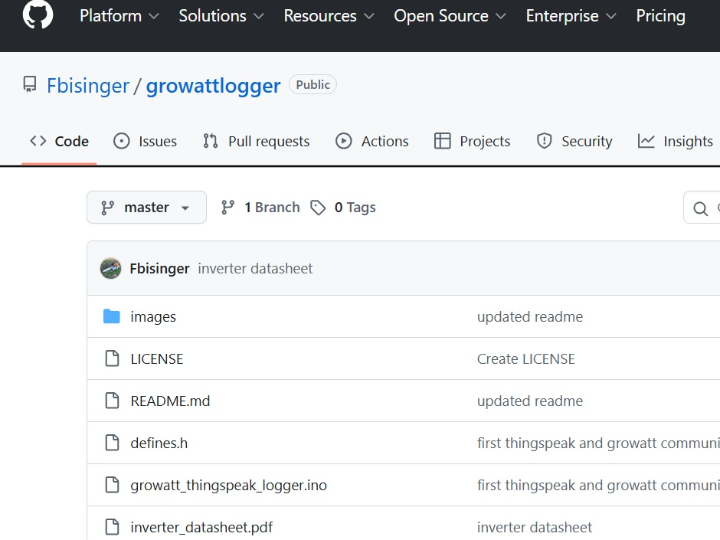

Espressif - ESP32
x 1

Step 1: Understanding the Hardware
This project combines three interfaces in one monitoring node: an ESP32 as the host MCU, a MAX485-class RS485 transceiver for Modbus communication with the Growatt inverter, and a W5500 Ethernet controller for wired TCP/IP uplink to ThingSpeak. The repository states it targets Growatt MIC 600 TL-X inverters, though similar models may work with small changes.
The W5500 is the key WIZnet device here. It provides a hardwired TCP/IP stack, 10/100 Ethernet MAC and PHY, SPI operation up to 80 MHz, 8 independent sockets, and 32 KB internal buffer memory. In this project, the ESP32 uses the W5500 as a wired Ethernet client rather than relying on native Wi-Fi.
The code reads 64 Modbus input registers from slave ID 3 at 9600 bps and extracts inverter values such as solar power, PV voltage/current, output power, grid voltage, grid frequency, daily energy, lifetime energy, and temperature-related data. That makes the design suitable for continuous solar telemetry with a stable wired backhaul.
The pin configuration in the repository uses ETH_CS on GPIO 5 for the W5500, while the RS485 interface uses GPIO 33 for DE/RE, GPIO 34 for RX, and GPIO 17 for TX. Serial debug output is configured for 115200 bps, and the main logging loop waits 120000 ms between ThingSpeak uploads.
Step 2: Software/Firmware Setup
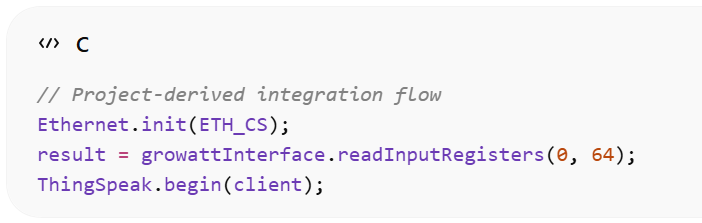
The Arduino sketch includes ModbusMaster, SoftwareSerial, SPI, Ethernet, and ThingSpeak libraries. During setup, the ESP32 initializes the W5500, requests an IP address over DHCP, configures the RS485 serial port, binds the Modbus callbacks for transmit direction control, and starts the ThingSpeak client.
The firmware architecture is straightforward: read inverter registers over RS485 Modbus, scale raw register values into engineering units, then write selected fields to a ThingSpeak channel over the W5500 Ethernet connection. The published sketch uploads output power, PV1 voltage, daily energy, grid voltage, and grid frequency, while also setting a status string depending on inverter state.
Step 3: Why This Matters for WIZnet-Based Energy Monitoring
This repository is a good example of how W5500 fits real-world maker and light industrial projects that bridge fieldbus-style data acquisition and IP networking. On one side, RS485 Modbus communicates with installed equipment; on the other, W5500 converts the node into a clean Ethernet-connected logger for dashboards and remote analytics.
For a WIZnet-focused retelling, the strongest message is that W5500 helps turn an ESP32 into a robust wired telemetry gateway for solar infrastructure. The original author notes the code could be rewritten to use Wi-Fi instead, but choosing W5500 makes the design more suitable where cable-based reliability, EMI resilience in equipment rooms, and long-term deployment stability are more important than wireless convenience.
FAQ
Q1: Why use W5500 in this Growatt logger instead of only using ESP32 Wi-Fi?
A: W5500 provides wired Ethernet with a hardwired TCP/IP stack. In this project, that means the ESP32 can focus on RS485 Modbus polling and cloud logging while the W5500 handles network connectivity through SPI. Compared with a Wi-Fi-only design, the repository positions Ethernet as a drop-in alternative for stable IP transport, which is often better suited to fixed solar installations.
Q2: How is W5500 connected to the ESP32 in this project?
A: W5500 is connected as an SPI Ethernet controller with chip select on GPIO 5. The sketch explicitly calls Ethernet.init(ETH_CS) and then starts DHCP using the Ethernet library. The rest of the system uses separate GPIOs for the RS485 transceiver, so the design cleanly separates Ethernet networking from Modbus field communication.
Q3: What performance benefits does W5500 bring to an ESP32 solar monitoring node?
A: W5500 adds dedicated 10/100 Ethernet hardware, 8 sockets, and 32 KB internal packet memory. Those features reduce the need for the MCU to manage low-level Ethernet processing in software. In practice, that makes the architecture cleaner for periodic telemetry tasks like this one, where the node reads 64 registers, formats a few cloud fields, and sends updates every 120 seconds.
Q4: What stability advantages does W5500 offer for inverter telemetry?
A: W5500 improves stability by using a hardwired network stack and a physical Ethernet link rather than depending on local RF conditions. For solar inverter monitoring, that matters because installations are often expected to run unattended for long periods. In this repository, the node checks Ethernet hardware presence, link state, and DHCP status before starting data uploads, which reinforces deployment robustness.
Q5: How does this W5500 approach compare with other network options for energy logging?
A: The main tradeoff is wired reliability versus wireless convenience. The author explicitly states the code can be modified to use a Wi-Fi client instead of the W5500 Ethernet client. However, W5500 is the stronger fit when you want cable-based connectivity, simpler Ethernet application structure, and WIZnet’s hardware socket model for embedded monitoring gateways.


