



UDP WiFi or LAN Connections
UDP WiFi or LAN Connections
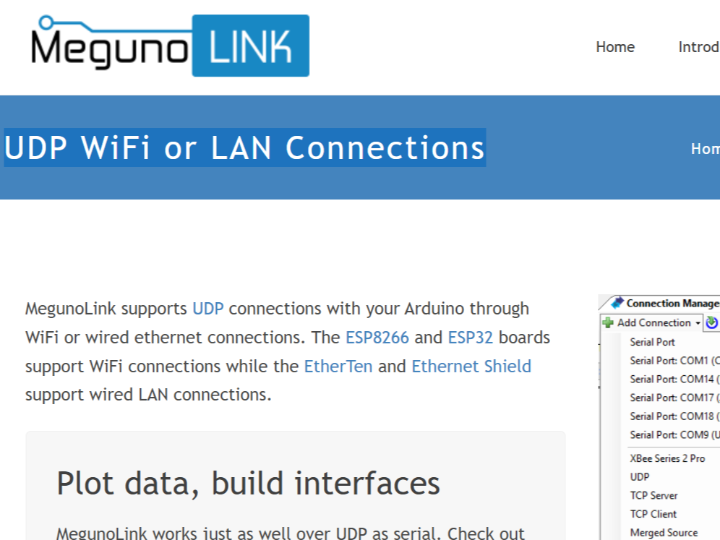
How to Send UDP Data from Arduino to MegunoLink over Ethernet?
프로젝트 개요
MegunoLink는 Arduino와 같은 마이크로컨트롤러에서 전송되는 데이터를 PC에서 실시간으로 시각화·분석·디버깅할 수 있도록 설계된 Windows 기반 개발자 도구입니다.
이 가이드는 WIZnet W5100/W5500 이더넷 컨트롤러가 탑재된 EtherTen 또는 Arduino Ethernet Shield를 사용해, MegunoLink와 UDP 기반 유선 이더넷 통신을 구현하는 공식 예제를 중심으로 설명합니다.
하드웨어 TCP/IP 스택을 활용해 MCU 부하를 최소화하면서 안정적인 데이터 스트리밍 환경을 제공합니다.
MegunoLink란 무엇인가?
MegunoLink는 Arduino와 같은 마이크로컨트롤러에서 전송되는 데이터를
PC에서 실시간으로 수신·시각화·분석하기 위해 설계된 Windows 기반 개발자용 툴입니다.
단순한 시리얼 모니터를 넘어, 센서 데이터 스트리밍, 상태 모니터링, 프로토콜 디버깅을 하나의 GUI 환경에서 처리할 수 있도록 설계되었습니다.
특히 MegunoLink의 특징은 MCU 쪽 로직을 최대한 단순하게 유지하고,
데이터의 해석·표현·로그 관리는 PC 애플리케이션이 담당하는 구조라는 점입니다.
이로 인해 Serial뿐 아니라 UDP/TCP 기반 Ethernet 통신을 자연스럽게 지원하며,
공식 문서에서도 **W5100/W5500 기반 Ethernet 보드(EtherTen, Ethernet Shield)**를 기준으로 한 예제를 제공합니다.
MegunoLink vs 유사 툴 비교
임베디드 개발에서 자주 사용되는 PC 측 도구들과 MegunoLink를 비교하면,
MegunoLink의 포지션이 더 명확해집니다.
Arduino Serial Monitor
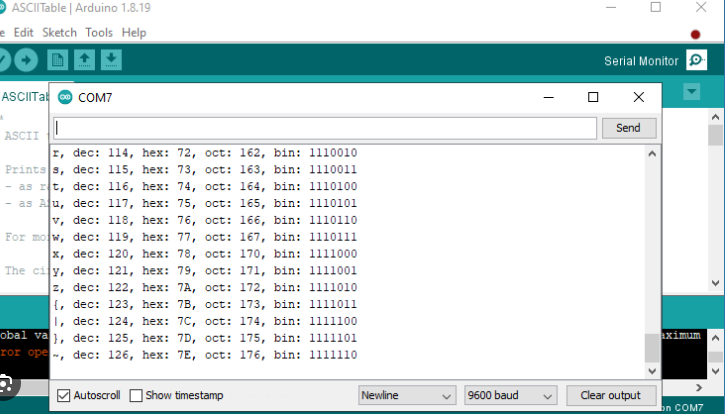
장점: 기본 제공, 사용법 단순
한계:
텍스트 출력만 가능
데이터 시각화 불가
네트워크(Ethernet/UDP) 직접 지원 없음
👉 MegunoLink 차별점:
Serial 출력 수준을 넘어, 그래프·파서·프로토콜 기반 분석까지 지원
Node-RED / IoT Dashboard
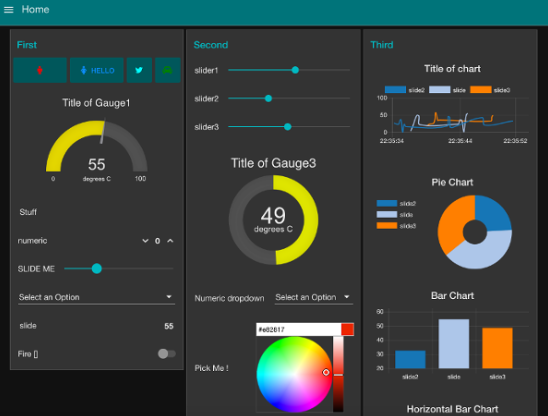
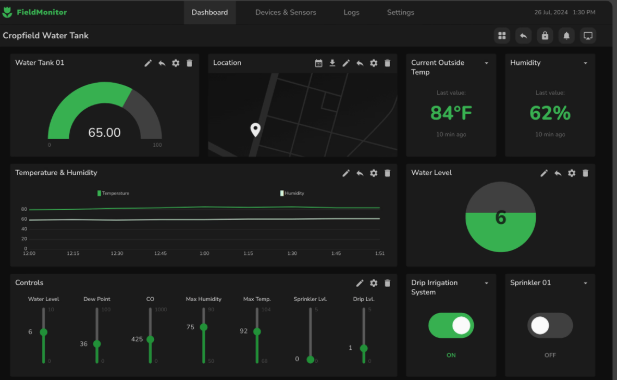
장점: 대규모 시스템, 서버 연동에 유리
한계:
설정 복잡
로컬 디버깅에는 과도한 구조
👉 MegunoLink 차별점:
클라우드 이전 단계의 로컬 개발·디버깅에 최적화
MegunoLink가 특히 잘 맞는 환경
MegunoLink는 다음과 같은 환경에서 강점을 가집니다.
센서 데이터가 주기적으로 스트리밍되는 경우
실시간 값 변화를 그래프로 즉시 확인해야 하는 경우
MegunoLink UDP WiFi or LAN Connections 가이드의 의미
MegunoLink는 UDP 통신을 기반으로 Wi-Fi 또는 LAN(Ethernet) 연결 방식을 모두 지원하고
공식 문서의 LAN Connection 가이드는 EtherTen과 Arduino Ethernet Shield를 기준으로 작성되어 있습니다.
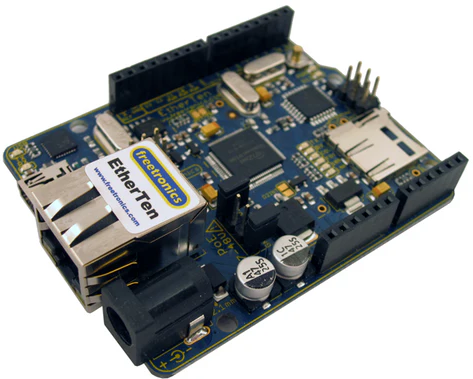
이 두 보드는 공통적으로 WIZnet W5100 또는 W5500 이더넷 컨트롤러를 탑재한 대표적인 Ethernet 플랫폼입니다.
결과적으로 만들어지는 사용자 흐름
MegunoLink 사용자가 공식 문서를 따라가다 보면,
다음과 같은 매우 자연스러운 선택 흐름이 형성됩니다.
MegunoLink에서 UDP 통신을 사용하려고 가이드 확인
Wi-Fi 또는 LAN 중 LAN 가이드 선택
LAN 예제 기준 보드 → EtherTen / Ethernet Shield
사용되는 Ethernet 컨트롤러 → WIZnet W5100 / W5500
이는 특정 제품을 직접적으로 홍보하지 않더라도,
“MegunoLink + LAN = WIZnet Ethernet”이라는 기준점을 형성하게 만듭니다.
How to Send UDP Data from Arduino to MegunoLink over Ethernet?
Project Overview
MegunoLink is a Windows-based developer tool designed to visualize, analyze, and debug data sent from microcontrollers such as Arduino in real time on a PC.
This guide focuses on an official example that demonstrates how to implement UDP-based wired Ethernet communication between Arduino and MegunoLink using EtherTen or Arduino Ethernet Shield boards equipped with WIZnet W5100/W5500 Ethernet controllers.
By leveraging a hardware TCP/IP stack, this approach minimizes MCU load while providing a stable and predictable data streaming environment.
What is MegunoLink?
MegunoLink is a Windows-based developer tool designed to receive, visualize, and analyze data transmitted from microcontrollers such as Arduino in real time.
It goes far beyond a simple serial monitor, providing an integrated GUI environment for sensor data streaming, system state monitoring, and protocol-level debugging.
One of MegunoLink’s key design principles is keeping the MCU-side logic as simple as possible, while offloading data interpretation, visualization, and logging to the PC application.
As a result, MegunoLink naturally supports not only serial communication but also UDP/TCP-based Ethernet communication, and its official documentation presents examples based on W5100/W5500 Ethernet boards such as EtherTen and Arduino Ethernet Shield.
MegunoLink vs. Similar Tools
When compared with other commonly used PC-side tools in embedded development, MegunoLink’s position becomes clearer.
Arduino Serial Monitor
Strengths
Built-in and readily available
Simple to use
Limitations
Text-only output
No data visualization
No direct support for network communication (Ethernet/UDP)
👉 How MegunoLink differs
MegunoLink extends far beyond basic serial output by supporting graphs, parsers, and protocol-based data analysis.
Node-RED / IoT Dashboards
Strengths
Well suited for large-scale systems and server-side integration
Limitations
Complex setup
Overly heavy for local debugging and early-stage development
👉 How MegunoLink differs
MegunoLink is optimized for local development and debugging before cloud integration, making it more practical during the firmware development phase.
Where MegunoLink Excels
MegunoLink is particularly well suited for environments where:
Sensor data is streamed periodically
Real-time value changes must be visualized immediately using graphs
Developers want fast feedback without building custom PC-side software
The Meaning of the “MegunoLink UDP WiFi or LAN Connections” Guide
MegunoLink supports UDP communication over both Wi-Fi and LAN (Ethernet) connections.
However, the LAN Connection section of the official documentation is written specifically around EtherTen and Arduino Ethernet Shield boards.
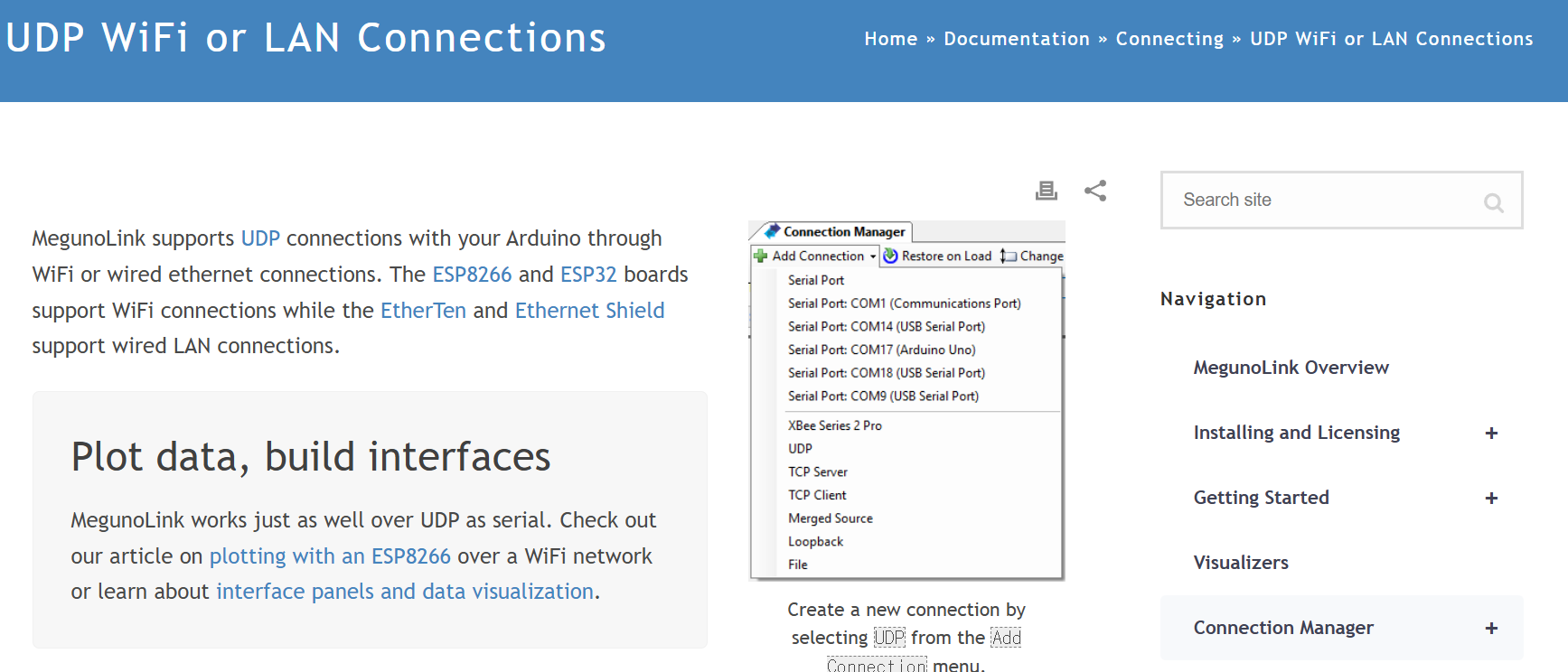
These boards are representative Ethernet platforms that share a common foundation: WIZnet W5100 or W5500 Ethernet controllers.
The Resulting User Flow
When MegunoLink users follow the official documentation, a very natural selection path emerges:
The user looks up how to use UDP communication with MegunoLink
The user chooses the LAN (Ethernet) connection guide over Wi-Fi
The reference hardware is EtherTen or Arduino Ethernet Shield
The Ethernet controller used is WIZnet W5100 / W5500
Even without explicitly promoting a specific product, this structure establishes a clear baseline:
“MegunoLink + LAN = WIZnet Ethernet.”
As a result, when MegunoLink users choose a wired LAN connection, WIZnet-based Ethernet hardware naturally becomes the first-choice reference platform.