



pico_freertos_w5x00_sys
pico_freertos_w5x00_sys
How to Run FreeRTOS + LwIP on Raspberry Pi Pico with W5x00 Ethernet?
Summary
This project shows how to build an RTOS-based TCP/IP system on the Raspberry Pi Pico by integrating FreeRTOS with LwIP over a WIZnet W5x00 Ethernet controller. The W5x00 provides the physical Ethernet interface, while LwIP runs as the TCP/IP stack on top of FreeRTOS, enabling structured multitasking network applications suitable for maker projects.
What the Project Does
This project ports LwIP in RTOS mode (NO_SYS = 0) onto the RP2040 and connects it with FreeRTOS. Instead of relying on a simple loop-based design or WIZnet’s native socket API, it uses a layered architecture:
FreeRTOS tasks handle application logic
LwIP provides a thread-safe TCP/IP stack
A network interface layer connects LwIP to the W5x00 driver
The W5x00 communicates with the Pico via SPI
The data path flows from application tasks → LwIP → network interface → W5x00 → Ethernet.
This structure allows multiple network tasks to run concurrently, making it more suitable for scalable maker systems such as IoT controllers, gateways, or data loggers.
Where WIZnet Fits
The W5x00 (typically W5500) acts as the Ethernet controller in this system.
Its role includes:
Handling Ethernet frame transmission and reception
Providing internal buffering for network data
Offloading low-level network handling from the RP2040
Even though LwIP manages the TCP/IP stack, the W5x00 ensures stable wired communication over SPI. This is particularly useful because the RP2040 does not include a built-in Ethernet MAC.
This design is a good fit when:
Stable wired networking is required instead of Wi-Fi
The system must run multiple network tasks under an RTOS
Hardware simplicity (SPI-based Ethernet) is preferred
Implementation Notes
I could not directly verify specific source files or exact code lines from the repository in this environment.
However, the integration follows a standard structure for LwIP + FreeRTOS systems:
LwIP runs with NO_SYS = 0, meaning it operates with an RTOS
A dedicated tcpip_thread handles packet processing
A netif (network interface) is registered and linked to the W5x00 driver
SPI is used to move Ethernet frames between the Pico and the W5x00
FreeRTOS tasks interact with the network using LwIP APIs (socket or netconn)
Practical Tips / Pitfalls
Ensure stable SPI wiring; signal noise can cause intermittent Ethernet failures
Check PHY link status before starting network services
Tune LwIP memory settings (MEM_SIZE, pbuf pool) for multitasking use
Be aware of W5x00 socket limits (maximum 8 hardware sockets)
Handle DHCP timeouts properly in an RTOS environment
Avoid blocking calls across multiple tasks without synchronization design
Consider watchdog recovery if network tasks stall
FAQ
Why use W5x00 instead of Wi-Fi for this project?
W5x00 provides deterministic and stable wired communication. For RTOS-based systems, this reduces variability and simplifies debugging compared to Wi-Fi.
How does W5x00 connect to the Raspberry Pi Pico?
It uses SPI (MOSI, MISO, SCLK, CS) with optional interrupt signaling. This avoids complex Ethernet MAC interfaces and keeps hardware design simple.
What role does W5x00 play in this project?
It acts as the Ethernet transport layer, moving data between the physical network and the LwIP stack running on FreeRTOS.
Is this project suitable for beginners?
It is better suited for intermediate users who understand FreeRTOS basics, SPI communication, and embedded networking concepts.
Why use LwIP with FreeRTOS instead of WIZnet’s socket API?
LwIP provides a standardized networking interface and integrates well with RTOS-based multitasking. It is more flexible for complex applications, although it introduces additional complexity.
Source
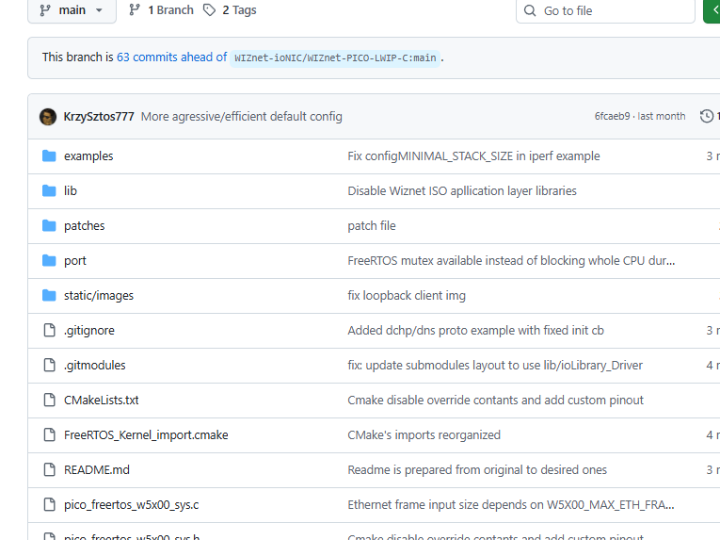
https://github.com/KrzySztos777/pico_freertos_w5x00_sys
Tags
W5500, W5x00, Raspberry Pi Pico, RP2040, FreeRTOS, LwIP, Embedded Ethernet, SPI Networking, Maker Project, TCP/IP Stack
How to Run FreeRTOS + LwIP on Raspberry Pi Pico with W5x00 Ethernet?
Summary
이 프로젝트는 Raspberry Pi Pico(RP2040)에서 FreeRTOS와 LwIP를 통합하고, WIZnet W5x00 Ethernet 컨트롤러를 통해 유선 네트워크를 구현하는 방법을 보여준다. W5x00은 물리적 이더넷 인터페이스를 담당하고, LwIP는 FreeRTOS 위에서 TCP/IP 스택을 제공하여 멀티태스킹 기반 네트워크 애플리케이션을 구성할 수 있게 한다.
What the Project Does
이 프로젝트는 LwIP를 RTOS 모드(NO_SYS = 0)로 포팅하여 FreeRTOS와 함께 동작하도록 구성한다. 단순한 루프 기반 네트워크 처리나 WIZnet의 기본 소켓 API 대신, 계층형 구조를 사용한다.
FreeRTOS 태스크가 애플리케이션 로직을 처리
LwIP가 TCP/IP 스택을 제공
네트워크 인터페이스 계층이 LwIP와 W5x00 드라이버를 연결
W5x00은 SPI를 통해 Pico와 통신
데이터 흐름은 다음과 같다:
애플리케이션 태스크 → LwIP → 네트워크 인터페이스 → W5x00 → 이더넷
이 구조를 통해 여러 네트워크 작업을 동시에 처리할 수 있으며, IoT 장치, 간단한 게이트웨이, 데이터 수집 장치 같은 메이커 프로젝트에 적합하다.
Where WIZnet Fits
W5x00(일반적으로 W5500)은 이 시스템에서 이더넷 컨트롤러 역할을 한다.
주요 역할:
이더넷 프레임 송수신 처리
내부 버퍼를 통한 데이터 관리
RP2040의 네트워크 처리 부담 감소
LwIP가 TCP/IP 스택을 담당하더라도, 실제 물리 계층과 데이터 전송은 W5x00이 담당한다. RP2040은 자체 Ethernet MAC이 없기 때문에, SPI 기반 W5x00은 매우 실용적인 선택이다.
다음과 같은 조건에서 특히 적합하다:
Wi-Fi 대신 안정적인 유선 네트워크가 필요한 경우
RTOS 기반 멀티태스킹 네트워크 시스템이 필요한 경우
하드웨어 구성을 단순하게 유지하고 싶은 경우
Implementation Notes
이 환경에서는 저장소의 특정 파일이나 코드 라인을 직접 검증할 수 없었다.
하지만 전체 구조는 일반적인 FreeRTOS + LwIP 통합 방식과 동일하다:
LwIP는 NO_SYS = 0 모드로 동작 (RTOS 기반)
tcpip_thread가 패킷 처리를 담당
netif 인터페이스가 W5x00 드라이버와 연결됨
SPI를 통해 Ethernet 프레임을 송수신
FreeRTOS 태스크는 LwIP의 socket 또는 netconn API 사용
Practical Tips / Pitfalls
SPI 배선이 불안정하면 간헐적인 통신 오류 발생 가능
네트워크 시작 전에 PHY 링크 상태 확인 필요
LwIP 메모리 설정(MEM_SIZE, pbuf 등)을 충분히 확보
W5x00은 최대 8개의 소켓만 지원
DHCP 사용 시 RTOS 환경에서 타임아웃 처리 필요
여러 태스크에서 blocking 소켓 사용 시 동기화 설계 중요
네트워크 태스크 정지 대비 watchdog 고려
FAQ
왜 이 프로젝트에서 W5x00을 사용하는가?
W5x00은 SPI 기반으로 간단하게 이더넷을 구현할 수 있으며, 안정적인 유선 통신을 제공한다. RTOS 환경에서는 예측 가능한 지연과 디버깅 용이성이 중요하다.
W5x00은 Raspberry Pi Pico와 어떻게 연결되는가?
SPI(MOSI, MISO, SCLK, CS)로 연결되며, 필요 시 인터럽트 핀을 추가로 사용할 수 있다. 복잡한 MAC/PHY 인터페이스가 필요 없다.
이 프로젝트에서 W5x00의 역할은 무엇인가?
LwIP 아래에서 실제 이더넷 데이터 송수신을 담당하는 전송 계층 역할을 한다.
초보자도 따라 할 수 있는가?
중급 수준이 적합하다. FreeRTOS 태스크 구조, SPI 통신, 기본적인 네트워크 개념 이해가 필요하다.
왜 WIZnet 소켓 API 대신 LwIP를 사용하는가?
LwIP는 표준 BSD 소켓 인터페이스를 제공하고 RTOS와 잘 통합된다. 복잡한 시스템 구성에는 유리하지만, 설정과 구조는 더 복잡하다.
Source
https://github.com/KrzySztos777/pico_freertos_w5x00_sys
Tags
W5500, W5x00, Raspberry Pi Pico, RP2040, FreeRTOS, LwIP, Embedded Ethernet, SPI Networking, Maker Project, TCP/IP Stack