



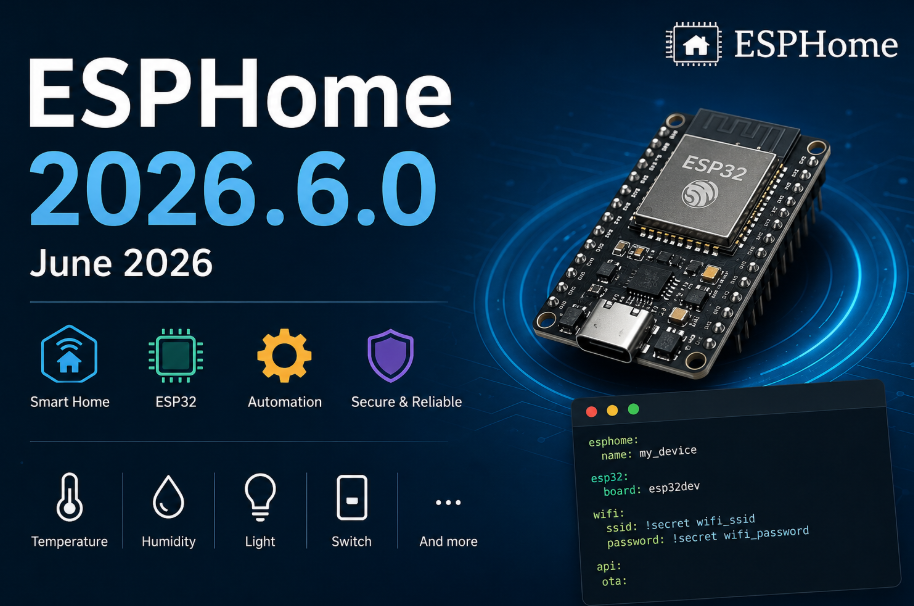
ESPHome 2026.6.0 - June 2026
ESPHome 2026.6.0 update

How to Reduce ESP32 RAM Usage with W5500 Ethernet in ESPHome 2026.6.0?
Author: WIZnet UCC Curation
Date: June 2026
Summary
ESPHome 2026.6.0 introduces a significant memory optimization by preventing Wi-Fi and Ethernet drivers from allocating RAM when they are disabled at boot. For ESP32 projects using the WIZnet W5500 Ethernet controller, this enables true on-demand network initialization, freeing valuable SRAM for memory-intensive features such as BLE Proxy, LVGL, Audio, and Voice Assistant applications.
What the Project Does
Prior to ESPHome 2026.6.0, configuring a network interface with enable_on_boot: false only prevented the connection from starting. The underlying driver and associated buffers were still loaded into memory during boot.
For example:
wifi:
  enable_on_boot: false

ethernet:
  enable_on_boot: false
Although Wi-Fi and Ethernet remained inactive, RAM was still consumed by their internal resources.
With ESPHome 2026.6.0, the initialization behavior has changed. When Wi-Fi or Ethernet is disabled at boot, the corresponding drivers and memory allocations are skipped entirely. Resources are only allocated when the interface is explicitly enabled later.
This change improves memory efficiency and makes ESP32 systems more stable when multiple advanced features are enabled simultaneously.
Where WIZnet Fits
This update is particularly valuable for projects using the WIZnet W5500 Ethernet controller.
The W5500 provides hardware TCP/IP offloading through an SPI interface, allowing ESP32 applications to implement reliable wired networking without dedicating significant CPU resources to protocol processing.
A typical ESPHome configuration may look like:
ethernet:
  type: W5500
  enable_on_boot: false
With this approach:
Ethernet resources are not allocated during startup.
Additional SRAM remains available for application features.
Ethernet can be enabled only when required.
Memory contention between networking, BLE, graphics, and audio components is reduced.
For ESP32-based systems where SRAM is often the primary limitation, dynamically loading the W5500 Ethernet stack provides a practical way to improve overall system reliability.
Implementation Notes
The key improvement in ESPHome 2026.6.0 is that disabled network interfaces are no longer initialized behind the scenes.
Previous behavior:
ethernet:
  enable_on_boot: false
Result:
Ethernet connection remained inactive.
Driver structures were still initialized.
Network buffers still occupied RAM.
New behavior:
ethernet:
  enable_on_boot: false
Result:
Ethernet driver is not initialized.
Network buffers are not allocated.
Memory is preserved until Ethernet is enabled.
Conceptual integration example:
ethernet:
  type: W5500
  enable_on_boot: false

button:
  - platform: template
    name: "Enable Ethernet"
    on_press:
      - ethernet.enable:
This effectively introduces a lazy-loading model for network interfaces, aligning memory usage with actual application requirements.
Practical Tips / Pitfalls
Keep SPI traces between the ESP32 and W5500 as short as possible to ensure signal integrity.
Verify link status after dynamically enabling Ethernet, especially in industrial environments.
Consider static IP configuration if immediate network availability is required after activation.
Projects combining W5500 Ethernet and BLE Proxy can benefit significantly from the recovered SRAM.
LVGL-based displays can utilize the additional memory for larger frame buffers.
Voice Assistant and audio applications may experience fewer low-memory conditions.
Monitor heap usage before and after upgrading to quantify the benefit in your specific design.
Similar Content and Additional Perspective
Related Article
ESPHome 2026.4.0 April Release Overview
Why It Is Similar
Both articles focus on major ESPHome releases and their impact on ESP32-based IoT devices.
Common themes include:
ESPHome platform improvements
Network-related enhancements
Embedded resource optimization
Practical deployment considerations
What This Article Adds
While the ESPHome 2026.4.0 article primarily introduces new features and platform updates, this analysis focuses specifically on memory management improvements introduced in ESPHome 2026.6.0.
Additional topics covered include:
Real-world RAM savings for Ethernet deployments
Dynamic loading of W5500 networking resources
Reduced memory pressure in BLE Proxy environments
Improved coexistence with LVGL, Audio, and Voice Assistant components
Practical deployment strategies for memory-constrained ESP32 devices
This makes the article a useful companion resource for developers building feature-rich ESP32 systems with W5500 Ethernet connectivity.
FAQ
Q: Why is this update important for W5500 users?
A: Although the W5500 handles TCP/IP processing externally, the ESP32 still requires driver structures and networking resources. Delaying their allocation until Ethernet is needed frees SRAM for other application components.
Q: How does the W5500 connect to an ESP32?
A: The W5500 uses an SPI interface. Typical connections include MOSI, MISO, SCK, CS, and optionally INT and RESET signals depending on the hardware design.
Q: What role does the W5500 play in this project?
A: The W5500 provides wired Ethernet connectivity for Home Assistant integration, MQTT communication, OTA updates, and other network services while offloading TCP/IP processing from the host MCU.
Q: Can beginners implement this optimization?
A: Yes. Simply adding enable_on_boot: false to the Ethernet configuration enables the memory-saving behavior. More advanced dynamic activation requires familiarity with ESPHome actions.
Q: How does W5500 Ethernet compare with Wi-Fi in memory-constrained projects?
A: Wi-Fi and Ethernet both consume valuable RAM resources. With ESPHome 2026.6.0, either interface can now be loaded only when needed. W5500 Ethernet additionally offers stable wired communication and hardware TCP/IP offloading, making it attractive for reliability-focused applications.
Source
ESPHome 2026.6.0 Changelog
https://esphome.io/changelog/2026.6.0/#wifi-and-ethernet-now-truly-free-their-memory-when-disabled-at-boot
Related Article
https://maker.wiznet.io/Alan/projects/esphome-2026-4-0-april-2026-1/?page=2&serob=rd&serterm=year&utm_source=chatgpt.com
Tags
#W5500
#ESP32
#ESPHome
#Ethernet
#MemoryOptimization
#HomeAssistant
#BLEProxy
#LVGL
#VoiceAssistant
#EmbeddedSystems