



control4-esphom
control4-esphom
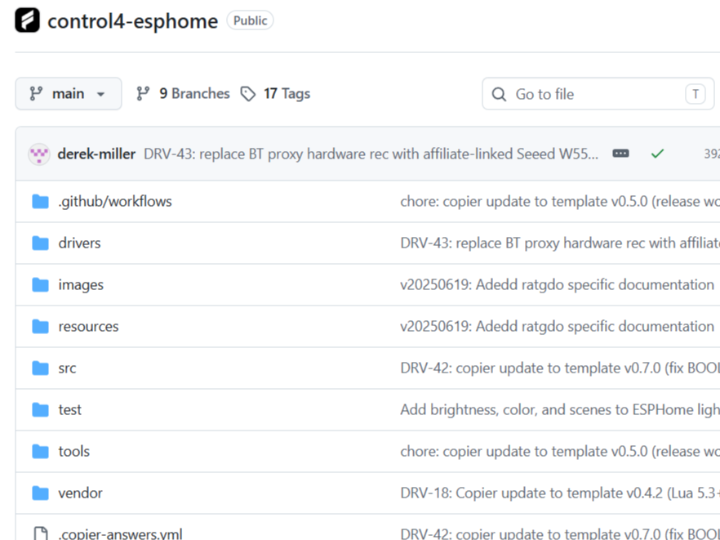
How to Integrate ESPHome Devices with Control4 Using Home Assistant?
Summary
The control4-esphome project from Finite Labs connects ESPHome-based smart devices to the Control4 automation ecosystem through Home Assistant. Instead of relying on proprietary Control4 hardware modules, the project uses Home Assistant as a middleware layer that exposes ESPHome entities to Control4 drivers. This approach enables low-cost, customizable smart home integrations while keeping device logic inside the ESPHome ecosystem.
What the Project Does
Finite Labs develops practical integration tools for modern smart home environments, with a focus on bridging open-source ecosystems and commercial automation platforms. The control4-esphome project specifically targets users who want to combine ESPHome flexibility with Control4’s centralized home automation interface.
In this architecture:
- ESPHome devices handle local sensing and control
- Home Assistant aggregates and exposes entities
- Control4 communicates with Home Assistant through a custom driver layer
The result is a unified smart home interface where ESPHome-based switches, sensors, relays, and lighting devices appear inside the Control4 environment without requiring proprietary firmware modifications.
This is particularly useful in retrofit smart home deployments where integrators want to preserve Control4 user experience while reducing hardware cost and improving device customization.
Where WIZnet Fits
This repository does not currently use WIZnet products.
However, the project architecture aligns well with Ethernet-based ESPHome deployments using WIZnet hardware such as the W5500 or W55RP20.
In smart home automation systems, deterministic wired networking is often more reliable than Wi-Fi, especially for:
- wall-mounted controllers
- equipment rack devices
- relay modules
- always-on automation nodes
- environments with dense 2.4 GHz interference
A W5500-based ESPHome node can offload TCP/IP processing from the MCU using its hardware TCP/IP engine, reducing CPU overhead and improving communication stability. This becomes valuable when ESPHome devices maintain persistent Home Assistant API sessions or rapidly publish sensor state changes.
For compact embedded smart home products, W55RP20 can further reduce BOM size by integrating RP2040 and W5500 into a single chip.
Implementation Notes
The repository primarily focuses on Control4 driver integration and Home Assistant interoperability rather than low-level networking firmware.
The architecture can be summarized as:
ESPHome Device
    ↓
Home Assistant
    ↓
Control4 Driver
    ↓
Control4 UI / Automation Logic
The project relies on Home Assistant entity exposure rather than direct Control4-to-device communication. This simplifies compatibility because ESPHome devices already integrate cleanly with Home Assistant through the native ESPHome API.
For Ethernet-based ESPHome deployments, a conceptual W5500 integration would look like this:
Conceptual integration example based on WIZnet ioLibrary
ethernet:
  type: W5500
  clk_pin: GPIO18
  mosi_pin: GPIO23
  miso_pin: GPIO19
  cs_pin: GPIO5
  interrupt_pin: GPIO4
This configuration allows an ESPHome node to communicate over wired Ethernet instead of Wi-Fi while still appearing normally inside Home Assistant and therefore inside Control4.
Practical Tips / Pitfalls
- Use static IP assignments for Control4-facing automation devices whenever possible.
- Avoid Wi-Fi-only relay nodes inside equipment racks or metal enclosures.
- Verify Home Assistant entity naming consistency before importing into Control4.
- Ethernet-based ESPHome nodes reduce reconnect latency during AP roaming or interference.
- Keep SPI traces short when integrating W5500 modules on custom ESP32 boards.
- Use watchdog recovery for always-on automation controllers.
- Test Home Assistant restart behavior to ensure Control4 entities properly resynchronize.
FAQ
Q: Why would someone use W5500 with ESPHome in a Control4 environment?
A: Smart home control systems prioritize reliability over mobility. W5500 provides hardware TCP/IP offload and stable wired Ethernet connectivity, reducing Wi-Fi interference issues that can affect automation responsiveness.
Q: How does W5500 connect to ESP32 or RP2040 platforms?
A: W5500 typically connects through SPI using MISO, MOSI, SCK, and CS signals. ESPHome includes native Ethernet configuration support for W5500-based designs.
Q: What role would WIZnet hardware play in this project specifically?
A: WIZnet hardware would provide deterministic Ethernet transport for ESPHome nodes that communicate with Home Assistant, improving stability for Control4-triggered automations and state synchronization.
Q: Can beginners follow this integration approach?
A: Intermediate experience with Home Assistant and ESPHome is recommended. Users should understand entity management, YAML configuration, and basic network troubleshooting.
Q: How does Ethernet compare to Wi-Fi for ESPHome automation nodes?
A: Wi-Fi is easier to deploy but can suffer from interference, AP roaming delays, and reconnection instability. Ethernet provides predictable latency and consistent availability, which is beneficial for permanent automation infrastructure.
Source
Original Project: Finite Labs — control4-esphome
https://github.com/finitelabs/control4-esphome
License: Refer to the GitHub repository license information.
Tags
#ESPHome #Control4 #HomeAssistant #SmartHome #HomeAutomation #W5500 #WIZnet #Ethernet #ESP32 #W55RP20