Wiznet makers

jaden

Published November 01, 2022 ©

87 UCC

18 WCC

53 VAR

0 Contests

0 Followers

0 Following

Original Link

Arduino + Ethernet Shield + RFID RC522

log of card use
COMPONENTS Hardware components

Arduino - Arduino UNO

x 1


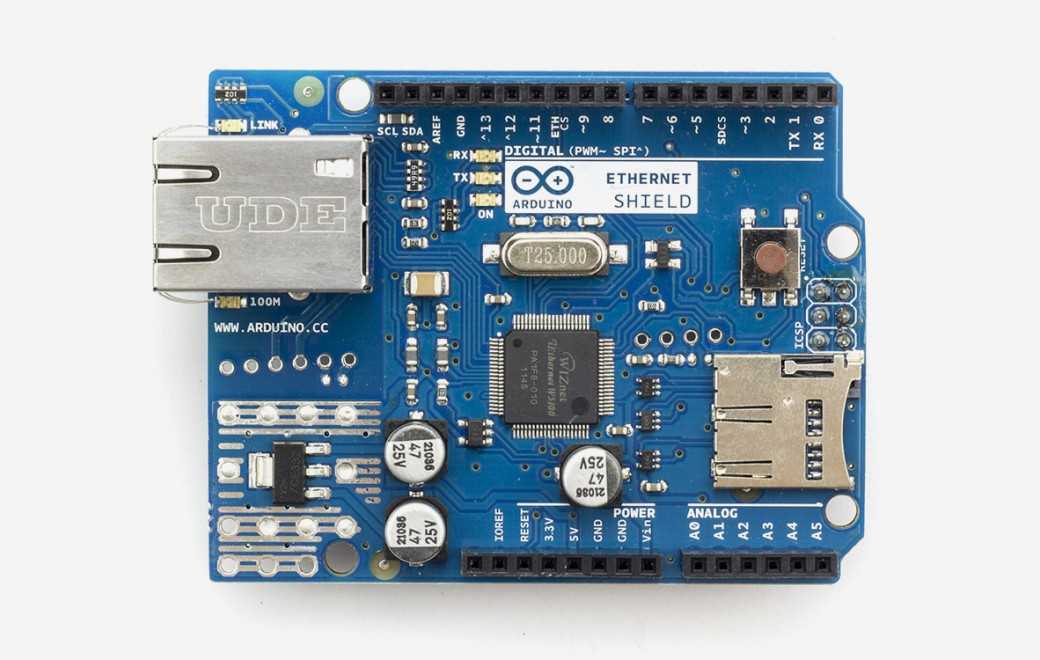
Arduino - Arduino Ethernet Shield

x 1


x 1


PROJECT DESCRIPTION

This project show how to build a log of using RFID cards with Arduino Uno, Ethernet Shield and RC522 RFID reader.

author used web technologies such as PHP and mySQL.
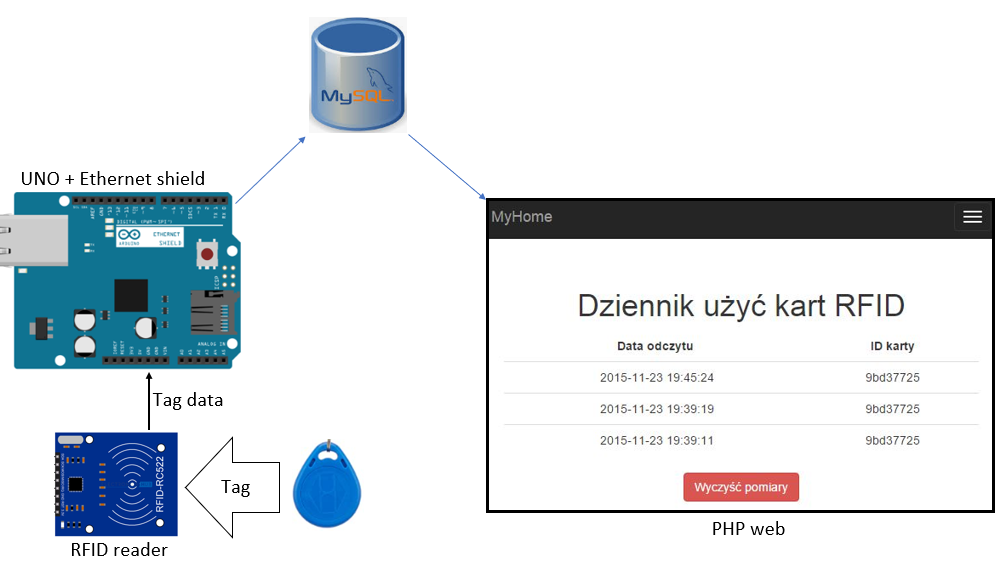
This is system block diagram.
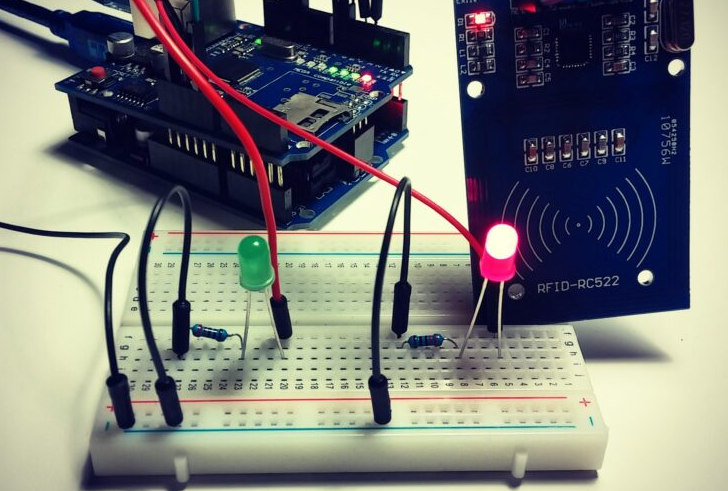
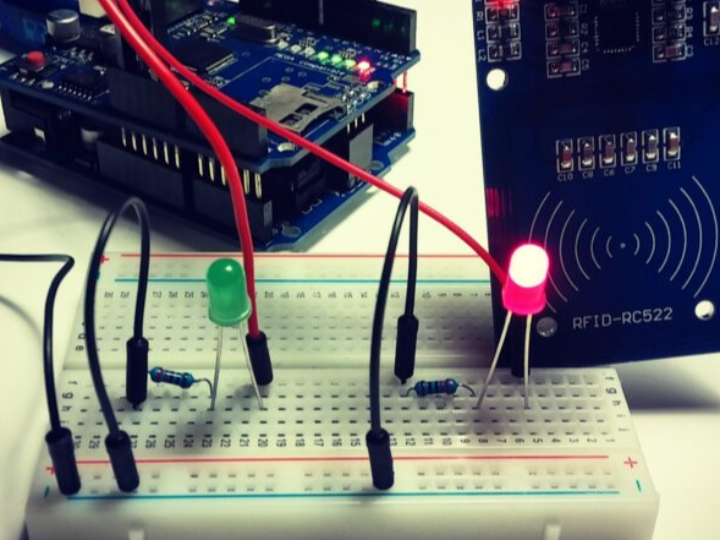
when RFID reader read a tag, UNO check unique UID and compare with uniqur UID in code. If it's same runs a PHP script via http request that updates the database with the date and time of card use and its ID. If the authorization was successful, the green LED lights up. Otherwise, the red LED lights up. 

If the numbers are the same, Arduino runs a PHP script via http request that updates the database with the date and time of card use and its ID.

If the authorization was successful, the green LED lights up. Otherwise, the red LED lights up. 


this is the code


1
2
3
4
5
6
7
8
9
10
11
12
13
14
15
16
17
18
19
20
21
22
23
24
25
26
27
28
29
30
31
32
33
34
35
36
37
38
39
40
41
42
43
44
45
46
47
48
49
50
51
52
53
54
55
56
57
58
59
60
61
62
63
64
65
66
67
68
69
70
71
72
73
74
#include <SPI.h>
#include <MFRC522.h>
#include <Ethernet.h>
byte mac[] = { 0x00, 0xAA, 0xBB, 0xCC, 0xDE, 0x01 };
EthernetClient client;
#define SS_PIN 7
#define RST_PIN 6
MFRC522 mfrc522(SS_PIN, RST_PIN); // Create MFRC522 instance.
byte readCard[4];
String rfidUid = "";
String kartaauth1="9bd37725"; // deklaracja autoryzowanej karty
void setup()
{
// disable RFID SPI
pinMode(7, OUTPUT);
digitalWrite(4, HIGH);
// disable w5100 SPI
pinMode(10, OUTPUT);
digitalWrite(10, HIGH);
Serial.begin(9600);
if (Ethernet.begin(mac) == 0) {
Serial.println("Failed to configure Ethernet using DHCP");
}
SPI.begin(); // Init SPI bus
mfrc522.PCD_Init(); // Init MFRC522 card
Serial.println("Scan PICC to see UID and type...");
pinMode(3, OUTPUT);
pinMode(4, OUTPUT);
}
void loop() {
// Look for new cards
if ( ! mfrc522.PICC_IsNewCardPresent()) {
return;
}
// Select one of the cards
if ( ! mfrc522.PICC_ReadCardSerial()) {
return;
}
for (byte i = 0; i < mfrc522.uid.size; i++) {
rfidUid += String(mfrc522.uid.uidByte[i] < 0x10 ? "0" : "");
rfidUid += String(mfrc522.uid.uidByte[i], HEX);
mfrc522.PICC_HaltA();
}
Serial.println(rfidUid);
if(rfidUid == kartaauth1)
{
digitalWrite(3,HIGH);
digitalWrite(4,LOW);
if (client.connect("xxx.xxx.xxxl",80)) { // REPLACE WITH YOUR SERVER ADDRESS
client.print("GET /rfid.php?");
client.print("getrfid=");
client.print(rfidUid);
client.println( " HTTP/1.1");
client.println( "Host: xxx.xxx" );
client.println("Content-Type: application/x-www-form-urlencoded");
client.println( "Connection: close" );
client.println();
client.println();
}
if (client.connected())
{
client.stop(); // DISCONNECT FROM THE SERVER
}
}
else
{
digitalWrite(3,LOW);
digitalWrite(4,HIGH);
}
delay(3000);
digitalWrite(3,LOW);
digitalWrite(4,LOW);
rfidUid = "";
}

I think this project is very useful for other projects such as access control using RFID cards, home automation using RFID.

Documents
Comments Write