



Adding LAN to your ESP32 with the W5500 Ethernet LAN Board
Adding LAN to your ESP32 with the W5500 Ethernet LAN Board
How to Get Started with W5500 on ESP32 Using Hardware TCP/IP Offload?
Summary
This project demonstrates how to connect an ESP32 to a WIZnet W5500 Ethernet controller and establish TCP communication using the W5500’s hardware TCP/IP stack. Instead of relying on the ESP32’s internal Wi-Fi or software TCP stack, the W5500 handles socket management and packet processing in hardware, allowing the ESP32 to focus on application logic while providing a stable wired Ethernet connection.
What the Project Does
The repository provides a minimal “Getting Started” implementation for interfacing an ESP32 with the W5500 over SPI and establishing Ethernet-based communication.
The architecture is straightforward:
ESP32 acts as the host MCU.
W5500 acts as an external Ethernet controller with integrated TCP/IP offload engine.
Communication between ESP32 and W5500 occurs over SPI.
The W5500 connects to the Ethernet PHY and RJ45 magnetics externally.
From the source structure, the project initializes SPI, configures the W5500 network parameters (MAC/IP), and opens sockets using the WIZnet ioLibrary. TCP communication is handled through W5500 socket APIs rather than ESP32’s native LwIP stack.
This makes it a clean example of hardware-based TCP/IP usage instead of software TCP processing inside the ESP32.
Where WIZnet Fits
WIZnet Product Used: W5500
The W5500 is not used as a simple MAC/PHY device. It operates as:
A hardware TCP/IP offload engine (TOE)
An 8-socket Ethernet controller
A 32 KB internal buffer manager
A SPI-based peripheral controlled by the ESP32
In this project:
The ESP32 does not execute a software TCP stack for Ethernet traffic.
TCP connection establishment (socket(), listen(), connect()), packet retransmission, and ACK handling are managed internally by the W5500.
The ESP32 interacts through register-level or ioLibrary API calls.
This architecture is particularly useful for:
Reducing MCU RAM usage
Avoiding LwIP tuning complexity
Ensuring deterministic wired connectivity
Providing a simpler bring-up path compared to ESP32 internal EMAC + PHY designs
Implementation Notes
1) SPI Initialization (ESP32 → W5500)
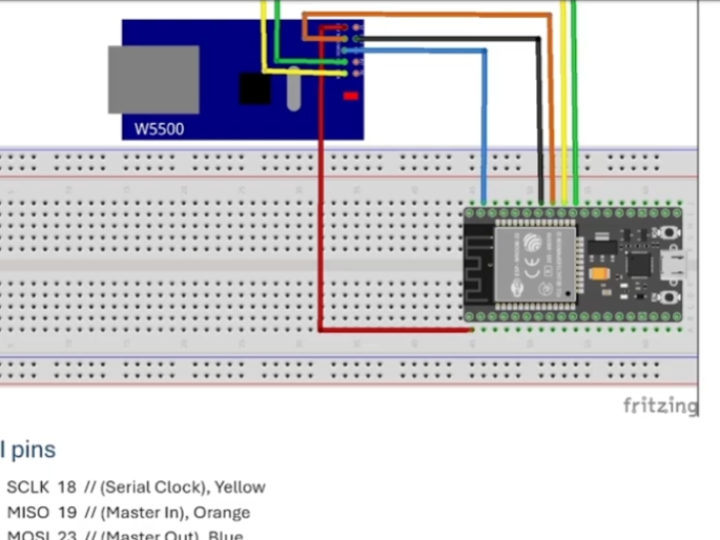
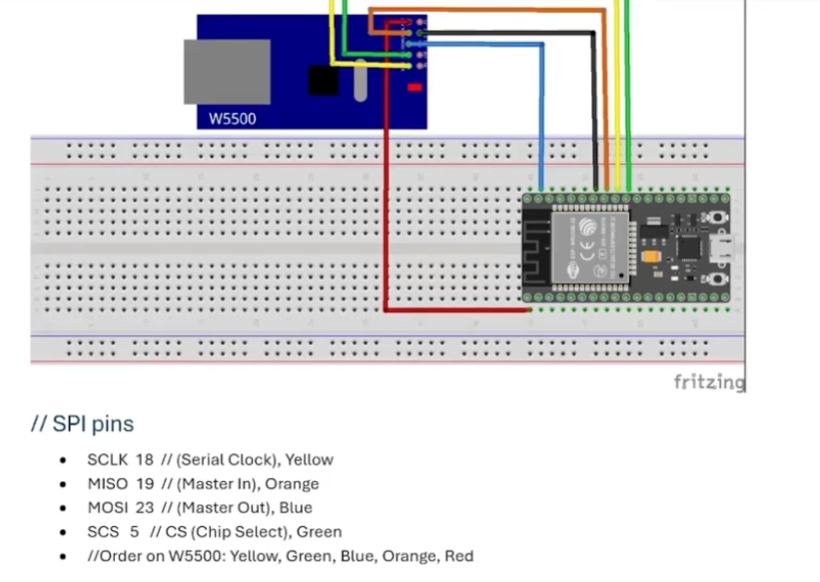
The W5500 communicates over SPI. Typical connections include:
MOSI
MISO
SCK
CS
(Optional) RESET
(Optional) INT
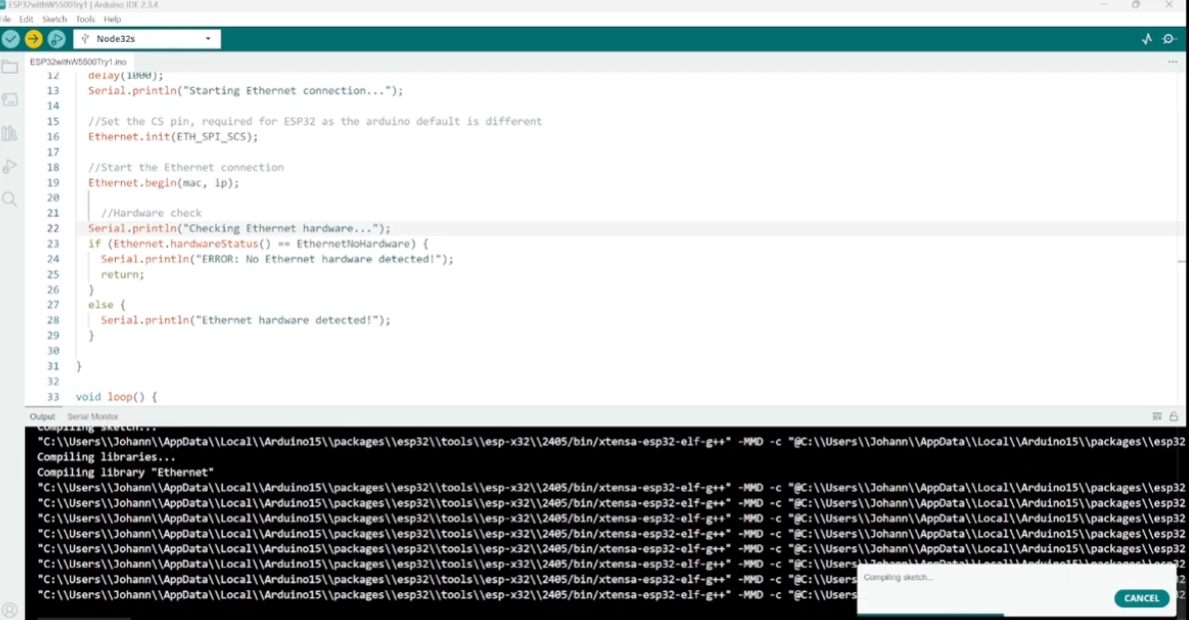
The firmware configures SPI and registers callback functions for the WIZnet driver.
Conceptually, initialization follows this pattern:
// Conceptual integration example based on WIZnet ioLibrary

#include "wizchip_conf.h"

void spi_write(uint8_t data);
uint8_t spi_read(void);

// Register SPI callbacks
reg_wizchip_spi_cbfunc(spi_read, spi_write);

// Configure internal TX/RX buffer sizes for 8 sockets
uint8_t txsize[8] = {2,2,2,2,2,2,2,2};
uint8_t rxsize[8] = {2,2,2,2,2,2,2,2};

// Initialize W5500
wizchip_init(txsize, rxsize);
Why this matters:
wizchip_init() configures the internal 32 KB buffer map.
The ESP32 does not allocate TCP buffers for Ethernet traffic.
Memory pressure on ESP32 is reduced.
2) Network Configuration
The W5500 stores network configuration internally:
wiz_NetInfo netinfo = {
    .mac  = {0x00, 0x08, 0xDC, 0x01, 0x02, 0x03},
    .ip   = {192, 168, 0, 100},
    .sn   = {255, 255, 255, 0},
    .gw   = {192, 168, 0, 1},
    .dhcp = NETINFO_STATIC
};

wizchip_setnetinfo(&netinfo);
Here, the TCP/IP identity is managed entirely by the W5500 hardware engine.
3) TCP Socket Usage (Hardware TCP Stack)
Instead of using ESP-IDF’s lwip_socket() APIs, the project uses WIZnet socket APIs:
int sock = 0;

socket(sock, Sn_MR_TCP, 5000, 0);
listen(sock);
Key point:
socket() here is not a POSIX LwIP socket.
It directly configures one of the W5500’s hardware sockets.
TCP state transitions (SYN, ACK, FIN) are handled internally by the chip.
This confirms the project uses:
✅ W5500 hardware TCP/IP stack
❌ Not ESP32 software LwIP TCP for Ethernet
Practical Tips / Pitfalls
Ensure SPI clock remains within W5500 limits (up to 80 MHz supported, but signal integrity matters).
Use proper Ethernet magnetics and impedance-controlled routing.
Hardware reset line is recommended for reliable boot.
Configure unique MAC addresses per device.
Verify PHY link status before opening sockets.
Avoid mixing ESP32 Wi-Fi and W5500 without careful network routing configuration.
If using FreeRTOS, protect SPI access with mutex.
FAQ
Q: Does this project use ESP32’s software TCP stack (LwIP)?
A: No. TCP is handled by the W5500 hardware offload engine. The ESP32 communicates with the chip via SPI and uses WIZnet socket APIs.
Q: How is the W5500 connected to the ESP32?
A: Through SPI (MOSI, MISO, SCK, CS). Optional RESET and INT lines improve reliability and event-driven handling.
Q: What role does the W5500 play in this project?
A: It acts as a complete Ethernet controller with integrated TCP/IP stack, managing sockets and packet retransmission in hardware.
Q: Can beginners follow this guide?
A: Yes, if they are familiar with ESP-IDF and basic SPI configuration. No deep TCP/IP stack tuning is required.
Q: Why not use ESP32 internal Wi-Fi instead?
A: Wired Ethernet provides deterministic latency and avoids RF instability. W5500 also reduces CPU load by offloading TCP processing.
Source
Original Project:
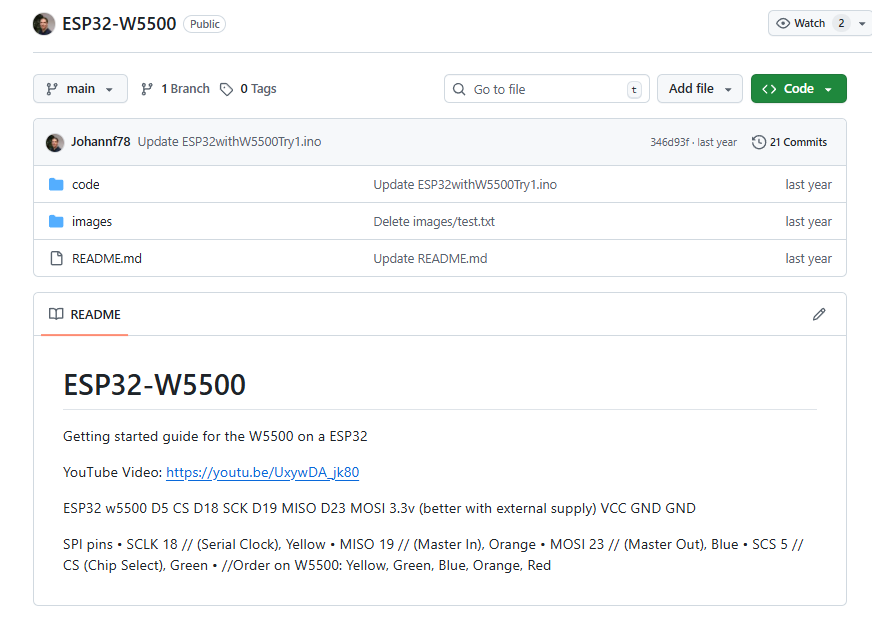
https://github.com/Johannf78/ESP32-W5500/
License information: Refer to repository for current license details.
Tags
#W5500 #ESP32 #Ethernet #HardwareTCPIP #SPI #TCPServer #GettingStarted #WIZnet