



MultiFTPServer Library
MultiFTPServer enables multi-session FTP on ESP32+ W5500 Ethernet. Low CPU, stable industrial IoT file transfers.
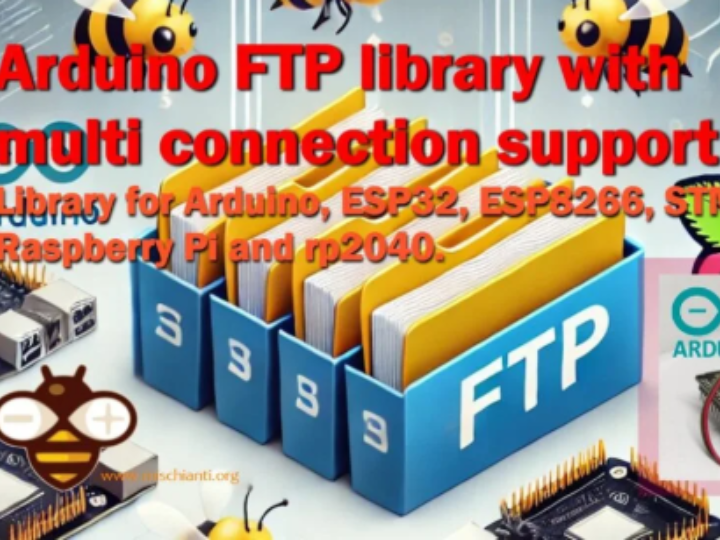
MultiFTPServer: 임베디드 시스템에서 FTP 서버를 쉽게 구현하는 방법
(ESP32, ESP8266, STM32, Arduino에서 FTP 서버 만들기)
📌 Summary
MultiFTPServer는 Arduino 및 MCU 환경에서 멀티 세션 FTP 서버를 구현하는 경량 오픈소스 라이브러리입니다. ESP32, STM32, RP2040 등 다양한 플랫폼과 SPIFFS/LittleFS/SD 저장장치, Wi-Fi 및 Ethernet 인터페이스를 지원해 임베디드 파일 관리 서버 구축을 빠르게 해줍니다
(25.12.13 Update)
📖 저자: Renzo Mischianti (xreef)
이탈리아 Gubbio 출신의 소프트웨어 개발자이자 임베디드·IoT 라이브러리 전문가입니다
대표 프로젝트 (279 followers):
🔥 PCF8574_library (인기 1위)
📧 EMailSender (SMTP + 첨부파일)
📡 EByte_LoRa_E22 (LoRa E22 시리즈)
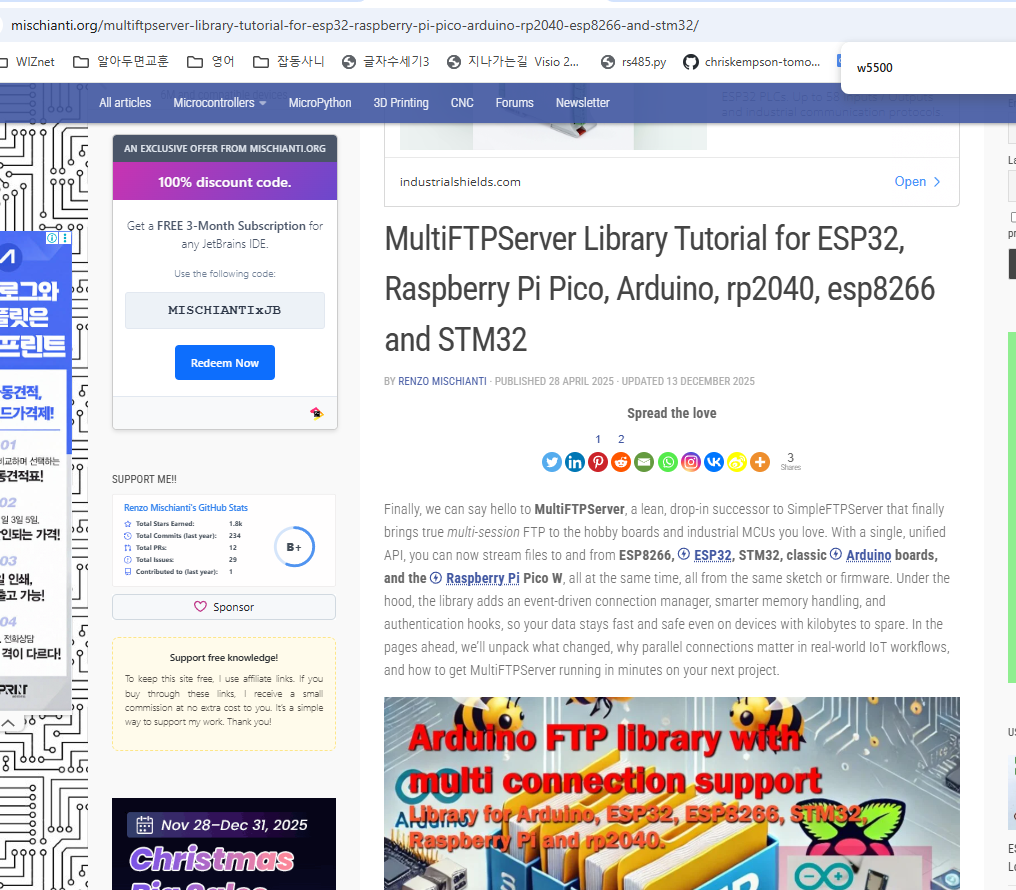
📂 SimpleFTPServer → MultiFTPServer
 |  |  |
콜백으로 상태 모니터링
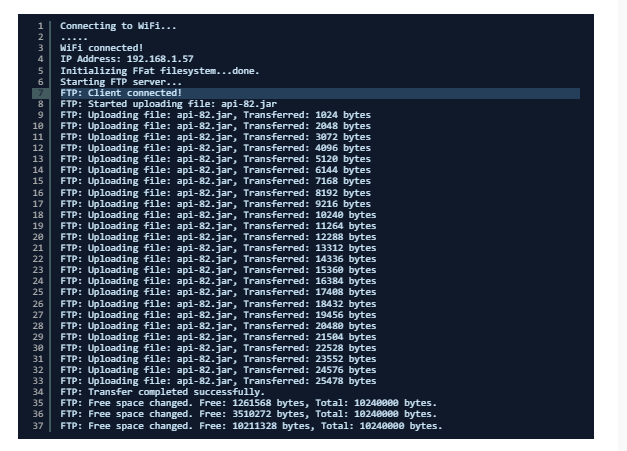
실시간 트랜스퍼 추적:
void ftpCallback(FtpOperation op, uint32_t free, uint32_t total) {
  if(op == FTP_UPLOAD) {
    Serial.printf("업로드: %u/%u bytes\n", free, total);
  }
}

ftpSrv.setCallback(ftpCallback);
FileZilla 설정: 최대 연결수 = FTP_MAX_SESSIONS 값으로 맞춤
📊 MultiFTPServer 주요 구조
┌───────────────────────────────┐
| Microcontroller (ESP32/STM32)									 |
|                         																     |
|  ┌─────────────────────────┐  			|
|  | File System (SPIFFS/SD) 							  |			    |
|  └─────────────────────────┘  			|
|         						   │ FTP API						               |
|     MultiFTPServer Library       									   |
|            					│                  									    |
|  ┌─────────────────────────┐  		   |
|  |  Network Interface      								  |			    |
|  |  (Wi-Fi / W5500 / ENC ) 							⟶ Ethernet/IP Stack		|
|  └─────────────────────────┘ 			 |
└───────────────────────────────┘
FTP 서버 코드(FtpServer.h/cpp)는 클라이언트 커넥션을 관리하고,
네트워크 인터페이스는 Arduino Ethernet/Wi-Fi 드라이버에 위임됩니다.
💡 개발자 시나리오
REST 백엔드(MCU) + 웹 프론트엔드(Angular/React) 개발 시, SPIFFS/LittleFS에 웹 UI를 FTP로 직접 업로드하는 용도로 최적화했습니다.
IDE 업로드 → 느리고 번거로움
FTP(WinSCP) → 즉시 반영 + 멀티 세션#ifdef ESP32
if(SPIFFS.begin(true)) { // 자동 포맷
ftpSrv.begin("esp32","esp32"); // 계정/비번
}
#endif
void loop() {
ftpSrv.handleFTP(); // 세션 처리
}W5500 Ethernet 환경: Ethernet_Generic + MultiFTPServer 조합으로 안정적 파일 관리 가능
🎯 핵심 차별점: 멀티 세션 + WIZnet 지원
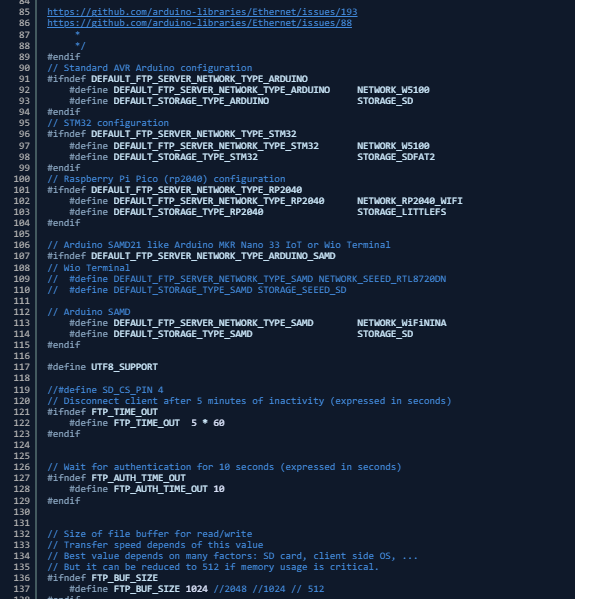
기존 SimpleFTPServer를 fork해 동시 FTP 세션(기본 2개)을 추가한 프로젝트로, WinSCP 편집 + 백그라운드 전송(큐)이 동시에 가능합니다.
기존 vs MultiFTPServer
SimpleFTPServer     → 단일 세션
MultiFTPServer      → FTP_MAX_SESSIONS (기본 2, 생성자 3번째 인수로 설정)
🛠 기술 분석 — 왜 MultiFTPServer가 유용한가?
FTP(File Transfer Protocol)는 파일 업로드/다운로드, 원격 파일 탐색·관리를 위한 표준 프로토콜입니다. 임베디드 시스템에서 FTP 서버를 제공하면 다음과 같은 이점이 있습니다:
- 로컬 네트워크에서 간단한 파일 전송/펌웨어 업로드
- 표준 FTP 클라이언트(FileZilla, Explorer, WinSCP)와 호환
- 디바이스 저장소(내부/SD)의 원격 제어
MultiFTPServer는 단순한 FTP 구현이 아니라 다음을 지원합니다:
✔ 여러 동시 FTP 세션 처리
✔ FTP RFC 명령 지원 (LIST, RETR, STOR, ALLO 등)
✔ 파일 시스템 플러그인 지원 (LittleFS/SPIFFS/FFAT/SD)
✔ UTF-8 파일명 지원
✔ 네트워크 드라이버 추상화 (Wi-Fi / Ethernet)
🎯 W5500 프로젝트 추천
1. 웹 UI 실시간 업데이트
   ESP32 + W5500 → FTP로 SPIFFS 교체

2. SD 로그 멀티 세션 업로드
   산업 IoT 데이터 수집

3. STM32 + W6100 파일 서버
   SdFat + 멀티 FTP
"웹 UI 실시간 업데이트"는 다음과 같은 개발 워크플로우를 의미합니다:
ESP32 + W5500 서버 동작 중 →
1. PC에서 HTML/CSS/JS 파일 수정
2. WinSCP로 FTP 접속 → SPIFFS/LittleFS에 바로 업로드
3. 즉시 반영 → 브라우저 새로고침 → 변경사항 확인
🎯 구체적 시나리오
현재: ESP32 웹 대시보드 (REST API + HTML UI)
├── 백엔드: W5500 TCP 서버 (안정적)
├── 프론트: SPIFFS에 저장된 웹 파일들
└── 문제: UI 변경 → 재컴파일 → 재플래싱 (번거로움!)

MultiFTPServer 도입 후:
1. WinSCP로 ESP32 IP 접속
2. index.html 수정 → 저장 (FTP 자동 업로드)
3. 브라우저 F5 → **실시간 반영!**
🧠 FAQ (WIZnet + MultiFTPServer)
Q1. MultiFTPServer가 W5500에서 작동하나요?
네. 라이브러리는 Arduino Ethernet 드라이버와 호환되도록 설계되어 있어, W5500과 같은 W5x00 칩셋 기반 모듈을 사용하는 유선 네트워크에서도 FTP 서버 기능을 사용할 수 있습니다.
Q2. 왜 FTP 서버를 임베디드 장치에 넣나요?
FTP를 이용하면 로컬 네트워크에서 쉽게 파일을 옮기고 관리할 수 있습니다. 펌웨어 업로드, 로그 다운로드, 설정 파일 편집 등을 표준 FTP 클라이언트와 손쉽게 수행할 수 있습니다.
Q3. Wi-Fi 대신 Ethernet을 쓰면 어떤 장점이 있나요?
유선 Ethernet은 간섭이 적고, 연결 품질이 예측 가능하며, 산업 현장 같은 환경에서도 지속적인 접속 안정성을 제공합니다. W5500 같은 NIC을 사용하면 CPU 부하를 줄이고 안정적인 FTP 운영이 가능합니다.
Q4. 어떤 저장장치를 지원하나요?
내부 SPIFFS/LittleFS/FFAT뿐 아니라 SD 카드(SdFat)도 지원합니다. 외부 저장장치는 대용량 파일 처리에 더 적합합니다.
Q5. 멀티 세션 FTP란 무엇인가요?
MultiFTPServer는 여러 사용자/클라이언트가 동시에 FTP 접속을 할 수 있도록 설계되었습니다. 이를 통해 다양한 클라이언트가 병렬로 파일 작업을 수행할 수 있습니다.
MultiFTPServer: How to Easily Implement an FTP Server in Embedded Systems
(Building an FTP Server on ESP32, ESP8266, STM32, and Arduino)
📌 Summary
MultiFTPServer is a lightweight open-source library that enables multi-session FTP server functionality in Arduino and MCU environments. It supports a wide range of platforms including ESP32, STM32, and RP2040, as well as multiple storage backends such as SPIFFS, LittleFS, and SD cards. With support for both Wi-Fi and Ethernet interfaces, MultiFTPServer allows developers to build flexible and efficient embedded file management servers quickly and reliably.
📖 Author: Renzo Mischianti (xreef)
Renzo Mischianti is a software developer and embedded/IoT library expert based in Gubbio, Italy.
He is well known in the Arduino and embedded systems community for creating practical, well-documented open-source libraries that simplify complex networking and hardware interactions on constrained devices.
Notable projects (279 followers):
🔥 PCF8574_library
📧 EMailSender (SMTP)
📡 EByte_LoRa_E22 (LoRa E22)
📂 SimpleFTPServer → MultiFTPServer | | |
📊 MultiFTPServer
┌───────────────────────────────┐
| Microcontroller (ESP32/STM32)									 |
|                         																     |
|  ┌─────────────────────────┐  			|
|  | File System (SPIFFS/SD) 							  |			    |
|  └─────────────────────────┘  			|
|         						   │ FTP API						               |
|     MultiFTPServer Library       									   |
|            					│                  									    |
|  ┌─────────────────────────┐  		   |
|  |  Network Interface      								  |			    |
|  |  (Wi-Fi / W5500 / ENC ) 							⟶ Ethernet/IP Stack		|
|  └─────────────────────────┘ 			 |
└───────────────────────────────┘
The FTP server code (FtpServer.h/.cpp) is responsible for managing client connections, while the underlying network interface is delegated to the Arduino Ethernet or Wi-Fi drivers.
💡 Developer Scenario
This setup is optimized for development workflows where an MCU-based REST backend is combined with a web frontend built using Angular or React.
In such cases, the web UI can be uploaded directly to SPIFFS or LittleFS via FTP, enabling fast iteration and easy deployment of frontend assets without reflashing firmware.
IDE Upload → Slow and cumbersome

FTP (e.g., WinSCP) → Instant updates + multi-session support
Example Code (ESP32 + SPIFFS)
#ifdef ESP32
if (SPIFFS.begin(true)) {      // Auto-format if needed
    ftpSrv.begin("esp32", "esp32");  // Username / Password
}
#endif

void loop() {
    ftpSrv.handleFTP();        // Handle FTP sessions
}
This example shows how to initialize SPIFFS on ESP32 and start the MultiFTPServer.
The handleFTP() function processes incoming FTP connections and supports multiple concurrent sessions.
🎯 Key Differentiator: Multi-Session Support + WIZnet Compatibility
MultiFTPServer is a fork of the original SimpleFTPServer, enhanced to support concurrent FTP sessions (two sessions by default).
This allows developers to use WinSCP file editing while background file transfers (queue-based operations) continue simultaneously.
SimpleFTPServer vs MultiFTPServer
| Library | Session Model |
|---|---|
| SimpleFTPServer | Single FTP session |
| MultiFTPServer | FTP_MAX_SESSIONS (default: 2, configurable via the third constructor parameter) |
🛠 Technical Analysis — Why MultiFTPServer Is Useful
FTP (File Transfer Protocol) is a standard protocol for file upload, download, remote browsing, and file management.
Providing an FTP server on an embedded system offers several practical advantages:
- Simple file transfer and firmware upload over a local network
- Compatibility with standard FTP clients (FileZilla, Windows Explorer, WinSCP)
- Remote management of device storage (internal flash or SD card)
MultiFTPServer goes beyond a basic FTP implementation by supporting:
✔ Multiple concurrent FTP sessions
✔ Standard FTP RFC commands (LIST, RETR, STOR, ALLO, and more)
✔ Pluggable file system backends (LittleFS, SPIFFS, FFAT, SD)
✔ UTF-8 filename support for international file systems
✔ Network driver abstraction (Wi-Fi and Ethernet)
🎯 Recommended W5500 Project Ideas
Real-Time Web UI Updates
 - ESP32 + W5500 → Update SPIFFS via FTP

Multi-Session SD Log Uploads
 - Industrial IoT data collection

STM32 + W6100 File Server
 - SdFat + multi-session FTP
The term “Real-Time Web UI Updates” refers to the following development workflow:
ESP32 + W5500 server running →

 - Modify HTML/CSS/JavaScript files on the PC
 - Connect via FTP using WinSCP → upload directly to SPIFFS/LittleFS
 - Changes are applied immediately → refresh the browser → verify the updates
🎯 Detailed Scenario
Current: ESP32 Web Dashboard (REST API + HTML UI)
├── Backend: W5500-based TCP server (stable and reliable)
├── Frontend: Web files stored in SPIFFS
└── Issue: UI changes → recompilation → reflashing (cumbersome!)


After Introducing MultiFTPServer
 - Connect to the ESP32 IP address using WinSCP
 - Edit index.html and save → automatic FTP upload
 - Press F5 in the browser → changes applied in real time!
🧠 FAQ (WIZnet + MultiFTPServer)
Q1. Does MultiFTPServer work with the W5500?
Yes. The library is designed to be compatible with the Arduino Ethernet driver, allowing FTP server functionality to run on wired networks using W5x00-based modules such as the W5500.
Q2. Why include an FTP server in an embedded device?
FTP makes it easy to transfer and manage files over a local network. Firmware uploads, log downloads, and configuration file editing can all be performed using standard FTP clients without requiring custom tools.
Q3. What are the advantages of using Ethernet instead of Wi-Fi?
Wired Ethernet is less susceptible to interference and provides more predictable connection quality. In industrial or noisy environments, it offers continuous and stable connectivity. Using an NIC like the W5500 also reduces CPU load and enables more reliable FTP operation.
Q4. Which storage devices are supported?
MultiFTPServer supports internal storage such as SPIFFS, LittleFS, and FFAT, as well as SD cards using SdFat. External storage is especially suitable for handling large files.
Q5. What is multi-session FTP?
MultiFTPServer is designed to allow multiple users or clients to connect to the FTP server simultaneously. This enables parallel file operations from different clients, improving productivity and flexibility during development and maintenance.