



How to Use DHCP with WIZnet W5500 on STC32G12K128?
This STC32G12K128 project uses the WIZnet W5500 Ethernet controller to obtain an IP address automatically through DHCP.
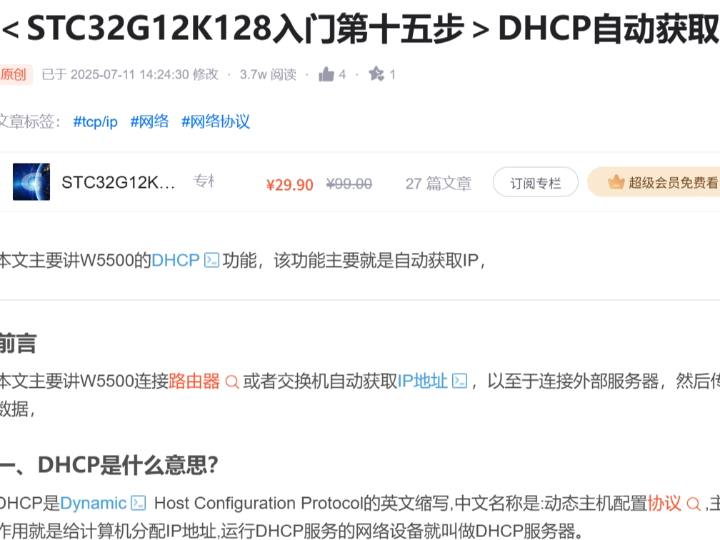
How to Use DHCP with WIZnet W5500 on STC32G12K128?
Summary
This STC32G12K128 project uses the WIZnet W5500 Ethernet controller to obtain an IP address automatically through DHCP. The W5500 provides the wired Ethernet interface and hardwired TCP/IP engine, while the STC32G12K128 controls the chip over SPI and uses DHCP so commercial devices can be connected to a router or switch without manual IP provisioning.
What the Project Does
The project demonstrates DHCP-based network provisioning on an STC32G12K128 microcontroller with a WIZnet W5500 Ethernet controller. The original article states that the goal is to let W5500 connect to a router or switch, automatically obtain an IP address, and then connect to an external server for data transmission.
At the network-stack level, the device behaves as a DHCP client. It broadcasts a DHCP Discover packet from source IP 0.0.0.0 to destination IP 255.255.255.255, using UDP client port 68 and server port 67. A DHCP server then responds with an available address through the DHCP Offer step.
For a commercial embedded product, this is a practical provisioning pattern. A factory-installed device can be shipped without a fixed IP address, plugged into a customer’s LAN, and assigned network parameters by the site router or DHCP server. That reduces installation friction and avoids support cases caused by duplicate static IP addresses, wrong gateways, or subnet mismatch.
Where WIZnet Fits
The exact WIZnet product is W5500. In this project, W5500 is the Ethernet controller and TCP/IP offload device between the STC32G12K128 firmware and the wired network. The MCU does not need to implement the Ethernet MAC, PHY, ARP, UDP, or socket buffering entirely in software. Instead, it configures W5500 through SPI and uses WIZnet socket and DHCP logic.
W5500 is well matched to this role because it is a hardwired TCP/IP stack internet controller with SPI access up to 80 MHz, embedded 10/100 Ethernet MAC and PHY, support for TCP, UDP, IPv4, ARP, ICMP, IGMP, and PPPoE, 8 independent sockets, and 32 KB internal Tx/Rx buffer memory.
For commercial deployments, those constraints matter. DHCP traffic is short but timing-sensitive, and the device must recover cleanly from link changes, router restarts, lease renewals, and installation mistakes. W5500 keeps the network interface deterministic from the MCU side: the STC32G12K128 mainly needs a reliable SPI driver, reset/link handling, DHCP state management, and a fallback policy when no DHCP server responds.
Implementation Notes
The accessible part of the CSDN article confirms W5500 DHCP usage, but it does not expose project-specific C source files or repository paths. Therefore, the code below is not copied from the project.
Conceptual integration example based on WIZnet ioLibrary
#include "wizchip_conf.h"
#include "dhcp.h"

static uint8_t dhcp_buf[1024];

void network_init(void)
{
    uint8_t tx_size[8] = {2,2,2,2,2,2,2,2};
    uint8_t rx_size[8] = {2,2,2,2,2,2,2,2};

    reg_wizchip_cs_cbfunc(w5500_select, w5500_deselect);
    reg_wizchip_spi_cbfunc(w5500_spi_read, w5500_spi_write);

    wizchip_init(tx_size, rx_size);

    DHCP_init(0, dhcp_buf);       // use W5500 socket 0 for DHCP
}
This setup shows the required layering: the STC32G12K128 first provides W5500 chip-select and SPI byte-access functions, then initializes W5500 socket buffers, then starts the DHCP client on one socket. WIZnet’s ioLibrary is MCU-independent and includes DHCP, DNS, MQTT, SNTP, TFTP, and HTTP server support; its DHCP header exposes DHCP_init(), DHCP_run(), DHCP_time_handler(), and functions for reading assigned IP, gateway, subnet, and DNS values.
void network_task(void)
{
    uint8_t state = DHCP_run();

    if (state == DHCP_IP_LEASED) {
        uint8_t ip[4], gw[4], sn[4], dns[4];

        getIPfromDHCP(ip);
        getGWfromDHCP(gw);
        getSNfromDHCP(sn);
        getDNSfromDHCP(dns);

        // Store or print the assigned network parameters here.
    }
}
This loop represents the commercial behavior the project is trying to achieve: the product waits for DHCP assignment, records the assigned network parameters, and only then proceeds to higher-level client logic such as connecting to a server or reporting data.
Practical Tips / Pitfalls
- Verify the SPI layer before debugging DHCP. If the MCU cannot read W5500 registers reliably, DHCP will fail even when the network is healthy.
- Check link status before starting DHCP. A disconnected cable, wrong magnetics, or bad RJ45 path should be detected before the DHCP client enters retry logic.
- Reserve one W5500 socket for DHCP during provisioning. W5500 supports 8 independent sockets, but DHCP still needs a socket and buffer space during address acquisition.
- Add a timeout policy. Commercial firmware should decide whether to retry DHCP, fall back to a stored static IP, enter service mode, or report an installation error.
- Log assigned IP, gateway, subnet, DNS, and lease state over UART or a service interface. This reduces field-support time during installation.
- Handle lease renewal and link recovery. Routers can restart, cables can be unplugged, and leases can expire while the product is already running.
FAQ
Q: Why use WIZnet W5500 for DHCP on STC32G12K128?
A: W5500 provides a hardwired TCP/IP stack, embedded Ethernet MAC/PHY, UDP support, 8 sockets, and internal Tx/Rx buffers. That lets the STC32G12K128 firmware focus on DHCP state handling and application logic instead of maintaining a full software network stack.
Q: How does W5500 connect to the STC32G12K128 platform?
A: W5500 connects through SPI. The MCU must provide SPI read/write functions and chip-select control, then register those functions with WIZnet ioLibrary before using DHCP or socket APIs.
Q: What role does W5500 play in this project?
A: W5500 is the wired Ethernet interface and socket engine. It handles the Ethernet-side transport required for DHCP Discover, Offer, Request, and Acknowledgment flow, then exposes the resulting IP configuration to the MCU firmware.
Q: Can beginners follow this project?
A: It is suitable for developers who already understand basic C firmware, SPI, IP addressing, and UART debugging. The project is more commercial than classroom-oriented because the key value is automatic LAN provisioning for deployed embedded devices.
Q: What should be checked first if DHCP does not assign an IP address?
A: Check W5500 SPI communication, reset timing, PHY link status, router DHCP service, LAN cable, subnet environment, socket allocation, and whether the 1-second DHCP timer handler is being called. DHCP uses UDP ports 68 and 67, so packet filtering or an unusual network policy can also block assignment.
Source
Original article: CSDN, “<STC32G12K128入门第十五步>DHCP自动获取IP,” first published on 2024-10-02 and updated on 2025-07-11. The accessible article text confirms W5500 DHCP use but does not expose complete project source code.
License: the CSDN search listing reports CC 4.0 BY-SA; verify the article page before republication.
WIZnet product reference: W5500 documentation and ioLibrary Driver documentation.
Tags
#W5500 #WIZnet #STC32G12K128 #DHCP #Ethernet #SPI #ioLibrary #EmbeddedC #NetworkStack #Commercial #Provisioning #TCPIP
STC32G12K128에서 WIZnet W5500으로 DHCP를 사용하는 방법은?
요약
이 STC32G12K128 프로젝트는 WIZnet W5500 이더넷 컨트롤러를 사용해 DHCP로 IP 주소를 자동 할당받는 예제입니다. W5500은 유선 이더넷 인터페이스와 하드웨어 TCP/IP 엔진을 제공하고, STC32G12K128은 SPI로 W5500을 제어합니다. DHCP를 사용하면 상용 장치를 라우터나 스위치에 연결할 때 수동 IP 설정 없이 네트워크에 투입할 수 있습니다.
프로젝트가 하는 일
이 프로젝트는 STC32G12K128 마이크로컨트롤러와 WIZnet W5500 이더넷 컨트롤러를 사용해 DHCP 기반 네트워크 설정을 구현합니다. 원문 글의 목표는 W5500을 라우터 또는 스위치에 연결하고, IP 주소를 자동으로 받은 뒤, 외부 서버에 연결해 데이터를 전송하는 것입니다.
네트워크 스택 관점에서 이 장치는 DHCP 클라이언트로 동작합니다. 장치는 소스 IP 0.0.0.0에서 목적지 IP 255.255.255.255로 DHCP Discover 패킷을 브로드캐스트합니다. 이때 UDP 클라이언트 포트는 68, 서버 포트는 67을 사용합니다. 이후 DHCP 서버가 사용 가능한 주소를 DHCP Offer 단계에서 응답합니다.
상용 임베디드 제품에서는 이런 방식이 실용적입니다. 제품 출하 시 고정 IP를 미리 지정하지 않아도 되고, 고객 현장의 LAN에 연결하면 라우터나 DHCP 서버가 네트워크 정보를 자동으로 할당합니다. 이 방식은 중복 IP, 잘못된 게이트웨이, 서브넷 불일치로 인한 설치 문제를 줄입니다.
WIZnet이 들어가는 위치
이 프로젝트에서 사용되는 WIZnet 제품은 W5500입니다. W5500은 STC32G12K128 펌웨어와 유선 네트워크 사이에 위치하는 이더넷 컨트롤러이자 TCP/IP 오프로딩 장치입니다. MCU가 Ethernet MAC, PHY, ARP, UDP, 소켓 버퍼링을 모두 소프트웨어로 직접 구현하는 구조가 아니라, SPI를 통해 W5500을 설정하고 WIZnet 소켓 및 DHCP 로직을 사용합니다.
W5500은 이 역할에 적합합니다. W5500은 하드웨어 TCP/IP 스택 기반 인터넷 컨트롤러이며, 최대 80 MHz SPI 접근, 내장 10/100 Ethernet MAC 및 PHY, TCP, UDP, IPv4, ARP, ICMP, IGMP, PPPoE 지원, 8개 독립 소켓, 32 KB 내부 Tx/Rx 버퍼를 제공합니다.
상용 환경에서는 이런 제약 조건이 중요합니다. DHCP 트래픽 자체는 짧지만 타이밍과 복구 처리가 중요합니다. 장치는 링크 변경, 라우터 재시작, 임대 갱신, 설치 실수 상황에서 안정적으로 회복해야 합니다. W5500은 MCU 관점에서 네트워크 인터페이스를 단순하고 예측 가능하게 만들어 줍니다. STC32G12K128 펌웨어는 안정적인 SPI 드라이버, 리셋 및 링크 처리, DHCP 상태 관리, DHCP 서버가 응답하지 않을 때의 정책에 집중하면 됩니다.
구현 참고 사항
접근 가능한 CSDN 글에서는 W5500 DHCP 사용을 확인할 수 있지만, 프로젝트별 C 소스 파일이나 저장소 경로는 완전하게 공개되어 있지 않습니다. 따라서 아래 코드는 해당 프로젝트에서 복사한 코드가 아닙니다.
WIZnet ioLibrary 기반 개념적 통합 예제
#include "wizchip_conf.h"
#include "dhcp.h"

static uint8_t dhcp_buf[1024];

void network_init(void)
{
    uint8_t tx_size[8] = {2,2,2,2,2,2,2,2};
    uint8_t rx_size[8] = {2,2,2,2,2,2,2,2};

    reg_wizchip_cs_cbfunc(w5500_select, w5500_deselect);
    reg_wizchip_spi_cbfunc(w5500_spi_read, w5500_spi_write);

    wizchip_init(tx_size, rx_size);

    DHCP_init(0, dhcp_buf);       // W5500 socket 0을 DHCP용으로 사용
}
이 구성은 필요한 계층 구조를 보여줍니다. STC32G12K128은 먼저 W5500 칩 셀렉트와 SPI 바이트 접근 함수를 제공해야 합니다. 이후 W5500 소켓 버퍼를 초기화하고, 하나의 소켓에서 DHCP 클라이언트를 시작합니다. WIZnet ioLibrary는 MCU에 독립적인 구조이며 DHCP, DNS, MQTT, SNTP, TFTP, HTTP 서버 기능을 포함합니다. DHCP 관련 API에는 DHCP_init(), DHCP_run(), DHCP_time_handler(), 할당된 IP, 게이트웨이, 서브넷, DNS 값을 읽는 함수들이 포함됩니다.
void network_task(void)
{
    uint8_t state = DHCP_run();

    if (state == DHCP_IP_LEASED) {
        uint8_t ip[4], gw[4], sn[4], dns[4];

        getIPfromDHCP(ip);
        getGWfromDHCP(gw);
        getSNfromDHCP(sn);
        getDNSfromDHCP(dns);

        // 할당된 네트워크 파라미터를 저장하거나 출력한다.
    }
}
이 루프는 프로젝트가 달성하려는 상용 동작을 나타냅니다. 제품은 DHCP 할당을 기다리고, 할당된 네트워크 정보를 기록한 뒤, 서버 연결이나 데이터 보고 같은 상위 애플리케이션 로직으로 넘어갑니다.
실무 팁 / 주의점
- DHCP를 디버깅하기 전에 SPI 계층부터 확인해야 합니다. MCU가 W5500 레지스터를 안정적으로 읽지 못하면 네트워크가 정상이어도 DHCP는 실패합니다.
- DHCP를 시작하기 전에 링크 상태를 확인해야 합니다. 케이블 미연결, 잘못된 마그네틱 회로, RJ45 경로 문제는 DHCP 재시도 로직에 들어가기 전에 감지하는 것이 좋습니다.
- 프로비저닝 중에는 W5500 소켓 하나를 DHCP용으로 확보해야 합니다. W5500은 8개 독립 소켓을 지원하지만, DHCP 주소 획득 중에도 소켓과 버퍼 공간이 필요합니다.
- 타임아웃 정책을 넣어야 합니다. 상용 펌웨어는 DHCP 재시도, 저장된 고정 IP로 폴백, 서비스 모드 진입, 설치 오류 보고 중 어떤 동작을 할지 결정해야 합니다.
- 할당된 IP, 게이트웨이, 서브넷, DNS, 임대 상태를 UART나 서비스 인터페이스로 로그 출력하는 것이 좋습니다. 현장 설치 지원 시간을 줄일 수 있습니다.
- 임대 갱신과 링크 복구를 처리해야 합니다. 제품이 이미 동작 중인 상태에서도 라우터가 재시작되거나, 케이블이 분리되거나, DHCP 임대 시간이 만료될 수 있습니다.
FAQ
Q: STC32G12K128에서 DHCP를 구현할 때 왜 WIZnet W5500을 사용하나요?
A: W5500은 하드웨어 TCP/IP 스택, 내장 Ethernet MAC/PHY, UDP 지원, 8개 소켓, 내부 Tx/Rx 버퍼를 제공합니다. STC32G12K128 펌웨어는 전체 소프트웨어 네트워크 스택 유지보수보다 DHCP 상태 처리와 애플리케이션 로직에 집중할 수 있습니다.
Q: W5500은 STC32G12K128 플랫폼에 어떻게 연결하나요?
A: W5500은 SPI로 연결합니다. MCU는 SPI 읽기/쓰기 함수와 칩 셀렉트 제어 함수를 제공해야 하며, DHCP나 소켓 API를 사용하기 전에 이 함수들을 WIZnet ioLibrary에 등록해야 합니다.
Q: 이 프로젝트에서 W5500은 어떤 역할을 하나요?
A: W5500은 유선 이더넷 인터페이스이자 소켓 엔진 역할을 합니다. DHCP Discover, Offer, Request, Acknowledgment 흐름에 필요한 이더넷 전송을 처리하고, 그 결과로 얻은 IP 설정을 MCU 펌웨어에 제공합니다.
Q: 초보자도 따라할 수 있나요?
A: 기본 C 펌웨어, SPI, IP 주소 체계, UART 디버깅을 이해하고 있다면 따라갈 수 있습니다. 다만 이 프로젝트는 교육용 기초 실습보다는 실제 배포형 임베디드 장치의 자동 LAN 설정이라는 상용 목적에 더 가깝습니다.
Q: DHCP로 IP가 할당되지 않을 때 무엇을 먼저 확인해야 하나요?
A: W5500 SPI 통신, 리셋 타이밍, PHY 링크 상태, 라우터의 DHCP 서비스, LAN 케이블, 서브넷 환경, 소켓 할당, 1초 주기의 DHCP 타이머 핸들러 호출 여부를 먼저 확인해야 합니다. DHCP는 UDP 포트 68과 67을 사용하므로, 패킷 필터링이나 특수한 네트워크 정책도 원인이 될 수 있습니다.
출처
Original article: CSDN, “<STC32G12K128入门第十五步>DHCP自动获取IP,” 2024-10-02 게시, 2025-07-11 업데이트. 접근 가능한 글에서는 W5500 DHCP 사용을 확인할 수 있지만, 전체 프로젝트 소스 코드는 공개되어 있지 않습니다.
License: CSDN 검색 목록에서는 CC 4.0 BY-SA로 표시되지만, 재게시 전 원문 페이지에서 라이선스를 다시 확인하는 것이 좋습니다.
WIZnet product reference: W5500 documentation and ioLibrary Driver documentation.
태그
#W5500 #WIZnet #STC32G12K128 #DHCP #Ethernet #SPI #ioLibrary #EmbeddedC #NetworkStack #Commercial #Provisioning #TCPIP