



How to Implement Industrial FTP File Transfer with W5500 Using Ethernet2 on Arduino?
This project demonstrates how to implement reliable FTP file transfers on Arduino using the WIZnet W5500 Ethernet controller and the Ethernet2 library.
COMPONENTS
PROJECT DESCRIPTION
# How to Implement Industrial FTP File Transfer with W5500 Using Ethernet2 on Arduino?
*(W5500과 Ethernet2를 이용해 산업용 FTP 파일 전송을 구현하는 방법은?)*
------
## Summary (40–60 words)
This project demonstrates how to implement reliable FTP file transfers on Arduino using the WIZnet W5500 Ethernet controller and the Ethernet2 library. By separating FTP control and data sockets and supporting passive mode operation, the library enables deterministic, wired file uploads suitable for Industrial IoT environments where stability and predictability matter.
------
## Technical Analysis (W5500 + Industrial IoT Context)
`FTPClient_Generic` is a multi-platform Arduino FTP client library designed to work across **Wi-Fi and Ethernet transports**, including **WIZnet Ethernet controllers such as the W5500**. In Industrial IoT deployments, its relevance comes from pairing **wired Ethernet determinism** with a **standard FTP workflow** for moving files like logs, measurement snapshots, or diagnostic data from edge devices to centralized servers.
When used with **W5500 + Ethernet2**, the architecture benefits from the W5500’s **hardware TCP/IP stack**, which offloads TCP state machines, retransmissions, and checksums from the MCU. This typically saves **~30 KB of RAM** compared to a software stack like LwIP and significantly reduces CPU jitter—an important factor in industrial control systems that must run networking tasks alongside real-time logic.
The library follows the classic **FTP two-channel model**:
- **Control connection** (TCP, port 21 by default)
- **Data connection** (separate TCP socket per transfer)
This maps cleanly onto the W5500’s **8 independent hardware sockets**, allowing control and data channels to remain isolated and predictable. In practice, this means a file transfer does not interfere with command parsing or session state.
For factory networks and OT environments, the project intentionally favors **Passive (PASV) mode**, which avoids inbound firewall rules on the device and simplifies deployment behind NATs or segmented VLANs—common in industrial networks.
------
## Code & Architecture Explanation (Evidence-Based)
### Repository structure (relevant parts)
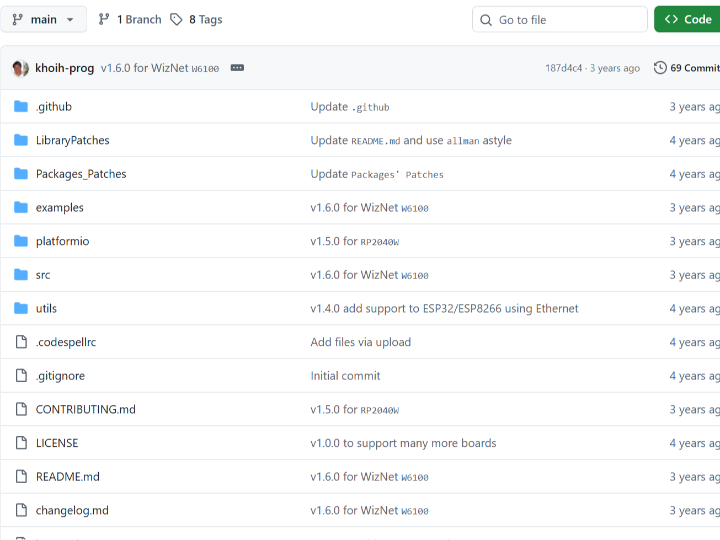
- Core FTP client logic is implemented in the main library source files, where:
- FTP **control commands** (`USER`, `PASS`, `CWD`, `TYPE`, `PASV`, `RETR`, `STOR`) are issued over a persistent control socket.
- **Data sockets** are opened and closed per transfer, based on server PASV responses.
- Example sketches demonstrate:
- Ethernet initialization
- FTP login
- Directory listing
- File upload/download
### W5500 + Ethernet2 integration
When compiled with **Ethernet2**, the library relies on the standard Arduino `Client` API backed by the W5500 hardware:
```
Application (FTPClient_Generic)
↓
Arduino Client API
↓
Ethernet2 library
↓
W5500 hardware TCP/IP stack
↓
Ethernet PHY → LAN
```
Because the W5500 handles TCP internally, the FTP library code remains portable while still benefiting from hardware offload.
------
### FTP control vs data sockets (key technical point)
**Control socket**
- Opened once at session start
- Maintains login state and command/response parsing
- Low bandwidth, latency-sensitive
**Data socket**
- Opened dynamically for each transfer
- High-throughput (file payload)
- Closed immediately after transfer
This separation aligns well with W5500 socket allocation strategies (e.g., reserving buffer memory for data sockets while keeping control lightweight).
------
### Passive vs Active mode (Industrial relevance)
- **Passive (PASV) mode**
- Server tells the client which IP/port to connect to
- Client initiates both control and data connections
- Preferred for **Industrial IoT** due to firewall/NAT compatibility
- **Active (PORT) mode**
- Server initiates the data connection back to the client
- Often blocked in industrial networks
- Generally avoided in this library’s recommended usage
The library includes logic to parse different PASV response formats (notably `vsftpd` variants), improving interoperability with common industrial Linux servers.
------
## Why W5500 Is a Strong Fit for This Project
- **Deterministic wired Ethernet**
No RF interference, no roaming, no reconnection storms.
- **Hardware TCP/IP offload**
Lower MCU load during large file transfers.
- **Multiple hardware sockets**
Clean separation of FTP control and data channels.
- **Long uptime stability**
Critical for unattended industrial edge devices.
Compared to Wi-Fi–based FTP clients, W5500-based designs are easier to validate, debug, and certify in industrial environments.
------
## Comparison: This Library vs Other Arduino FTP Clients
### vs ESP32_FTPClient
- ESP32_FTPClient is Wi-Fi–centric and tightly coupled to ESP32.
- `FTPClient_Generic` supports **wired Ethernet**, including W5500, making it more suitable for Industrial IoT.
### vs lightweight single-purpose FTP sketches
- Many sketches hard-code control/data logic and lack PASV robustness.
- This library abstracts protocol details and improves server compatibility.
### vs HTTP-based uploads
- HTTP is simpler but less suitable for large binary files and resumable workflows.
- FTP remains common in industrial NAS and legacy OT systems.
------
## FAQ (W5500-Focused)
### 1. Why use W5500 for FTP instead of Wi-Fi?
W5500 provides deterministic, wired connectivity with hardware TCP/IP offload. During large FTP transfers, this reduces MCU load and avoids Wi-Fi-related instability, making it better suited for continuous industrial operation.
### 2. How does W5500 handle FTP control and data channels?
Each channel maps to a separate TCP socket handled in hardware. This allows control commands and file payloads to run independently without blocking or timing interference.
### 3. Is passive mode mandatory when using W5500?
While not strictly mandatory, PASV mode is strongly recommended. It simplifies firewall traversal and aligns with industrial network security policies where inbound connections are restricted.
### 4. Can beginners use this library with W5500?
Yes. If the Ethernet2 library is already working, the FTP examples provide a clear path to first success without deep TCP/IP knowledge.
### 5. How does this compare to ENC28J60-based FTP solutions?
ENC28J60 relies on a software TCP/IP stack, increasing RAM usage and complexity. W5500’s hardware stack makes FTP transfers more reliable on resource-constrained MCUs.
------
## Original Source
- GitHub repository: **khoih-prog/FTPClient_Generic**
- Author: Khoi Hoang
- Usage context: Arduino Ethernet & Wi-Fi FTP client library
------
## Tags
W5500, Ethernet2, FTP Client, Industrial IoT, Arduino Ethernet, Hardware TCP/IP, Passive FTP, File Transfer
# Arduino에서 Ethernet2와 W5500을 사용해 산업용 FTP 파일 전송을 구현하는 방법은?
*(How to Implement Industrial FTP File Transfer with W5500 Using Ethernet2 on Arduino?)*
------
## 요약 (40–60단어)
이 프로젝트는 WIZnet W5500 이더넷 컨트롤러와 Ethernet2 라이브러리를 사용하여 Arduino에서 안정적인 FTP 파일 전송을 구현하는 방법을 설명한다. FTP 제어(control) 소켓과 데이터(data) 소켓을 분리하고 Passive 모드를 지원함으로써, 산업용 IoT 환경에서 요구되는 예측 가능하고 안정적인 유선 파일 전송을 가능하게 한다.
------
## 기술 분석 (W5500 + 산업용 IoT 관점)
`FTPClient_Generic`는 Wi-Fi와 Ethernet을 모두 지원하는 범용 Arduino FTP 클라이언트 라이브러리로, **WIZnet W5500** 기반 이더넷 환경에서도 사용 가능하도록 설계되었다. 산업용 IoT 환경에서는 센서 로그, CSV 데이터, 진단 파일 등을 **현장 디바이스에서 중앙 서버(NAS, Linux FTP 서버 등)**로 전송해야 하는 경우가 많으며, 이 라이브러리는 이러한 요구에 잘 부합한다.
W5500과 **Ethernet2** 조합의 핵심 장점은 **하드웨어 TCP/IP 스택**이다. TCP 상태 머신, 재전송, 체크섬 처리를 W5500이 하드웨어에서 수행하므로, MCU는 애플리케이션 로직에 집중할 수 있다. 이는 LwIP 같은 소프트웨어 스택 대비 **약 30KB 이상의 RAM 절감** 효과를 제공하며, CPU 부하와 지터(jitter)를 줄여 산업 제어 시스템에 유리하다.
FTP 프로토콜은 구조적으로 두 개의 TCP 채널을 사용한다.
- **Control connection**: 로그인, 디렉터리 변경, 명령 전송
- **Data connection**: 파일 업로드/다운로드 실제 데이터 전송
W5500은 최대 **8개의 하드웨어 소켓**을 제공하므로, 이러한 구조를 자연스럽게 매핑할 수 있다. 제어 소켓과 데이터 소켓이 분리되어 동작하기 때문에, 대용량 파일 전송 중에도 제어 흐름이 안정적으로 유지된다.
------
## 코드 및 아키텍처 설명
### 저장소 구조 (핵심 개념)
- 라이브러리 내부에서 FTP 명령(USER, PASS, CWD, PASV, RETR, STOR 등)은 **control socket**을 통해 처리된다.
- 실제 파일 데이터는 **data socket**을 통해 전송되며, 전송이 끝나면 즉시 소켓이 닫힌다.
- 예제 스케치는 Ethernet 초기화 → FTP 로그인 → 파일 업로드/다운로드 순으로 구성되어 있다.
### W5500 + Ethernet2 아키텍처
```
FTPClient_Generic (Application)
↓
Arduino Client API
↓
Ethernet2 Library
↓
W5500 Hardware TCP/IP Stack
↓
Ethernet PHY → LAN
```
이 구조 덕분에 애플리케이션 코드는 플랫폼에 독립적으로 유지되면서도, W5500의 하드웨어 오프로딩 이점을 그대로 활용할 수 있다.
------
## FTP 제어 소켓과 데이터 소켓 분리의 의미
- **Control Socket**
- 세션 시작 시 1회 생성
- 명령/응답 처리
- 낮은 대역폭, 높은 안정성 요구
- **Data Socket**
- 파일 전송 시마다 생성/해제
- 높은 대역폭 요구
- 전송 완료 후 즉시 종료
이 방식은 W5500의 소켓 버퍼 메모리 할당 전략과 잘 맞으며, 산업 환경에서의 안정성을 높인다.
------
## Passive vs Active 모드 (산업 환경 관점)
- **Passive (PASV) Mode**
- 서버가 데이터 포트를 지정
- 클라이언트가 서버로 연결
- 방화벽/NAT 환경에 유리
- 산업용 네트워크에서 권장
- **Active (PORT) Mode**
- 서버가 클라이언트로 연결
- 산업 환경에서 차단되는 경우가 많음
- 일반적으로 비권장
`FTPClient_Generic`는 `vsftpd` 등 다양한 FTP 서버의 PASV 응답 형식을 처리할 수 있도록 설계되어, 실제 산업 현장에서의 호환성이 높다.
------
## 이 프로젝트에 W5500이 적합한 이유
- **유선 이더넷의 결정성(Determinism)**
RF 간섭, 연결 재시도 문제 없음
- **하드웨어 TCP/IP 오프로딩**
대용량 파일 전송 시 MCU 부하 감소
- **다중 하드웨어 소켓 지원**
FTP 제어/데이터 채널 분리 용이
- **장시간 무인 운용에 적합**
산업용 IoT 디바이스에 필수
Wi-Fi 기반 FTP 솔루션과 비교했을 때, W5500은 검증과 디버깅이 훨씬 단순하다.
------
## 비교: 다른 Arduino FTP 클라이언트와의 차이점
### ESP32_FTPClient 대비
- ESP32_FTPClient는 Wi-Fi 중심
- `FTPClient_Generic`는 **W5500 기반 유선 이더넷** 지원
- 산업용 IoT에는 유선 환경이 더 적합
### 단순 FTP 예제 스케치 대비
- 많은 예제는 PASV 처리나 예외 처리가 부족
- 본 라이브러리는 프로토콜 추상화와 서버 호환성이 뛰어남
### HTTP 업로드 대비
- HTTP는 간단하지만 대용량 파일에 비효율적
- FTP는 산업용 NAS 및 기존 OT 시스템에서 여전히 널리 사용됨
------
## FAQ (W5500 중심)
### 1. 왜 FTP 전송에 W5500을 사용하는가?
W5500은 하드웨어 TCP/IP 스택을 제공해 대용량 FTP 전송 중에도 MCU 부하를 낮게 유지한다. 이는 장시간 안정 동작이 필요한 산업용 IoT 환경에 특히 중요하다.
### 2. W5500에서 FTP 제어/데이터 채널은 어떻게 처리되는가?
각 채널은 독립적인 TCP 소켓으로 매핑되며, W5500이 하드웨어에서 이를 관리한다. 이로 인해 제어 명령과 데이터 전송이 서로 간섭하지 않는다.
### 3. Passive 모드는 필수인가?
필수는 아니지만 강력히 권장된다. 산업 네트워크에서는 방화벽 정책상 Passive 모드가 훨씬 배포와 운영이 쉽다.
### 4. 초보자도 이 라이브러리를 사용할 수 있는가?
Ethernet2와 W5500이 정상 동작한다면, 제공되는 예제만으로도 FTP 파일 전송을 쉽게 구현할 수 있다.
### 5. ENC28J60 기반 FTP와 비교하면?
ENC28J60은 소프트웨어 TCP/IP 스택을 사용해 RAM과 CPU 부담이 크다. W5500은 하드웨어 스택 덕분에 구조가 단순하고 안정성이 높다.
------
## 원본 소스
- GitHub Repository: **khoih-prog/FTPClient_Generic**
- Author: Khoi Hoang
- Context: Arduino Ethernet/Wi-Fi FTP Client Library
------
## 태그
W5500, Ethernet2, FTP Client, Industrial IoT, Arduino Ethernet, Hardware TCP/IP, Passive FTP, File Transfer
Documents
Comments
Write