



How to Build a Smart Home Voice Assistant Using W5500 Ethernet and XiaoZhi AI?
This project demonstrates how to build a local smart home voice assistant using the XiaoZhi AI system with a WIZnet W5500 Ethernet controller.
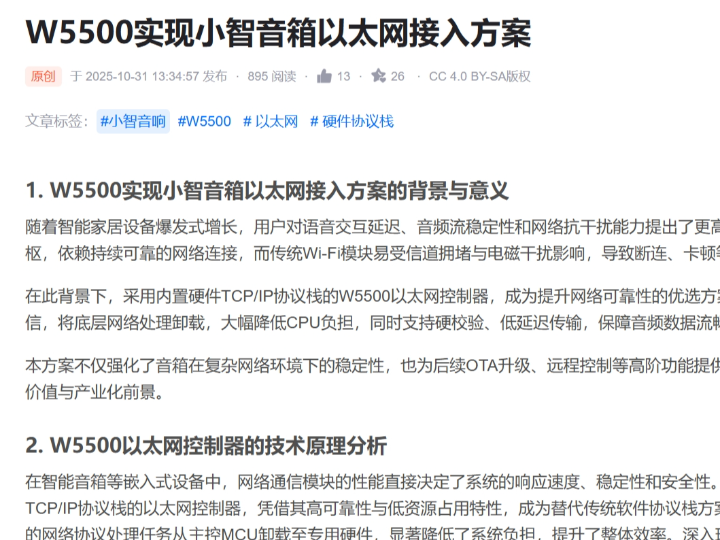
How to Build a Smart Home Voice Assistant Using W5500 Ethernet and XiaoZhi AI?
Summary
This project demonstrates how to build a local smart home voice assistant using the XiaoZhi AI system with a WIZnet W5500 Ethernet controller. The W5500 provides stable wired TCP/IP connectivity between the embedded device and a local AI server, enabling reliable voice processing, command execution, and smart home control without relying on Wi-Fi.
What the Project Does
The project describes a smart home voice interaction system where an embedded device communicates with a local XiaoZhi AI server over Ethernet.
The system architecture is divided into three layers.
Device Layer
- MCU-based embedded device
- WIZnet W5500 Ethernet controller
- Microphone for voice input
- Speaker or actuator for output
Network Layer
- Wired Ethernet communication
- TCP/IP handled by W5500 hardware stack
- Local router or LAN
AI Server Layer
- XiaoZhi AI local server
- Speech recognition and NLP processing
- Smart home control logic
Typical operation flow:
- User speaks a command into the device
- Device sends audio or request data to the local AI server
- Server performs speech recognition and intent analysis
- Server sends back control instructions
- Device executes actions (e.g., turn on lights, control appliances)
This approach enables low-latency, privacy-preserving smart home systems without cloud dependency.
Where WIZnet Fits
The WIZnet W5500 Ethernet controller is responsible for network communication between the device and the AI server.
Its role includes:
- Hardware TCP/IP protocol handling
- Stable wired Ethernet connectivity
- TCP socket management for continuous communication
- Offloading networking tasks from the MCU
Why this matters:
- Voice data transmission requires stable and continuous connectivity
- Reduced MCU load improves audio processing performance
- Deterministic latency improves real-time response
Compared to Wi-Fi, Ethernet provides more consistent and interference-free communication, which is critical for voice-based systems.
Implementation Notes
The original article explains system integration but does not provide a fully verifiable firmware repository. The following is a conceptual integration example based on WIZnet ioLibrary.
Conceptual integration example based on WIZnet ioLibrary
reg_wizchip_spi_cbfunc(spi_read, spi_write);
// Configure buffer sizes
uint8_t txsize[8] = {2,2,2,2,2,2,2,2};
uint8_t rxsize[8] = {2,2,2,2,2,2,2,2};
wizchip_init(txsize, rxsize);
// Network configuration
wiz_NetInfo netinfo = {
.mac = {0x00,0x08,0xDC,0x11,0x22,0x33},
.dhcp = NETINFO_DHCP
};
// Apply settings
wizchip_setnetinfo(&netinfo);
After initialization, the device can open TCP connections and communicate with the AI server using HTTP, WebSocket, or custom protocols.
Practical Tips / Pitfalls
- Use Ethernet instead of Wi-Fi for stable voice streaming
- Ensure reliable SPI communication between MCU and W5500
- Prefer static IP when connecting to a local AI server
- Implement reconnection logic for continuous operation
- Monitor socket usage for multiple services
- Optimize latency for real-time voice interaction
FAQ
Q: Why use W5500 for XiaoZhi AI systems?
A: It provides stable wired TCP/IP communication and reduces MCU load, which is critical for real-time voice processing.
Q: How does W5500 connect to the MCU?
A: Through SPI using MOSI, MISO, SCK, and CS pins, with optional RESET and interrupt pins.
Q: What role does W5500 play in this system?
A: It handles all network communication between the embedded device and the local AI server.
Q: Can beginners implement this project?
A: Yes, with basic knowledge of embedded systems, networking, and AI frameworks.
Q: Why use a local AI server instead of cloud AI?
A: It reduces latency, improves privacy, and removes dependency on internet connectivity.
Source
Original Article
https://blog.csdn.net/weixin_42598278/article/details/154240918
Tags
#W5500
#XiaoZhiAI
#SmartHome
#EmbeddedAI
#EthernetIoT
#IndustrialIoT
#EdgeAI
#MakerProject
How to Build a Smart Home Voice Assistant Using W5500 Ethernet and XiaoZhi AI?
Summary
이 프로젝트는 XiaoZhi AI 시스템과 WIZnet W5500 이더넷 컨트롤러를 사용하여 로컬 스마트홈 음성 비서를 구축하는 방법을 설명합니다. W5500은 임베디드 장치와 로컬 AI 서버 간 안정적인 유선 TCP/IP 연결을 제공하여 Wi-Fi 없이도 음성 처리, 명령 실행, 스마트홈 제어를 안정적으로 수행할 수 있도록 합니다.
What the Project Does
이 프로젝트는 임베디드 장치와 XiaoZhi AI 서버 간 음성 기반 상호작용 시스템을 설명합니다.
시스템 구조는 다음과 같이 구성됩니다.
Device Layer
- MCU 기반 임베디드 장치
- WIZnet W5500 이더넷 컨트롤러
- 음성 입력용 마이크
- 스피커 또는 제어 장치
Network Layer
- 유선 Ethernet 통신
- W5500 하드웨어 TCP/IP 처리
- 로컬 네트워크 또는 라우터
AI Server Layer
- XiaoZhi AI 로컬 서버
- 음성 인식 및 자연어 처리
- 스마트홈 제어 로직
동작 흐름:
- 사용자가 음성 명령 입력
- 장치가 Ethernet을 통해 AI 서버로 데이터 전송
- 서버가 음성 인식 및 의도 분석 수행
- 결과 명령을 장치로 반환
- 장치가 조명, 가전 등 제어 수행
이 구조는 클라우드 없이도 동작 가능한 저지연 로컬 AI 스마트홈 시스템을 구현할 수 있습니다.
Where WIZnet Fits
WIZnet W5500 이더넷 컨트롤러는 장치와 AI 서버 간 통신을 담당하는 핵심 네트워크 구성 요소입니다.
주요 역할:
- TCP/IP 프로토콜 하드웨어 처리
- 안정적인 유선 Ethernet 연결 제공
- 지속적인 TCP 소켓 통신 관리
- MCU 네트워크 처리 부하 감소
이 구조의 장점:
- 음성 데이터 스트리밍에 필요한 안정적인 연결 확보
- MCU 자원을 절약하여 오디오 처리 성능 향상
- 일정한 지연 시간으로 실시간 응답 개선
Wi-Fi 대비 Ethernet은 간섭이 적고 더 안정적인 통신 환경을 제공합니다.
Implementation Notes
원문에서는 시스템 구조를 설명하지만 전체 검증된 코드 저장소는 제공되지 않았습니다. 아래는 WIZnet ioLibrary 기반 개념적 예제입니다.
Conceptual integration example based on WIZnet ioLibrary
reg_wizchip_spi_cbfunc(spi_read, spi_write);
// 버퍼 설정
uint8_t txsize[8] = {2,2,2,2,2,2,2,2};
uint8_t rxsize[8] = {2,2,2,2,2,2,2,2};
wizchip_init(txsize, rxsize);
// 네트워크 설정
wiz_NetInfo netinfo = {
.mac = {0x00,0x08,0xDC,0x11,0x22,0x33},
.dhcp = NETINFO_DHCP
};
// 설정 적용
wizchip_setnetinfo(&netinfo);
초기화 이후 장치는 TCP 연결을 생성하여 HTTP, WebSocket 또는 사용자 정의 프로토콜을 통해 AI 서버와 데이터를 교환할 수 있습니다.
Practical Tips / Pitfalls
- 음성 스트리밍 환경에서는 Wi-Fi 대신 Ethernet 사용 권장
- MCU와 W5500 간 SPI 통신 안정성 확보
- 로컬 서버 연결 시 고정 IP 사용 권장
- 장시간 동작을 위한 재연결 로직 구현
- 다중 서비스 사용 시 소켓 수 관리
- 실시간 음성 처리 요구에 맞는 지연 시간 최적화
FAQ
Q: 왜 XiaoZhi AI 시스템에 W5500을 사용하나요?
A: 안정적인 유선 TCP/IP 통신과 낮은 MCU 부하를 제공하여 실시간 음성 처리에 적합합니다.
Q: W5500은 MCU와 어떻게 연결되나요?
A: MOSI, MISO, SCK, CS를 사용하는 SPI 인터페이스로 연결되며 RESET 및 인터럽트 핀을 추가로 사용할 수 있습니다.
Q: 이 시스템에서 W5500의 역할은 무엇인가요?
A: AI 장치와 로컬 서버 간 모든 네트워크 통신을 처리합니다.
Q: 초보자도 구현할 수 있나요?
A: 기본적인 임베디드 개발과 네트워크 개념을 이해하면 구현 가능합니다.
Q: 왜 클라우드 대신 로컬 AI 서버를 사용하나요?
A: 지연 시간 감소, 개인정보 보호, 인터넷 의존성 제거 등의 장점이 있습니다.
Source
Original Article
https://blog.csdn.net/weixin_42598278/article/details/154240918
Tags
#W5500
#XiaoZhiAI
#SmartHome
#EmbeddedAI
#EthernetIoT
#IndustrialIoT
#EdgeAI
#MakerProject