



How to Build a Reliable Industrial TCP Server with WIZnet W5500 on an MCU Platform?
This article explains a firmware-oriented Industrial IoT Ethernet design using the WIZnet W5500 as a TCP server with keepalive handling.
1. Title
How to Build a Reliable Industrial TCP Server with WIZnet W5500 on an MCU Platform?
2. Summary
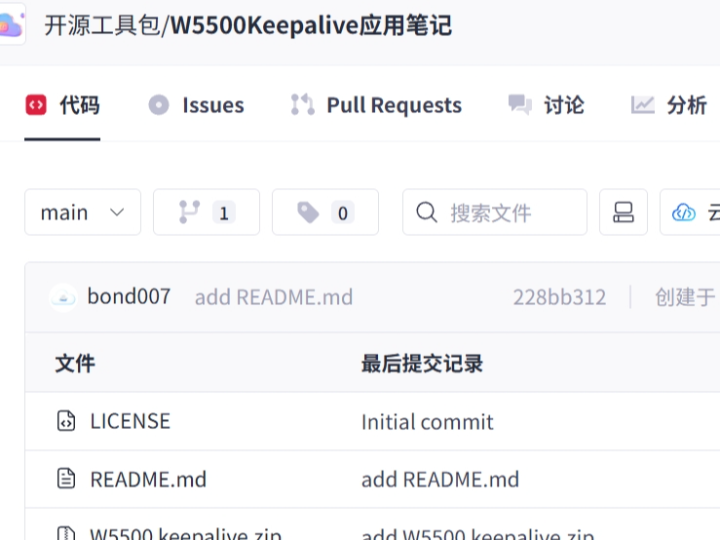
This article explains a firmware-oriented Industrial IoT Ethernet design using the WIZnet W5500 as a TCP server with keepalive handling. The verified GitCode project is listed as “W5500Keepalive应用笔记” and is described as a resource for implementing manual and automatic keep-alive packets in a W5500 TCP Server. In this architecture, the MCU firmware manages device logic, socket policy, timeout handling, and recovery, while W5500 provides the hardwired TCP/IP stack, 10/100 Ethernet MAC/PHY, SPI host interface, eight sockets, and internal Tx/Rx buffering. The main firmware goal is not only to open a TCP connection, but to detect stale connections and recover predictably in long-running industrial networks.
3. What the Project Does
The GitCode project page is indexed as a W5500 Keepalive application note. The related CSDN page states that the resource explains how to implement manual and automatic keep-alive packet transmission in a W5500 TCP Server. It lists two code-example categories: one for manually sending keep-alive packets from a W5500 TCP Server, and another for automatically sending keep-alive packets without manual intervention to maintain connection stability.
For Industrial IoT firmware, this is an important topic. A TCP server in a factory, power cabinet, gateway, remote I/O unit, or monitoring device may remain connected for days or months. If a cable is removed, a client crashes, a switch drops a port, or a gateway changes state, the embedded TCP server must not remain stuck forever in an old socket state. The firmware must decide when a connection is still valid, when it should be closed, and when the socket should return to listening mode.
The practical data flow is:
Industrial device state → MCU firmware → W5500 TCP socket → Ethernet client.
The recovery flow is:
No useful traffic or broken peer → keepalive check → timeout or failed response → socket close → server socket reopen → client can reconnect.
This project is therefore best understood as a connection-lifetime management resource, not only a basic networking example. It is useful when building a W5500-based industrial TCP server that must recover from silent disconnects and field network interruptions.
4. Where WIZnet Fits
The WIZnet product in this architecture is W5500. WIZnet describes W5500 as a hardwired TCP/IP stack Internet controller that connects to an external MCU through SPI up to 80 MHz. It integrates a 10/100 Ethernet MAC and PHY, supports TCP, UDP, ICMP, IPv4, ARP, IGMP, and PPPoE, provides eight independent sockets, and includes 32 KB internal memory for Tx/Rx buffers.
In this project, W5500 is the Ethernet transport and TCP/IP offload boundary. The MCU firmware does not need to implement TCP packet generation, retransmission behavior, or Ethernet MAC/PHY logic from scratch. Instead, the firmware configures W5500 registers, opens a TCP server socket, monitors socket status, sends and receives payload data, and applies recovery policy when the connection becomes stale.
The key W5500 feature for this article is TCP keepalive behavior. A WIZnet keepalive reference explains that the Sn_KPALVTR register configures the keep-alive transmission interval for socket n, works only in TCP mode, and uses a 5-second unit. It also explains that automatic keepalive starts when Sn_KPALVTR > 0, while manual keepalive can be sent by writing the SEND_KEEP command to Sn_CR when Sn_KPALVTR = 0.
This matters in industrial firmware because a socket can otherwise remain in an established state even after the physical network path has failed. Keepalive gives the firmware and W5500 a method to confirm whether the remote peer still responds, then close and recover the socket when the connection is no longer valid.
5. Implementation Notes
The GitCode overview confirms the project topic, but the visible indexed page does not expose complete source files or a full firmware tree. The related CSDN page also says the resource contains manual and automatic keepalive examples, but does not expose enough source code in the visible article for a source-code audit. Therefore, this section does not claim exact repository file paths or hidden implementation details. It provides a firmware-level integration outline consistent with the verified project description and WIZnet keepalive behavior.
A practical Industrial IoT firmware structure can be divided into these modules:
Board layer: MCU clock, GPIO, SPI, W5500 chip select, W5500 reset, UART/debug log, watchdog, and link LED.
W5500 driver layer: SPI read/write, register access, socket open/close, send/receive, socket status read, and timeout interrupt handling.
Network configuration layer: MAC address, static IP or DHCP policy, subnet mask, gateway, DNS if needed, retry count, retry timeout, and link state.
TCP server layer: listen socket setup, accepted connection handling, payload receive, payload transmit, and disconnect cleanup.
Keepalive policy layer: automatic keepalive interval, manual keepalive trigger, idle timer, socket timeout handling, and reconnect policy.
Industrial application layer: Modbus TCP, command protocol, telemetry upload, remote I/O state, PLC/HMI communication, or local monitoring logic.
Conceptual integration example based on WIZnet ioLibrary:
/* Conceptual integration example based on WIZnet ioLibrary */

#define SOCK_SERVER 0
#define SERVER_PORT 5000

board_init();
spi_init_for_w5500();
w5500_hardware_reset();

wizchip_register_spi_callbacks();
wizchip_init(tx_rx_buffer_size);
network_configure_static_ip_or_dhcp();

/* Example: automatic keepalive interval.
   W5500 Sn_KPALVTR unit is 5 seconds, so 0x02 means about 10 seconds. */
setSn_KPALVTR(SOCK_SERVER, 0x02);

socket(SOCK_SERVER, Sn_MR_TCP, SERVER_PORT, 0);
listen(SOCK_SERVER);

while (1) {
    uint8_t state = getSn_SR(SOCK_SERVER);

    if (state == SOCK_ESTABLISHED) {
        int32_t rx_len = getSn_RX_RSR(SOCK_SERVER);

        if (rx_len > 0) {
            int32_t len = recv(SOCK_SERVER, rx_buf, sizeof(rx_buf));
            if (len > 0) {
                int32_t rsp_len = industrial_protocol_handle(rx_buf, len, tx_buf);
                if (rsp_len > 0) {
                    send(SOCK_SERVER, tx_buf, rsp_len);
                }
            }
        }
    } else if (state == SOCK_CLOSE_WAIT || state == SOCK_CLOSED) {
        close(SOCK_SERVER);
        socket(SOCK_SERVER, Sn_MR_TCP, SERVER_PORT, 0);
        listen(SOCK_SERVER);
    }

    handle_link_status();
    handle_socket_timeout_flags();
    feed_watchdog();
}
This is not copied from the GitCode project. It is a conceptual firmware pattern showing how a W5500 TCP server can combine socket status checks, automatic keepalive, receive handling, socket cleanup, and watchdog service.
For manual keepalive, the firmware policy is different. A WIZnet keepalive reference explains that when Sn_KPALVTR = 0, automatic keepalive is disabled and the host can issue a keepalive packet by writing the SEND_KEEP command to Sn_CR. This is useful when the firmware wants keepalive to be event-driven or timer-driven by the MCU instead of always using the W5500 automatic interval.
For automatic keepalive, the firmware configures Sn_KPALVTR with a nonzero value after socket setup. The keepalive reference explains that W5500 sends keepalive packets only after the socket reaches SOCK_ESTABLISHED and at least one send or receive has occurred with the peer. If the peer does not respond within the timeout process, the connection is closed and a timeout interrupt can be triggered.
6. Practical Tips / Pitfalls
Do not rely only on TCP established state. In field networks, a socket can appear established even when the physical or peer-side path has failed. Use keepalive, timeout flags, and link checks together.
Choose automatic or manual keepalive deliberately. Automatic keepalive is simpler for always-on industrial TCP servers. Manual keepalive is better when the MCU firmware needs direct control over timing or wants to send keepalive only under specific idle conditions.
Remember the Sn_KPALVTR unit. The WIZnet keepalive reference describes the register unit as 5 seconds. A value that looks small may still produce a longer field timeout than expected.
Recover the server socket explicitly. When a socket reaches CLOSE_WAIT, CLOSED, or a timeout condition, close it, reopen it, and return to listen mode. Do not wait for a full device reboot.
Log socket state transitions. Print or store events such as LISTEN, ESTABLISHED, keepalive enabled, timeout, close, and reopen. These logs are useful when diagnosing industrial network complaints.
Test with real failure cases. Pull the Ethernet cable, power off the client, kill the client application, unplug the switch uplink, and let the connection sit idle. A keepalive design is only meaningful if tested against silent failures.
Coordinate with watchdog policy. Keepalive should recover the socket. The watchdog should recover the whole device only when the firmware itself stops making progress.
7. FAQ
Why use WIZnet W5500 for this project?
W5500 is suitable because it provides a hardwired TCP/IP stack, integrated 10/100 Ethernet MAC/PHY, eight sockets, and 32 KB internal Tx/Rx buffer memory. For Industrial IoT firmware, this lets the MCU focus on device logic and recovery policy while W5500 handles Ethernet transport and TCP/IP socket behavior.
How does W5500 connect to the platform?
W5500 connects to an external MCU through SPI. The firmware normally controls SPI transactions, chip select, reset, socket registers, network parameters, and payload buffers. WIZnet documents W5500 as an SPI-connected hardwired TCP/IP controller for external MCU Ethernet connectivity.
What role does W5500 play in this project?
W5500 provides the TCP server transport layer. The MCU firmware opens and monitors sockets, handles keepalive policy, parses industrial payloads, and performs device control. W5500 handles MAC/PHY operation, TCP/IP stack behavior, socket state, and Tx/Rx buffering.
Can beginners follow this project?
Yes, if the firmware is tested step by step. Start with W5500 detection, IP configuration, TCP server listen mode, one client connection, normal send/receive, then automatic keepalive, then manual keepalive, and finally failure recovery tests.
Why is keepalive important in Industrial IoT?
Industrial devices often keep TCP connections open for long periods. If a client disappears silently or the cable path fails, the server must detect that the peer is no longer usable. Keepalive helps the device close stale connections and return to a reconnectable state instead of staying stuck in an old socket condition.
8. Source
Original GitCode project:https://gitcode.com/open-source-toolkit/57106
The project is indexed as “W5500Keepalive应用笔记: W5500 TCP Server连接保活方案:手动与自动Keepalive实现.” The indexed description says it provides code examples for manual and automatic keep-alive packet sending in a W5500 TCP Server.
Related CSDN article:
“W5500 Keepalive 应用笔记” states that the resource explains manual and automatic keepalive in a W5500 TCP Server, lists the two example categories, and recommends adjusting keepalive frequency and timeout settings according to the network environment and requirements. The page displays a CC 4.0 BY-SA notice and says part of the article was AI-assisted.
WIZnet W5500 official documentation and product page:
Used for W5500 hardwired TCP/IP stack, SPI up to 80 MHz, integrated 10/100 Ethernet MAC/PHY, supported protocols, eight sockets, 32 KB internal Tx/Rx memory, and hardware feature constraints.
WIZnet keepalive reference articles:
Used for Sn_KPALVTR, automatic keepalive behavior, manual SEND_KEEP behavior, TCP-only operation, 5-second unit, and stale socket recovery explanation.
License status:
The GitCode search result does not expose a complete source-code license for the downloadable resource in the verified content. The related CSDN page displays CC 4.0 BY-SA for the article text. No separate project source-code license is claimed here.
Editorial workflow and source-handling rules followed the uploaded WIZnet UCC Curator Handover Notes.
9. Tags
WIZnet, W5500, TCP Server, Keepalive, Industrial IoT, Firmware, Ethernet, SPI, Socket Programming, Network Recovery, Embedded Systems, Hardwired TCP/IP
1. 제목
MCU Platform에서 WIZnet W5500을 사용해 신뢰성 높은 Industrial TCP Server를 구축하는 방법
2. 요약
이 글은 WIZnet W5500을 TCP server와 keepalive handling에 사용하는 firmware 중심 Industrial IoT Ethernet design을 설명한다. 검증된 GitCode project는 “W5500Keepalive应用笔记”로 표시되며, W5500 TCP Server에서 manual 및 automatic keep-alive packet을 구현하기 위한 resource로 설명된다. 이 architecture에서 MCU firmware는 device logic, socket policy, timeout handling, recovery를 관리하고, W5500은 hardwired TCP/IP stack, 10/100 Ethernet MAC/PHY, SPI host interface, 8개의 socket, internal Tx/Rx buffering을 제공한다. 주요 firmware 목표는 단순히 TCP connection을 여는 것이 아니라, long-running industrial network에서 stale connection을 감지하고 예측 가능하게 복구하는 것이다.
3. 프로젝트가 하는 일
GitCode project page는 W5500 Keepalive application note로 indexed되어 있다. 관련 CSDN page는 이 resource가 W5500 TCP Server에서 manual 및 automatic keep-alive packet transmission을 구현하는 방법을 설명한다고 말한다. 또한 두 가지 code-example category를 나열한다. 하나는 W5500 TCP Server에서 keep-alive packet을 manual로 전송하는 예제이고, 다른 하나는 manual intervention 없이 connection stability를 유지하기 위해 keep-alive packet을 automatic으로 전송하는 예제이다.
Industrial IoT firmware에서 이것은 중요한 주제이다. Factory, power cabinet, gateway, remote I/O unit, monitoring device에 있는 TCP server는 며칠 또는 몇 달 동안 연결을 유지할 수 있다. Cable이 제거되거나, client가 crash되거나, switch가 port를 drop하거나, gateway 상태가 바뀌면 embedded TCP server가 오래된 socket state에 영원히 멈춰 있으면 안 된다. Firmware는 connection이 아직 유효한지, 언제 close해야 하는지, 언제 socket을 listening mode로 되돌려야 하는지 판단해야 한다.
Practical data flow는 다음과 같다.
Industrial device state → MCU firmware → W5500 TCP socket → Ethernet client.
Recovery flow는 다음과 같다.
No useful traffic 또는 broken peer → keepalive check → timeout 또는 failed response → socket close → server socket reopen → client reconnect 가능.
따라서 이 project는 단순한 basic networking example이 아니라 connection-lifetime management resource로 이해하는 것이 좋다. Silent disconnect와 field network interruption에서 복구해야 하는 W5500 기반 industrial TCP server를 만들 때 유용하다.
4. WIZnet이 들어가는 위치
이 architecture에서 사용하는 WIZnet 제품은 W5500이다. WIZnet은 W5500을 최대 80 MHz SPI를 통해 external MCU와 연결되는 hardwired TCP/IP stack Internet controller로 설명한다. W5500은 10/100 Ethernet MAC과 PHY를 통합하고, TCP, UDP, ICMP, IPv4, ARP, IGMP, PPPoE를 지원하며, 8개의 independent socket과 Tx/Rx buffer용 32 KB internal memory를 제공한다.
이 project에서 W5500은 Ethernet transport와 TCP/IP offload boundary이다. MCU firmware는 TCP packet generation, retransmission behavior, Ethernet MAC/PHY logic을 처음부터 구현할 필요가 없다. 대신 firmware는 W5500 register를 설정하고, TCP server socket을 열고, socket status를 monitoring하며, payload data를 send/receive하고, connection이 stale 상태가 되었을 때 recovery policy를 적용한다.
이 글에서 중요한 W5500 feature는 TCP keepalive behavior이다. WIZnet keepalive reference는 Sn_KPALVTR register가 socket n의 keep-alive transmission interval을 설정하며, TCP mode에서만 동작하고, 5초 단위를 사용한다고 설명한다. 또한 Sn_KPALVTR > 0이면 automatic keepalive가 시작되고, Sn_KPALVTR = 0일 때 SEND_KEEP command를 Sn_CR에 기록하면 manual keepalive를 전송할 수 있다고 설명한다.
이 점은 industrial firmware에서 중요하다. 물리적인 network path가 실패한 뒤에도 socket이 established 상태로 남아 있을 수 있기 때문이다. Keepalive는 firmware와 W5500이 remote peer가 여전히 응답하는지 확인하고, connection이 더 이상 유효하지 않을 때 socket을 close하고 복구할 수 있는 방법을 제공한다.
5. 구현 참고 사항
GitCode overview는 project topic을 확인해 주지만, visible indexed page는 complete source file이나 full firmware tree를 노출하지 않는다. 관련 CSDN page도 resource에 manual 및 automatic keepalive example이 포함되어 있다고 말하지만, visible article만으로는 source-code audit에 충분한 code를 제공하지 않는다. 따라서 이 section은 정확한 repository file path나 hidden implementation detail을 주장하지 않는다. 대신 검증된 project description과 WIZnet keepalive behavior에 맞는 firmware-level integration outline을 제공한다.
Practical Industrial IoT firmware structure는 다음 module로 나눌 수 있다.
Board layer: MCU clock, GPIO, SPI, W5500 chip select, W5500 reset, UART/debug log, watchdog, link LED.
W5500 driver layer: SPI read/write, register access, socket open/close, send/receive, socket status read, timeout interrupt handling.
Network configuration layer: MAC address, static IP 또는 DHCP policy, subnet mask, gateway, 필요 시 DNS, retry count, retry timeout, link state.
TCP server layer: listen socket setup, accepted connection handling, payload receive, payload transmit, disconnect cleanup.
Keepalive policy layer: automatic keepalive interval, manual keepalive trigger, idle timer, socket timeout handling, reconnect policy.
Industrial application layer: Modbus TCP, command protocol, telemetry upload, remote I/O state, PLC/HMI communication, local monitoring logic.
Conceptual integration example based on WIZnet ioLibrary:
/* Conceptual integration example based on WIZnet ioLibrary */

#define SOCK_SERVER 0
#define SERVER_PORT 5000

board_init();
spi_init_for_w5500();
w5500_hardware_reset();

wizchip_register_spi_callbacks();
wizchip_init(tx_rx_buffer_size);
network_configure_static_ip_or_dhcp();

/* Example: automatic keepalive interval.
   W5500 Sn_KPALVTR unit is 5 seconds, so 0x02 means about 10 seconds. */
setSn_KPALVTR(SOCK_SERVER, 0x02);

socket(SOCK_SERVER, Sn_MR_TCP, SERVER_PORT, 0);
listen(SOCK_SERVER);

while (1) {
    uint8_t state = getSn_SR(SOCK_SERVER);

    if (state == SOCK_ESTABLISHED) {
        int32_t rx_len = getSn_RX_RSR(SOCK_SERVER);

        if (rx_len > 0) {
            int32_t len = recv(SOCK_SERVER, rx_buf, sizeof(rx_buf));
            if (len > 0) {
                int32_t rsp_len = industrial_protocol_handle(rx_buf, len, tx_buf);
                if (rsp_len > 0) {
                    send(SOCK_SERVER, tx_buf, rsp_len);
                }
            }
        }
    } else if (state == SOCK_CLOSE_WAIT || state == SOCK_CLOSED) {
        close(SOCK_SERVER);
        socket(SOCK_SERVER, Sn_MR_TCP, SERVER_PORT, 0);
        listen(SOCK_SERVER);
    }

    handle_link_status();
    handle_socket_timeout_flags();
    feed_watchdog();
}
이 code는 GitCode project에서 복사한 것이 아니다. W5500 TCP server가 socket status check, automatic keepalive, receive handling, socket cleanup, watchdog service를 어떻게 결합할 수 있는지 보여주는 conceptual firmware pattern이다.
Manual keepalive에서는 firmware policy가 다르다. WIZnet keepalive reference는 Sn_KPALVTR = 0일 때 automatic keepalive가 disable되고, host가 SEND_KEEP command를 Sn_CR에 기록해 keepalive packet을 보낼 수 있다고 설명한다. 이는 firmware가 keepalive를 항상 automatic interval에 맡기지 않고, MCU timer 또는 특정 idle condition에 따라 event-driven으로 제어하고 싶을 때 유용하다.
Automatic keepalive에서는 firmware가 socket setup 이후 Sn_KPALVTR에 nonzero value를 설정한다. Keepalive reference는 W5500이 socket이 SOCK_ESTABLISHED에 도달하고 peer와 최소 한 번 send 또는 receive가 발생한 이후 keepalive packet을 전송한다고 설명한다. Peer가 timeout process 안에 응답하지 않으면 connection이 close되고 timeout interrupt가 발생할 수 있다.
6. 실용 팁 / 주의점
TCP established state만 믿지 않는다. Field network에서는 physical path 또는 peer-side path가 실패했는데도 socket이 established로 보일 수 있다. Keepalive, timeout flag, link check를 함께 사용해야 한다.
Automatic 또는 manual keepalive를 의도적으로 선택한다. Automatic keepalive는 always-on industrial TCP server에 더 단순하다. Manual keepalive는 MCU firmware가 timing을 직접 제어하거나 특정 idle condition에서만 keepalive를 보내고 싶을 때 더 적합하다.
Sn_KPALVTR 단위를 기억한다. WIZnet keepalive reference는 이 register의 단위를 5초로 설명한다. 작은 값처럼 보여도 실제 field timeout은 예상보다 길 수 있다.
Server socket을 명시적으로 복구한다. Socket이 CLOSE_WAIT, CLOSED 또는 timeout condition에 도달하면 close하고, reopen한 뒤 listen mode로 되돌려야 한다. 전체 device reboot를 기다리면 안 된다.
Socket state transition을 log로 남긴다. LISTEN, ESTABLISHED, keepalive enabled, timeout, close, reopen 같은 event를 출력하거나 저장한다. 이러한 log는 industrial network complaint를 진단할 때 유용하다.
실제 failure case로 테스트한다. Ethernet cable을 뽑고, client 전원을 끄고, client application을 종료하고, switch uplink를 제거하고, connection을 idle 상태로 오래 둬야 한다. Keepalive design은 silent failure를 대상으로 테스트해야 의미가 있다.
Watchdog policy와 조정한다. Keepalive는 socket을 복구해야 한다. Watchdog은 firmware 자체가 progress를 멈췄을 때만 전체 device를 복구하는 역할로 사용하는 것이 좋다.
7. FAQ
왜 이 프로젝트에 WIZnet W5500을 사용하나?
W5500은 hardwired TCP/IP stack, integrated 10/100 Ethernet MAC/PHY, 8개의 socket, 32 KB internal Tx/Rx buffer memory를 제공하기 때문에 적합하다. Industrial IoT firmware에서는 MCU가 device logic과 recovery policy에 집중하고, W5500이 Ethernet transport와 TCP/IP socket behavior를 처리하도록 할 수 있다.
W5500은 platform과 어떻게 연결되나?
W5500은 SPI를 통해 external MCU와 연결된다. Firmware는 일반적으로 SPI transaction, chip select, reset, socket register, network parameter, payload buffer를 제어한다. WIZnet은 W5500을 external MCU Ethernet connectivity를 위한 SPI-connected hardwired TCP/IP controller로 문서화한다.
이 프로젝트에서 W5500의 역할은 무엇인가?
W5500은 TCP server transport layer를 제공한다. MCU firmware는 socket을 열고 monitoring하며, keepalive policy를 처리하고, industrial payload를 parsing하며, device control을 수행한다. W5500은 MAC/PHY operation, TCP/IP stack behavior, socket state, Tx/Rx buffering을 처리한다.
초보자도 이 project를 따라 할 수 있나?
가능하다. Firmware를 단계별로 테스트하면 된다. W5500 detection, IP configuration, TCP server listen mode, client connection 1개, normal send/receive, automatic keepalive, manual keepalive, failure recovery test 순서로 진행하는 것이 좋다.
왜 Industrial IoT에서 keepalive가 중요한가?
Industrial device는 TCP connection을 장시간 열어 두는 경우가 많다. Client가 조용히 사라지거나 cable path가 실패하면 server는 peer가 더 이상 usable하지 않다는 것을 감지해야 한다. Keepalive는 device가 stale connection을 close하고 reconnect 가능한 상태로 돌아가도록 도와주며, 오래된 socket condition에 멈춰 있는 것을 방지한다.
8. 출처
Original GitCode project:https://gitcode.com/open-source-toolkit/57106
이 project는 “W5500Keepalive应用笔记: W5500 TCP Server连接保活方案:手动与自动Keepalive实现”으로 indexed되어 있다. Indexed description은 W5500 TCP Server에서 manual 및 automatic keep-alive packet sending을 위한 code example을 제공한다고 설명한다.
Related CSDN article:
“W5500 Keepalive 应用笔记”는 W5500 TCP Server에서 manual 및 automatic keepalive를 설명하고, 두 가지 example category를 나열하며, network environment와 requirement에 따라 keepalive frequency와 timeout setting을 조정할 것을 권장한다. 해당 page는 CC 4.0 BY-SA notice를 표시하고, article 일부가 AI-assisted라고 설명한다.
WIZnet W5500 official documentation and product page:
W5500 hardwired TCP/IP stack, 최대 80 MHz SPI, integrated 10/100 Ethernet MAC/PHY, supported protocols, 8 sockets, 32 KB internal Tx/Rx memory, hardware feature constraint 확인에 사용했다.
WIZnet keepalive reference articles:Sn_KPALVTR, automatic keepalive behavior, manual SEND_KEEP behavior, TCP-only operation, 5-second unit, stale socket recovery explanation 확인에 사용했다.
License status:
GitCode search result는 verified content 안에서 downloadable resource의 complete source-code license를 노출하지 않는다. 관련 CSDN page는 article text에 대해 CC 4.0 BY-SA를 표시한다. 별도의 project source-code license는 주장하지 않는다.
Editorial workflow와 source-handling rule은 업로드된 WIZnet UCC Curator Handover Notes를 따랐다.
9. 태그
WIZnet, W5500, TCP Server, Keepalive, Industrial IoT, Firmware, Ethernet, SPI, Socket Programming, Network Recovery, Embedded Systems, Hardwired TCP/IP