14-STM32+W5500 Basic Control (Self-built IoT Platform) - Porting mbedtls to enable STM32+W5500
14-STM32+W5500 Basic Control (Self-built IoT Platform) - Porting mbedtls to enable STM32+W5500 to connect to an MQTT server using SSL one-way authentication (wi
COMPONENTS
PROJECT DESCRIPTION
illustrate
In network communication, without SSL, information is exposed in plaintext.
This section demonstrates how to port the mbedtls library to enable the W5500 to connect to the MQTT server using SSL.
First, let me briefly explain SSL. Essentially, it's all about TCP communication with the server.
However, after establishing a TCP connection with the server, the encryption method and password must first be negotiated with the server.
The data is then transmitted in encrypted form.
test
1. Open the code in this section.
illustrate
In network communication, without SSL, information is exposed in plaintext.
This section demonstrates how to port the mbedtls library to enable the W5500 to connect to the MQTT server using SSL.
First, let me briefly explain SSL. Essentially, it's all about TCP communication with the server.
However, after establishing a TCP connection with the server, the encryption method and password must first be negotiated with the server.
The data is then transmitted in encrypted form.
test
1. Open the code in this section.
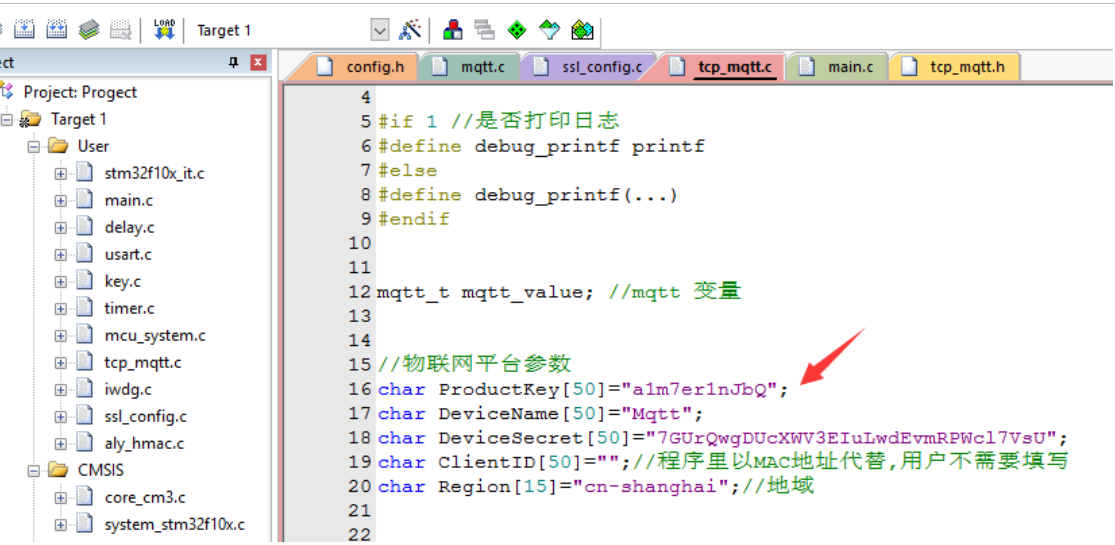
2. Modify to your own Alibaba Cloud device information
3. Download to the microcontroller (connect via network cable)
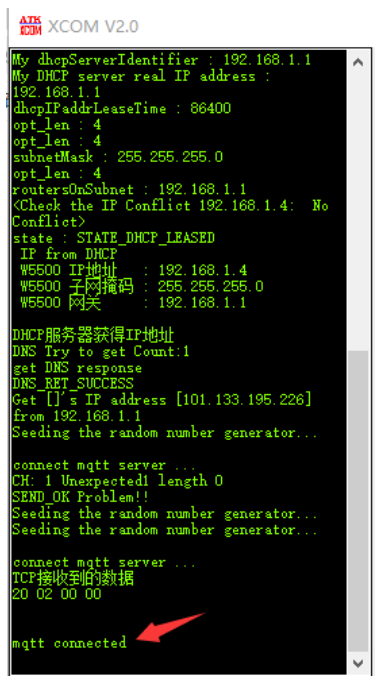
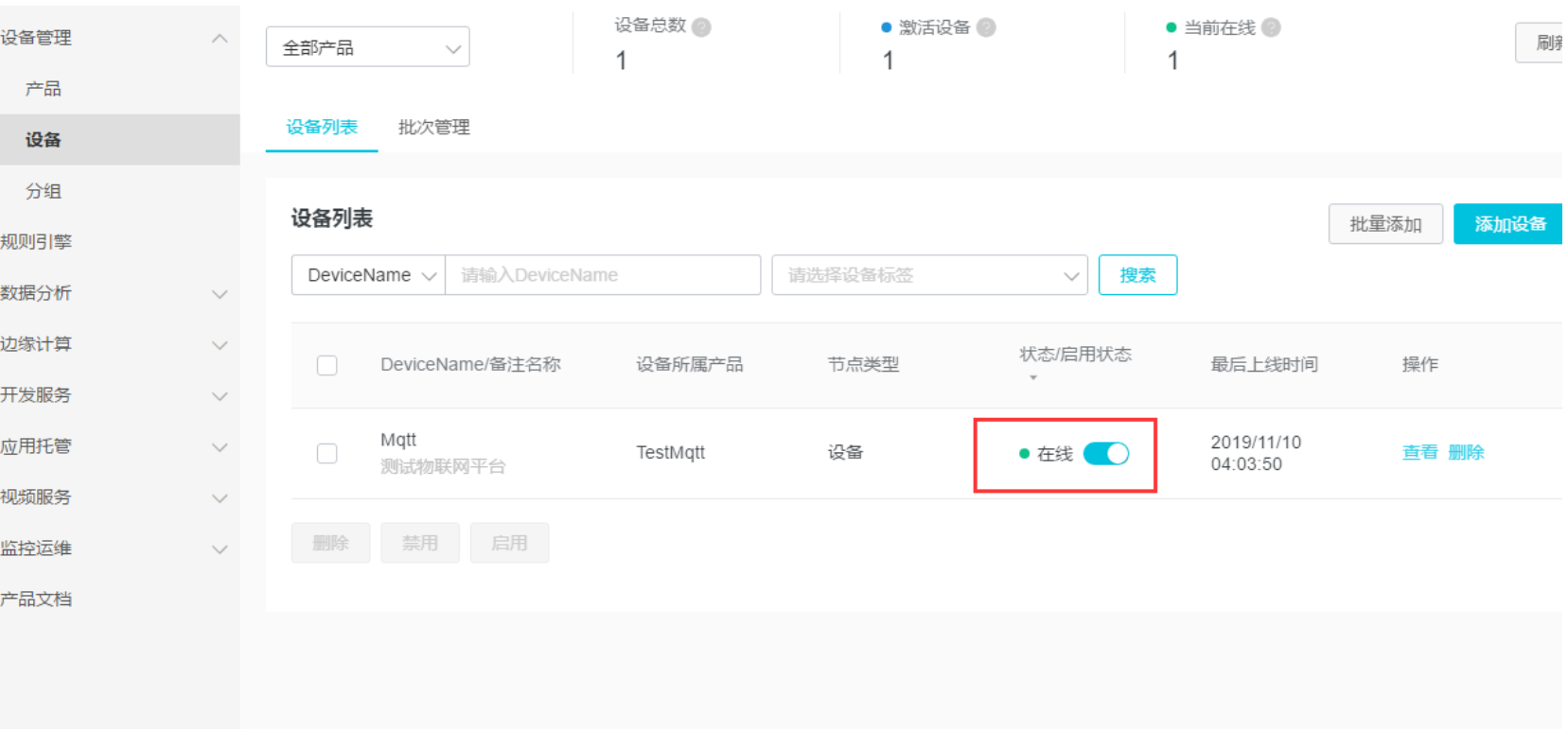
4. Observe the log printing port to confirm that the server is connected.
、
Program Description
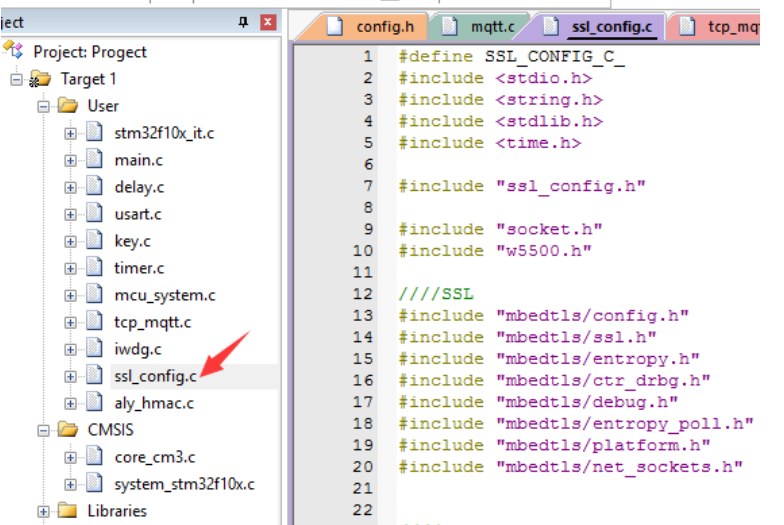
1. To facilitate the use of mbedtls' SSL functionality, I have encapsulated it as follows.
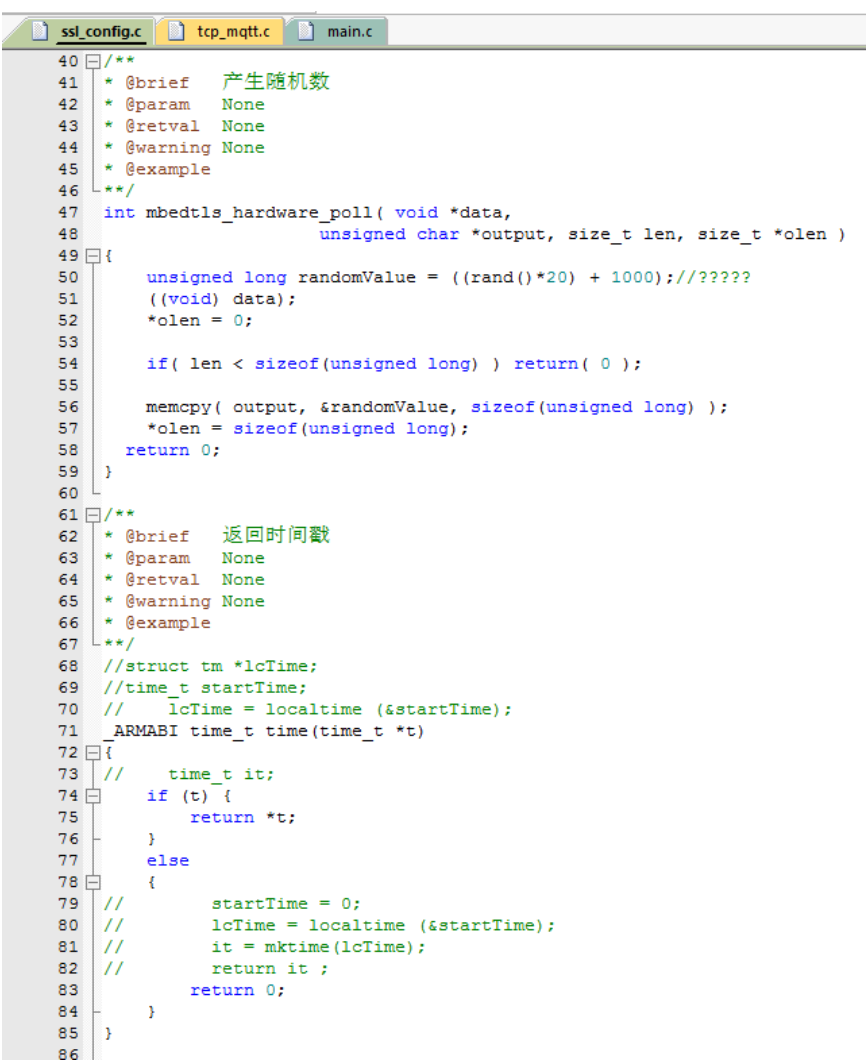
2. First, let me mention a few functions that I need to implement, as mbedtls will call these functions at the underlying level.
Random number function and timestamp return function (not needed if certificate time is not verified).
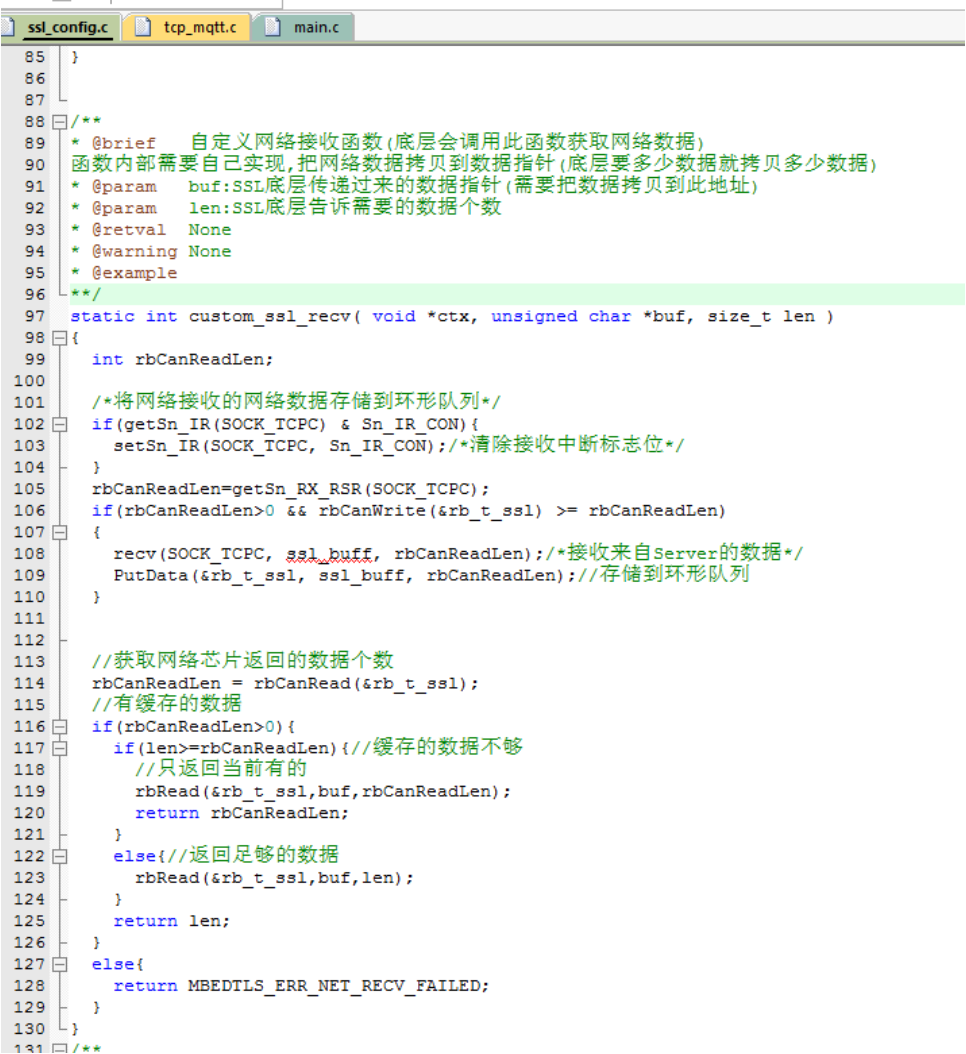
Network receive processing function (mbedtls automatically calls this function at its underlying level)
The underlying way SSL retrieves data is by specifying how much data is needed, and then returning that amount of data.
So after I receive the data, I store it in a circular queue, and then I provide the SSL with as much data as needed.
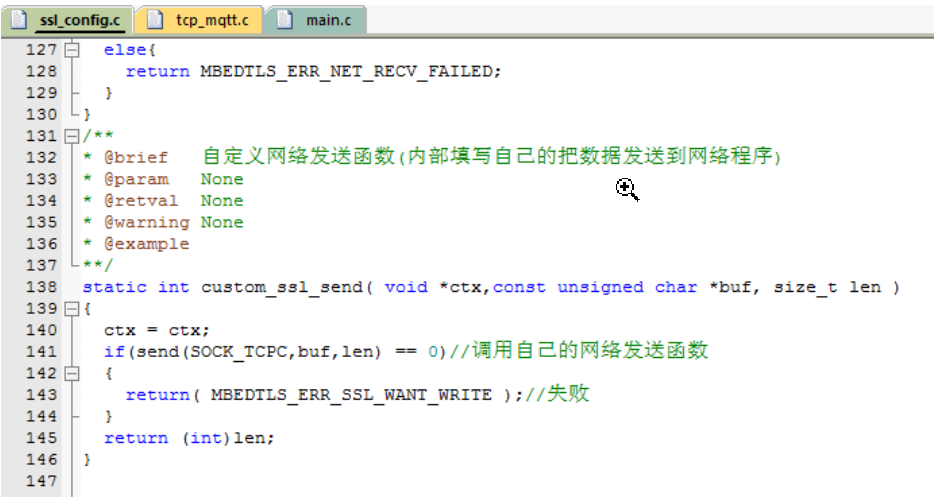
Network sending function (mbedtls automatically calls this function at the underlying level)
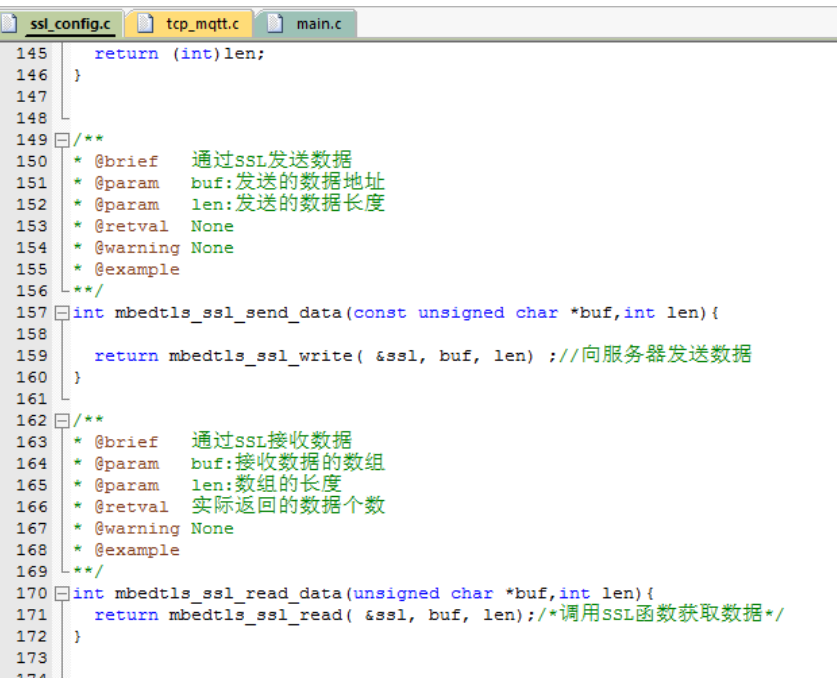
3. Functions for sending and retrieving data using SSL
We could actually use these two functions directly, but I wrapped them in another function for easier calling.
After the SSL negotiation is complete, the data we send needs to call the functions provided by mbedtls.
Internally, our data will be encrypted before being sent out via TCP;
Similarly, we also need to use the functions provided by mbedtls to retrieve the data received via TCP.
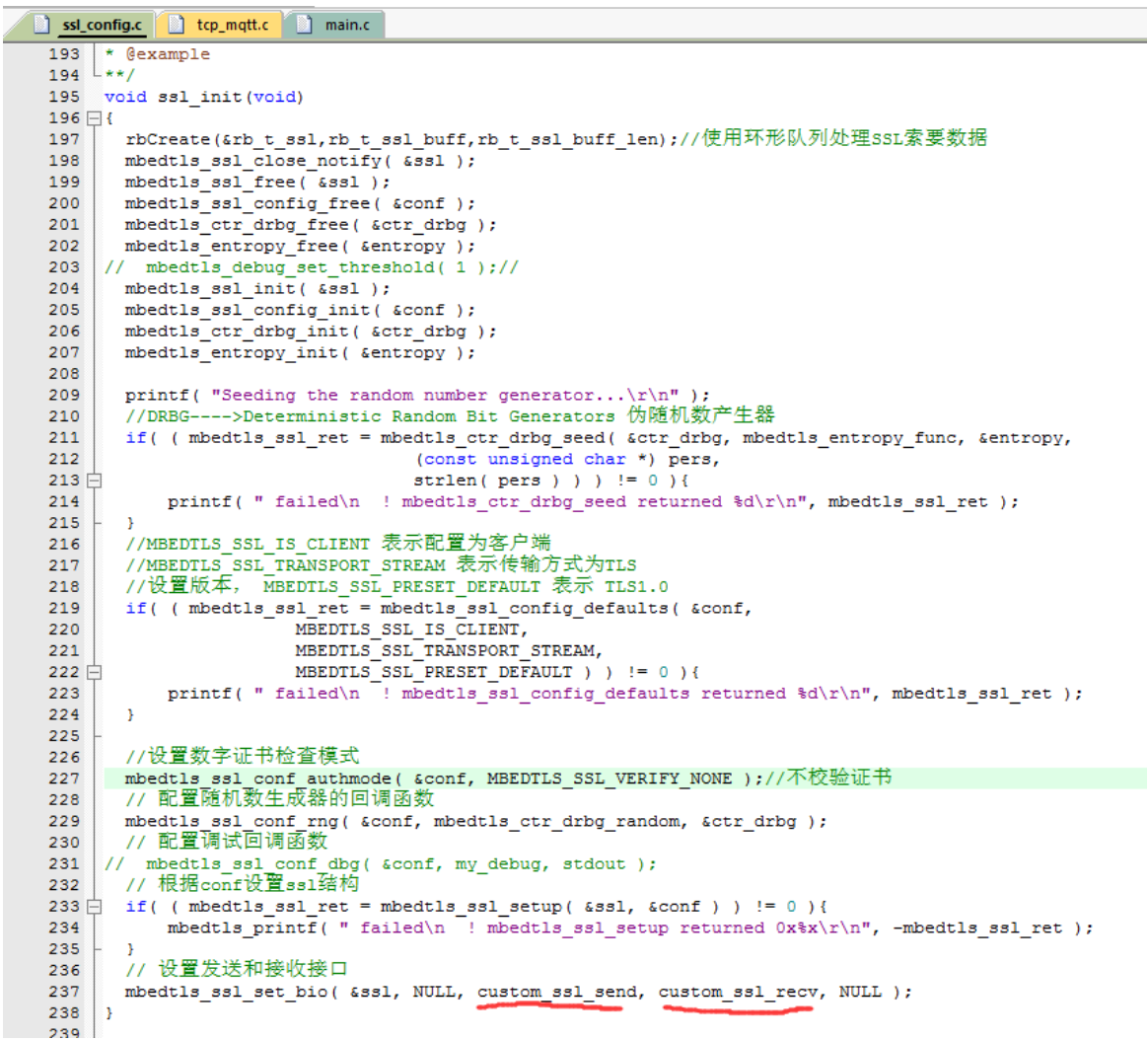
4. SSL Initialization
The last two functions, highlighted in red, are the TCP data sending and receiving functions we mentioned above.
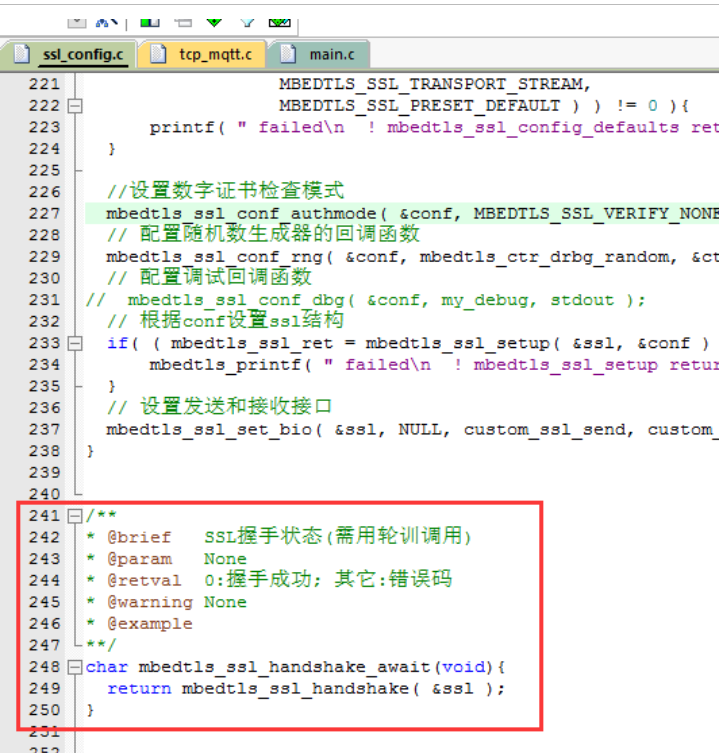
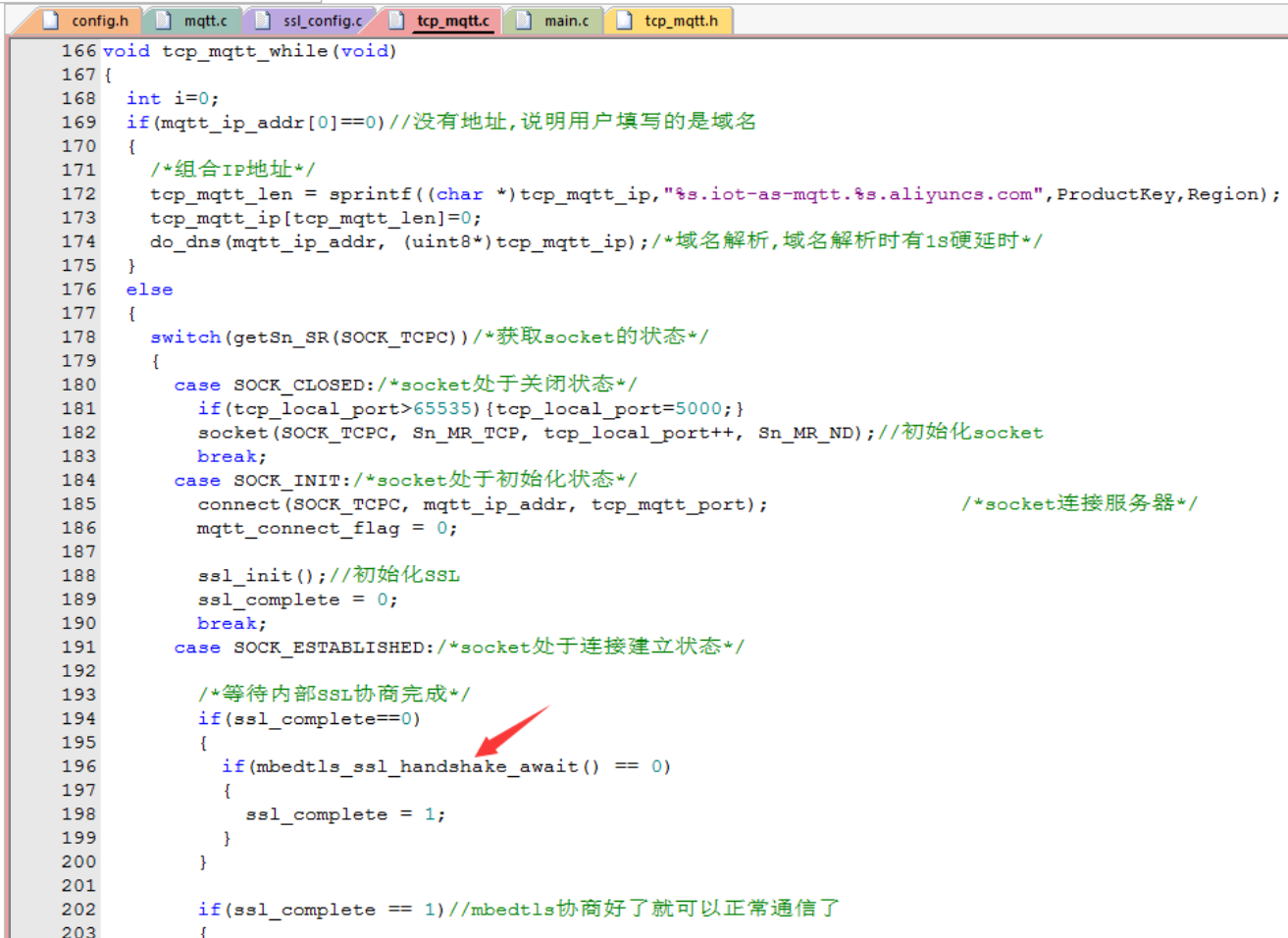
5. Wait for the SSL handshake to complete.
This function needs to be called in a polling manner after our TCP connection is successfully established. It automatically implements SSL internally, and returns 0 once SSL is successfully implemented.
Now let's look at the specific usage.
1. After establishing a TCP connection, poll and wait for SSL to succeed.
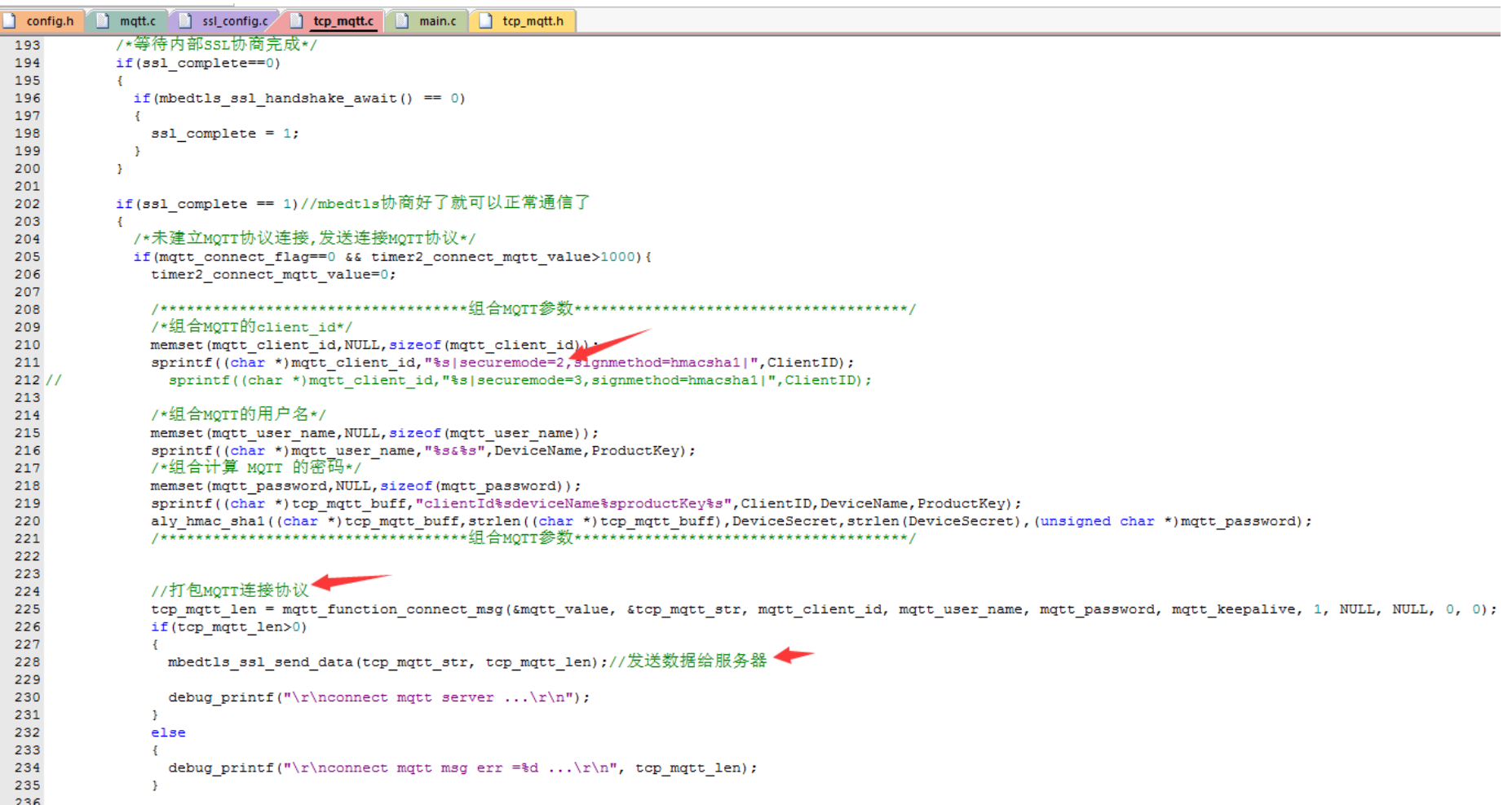
2. After successful connection, send the MQTT protocol connection request.
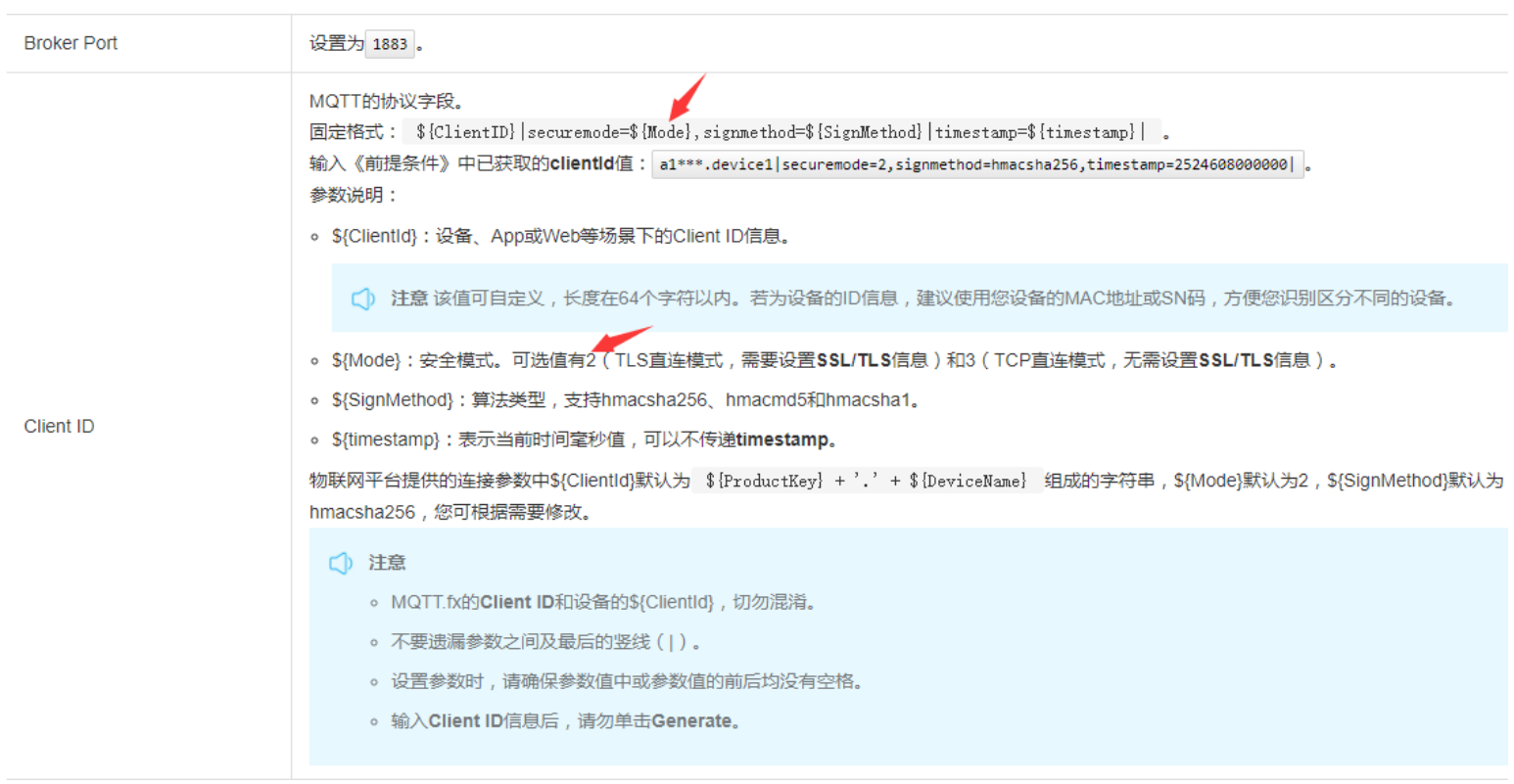
Please note that Alibaba Cloud stipulates that if using an SSL connection, the securemode parameter of the MQTT client_id must be set to 2.
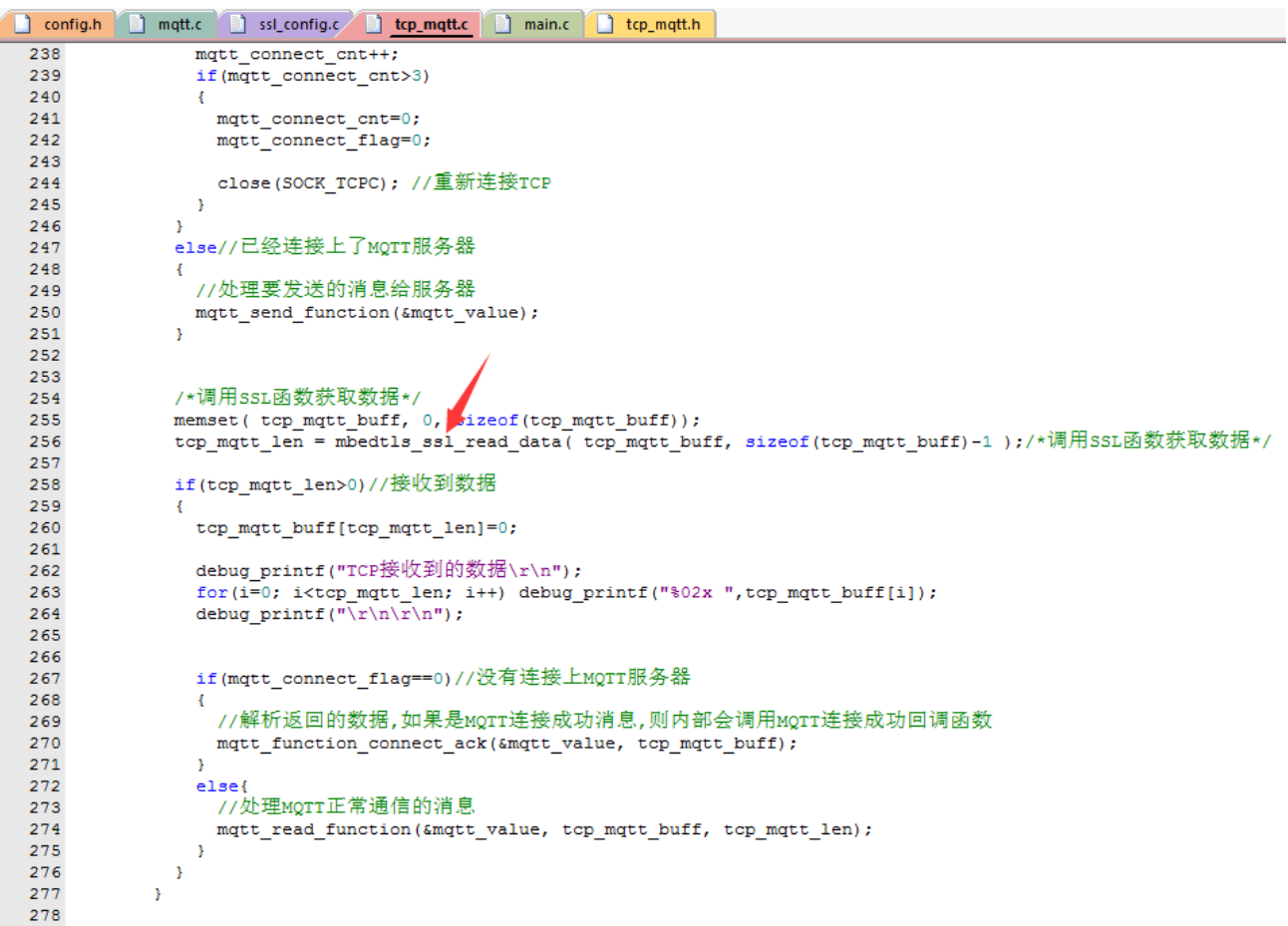
3. Retrieving data from SSL
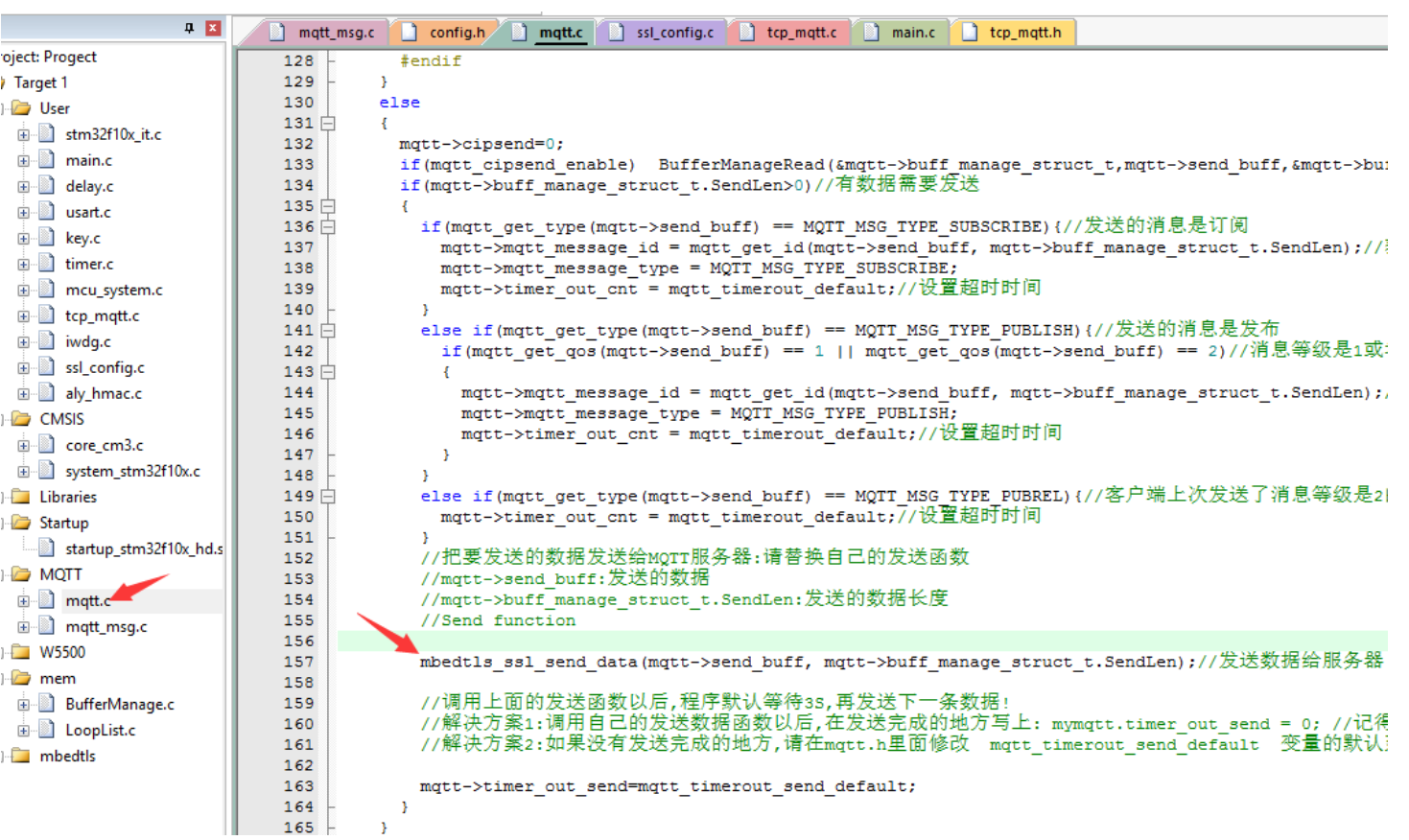
4. Of course, the underlying MQTT data transmission mechanism was also changed to use SSL for transmission.
Conclusion
In reality, it's still TCP communication, only the plaintext data has been encrypted.
After the TCP connection is established, the encryption method and password negotiated with the server are implemented internally by mbedtls.
Once the agreement is reached, we can send and receive data normally, except that it goes through mbedtls' internal functions in the process;