



How to Run MicroPython on ESP32-C3 with W5500 as a Wired Ethernet Gateway?
This project documents how to build a wired MicroPython environment around an ESP32-C3 and the WIZnet W5500.
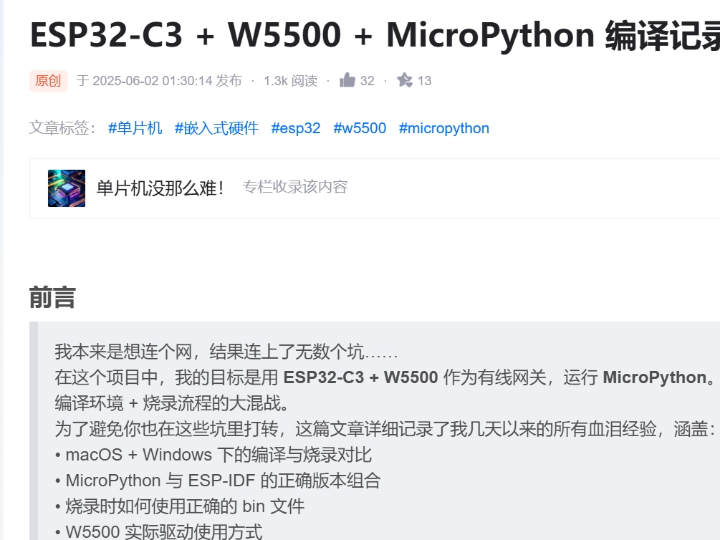
How to Run MicroPython on ESP32-C3 with W5500 as a Wired Ethernet Gateway?
Summary
This project documents how to build a wired MicroPython environment around an ESP32-C3 and the WIZnet W5500. The main value is not a finished application but a practical firmware path: aligning the correct MicroPython and ESP-IDF versions, building firmware successfully, flashing the right image set, and bringing up W5500 as the Ethernet interface so the ESP32-C3 can act as a wired gateway under MicroPython.
What the Project Does
The source is a build-and-integration record for running MicroPython on an ESP32-C3 with a W5500 Ethernet controller. The author’s stated goal is to use the ESP32-C3 plus W5500 as a wired gateway, but the article is really about the firmware workflow needed to make that combination usable: toolchain setup across macOS and Windows, ESP-IDF version matching, correct firmware image selection, and practical flashing steps.
For education, that is useful because it shows where the network stack question actually begins in a MicroPython project. Before you can write any socket code, the firmware has to be built with the right Ethernet support and flashed correctly. In other words, the first lesson is not TCP or UDP yet. It is build reproducibility, hardware support alignment, and confirming that W5500 is present as the wired network path inside the MicroPython image.
The article also makes clear that the hardest problems were not application logic bugs but platform-integration problems: serial-driver issues on macOS, switching to Windows for flashing, then later returning to macOS for building, and eventually discovering that version matching between MicroPython and ESP-IDF was the real blocker. That is a realistic firmware lesson for students working with ESP32-class boards and external Ethernet silicon.
Where WIZnet Fits
The exact WIZnet product here is the W5500. In this setup, W5500 is the wired Ethernet controller attached to the ESP32-C3 and used as the project’s network interface under MicroPython. WIZnet’s official documentation describes W5500 as a hardwired TCP/IP Ethernet controller with 8 independent sockets, 32 KB internal buffer memory, and an SPI host interface up to 80 MHz.
Architecturally, that means the ESP32-C3 is still the main application MCU, but W5500 supplies the Ethernet endpoint and transport-side networking hardware. In an education setting, that is a useful division of labor: students can learn firmware build flow and Python-side application behavior on ESP32-C3 while relying on a dedicated wired Ethernet device instead of starting from a full custom software Ethernet implementation.
This source does not present a deep socket-level protocol analysis. Its real contribution is earlier in the stack: proving that the firmware can be built and flashed in a configuration where W5500 is operational under MicroPython. That makes it a bring-up and firmware-integration reference more than a protocol tutorial.
Implementation Notes
A full repository with verifiable file paths is not provided in the article, so exact project file paths cannot be cited. This is a build log rather than a source tree walkthrough. Because of that, the safest technical reading is architectural: it explains how to arrive at a usable ESP32-C3 + W5500 + MicroPython environment, not how to inspect a complete application repo.
The most important implementation evidence in the source is the version-matching conclusion. The author reports that using the ESP-IDF version recommended on the MicroPython site did not work for the specific MicroPython release they were targeting, and that MicroPython 1.24 required ESP-IDF 5.2.2, while the newer guidance they first followed was tied to a different release line. This matters because network support on embedded platforms often fails long before runtime if the SDK and firmware branch expectations do not match.
The second important point is the flashing workflow. The article notes that the build process produced multiple binary images, and the author initially failed by not using the complete set correctly. They later found a combined firmware.bin image that already merged the required pieces, and flashing that image succeeded. For education, this is a concrete reminder that “build succeeded” and “device is correctly programmed” are separate milestones.
The third useful point is the W5500 role itself. The article explicitly says it covers the “actual driver usage method” for W5500 in the final working environment, even though the searchable preview does not expose the full code listing. That means the source supports a verified claim that W5500 is not just mentioned abstractly; it is the intended wired-network device in the working firmware target. However, the visible preview is not enough to quote the full code safely, so this article should be treated as verified integration evidence rather than a code-snippet source.
Practical Tips / Pitfalls
- Match MicroPython and ESP-IDF versions deliberately. The source’s main failure was not W5500 wiring but using the wrong ESP-IDF line for the chosen MicroPython release.
- Separate build problems from runtime network problems. If the firmware image is wrong or incomplete, debugging Ethernet behavior is premature.
- Treat flashing layout as part of the firmware flow. Multiple generated binaries can be correct individually but still fail if you flash the wrong combination or offsets. The merged
firmware.binsolved that in this case. - Do not overread this source as a full protocol tutorial. It verifies ESP32-C3 + W5500 + MicroPython bring-up, but it is stronger on environment and firmware workflow than on TCP/UDP internals.
- Use W5500 when you want a wired path under an ESP32 application environment. Officially, W5500 gives you a dedicated Ethernet controller with hardwired TCP/IP and socket resources instead of forcing everything into a pure software path on the MCU.
- Expect host-side tooling issues in education labs. The article began with serial-driver trouble on macOS, which is a reminder that board support and USB-serial behavior can block progress before any Ethernet test begins.
FAQ
Q: Why use W5500 with ESP32-C3 in this project?
A: Because the goal is to give the ESP32-C3 a wired Ethernet path under MicroPython. W5500 provides the Ethernet controller and hardwired TCP/IP socket hardware, while the ESP32-C3 remains the application-side MCU. That is a simpler educational split than starting from a custom Ethernet software implementation.
Q: How does W5500 connect to the ESP32 platform?
A: W5500 is an SPI-based Ethernet controller connected externally to the MCU. Official WIZnet documentation describes it as an SPI-hosted device supporting up to 80 MHz, which is why it is commonly paired with MCUs like ESP32-class chips for wired Ethernet expansion.
Q: What role does W5500 play in this specific project?
A: In this project, W5500 is the wired network interface used by the final MicroPython firmware target. The article’s objective is explicitly to run ESP32-C3 + W5500 as a wired gateway, so W5500 is the Ethernet side of that gateway architecture.
Q: Can beginners follow this project?
A: Yes, but it is better suited to learners who are ready to deal with build systems and flashing tools, not just Python scripts. The main learning value is firmware bring-up and environment control, which is often harder than the application code itself.
Q: Does this article teach the full network stack on ESP32 + W5500?
A: Not fully. It is more accurate to describe it as a firmware-integration and bring-up record. It confirms the stack can be built and deployed in a working W5500-based MicroPython environment, but the searchable evidence does not show a deep walkthrough of socket internals or application-layer protocol design.
Source
Original source: CSDN article “ESP32-C3 + W5500 + MicroPython 编译记录,” published June 2, 2025. The page preview identifies it as a build record for using ESP32-C3 + W5500 as a wired gateway under MicroPython.
Supporting reference: WIZnet W5500 official product documentation.
Tags
#ESP32C3 #ESP32 #W5500 #WIZnet #MicroPython #EmbeddedEthernet #FirmwareFlow #NetworkStack #SPI #Education
ESP32-C3에서 W5500을 유선 이더넷 게이트웨이로 사용하며 MicroPython을 어떻게 구동할 수 있을까?
Summary
이 프로젝트는 ESP32-C3와 WIZnet W5500을 조합해 유선 MicroPython 환경을 구축하는 과정을 다룹니다. 핵심은 완성된 애플리케이션이 아니라 실제 펌웨어 흐름에 있습니다. 적절한 MicroPython 및 ESP-IDF 버전을 맞추고, 펌웨어를 정상적으로 빌드하고, 올바른 이미지를 플래시한 뒤, W5500을 Ethernet 인터페이스로 bring-up하여 ESP32-C3가 MicroPython 기반 유선 게이트웨이로 동작하도록 만드는 것이 중심입니다.
What the Project Does
이 소스는 ESP32-C3와 W5500 Ethernet controller를 사용해 MicroPython을 구동하기 위한 빌드 및 통합 기록입니다. 작성자의 목표는 ESP32-C3 + W5500을 유선 게이트웨이로 사용하는 것이지만, 실제로 글의 핵심은 그 조합을 동작 가능하게 만드는 펌웨어 워크플로우에 있습니다. 툴체인 설정, macOS와 Windows를 오가는 개발 환경, ESP-IDF 버전 호환성, 올바른 펌웨어 이미지 선택, 그리고 실제 플래싱 절차가 중심 내용입니다.
교육 관점에서 이것은 의미가 있습니다. MicroPython 프로젝트에서 네트워크 스택 문제는 애플리케이션 코드보다 더 아래층에서 시작된다는 점을 보여주기 때문입니다. 소켓 코드를 작성하기 전에 먼저 Ethernet 지원이 포함된 펌웨어가 올바르게 빌드되고, 정확한 이미지가 장치에 기록되어야 합니다. 즉 첫 단계는 TCP나 UDP가 아니라, 빌드 재현성, 하드웨어 지원 정합성, 그리고 W5500이 MicroPython 이미지 내부에서 실제 유선 네트워크 경로로 활성화되었는지를 확인하는 작업입니다.
글은 또 한 가지 현실적인 점을 보여줍니다. 가장 어려운 문제는 애플리케이션 로직 버그가 아니라 플랫폼 통합 문제였습니다. 처음에는 macOS에서 시리얼 드라이버 문제가 있었고, 플래싱을 위해 Windows로 옮겼다가, 다시 macOS에서 빌드를 진행했으며, 최종적으로는 MicroPython과 ESP-IDF 사이의 버전 정합성이 핵심 장애물이었다는 점을 확인합니다. 이는 ESP32 계열 보드와 외부 Ethernet 칩을 다루는 학생들에게 매우 현실적인 펌웨어 학습 포인트입니다.
Where WIZnet Fits
이 프로젝트에서 사용된 정확한 WIZnet 제품은 W5500입니다. 이 구성에서 W5500은 ESP32-C3에 연결된 유선 Ethernet controller이며, MicroPython 환경에서 프로젝트의 네트워크 인터페이스 역할을 합니다. WIZnet 공식 문서에 따르면 W5500은 hardwired TCP/IP Ethernet controller로, 8개의 독립 소켓, 32 KB 내부 버퍼 메모리, 그리고 최대 80 MHz의 SPI 호스트 인터페이스를 제공합니다.
아키텍처 관점에서 보면, ESP32-C3는 여전히 메인 애플리케이션 MCU이고, W5500은 Ethernet endpoint 및 전송 계층 하드웨어를 담당합니다. 교육용으로 이 분업은 유용합니다. 학생들은 ESP32-C3에서 펌웨어 빌드 흐름과 Python 측 애플리케이션 동작을 학습하는 동시에, 완전한 소프트웨어 Ethernet 구현부터 시작하지 않고 전용 유선 Ethernet 장치를 활용할 수 있기 때문입니다.
이 소스는 깊은 소켓 레벨 프로토콜 분석을 제공하지는 않습니다. 실제 기여점은 그보다 앞단에 있습니다. W5500이 MicroPython 환경 아래에서 실제로 동작하도록 펌웨어를 빌드하고 플래시하는 과정을 검증했다는 점입니다. 따라서 이 글은 프로토콜 튜토리얼이라기보다 bring-up 및 펌웨어 통합 참고 자료로 보는 것이 정확합니다.
Implementation Notes
완전한 저장소와 검증 가능한 파일 경로가 제공된 것은 아니므로, 정확한 프로젝트 파일 경로를 인용할 수는 없습니다. 이 글은 소스 트리 분석보다는 빌드 로그에 가깝습니다. 따라서 기술적으로는 “사용 가능한 ESP32-C3 + W5500 + MicroPython 환경에 도달하는 방법”을 설명하는 자료로 보는 편이 안전합니다.
가장 중요한 구현 근거는 버전 정합성에 대한 결론입니다. 작성자는 MicroPython 공식 사이트에 적힌 ESP-IDF 버전을 그대로 사용했을 때 원하는 MicroPython 릴리스에서는 동작하지 않았고, 자신이 목표로 한 MicroPython 1.24는 ESP-IDF 5.2.2를 필요로 했다고 설명합니다. 이 점이 중요한 이유는, 임베디드 플랫폼에서 네트워크 지원이 런타임 이전 단계, 즉 SDK와 펌웨어 브랜치의 기대 조건이 맞지 않는 지점에서 이미 실패할 수 있기 때문입니다.
두 번째 중요한 포인트는 플래싱 절차입니다. 글에서는 빌드 결과로 여러 바이너리 이미지가 생성되었고, 처음에는 이들을 올바르게 사용하지 못해 실패했다고 설명합니다. 이후 필요한 이미지들이 이미 합쳐진 firmware.bin을 찾아 플래싱하자 성공했다고 정리합니다. 교육 관점에서 이것은 “빌드 성공”과 “디바이스가 올바르게 프로그래밍됨”이 서로 다른 단계라는 점을 분명히 보여줍니다.
세 번째로 유의미한 부분은 W5500의 역할 자체입니다. 글은 최종적으로 W5500의 “실제 드라이버 사용 방법”까지 다룬다고 명시합니다. 검색 가능한 미리보기만으로는 전체 코드 목록을 안전하게 인용할 수는 없지만, 최소한 W5500이 추상적으로만 언급된 것이 아니라 실제로 동작하는 유선 네트워크 장치로 통합되었다는 점은 확인할 수 있습니다. 따라서 이 글은 코드 스니펫 중심 자료라기보다, 통합이 검증된 bring-up 근거 자료로 해석하는 것이 적절합니다.
Practical Tips / Pitfalls
- MicroPython과 ESP-IDF 버전은 의도적으로 맞춰야 합니다. 이 글의 주요 실패 원인은 W5500 배선이 아니라, 선택한 MicroPython 릴리스와 맞지 않는 ESP-IDF 버전을 사용한 데 있었습니다.
- 빌드 문제와 런타임 네트워크 문제를 분리해서 봐야 합니다. 펌웨어 이미지가 잘못되었거나 불완전하다면, Ethernet 동작을 디버깅하는 것은 아직 이릅니다.
- 플래싱 레이아웃도 펌웨어 흐름의 일부로 봐야 합니다. 개별 바이너리들이 각각 맞더라도, 잘못된 조합이나 오프셋으로 기록하면 시스템은 정상 동작하지 않습니다. 이 사례에서는 병합된
firmware.bin이 해결책이었습니다. - 이 소스를 전체 프로토콜 튜토리얼로 과대 해석하면 안 됩니다. ESP32-C3 + W5500 + MicroPython bring-up은 검증하지만, TCP/UDP 내부 구조보다는 환경 설정과 펌웨어 흐름에 더 강한 자료입니다.
- ESP32 애플리케이션 환경에 유선 경로가 필요할 때 W5500은 적절한 선택입니다. W5500은 전용 Ethernet controller와 hardwired TCP/IP, socket 자원을 제공하므로, MCU에 모든 것을 순수 소프트웨어로 구현하는 부담을 줄여줍니다.
- 교육 환경에서는 호스트 측 툴 문제를 예상해야 합니다. 이 글도 macOS의 시리얼 드라이버 문제에서 시작했는데, 이는 Ethernet 테스트 이전 단계에서 USB-serial 및 보드 지원 문제가 발목을 잡을 수 있음을 보여줍니다.
FAQ
Q: 이 프로젝트에서 왜 ESP32-C3와 W5500을 함께 사용하나요?
A: 목표가 ESP32-C3에 MicroPython 기반 유선 Ethernet 경로를 제공하는 것이기 때문입니다. W5500은 Ethernet controller와 hardwired TCP/IP socket 하드웨어를 제공하고, ESP32-C3는 애플리케이션 MCU 역할을 맡습니다. 교육용으로도, 처음부터 완전한 소프트웨어 Ethernet 구현을 시도하는 것보다 더 단순한 분업 구조입니다.
Q: W5500은 ESP32 플랫폼에 어떻게 연결되나요?
A: W5500은 외부 SPI 기반 Ethernet controller로 MCU에 연결됩니다. 공식적으로 W5500은 최대 80 MHz SPI 인터페이스를 사용하는 호스트 기반 장치이므로, ESP32 계열 MCU에 유선 Ethernet 기능을 확장하는 용도로 자주 사용됩니다.
Q: 이 프로젝트에서 W5500은 구체적으로 어떤 역할을 하나요?
A: W5500은 최종 MicroPython 펌웨어 타깃에서 유선 네트워크 인터페이스 역할을 합니다. 원문의 목표가 ESP32-C3 + W5500을 유선 게이트웨이로 사용하는 것이므로, W5500은 이 게이트웨이 구조에서 Ethernet 측을 담당합니다.
Q: 초보자도 따라갈 수 있나요?
A: 가능합니다. 다만 단순히 Python 스크립트만 작성하는 수준보다는, 빌드 시스템과 플래싱 도구를 다룰 준비가 된 학습자에게 더 적합합니다. 이 글의 핵심 학습 가치는 애플리케이션 코드보다 펌웨어 bring-up과 개발 환경 제어에 있습니다.
Q: 이 글이 ESP32 + W5500 전체 네트워크 스택을 가르쳐 주나요?
A: 완전히 그렇지는 않습니다. 더 정확히 말하면 펌웨어 통합과 bring-up 기록에 가깝습니다. W5500 기반 MicroPython 환경이 실제로 빌드되고 배포될 수 있다는 점은 확인해 주지만, 소켓 내부 구조나 애플리케이션 계층 프로토콜 설계를 깊게 해설하는 자료는 아닙니다.
Source
Original source: CSDN article “ESP32-C3 + W5500 + MicroPython 编译记录,” published June 2, 2025.
License: page preview indicates a build record for using ESP32-C3 + W5500 as a wired gateway under MicroPython.
Supporting reference: WIZnet W5500 official product documentation.
Tags
#ESP32C3 #ESP32 #W5500 #WIZnet #MicroPython #EmbeddedEthernet #FirmwareFlow #NetworkStack #SPI #Education