



Update e-paper over Ethernet with a single command line — also play videos | RP2350 + Zephyr RTOS ..
Send an image to a 2.13-inch e-paper panel with a single command line. An
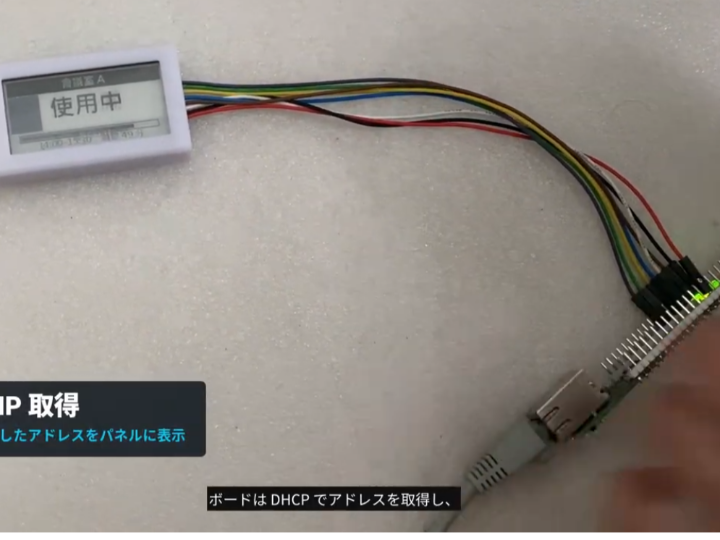
Send an image to a 2.13-inch e-paper panel with a single command line. An RP2350 (Cortex-M33) with W6300 Ethernet running upstream Zephyr RTOS provides network-updatable e-paper signage, including video playback at 6 frames per second.
▼ Hardware Used
・WIZnet W6300-EVB-Pico2 (RP2350 / Cortex-M33 + W6300 Ethernet)
・Open-EP PIXPAPER-213-M (2.13-inch monochrome e-paper)
・Firmware: upstream Zephyr RTOS (board support is included in the main tree)
・PC-side tool: Python (compatible with both Windows and Ubuntu)
▼ What you will learn from this video Learn
• How to directly display the IP address obtained via DHCP on e-paper
• Workflow for updating the panel with a single command from a PC
• Examples of use in restaurants, retail, offices, IoT, transportation, and in-store displays
• Demo of playing video on e-paper at 6 frames per second