


The 2.7-Second Ghost That Stopped a Semiconductor Line — and Why You Should Trust Neither Your OS No
A real-world industrial Ethernet debugging case study for embedded engineers.
A real-world industrial Ethernet debugging case study for embedded engineers.
In a factory, the most dangerous failure isn't the one you can see. No cable is unplugged. No equipment is powered off. No program has crashed. The logs say the device is fine, the PC is fine — and yet the production line stops.
This is the story of a fault that hid for months inside a semiconductor production line: a 2 to 3 second gap in communication that the equipment read as a PHY LINK DOWN/UP, that no Windows event log explained, and that ultimately had nothing to do with the device firmware at all.
If you build embedded products with hardwired TCP/IP — WIZnet's W5500, W6100, or similar — this case is worth your time. It's a clinic in how the host operating system can silently sabotage a perfectly healthy device, and a sober reminder that AI is a tool for narrowing suspicion, not for declaring the answer.
The symptom: a line stop you can't see coming
The setup was ordinary. A host PC sends a command to the equipment; the equipment replies. On the floor, the rule was strict:
- If there's no response within 0.5 s, count one fault.
- Five consecutive faults → a communication gap of roughly 2–3 seconds.
- That gap → a line warning, and an operator deciding whether to halt the line.
So a "brief network hiccup" to a human eye was, on this floor, a candidate for stopping semiconductor production. The customer reported it happening at least once a day. It had been rare two years ago and had grown more frequent recently.
Everything pointed at the device first. The equipment log clearly showed:
PHY LINK DOWN
→ ~2.7–3.0 s later
→ PHY LINK UP
→ 100M Full, Auto-Negotiation Done
→ communication resumes
A run of captured events looked like this:
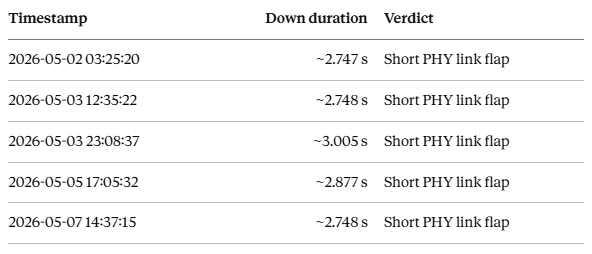
Do the math: 0.5 s × 5 ≈ 2.5 s. The flap duration and the line's fault threshold lined up almost exactly. To the device, it was a momentary blink. To the factory, it was a stoppage.
The investigation: following the link, not the assumption
The honest starting point was a wide-open suspect list — and this is the part worth internalizing. Everything was a candidate:
- Device firmware command-processing delay
- TCP server fault
- Ethernet PHY instability
- PC network adapter settings
- Router / switch topology effects
- Cable / RJ45 contact
- Power or reset subsystem
Here's what the long-term log analysis actually showed: command responses were almost always correct, there was no sign of a dead TCP server, and no evidence of firmware hang. The values weren't the problem. The link was.
The clue that changed everything: direct vs. switched
The reproduction tests told a clean story:
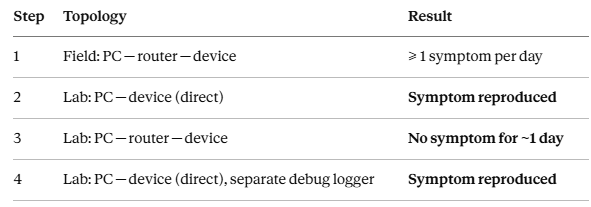
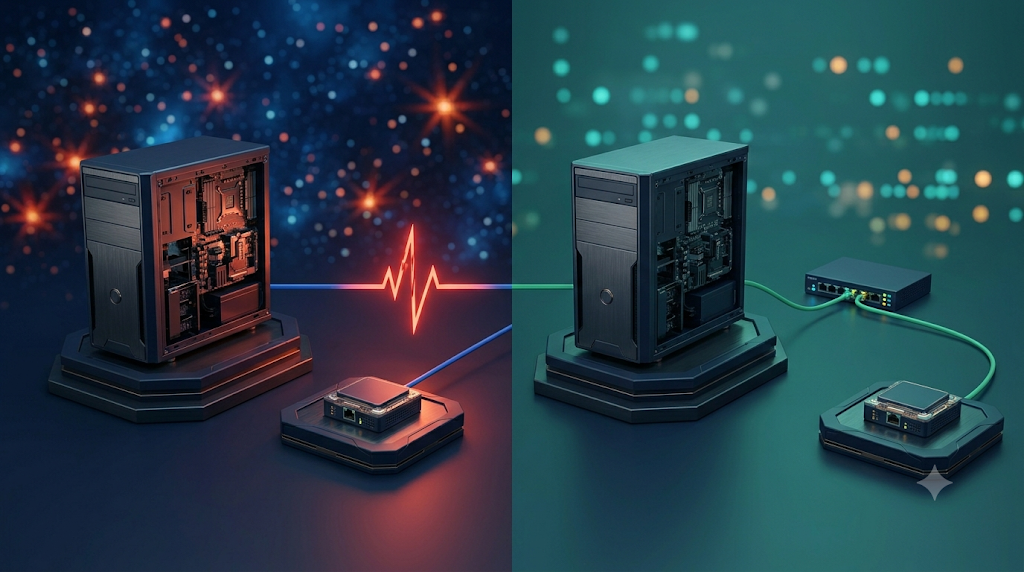
That contrast is the whole case in one table. When the PC connects directly to the device, the PC's NIC becomes the device PHY's direct link partner:
[PC NIC] ── [Device PHY]Put a router or switch in the middle, and the link splits into two segments:
[PC NIC] ── [Router/Switch PHY] ── [Device PHY]Now the device PHY is negotiating with the switch PHY — not the PC. Whatever the PC NIC does — power-down, EEE renegotiation, a driver reset — no longer propagates straight into the device. The switch acts as a physical-layer buffer.
The root cause: the OS was reaching into the wire
In the lab, disabling the PC NIC's low-power and power-management features made the reproducible 2–3 s PHY LINK DOWN/UP stop happening. The conclusion:
Under certain conditions, Windows OS or the NIC driver was controlling or renegotiating the LAN port for power savings — and from the device PHY's point of view, that appeared as a Link Down/Up.
The exact settings that were disabled:
Energy Efficient Ethernet (EEE) : Disabled
Green Ethernet                  : Disabled
Power Saving Mode               : Disabled
Auto Disable Gigabit            : Disabled
Selective Suspend               : Disabled
"Allow the computer to turn off this device to save power" : Unchecked
(If needed) Speed & Duplex      : Lock to 100 Mbps Full Duplex
The same settings were rolled out to the field PC. One week later, no recurrence had been reported. As of the report, the issue is judged resolved by the OS/NIC configuration change.
The cruelest detail: the silent log
Here's what makes this class of bug so expensive. On Linux, dmesg or journalctl will often tell you plainly: Link is Down, Link is Up, suspend, resume. On Windows, if the NIC driver doesn't emit a detailed event, the cause simply isn't recorded. The team searched the Event Viewer for NDIS, Kernel-PnP, Tcpip, Kernel-Power, sleep/resume — and found no explicit sleep or NIC-reset event.
An empty log doesn't mean nothing happened. It means:
- No evidence the PC slept
- No evidence the OS explicitly reset the NIC
- ...but you CANNOT conclude the physical link was fine
This is the danger of the OS. It's no longer a passive runtime. It manages power, devices, driver policy, and adapter settings deep below your application. Your app thinks it's communicating; the OS and NIC driver may have decided otherwise. In a 24/7 industrial environment, a power-saving feature that's on by default on every office PC becomes a lethal variable.
The second danger: don't blindly trust the AI either
AI was genuinely useful here. It rapidly organized the device logs, surfaced the recurring 2–3 s flap pattern, flagged the TCP burst after link recovery, noted that inserting a router made the symptom vanish, and raised Windows NIC power management as a candidate. It was good at compressing a messy suspect list into a prioritized hypothesis.
But AI cannot see the floor. It can't inspect the cable contact, can't measure whether the PC NIC physically dropped the port, can't put an oscilloscope on a power rail to catch a momentary droop. If Windows left no log, the AI is also only inferring from absence.
AI is not a tool that hands you the answer. It's a tool that narrows the directions worth suspecting.
The reason AI is dangerous is that it can hand you a plausible conclusion too fast. That conclusion might be right — but believing it without field verification can send you down the wrong path for weeks. The final cause here was confirmed the only way it can be: change the OS/NIC settings in a lab, confirm the symptom stops reproducing, deploy to the field, and watch for a week.
What this means if you build with hardwired TCP/IP
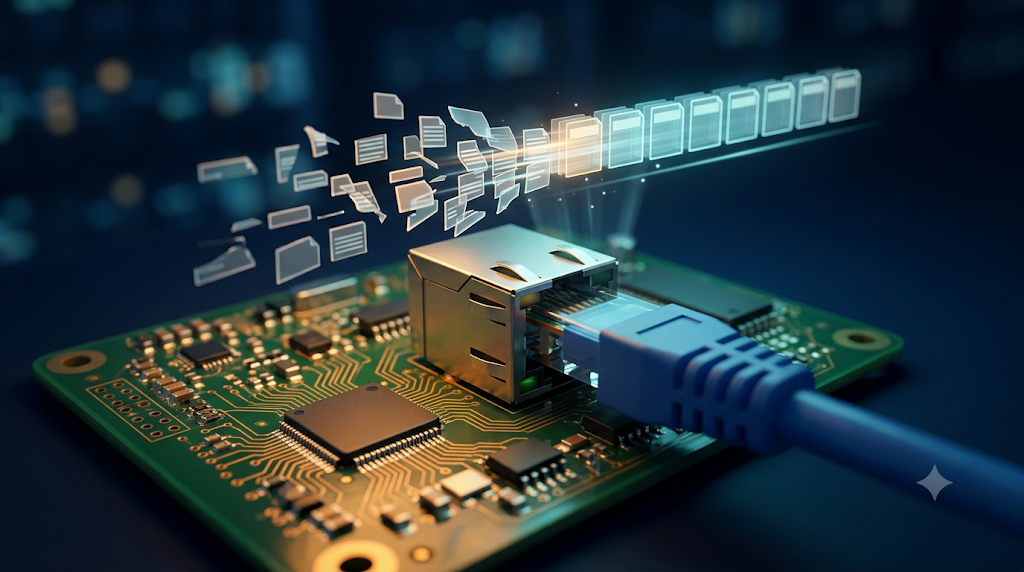
This case is squarely relevant to embedded Ethernet work. The device firmware's recommended log improvements include Sn_SR and Sn_IR — the socket status and interrupt registers familiar to anyone working with a WIZnet hardwired TCP/IP controller. If your product talks to a host PC over a direct Ethernet link, take these forward:
1. A short link flap is not a firmware bug — but your firmware must survive it gracefully. After link recovery, TCP delivers a stream, not messages. Commands buffered during the down period can arrive all at once:
IPT\rFOP\rSTS\rIPT\r...Your receive loop must accumulate bytes, split on the \r delimiter, and process each command in order — and your regression tests should include split and concatenated frames:
IPT\r
FOP\rSTS\r
IP + T\r            (command split across reads)
IPT\rFO + P\r
2. Log the link event richly. When you detect a link transition, capture a snapshot that lets you correlate against the host later:
[LINK EVENT] timestamp, link-down duration, speed/duplex,
             auto-negotiation status, socket state, Sn_SR, Sn_IR,
             RX/TX buffer state
3. Separate the link flap from a real reset. This case also found ResetCause=0x01 POR (Power-On Reset) in some logs — a different problem from the NIC power-management flap. POR points at supply droop, a marginal adapter, connector contact, reset-pin noise, or EMI from nearby relays/motors/SMPS/inverters. Don't let one fix mask the other; log ResetCause, boot_count, and uptime so the two are never confused.
4. Prefer a buffer in the topology. Where stability is critical, an unmanaged switch between PC and device keeps the host NIC from becoming the device PHY's direct link partner:
PC ── unmanaged switch ── deviceThe field checklist (steal this)
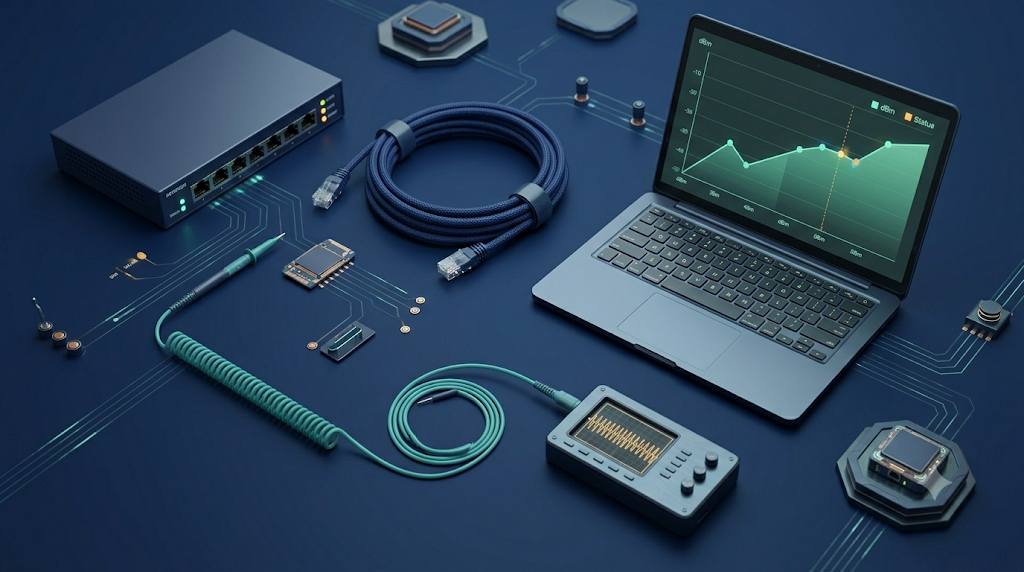
When an industrial Ethernet device shows mysterious comms gaps, don't condemn the firmware or the PHY first. Walk this order:
- PC NIC power management + EEE / Green Ethernet settings
- Windows power tab: "allow the computer to turn off this device"
- Is the PC connected 1:1 directly to the device?
- Compare with an unmanaged switch inserted
- If needed, lock to 100 Mbps Full Duplex
- Correlate device
PHY LINK DOWN/UPtimestamps against a PC-side link-status log - If
PORappears, analyze the power/reset subsystem separately
⚠️ One more trap: Windows Update, NIC driver updates, and PC swaps can silently re-enable these settings. Re-verify after any of them.
A 1-second PowerShell NIC monitor (Get-NetAdapter → CSV) on the host, lined up against the device's link log, turns "the OS did something invisible" into a timestamp you can actually argue about.
The takeaway
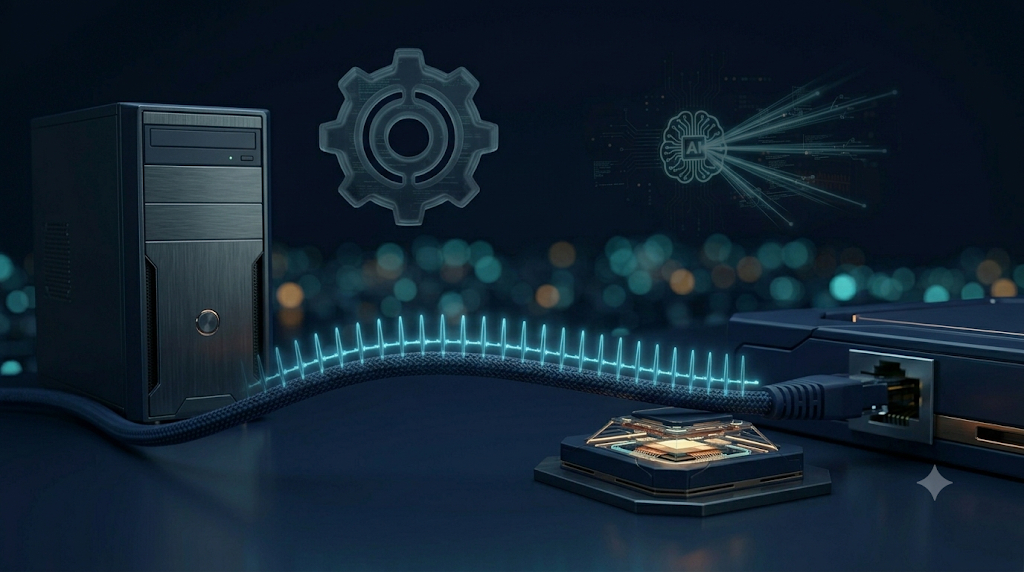
This wasn't a device failure. By every lab and field result, it was the host OS / NIC driver's power-management logic reaching into a directly connected LAN port and showing up, on the device side, as a PHY LINK DOWN/UP. And those 2.7 seconds were more than enough to matter on a semiconductor line.
Two lessons, equally important:
Don't trust the OS. An industrial PC is not an office PC. Power saving, NIC power management, EEE, Green Ethernet, driver updates, post-Windows-Update setting resets — verify all of them.
Don't only trust the AI. It's strong at log analysis and hypothesis-building, weak at field confirmation. Treat its output as "a hypothesis to verify," never as "the field conclusion."
OS automation is convenient, but on a factory floor it can be dangerous. AI analysis is powerful, but believing it without verification is dangerous. Real resolution comes only when logs, reproduction, configuration change, and field monitoring happen together.
In an industrial setting, the thing you need isn't belief. It's verification.
Have you hit a phantom link flap traced back to host power management? Share your war story and your Sn_SR/Sn_IR capture tricks in the comments — the WIZnet Maker community would love to compare notes.