



flipper [W5500] Ethernet App
Flipper Zero Ethernet Troubleshooter
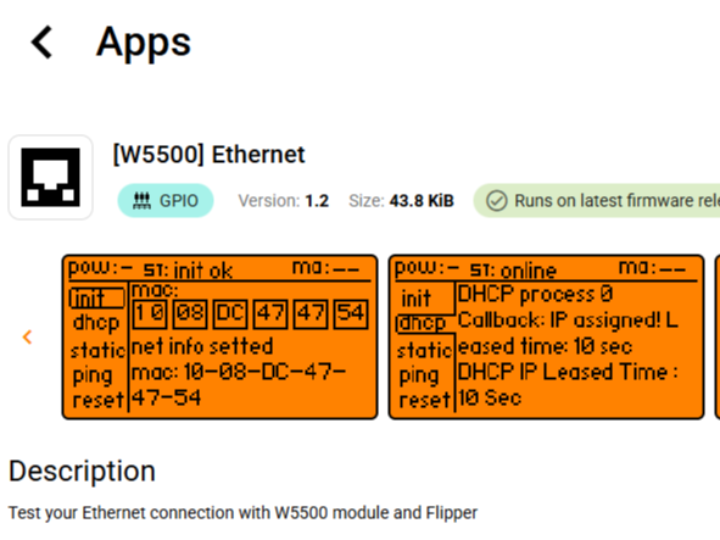
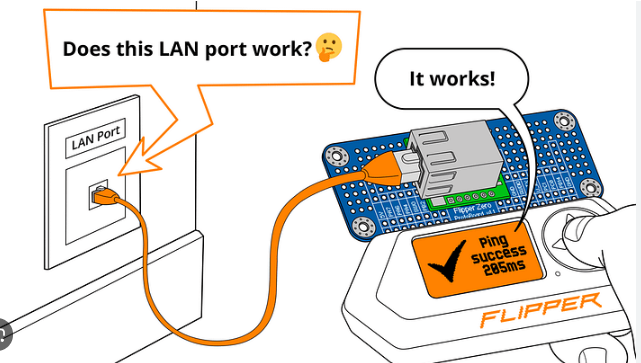
This is a small helper that lets you connect your Flipper via RJ45 to your network
Summary
The ETH Troubleshooter application extends the Flipper Zero multi-toolby enabling users to test and diagnose Ethernet connections throughan external Ethernet interface module. In this setup,the Flipper Zero acts as a portable diagnostic controller, allowing users to interact with network hardware, verify connectivity, and simplify field troubleshooting.The project demonstrates how a handheld devicecombined with a simple app interface can provide convenient network diagnostics without requiringa full laptop or dedicated testing equipment.
What theProject Does
Flipper Zero is a compact multi-purpose hardwaretool designed for experimenting with digital systems,embedded devices, and communication interfaces. It includesGPIO expansion, wireless capabilities, and a pluginbased firmware environment that allows developers tocreate small applications for interacting with external hardware.
The ETH Troubleshooter app is designed to help users diagnose Ethernet connectivity issues using the Flipper ecosystem. Instead of connecting a laptop or complex network analyzer, users attach an Ethernet module to the Flipper’s GPIO expansion and run the troubleshooting app directly from the device.
The workflow typically looks like this:
The user connects an Ethernet hardware module to the Flipper Zero through the GPIO interface.
The ETH Troubleshooter application is launched from the Flipper’s app menu.
The app communicates with the Ethernet controller to determine link status and network availability.
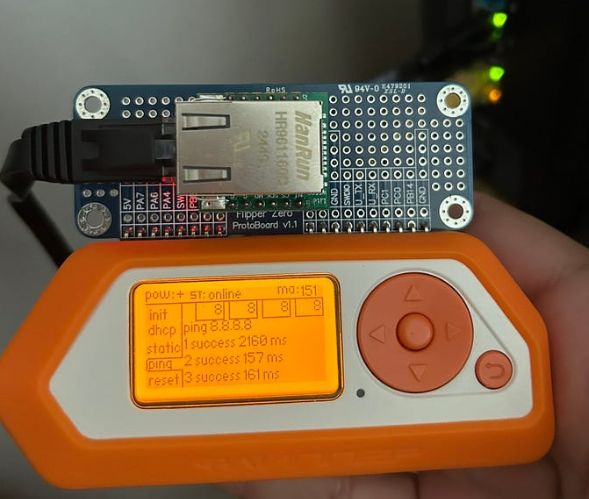
Results are displayed on the Flipper screen so the user can quickly identify issues such as missing link signals or configuration problems.
This approach is particularly useful for portable diagnostics, quick lab testing, and educational environments where users want a simple way to explore network hardware behavior.
Where WIZnet Fits
The Ethernet interface used by the ETH Troubleshooter application is based on the W5500 Ethernet controller.
The W5500 provides a hardware TCP/IP stack that offloads networking tasks from the host MCU. In the Flipper ecosystem, the W5500 acts as the dedicated network interface responsible for:
Handling Ethernet frame transmission and reception
Managing TCP/UDP sockets internally
Offloading IP stack processing from the main controller
Because the W5500 includes its own networking engine and internal buffers, the host system only needs to communicate through SPI to configure sockets and exchange data. This architecture is particularly well suited to small embedded platforms like the Flipper Zero, which prioritize portability and simplicity.
Using a hardware TCP/IP offload controller also reduces firmware complexity. Instead of implementing a full software stack, the Flipper application can focus on device interaction and user interface logic while the W5500 handles the network transport layer.
Practical Tips / Pitfalls
Ensure the SPI wiring between Flipper GPIO and the Ethernet module is correct (MOSI, MISO, SCLK, CS).
Verify that the Ethernet cable provides a valid PHY link signal before testing higher-level networking.
If DHCP is used, allow enough time for lease negotiation; static IP configuration can simplify troubleshooting.
The W5500 supports 8 hardware sockets, but embedded apps should allocate them carefully to avoid resource conflicts.
Confirm that the Ethernet module’s 3.3 V power requirements match the Flipper GPIO power output.
If link detection fails, check magnetics and RJ45 wiring, which are common failure points in DIY Ethernet modules.
FAQ
Why is the W5500 used in this type of project?
The W5500 integrates a hardware TCP/IP stack, Ethernet MAC, and PHY interface support through an external magnetics module. This allows small embedded systems like the Flipper Zero to use Ethernet networking without implementing a full software stack, simplifying firmware development and reducing resource usage.
How does the W5500 connect to the Flipper Zero?
The controller communicates with the host through an SPI interface. Typical connections include MOSI, MISO, SCLK, chip select, and optional interrupt pins. The Ethernet port itself is provided through an RJ45 connector with magnetics.
What role does the W5500 play in the ETH Troubleshooter app?
It acts as the physical and protocol interface to the Ethernet network. The Flipper app sends commands to the W5500 to check link status, configure network parameters, and perform connectivity diagnostics.
Can beginners use this project?
Yes, especially if they are already familiar with the Flipper ecosystem. Basic knowledge of SPI wiring and Ethernet networking concepts such as IP addressing and link status will help when building or using the Ethernet module.
How does this compare to using Wi-Fi instead of Ethernet?
Wi-Fi modules typically require more complex firmware stacks and configuration. A wired Ethernet controller like the W5500 provides deterministic connectivity and simpler debugging, which is valuable for diagnostics and embedded development.
Source
ETH Troubleshooter App
https://lab.flipper.net/apps/eth_troubleshooter
Flipper Zero Platform
https://flipperzero.one