


WebSocket on the WIZnet ESP SoM: the MCU never runs TCP
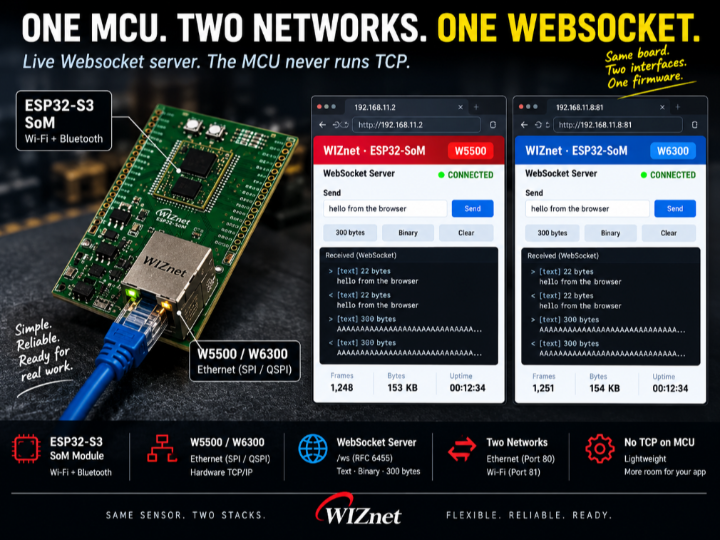
WebSocket on a WIZnet ESP SoM. TCP runs on the Ethernet chip, not the MCU. Same firmware on W5500 or W6300 - one menuconfig switch, no porting.

WIZnet - W5500
x 1

WIZnet - W6300
x 1
A browser dashboard that updates itself. No polling, no refresh button. The TCP connection lives on the WIZnet Ethernet chip, so the MCU only wakes when a message actually arrives.
That matters because a WebSocket stays open all day - which is the whole point of using one.
Same firmware runs on W5500 or W6300, over Ethernet and Wi-Fi at once.
Use Cases
- Local equipment dashboards — Display live machine data in a browser on the factory network without a cloud account or MQTT broker.
- Commissioning and service — Open the device IP to monitor live values and send commands through the same WebSocket, with no PC software to install.
- Test fixtures and burn-in systems — Stream logs and telemetry to a browser instead of relying on serial cables, and monitor multiple boards from one screen.
A WebSocket server where the MCU never runs TCP
You want a live dashboard. Numbers that update themselves, no refresh button.
So you reach for WebSocket. And on an MCU that usually means dragging in a TCP/IP stack, a HTTP server, and a framing library — tens of kilobytes of RAM before you have sent a single byte of your own data.
This one puts the TCP part on the Ethernet chip instead. The MCU does the handshake and the frames. That is it.
Hardware is a WIZnet ESP SoM — ESP32-S3 and W5500 on one module, so both interfaces come from one part.
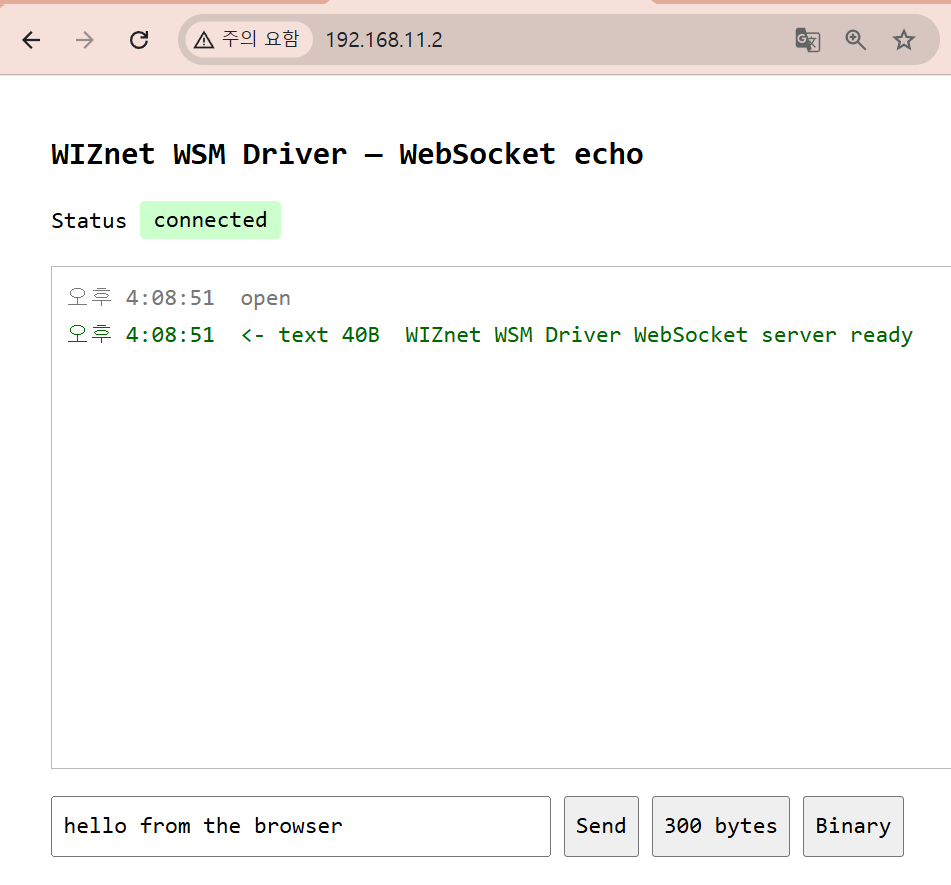
Open the board's IP in a browser. It serves the page, then upgrades the same connection to WebSocket.
What it does
- Serves a small test page over plain HTTP
- Upgrades
/wsto WebSocket (RFC 6455) - Echoes whatever you send — text or binary
- Runs on Ethernet and Wi-Fi at the same time, from one firmware
Type in the box, hit Send, and the message goes out and comes back. Every frame is logged on both the page and the serial console, so you can see the same bytes from both ends.
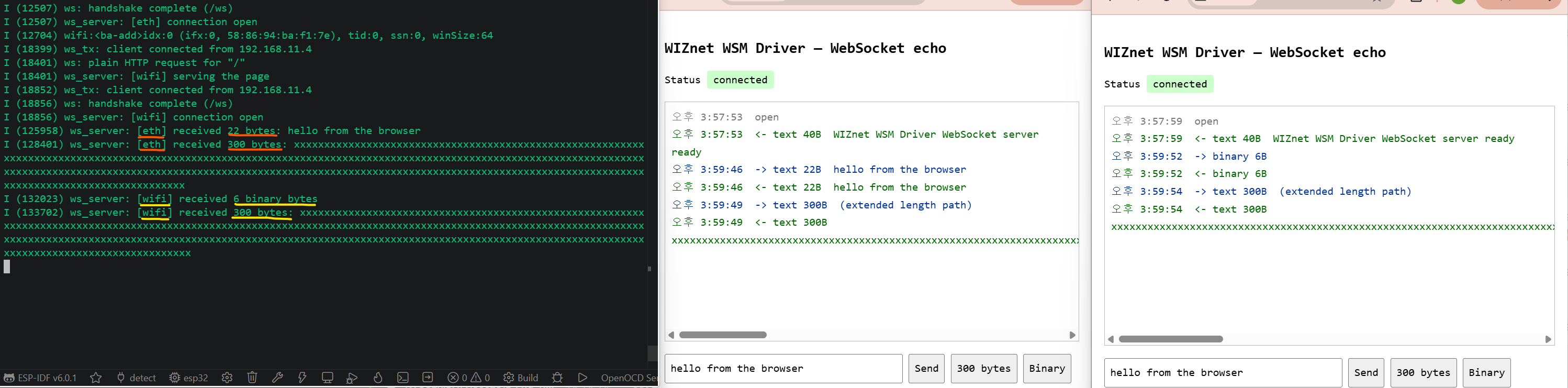
Serial on the left, two browsers on the right. Note the [eth] and [wifi] tags — two interfaces, one firmware, same server code.
Three buttons, three things worth testing
The page has exactly three send buttons. None of them are decoration.
Send — the ordinary case
hello from the browser is 22 bytes. Payload length fits in the 7-bit field. This is the path 99% of your traffic takes.
300 bytes — the path that breaks parsers
WebSocket has three ways to write a payload length:
- 0–125 → the 7-bit field itself
- 126 → next 2 bytes are the real length
- 127 → next 8 bytes are the real length
A parser that only ever sees short messages works fine right up until someone sends 300 bytes. Then it reads the length as 126, treats the following bytes as payload, and every frame after that is garbage.
So there is a button that sends exactly 300 bytes, every time, on purpose.
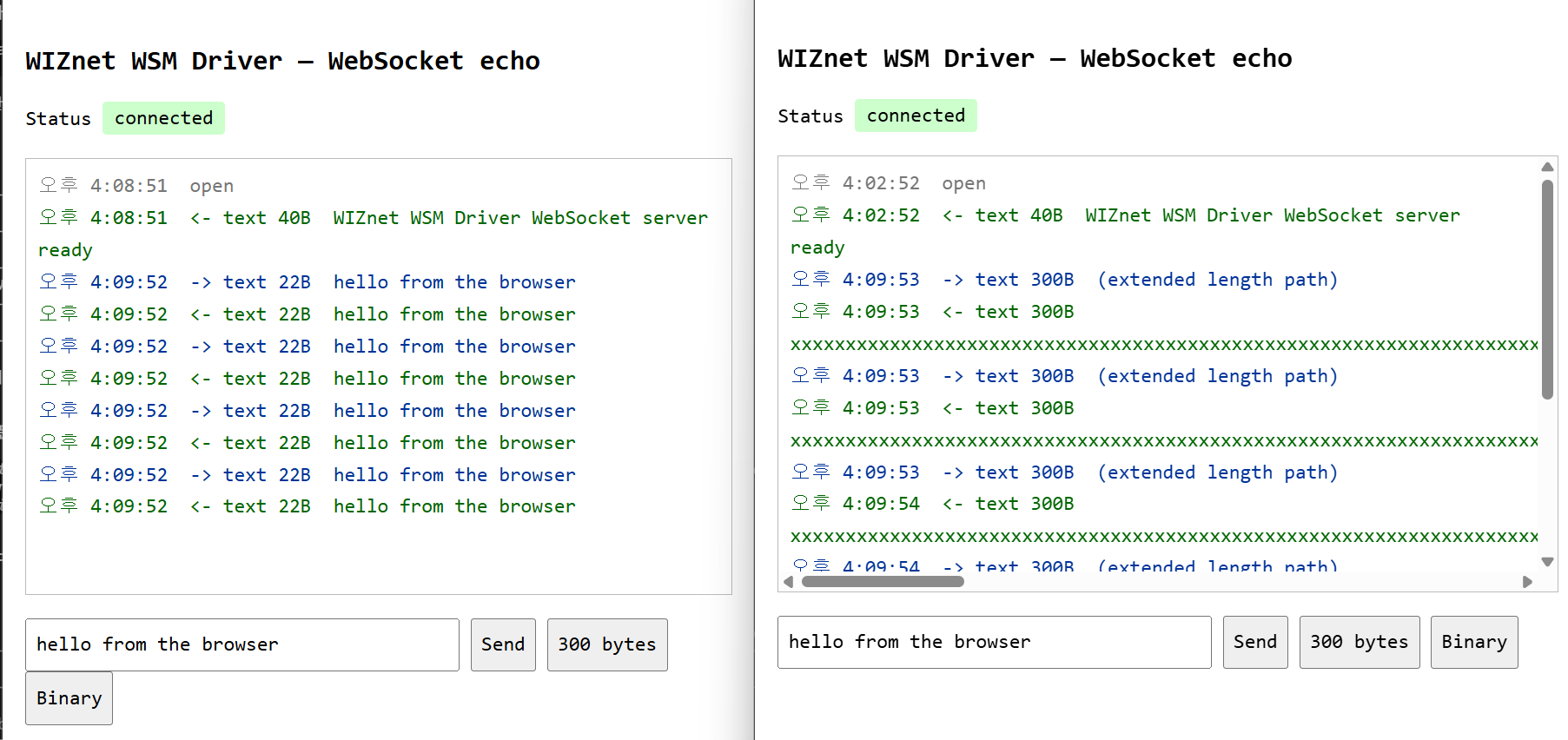
Left: short frames. Right: 300-byte frames, marked (extended length path). Both echo back byte-for-byte.
Binary — because opcodes are not just text
Text frames are opcode 0x1, binary is 0x2. They must survive the round trip as what they were sent as. A server that quietly turns everything into text will pass every test you write with strings and fail the first time someone sends a struct.
Every client frame is masked. Every server frame is not.
This is the rule that bites people writing their first WebSocket server.
Browsers must XOR-mask every frame they send, with a fresh 4-byte key each time. Servers must not mask at all.
Get it backwards and the browser closes the connection without a word — no error, no console message, just gone.
So the unmasking is 4 lines, and they are not optional:
for (size_t i = 0; i < len; i++) {
    payload[i] ^= mask[i & 3];
}
The bug that only showed up with both links running
The server code is written once and started twice — once for Ethernet, once for Wi-Fi. Which stack it uses comes from a small table of socket functions passed in at startup.
First version stored that table in a single global.
Ethernet came up at ~1.2 s and started serving. Wi-Fi finished DHCP a second and a half later, and when its task bound its socket, it overwrote the global.
The Ethernet task was now calling Wi-Fi's socket functions with Ethernet's socket numbers.
Nothing crashed. It just started answering the wrong things on the wrong interface, intermittently, depending on which task got there last.
Fix: pass the table into every call instead of parking it in a global. Two servers, two tables, no shared state.
Worth remembering if you ever run one protocol implementation over two interfaces — the code is shared, the state must not be.
What the handshake actually costs
The upgrade is smaller than people expect:
- Read the request headers, find
Sec-WebSocket-Key - Append the fixed GUID from the spec
- SHA-1, then base64
- Send it back in
Sec-WebSocket-Accept
That is the whole handshake. There is no negotiation, no state machine, no library. After that you are reading frames.
The frame reader handles FIN, opcode, mask, all three length paths, plus ping/pong and close. That is enough to talk to every browser.
Why put TCP on the chip for this
A WebSocket connection is open all day. That is the entire point of using one.
On a software stack, an idle-but-open connection is not free. It is socket buffers held in RAM, retransmit timers, and a wakeup on every keepalive.
On the hardware stack, the chip holds the connection. The MCU is only involved when a frame actually arrives. In between, it is genuinely idle — available for whatever your device is really supposed to be doing.
Same reason the camera example ended up on this driver: what you buy is not throughput, it is the CPU you get to keep.
Hardware
WIZnet ESP SoM — an ESP32-S3 and a WIZnet Ethernet chip on one module, already wired together.
That matters more than it sounds. Both interfaces in this project come from one part: Ethernet from the WIZnet chip, Wi-Fi from the ESP32, no jumper wires between them and no SPI bus you have to get right yourself.
Two chips, same firmware
The SoM comes in two versions — W5500 and W6300.
[ IMAGE: shared/som_w6300.jpg ]
The W6300 SoM on its eval board. Same module footprint, different Ethernet chip.
You do not port anything between them. One menuconfig option:
Component config -> WIZnet WSM Driver -> WIZnet chip -> W5500 | W6300The handshake code, the frame parser, the socket vtable — none of it changes. The difference is entirely in how the MCU talks to the chip:
- W5500 — standard SPI.
- W6300 — QSPI. Single mode uses the same four wires as the W5500. Quad mode adds IO2/IO3, so data moves on four lines instead of one.
For a WebSocket that is mostly idle, either is plenty. It matters when you start pushing real payloads — the host bus is usually what runs out first, long before the 100 Mbit PHY does.
Everything measured in this post ran on the W5500 version.
Code is examples/websocket in the WSM driver repo. Build commands and menuconfig options are in that example's README.
If you build it
Open the board's IP in two browsers at once and press 300 bytes in both. If the echoes come back clean on both interfaces, your framing is right and your two stacks are not standing on each other.
If one window goes quiet, check whether something in your code is a global that should have been a parameter.
Was this what you needed?
Tell us how this would be used on your site, or what is missing. A repository issue or a comment below both work. What you tell us about your deployment is what sets the next priority.
- Repository: https://github.com/theoim/wsm_driver/tree/ionic-example/examples/websocket
- Board product pages: (link)
wsm_driver: https://github.com/Wiznet/wsm_driver