


Modbus TCP on the WIZnet ESP SoM, re-addressable from a browser
Modbus TCP slave plus a live web dashboard on a WIZnet ESP SoM. Change the IP from the browser. Same firmware on W5500 or W6300, one menuconfig switch.
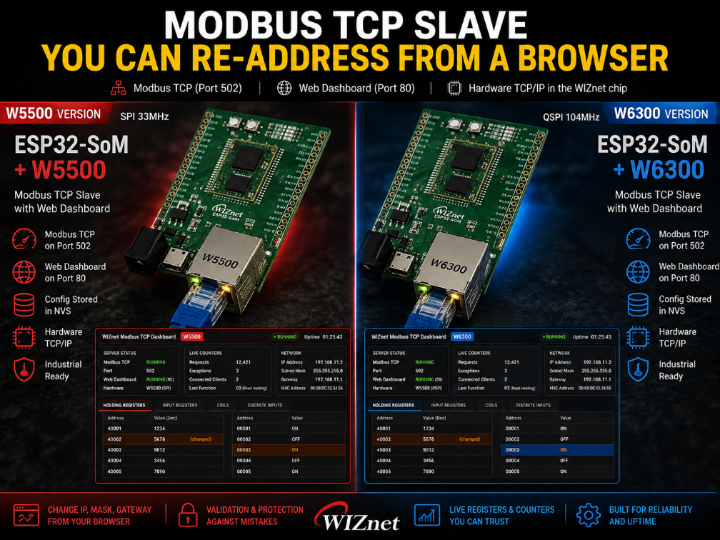

WIZnet - W5500
x 1

WIZnet - W6300
x 1
A Modbus TCP slave with a web page built into it. Point any master at port 502 and watch the registers change live in a browser. Need a different IP or port? Change it on the page and press Save - no laptop, no vendor tool, no serial cable.
Both servers run on the WIZnet chip's hardware TCP/IP, so the MCU stays free for whatever your product actually does.
Use Cases
- Legacy equipment upgrades — Connect existing sensors and actuators to a Modbus TCP network through a compact gateway, with network settings configurable on site.
- Panel-mounted I/O — Commission and configure equipment directly from a browser without vendor-specific software, USB adapters, or serial tools.
- Instrumentation and monitoring nodes — Let SCADA continuously poll Modbus TCP on port 502 while technicians use the web dashboard for diagnostics without changing the master configuration.
A Modbus TCP slave you can re-address from a browser
Every Modbus device I have ever installed had its IP address on a sticker.
Wrong subnet on site? Get a laptop, find the right cable, find the right adapter, open the vendor's Windows-only tool, hope it still runs.
This one has a web page. Change the IP, press Save, done.
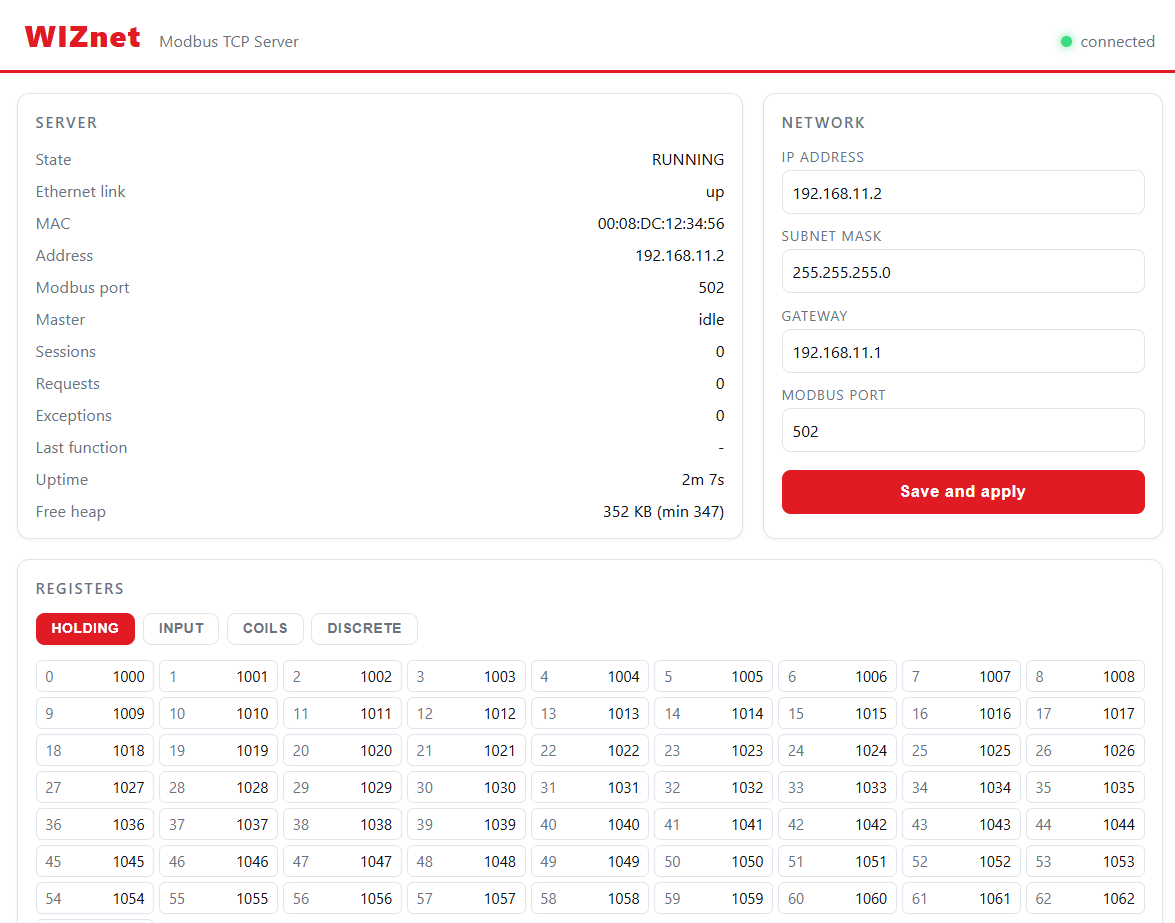
Server state, live counters, and the network settings — all on the device, no app to install.
What it does
- Modbus TCP slave on port 502 — holding, input, coils, discrete inputs
- Web dashboard on port 80 — live registers, live counters
- Network config stored in NVS — IP, mask, gateway, Modbus port
- Both servers run on the W5500's hardware TCP/IP. The MCU runs no TCP.
All of it on a WIZnet ESP SoM — ESP32-S3 and W5500 on a single module.
Point any Modbus master at it and watch the values change in the browser while it runs.
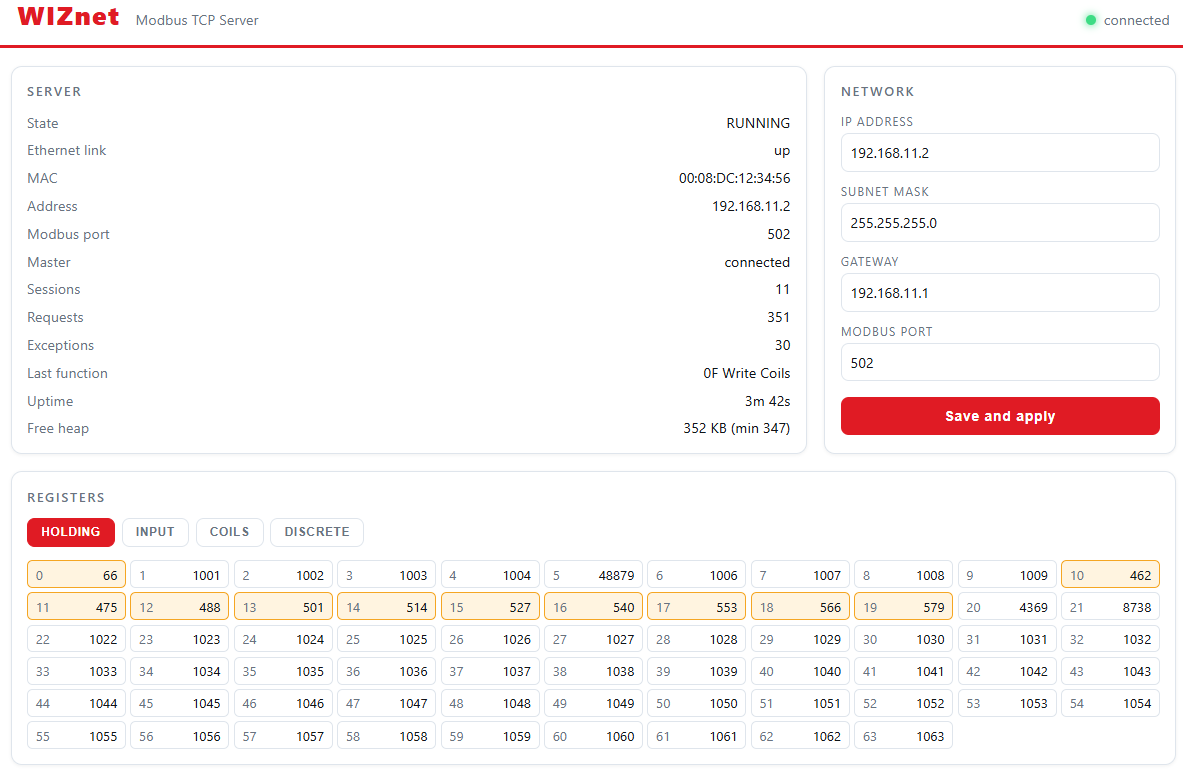
Holding registers updating live. Changed cells flash orange, the Requests counter climbs.
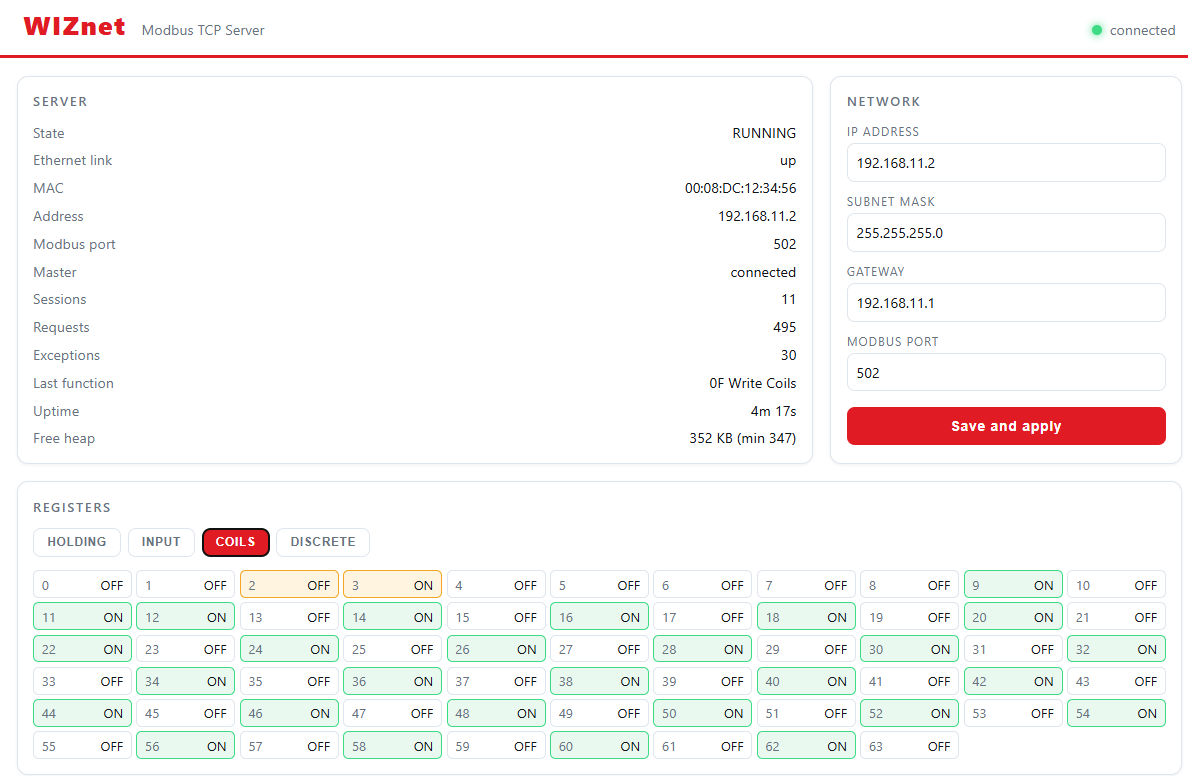
Same view, coils. One bit walking across on every pass.
Changing the IP without bricking it
This is the part that is easy to get wrong.
You are about to change the address of the device you are talking to, through the device you are talking to. Do it in the wrong order and you kill your own connection halfway and leave the box in a state nobody can reach.
So the apply is deferred:
- Validate everything before touching anything
- Write to NVS
- Answer the browser — so the page gets its confirmation on the old address
- Then stop the web server, stop Modbus, and re-address the chip
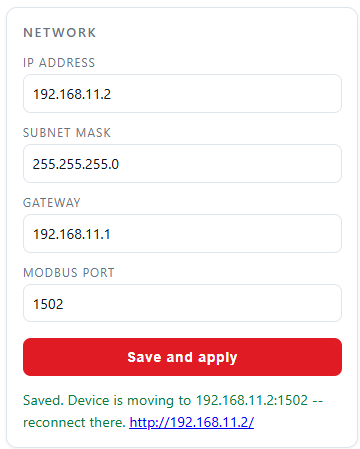
Applied. The device tells you where to find it next.
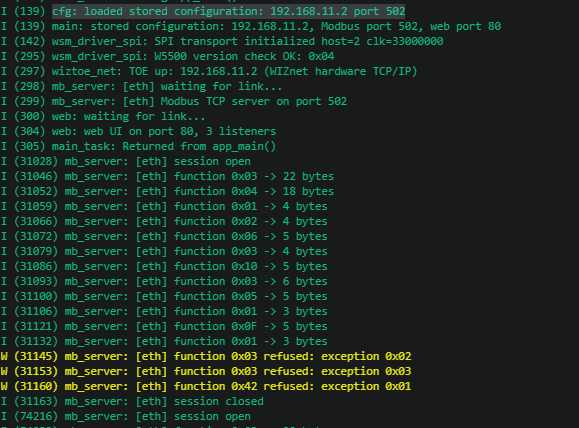
Same event on the console — the port change, from the device's side.
Saying no properly
Bad input has to be refused with a reason. A red border tells you nothing.
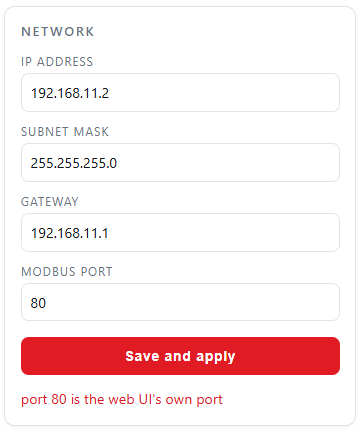
Modbus port 80. Refused: port 80 is the web UI's own port.
The validator checks the things that actually go wrong:
- Netmask must be contiguous —
255.255.0.255is not a netmask - Gateway must be inside the subnet, or you have no route
- Modbus port cannot collide with the web UI, or you lose the way back in
The bug that was invisible for a week
The netmask check looked like this:
if ((~mask & (~mask + 1)) != (~mask + 1)) {
    /* not contiguous */
}
Looks like a bit trick. Reads like a bit trick. It is never true.
And since it was the first check in the chain, the gateway and port checks below it never ran either. Three validators, all dead, all looking perfectly reasonable in review.
Correct version:
uint32_t host = ~mask;
if (mask == 0 || (host & (host + 1)) != 0) {
    /* not contiguous */
}
What actually caught it: I made the test tool print the reason for a refusal, not just the status code. The moment a valid 255.255.255.0 came back with a mask complaint, it was obvious.
A test that only checks the status code cannot tell "rejected correctly" from "rejected for the wrong reason".
39 out of 300
First load test: hammer the web UI with 300 requests. 39 answered.
Three separate causes, none of them visible in the code:
- 200 ms accept timeout across 3 listeners. A request arriving just after listener 1 was checked waited for the other two to time out. 430 ms before the server even looked at it.
- Reading the request one byte at a time. Each byte is an SPI round trip to the chip. A 300-byte header is 300 round trips.
- A listener left at -1 after a failed accept, silently reducing capacity by a third for the rest of the run.
After: 397 out of 400.
Not one of these three was a logic error. They were all "correct code, wrong constant" — which is exactly the kind of thing you cannot find by reading, only by measuring.
The one that needed abuse to find
I wrote a tool that connects and disconnects badly on purpose — half-open connections, disappearing mid-request, connecting and never speaking.
Modbus scored 4 out of 7.
The cause: a client that connects and then vanishes leaves the hardware socket in CLOSE_WAIT. The accept path handled ESTABLISHED and CLOSED — but not that. So the listener sat in a state it had no branch for, forever.
One dead client, one dead listener. Permanently.
Workaround in the example: if a listener has been idle for N passes, close and re-open it. After that, 16 out of 16.
30-minute soak
| Metric | Result |
|---|---|
| Web requests | 5521 / 5522 |
| Modbus transactions | 2761 / 2761 |
| Free heap | flat at 351 KB |
| Heap low-water | never moved |
The flat heap is the number I care about. Both servers allocate per connection, so a leak of even 100 bytes per request would show as a slow slide over 5500 of them.
How to test yours
The example ships Python tools with no dependencies:
mb_probe.py— exercises every function code and checks the repliesweb_probe.py— drives the config API and prints why a request was refusedabuse.py— the half-open / disappearing-client tests abovesoak.py— long run, watching heap
Any Modbus master works too — pymodbus, QModMaster, whatever you already use. The dashboard updates while it runs, which makes it very easy to see whether your master is doing what you think it is doing.
Hardware
WIZnet ESP SoM — an ESP32-S3 and a WIZnet Ethernet chip on one module.
For an industrial box this is the shape you want: one part to place, one part to qualify, and the TCP/IP already sitting on the Ethernet side of it. Both servers in this project — Modbus on 502 and the web UI on 80 — run on that chip's hardware stack. The MCU is free.
Pick the chip late
The SoM comes in two versions, W5500 and W6300, and the firmware does not care which one you fit.
[ IMAGE: shared/som_w6300.jpg ]
The W6300 SoM on its eval board. Same module footprint, different Ethernet chip.
One menuconfig option, no code change:
Component config -> WIZnet WSM Driver -> WIZnet chip -> W5500 | W6300- W5500 — standard SPI.
- W6300 — QSPI. Single mode is the same four wires. Quad mode adds IO2/IO3 and moves data on four lines instead of one.
That is a useful thing to have on a product line. Modbus registers are small, so a 502 slave will never notice the difference — but the same board, same firmware, can carry a heavier job later just by fitting the other chip.
Everything measured in this post ran on the W5500 version.
Code is examples/modbus_tcp in the WSM driver repo. Build commands and the register map are in that example's README.
What I would take from this
- Print the reason, not the code. It found a bug three validators deep.
- Test with bad clients, not just good ones. The good ones scored 100% while a listener was permanently wedged.
- Watch the heap, not the throughput. Throughput tells you it works now. Flat heap tells you it will still work tomorrow.
Was this what you needed?
Tell us how this would be used on your site, or what is missing. A repository issue or a comment below both work. What you tell us about your deployment is what sets the next priority.
- Repository: https://github.com/theoim/wsm_driver/tree/ionic-example/examples/modbus_tcp
- Board product pages: (link)
wsm_driver: https://github.com/Wiznet/wsm_driver