



Cheerlights Desktop Christmas Tree
Cheerlights Desktop Christmas Tree
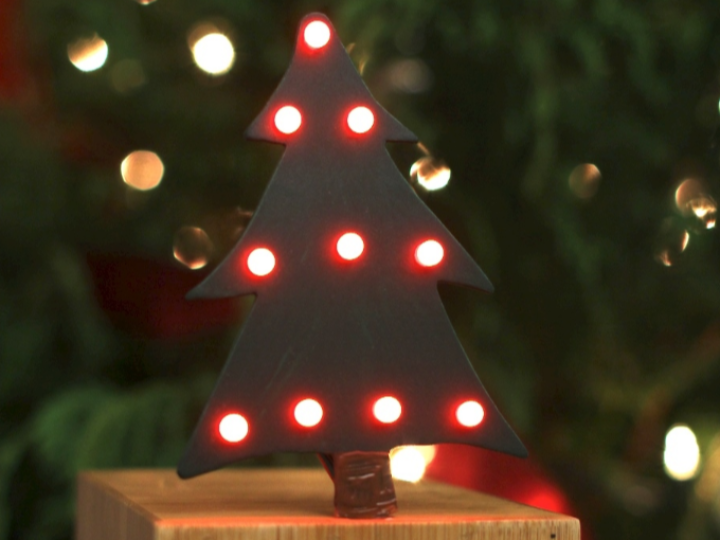
 1. Overview
Most IoT gadgets work alone, but CheerLights is different: it synchronizes lights all around the world to the same color, based on a shared online color stream.
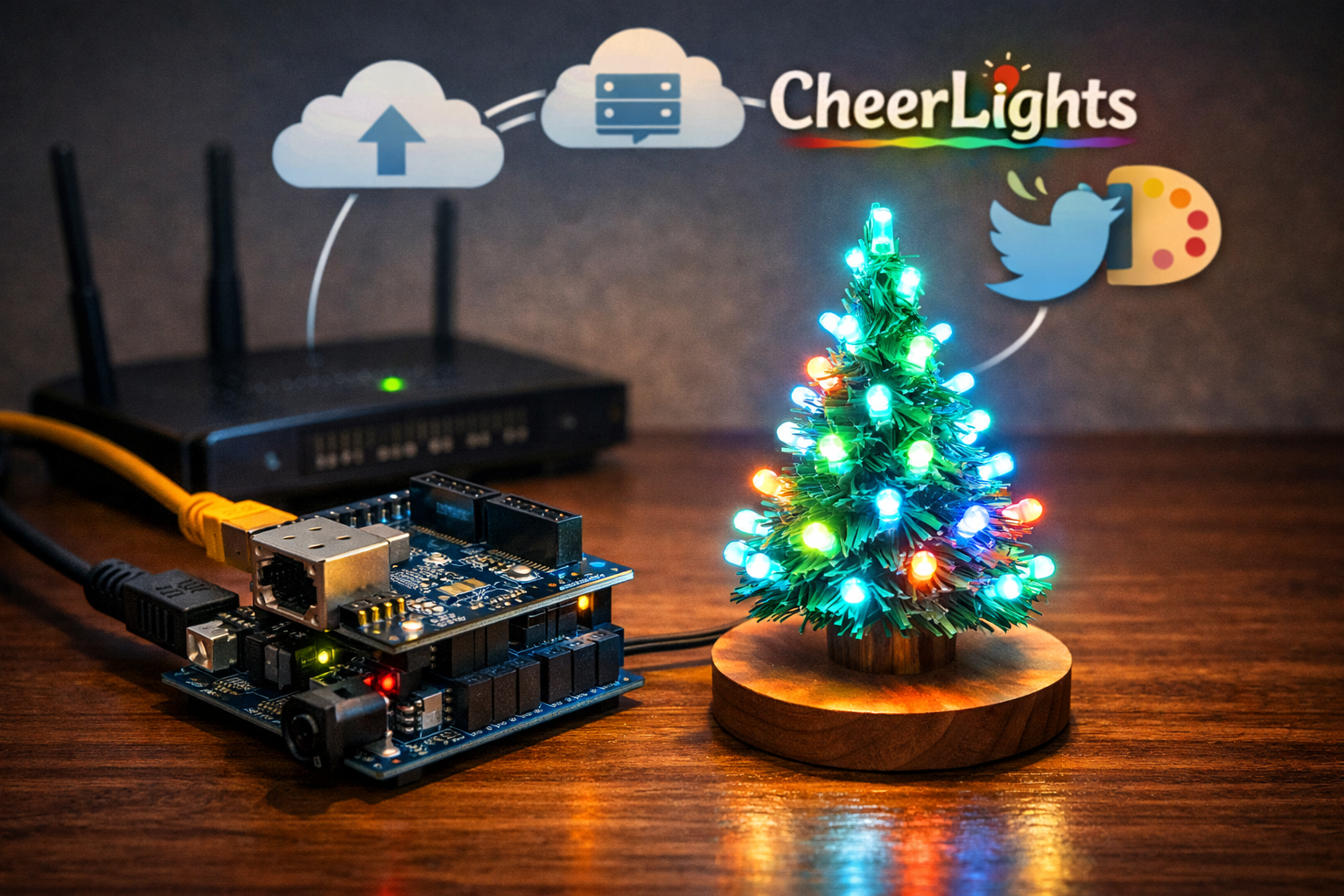
The CheerLights Desktop Christmas Tree is a small RGB LED tree that:
uses an Arduino Uno + WIZnet W5100–based Arduino Ethernet Shield for wired internet access, and
subscribes to the CheerLights color feed (via a ThingSpeak channel) to display the current global CheerLights color.
When someone posts a color update to CheerLights (for example via Twitter or another supported interface), the new color is stored on the CheerLights backend. The tree periodically fetches this color and updates its LEDs so that it matches other CheerLights-enabled devices worldwide.
This article summarizes the architecture, key features, and WIZnet-specific aspects of this Ethernet-connected Christmas tree.
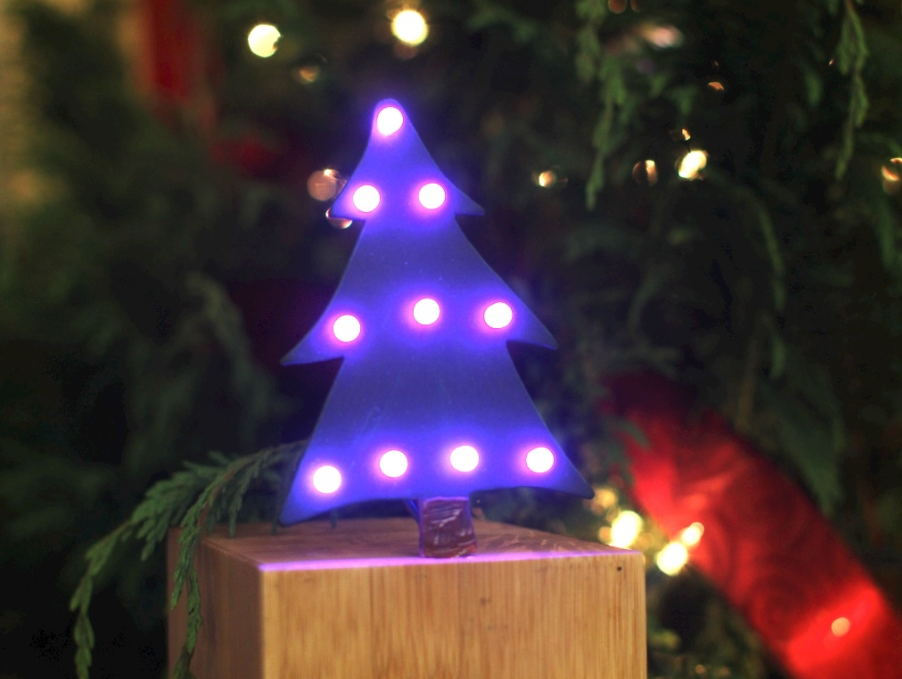 2. What Is the “CheerLights Desktop Christmas Tree”?
In one line:
A desk-sized RGB Christmas tree that changes color based on a global CheerLights feed, using Arduino and WIZnet Ethernet.
Typical hardware elements include:
Arduino Uno as the main microcontroller
Arduino Ethernet Shield based on the WIZnet W5100 Ethernet controller
Multiple RGB LEDs arranged in a small tree form factor (often ~10 LEDs, shared per-color bus)
Current-limiting resistors, and optionally NPN transistors for LED driving
A small wooden or acrylic base/enclosure, plus a wired LAN connection (RJ45)
Basic operation:
The Arduino uses the W5100-based Ethernet Shield to join the local network (via DHCP or static IP).
At regular intervals, it sends an HTTP request to the CheerLights / ThingSpeak API endpoint to get the latest color, returned as #RRGGBB.
It parses the RGB values from the string and drives the tree’s RGB LED channels with PWM to display that color.
3. Key Features and Functions
3.1 Globally Synchronized “Internet Tree”
The tree subscribes to the CheerLights color stream, which reflects a global “current color” value.
When the CheerLights backend color changes, every connected CheerLights device (including this tree) eventually pulls the new value and updates its lights.
The result is a tiny Christmas tree on your desk that visually reflects a shared, worldwide color state.
This makes the project a fun, tangible demonstration of a shared IoT channel: your LEDs are not just reacting to your code, but to a global, community-driven color feed.
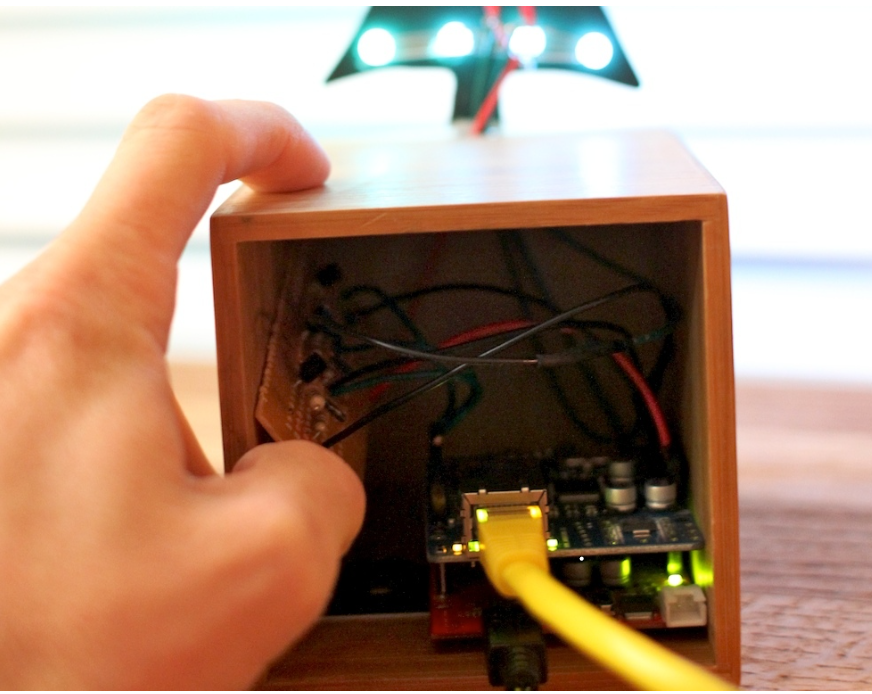 3.2 Simple Hardware, High Visual Impact
Multiple RGB LEDs are wired in a tree-like structure, often sharing a common bus per color channel (R/G/B).
Arduino PWM outputs (optionally via transistor drivers) modulate the intensity of each color channel.
By mixing the duty cycles for R, G, and B, the tree can display a wide range of colors.
Even though the electronics are relatively simple, the combination of blinky LEDs + live internet data creates a strong “wow factor” for demos, desks, and holiday displays.
3.3 WIZnet Ethernet–Based CheerLights Integration
The Arduino Ethernet Shield with WIZnet W5100 provides a hardware TCP/IP stack.
The Arduino sketch typically:
initializes Ethernet via DHCP or a fixed IP,
opens a TCP connection to the CheerLights / ThingSpeak server,
issues a simple HTTP GET request,
reads a text response that contains the color in #RRGGBB form.
Because the W5100 handles low-level TCP/IP, ARP, and so on in hardware, the Arduino code can stay focused on:
sending HTTP requests as plain text,
parsing a small response string, and
updating LEDs accordingly.
This makes the design robust and approachable, even on an 8-bit MCU.
4. Application Scenarios
The CheerLights Desktop Christmas Tree goes beyond being just a seasonal decoration:
Office or lobby IoT demo tree
Place it on a desk or in a reception area to visualize participation in the CheerLights network.
Educational IoT example
Use it in workshops or classes to teach:
HTTP APIs,
ThingSpeak / cloud feeds,
WIZnet hardware TCP/IP concepts,
and basic LED control.
Brand / event lighting
Replace CheerLights with a custom server API to reflect:
campaign status,
event phases,
or other live metrics as colors.
Reference design for networked lighting
Swap the small RGB tree for LED strips, neon flex, or signage, while reusing the same WIZnet-based Ethernet + HTTP pattern.
 5. Advantages of WIZnet-Based Ethernet
Using Arduino + WIZnet W5100 for this project brings several benefits:
Wired stability
For a demo or display that’s meant to run continuously (days, weeks, or the whole holiday season), wired Ethernet is typically more stable and predictable than Wi-Fi.
Hardware TCP/IP offload
The W5100 handles TCP, UDP, ARP, and related protocols internally.
The Arduino sketch works mostly at the “send strings and read strings” level, instead of implementing a full stack in software.
Familiar Arduino ecosystem
Standard Ethernet.h-based examples and libraries can be reused.
Many CheerLights and ThingSpeak examples exist for Arduino Ethernet, making it easy to adapt or extend the code.
Path to productization
The same concept can be ported to newer WIZnet chips (W5500, W6100) or WIZnet-based modules.
The HTTP-in / color-out pattern can be reused in commercial lighting and signage projects.
6. Conclusion
The CheerLights Desktop Christmas Tree is a compact yet powerful demonstration of what happens when you combine:
a handful of RGB LEDs,
an Arduino, and
a WIZnet Ethernet controller
with a shared, internet-driven color feed.
In essence, it is:
A small, Ethernet-connected Christmas tree that visually participates in a global CheerLights network.
From a WIZnet perspective, the project nicely illustrates the classic pattern:
LED display → Arduino → WIZnet Ethernet (W5100) → HTTP → cloud color feed
This makes it an excellent reference for:
IoT lighting demos,
educational kits, and
future wired-Ethernet products that use WIZnet’s hardwired TCP/IP to stay simple, reliable, and always connected.