



Arduino Heating or Cooling Control - SHProject 5
Arduino Heating or Cooling Control - SHProject 5
1. Overview
In many homes, rooms that are far from the central HVAC system suffer from temperature imbalance: too cold in winter, too warm in summer. This was exactly the situation for the original author’s daughter’s bedroom, located on the opposite side of the house from the main HVAC unit.
The “Arduino Heating or Cooling Control – SHProject 5” project uses an Arduino Uno to monitor room temperature and automatically switch a space heater or window A/C unit on and off. An Ethernet shield based on the WIZnet W5100 chip allows a PC to poll the device over the network and log usage data into a SQL database for long-term analysis.
This article introduces the architecture, key features, and practical use cases of this Ethernet-connected room HVAC controller.
2. What Is “Arduino Heating or Cooling Control – SHProject 5”?
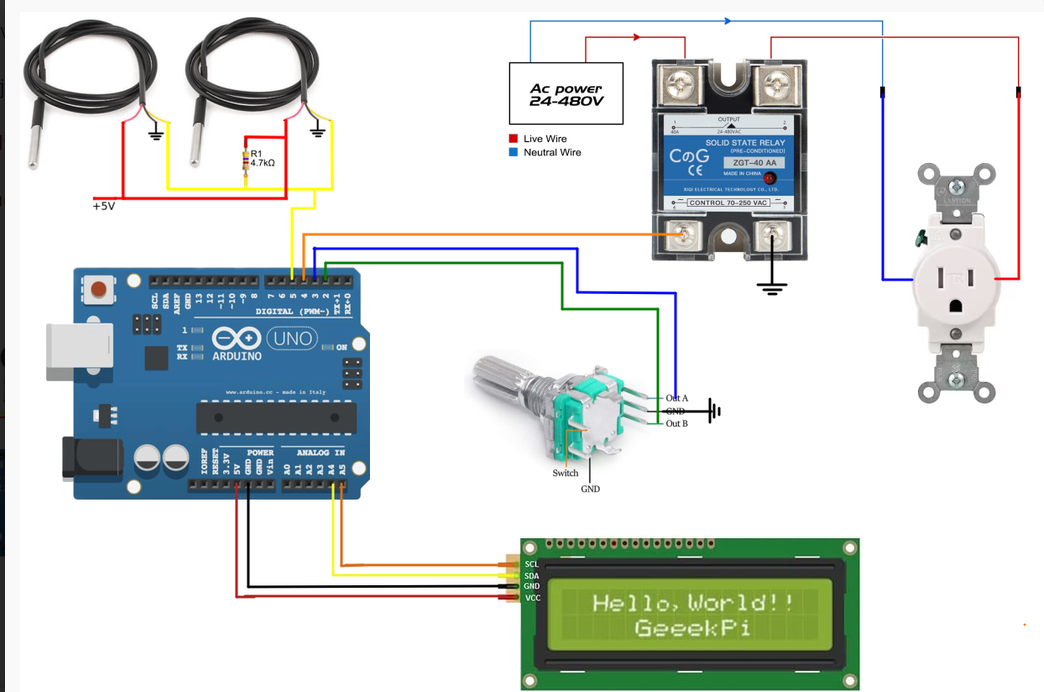
“Arduino Heating or Cooling Control – SHProject 5” is a room-level heating and cooling controller built around an Arduino Uno, DS18B20 temperature sensors, a solid-state relay, and an Ethernet shield.
Core elements of the project include:
Arduino Uno as the main controller
Two DS18B20 temperature sensors (for room air and near-wall temperature)
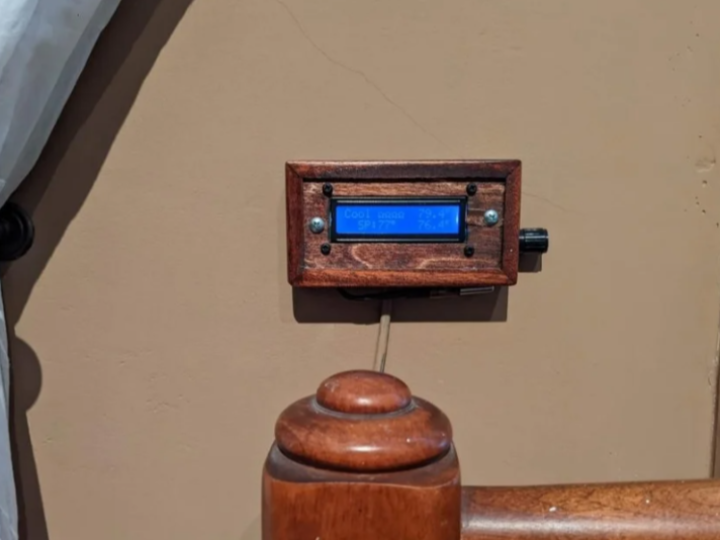
I2C 16×2 LCD for local temperature and status display
360-degree rotary encoder for adjusting heating and cooling setpoints
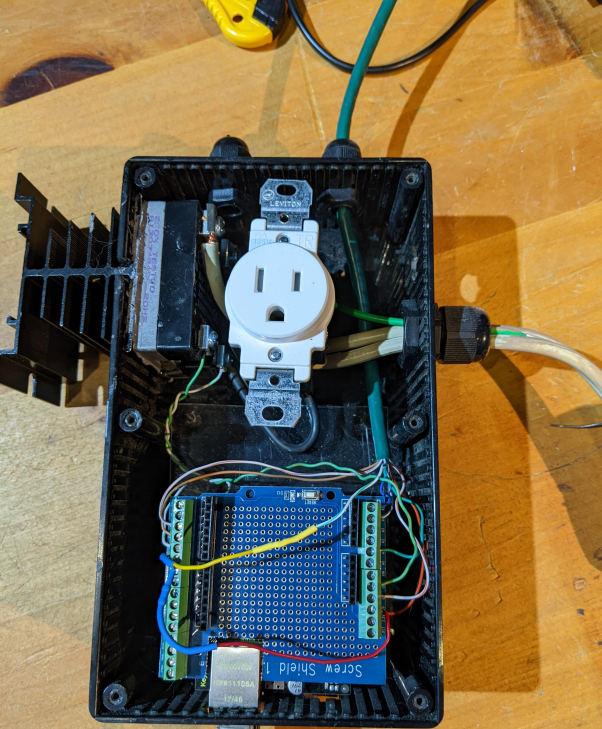
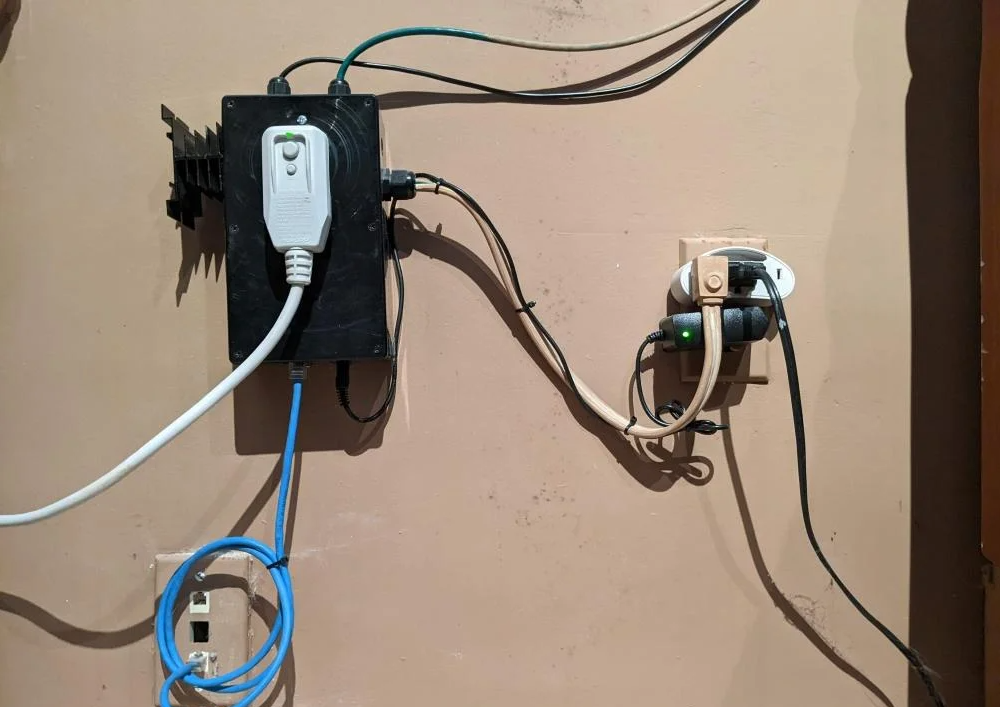
Solid State Relay (SSR) switching a 120 VAC outlet for a space heater or window A/C
Arduino Ethernet Shield (WIZnet W5100-based, easily portable to W5500) for UDP-based data logging
Together, these components form a self-contained, Ethernet-enabled room HVAC controller that both maintains comfort and generates detailed usage statistics.
3. Key Features and Capabilities
3.1 Temperature-Based Heating and Cooling Control
The system uses DS18B20 digital temperature sensors to measure the bedroom and wall temperatures. The Arduino maintains separate heating and cooling setpoints, which allows fine-tuned comfort control tailored to a bedroom environment.
A 360-degree rotary encoder provides an intuitive interface for raising or lowering these setpoints without complex menus.
Based on the measured temperature and configured thresholds, the Arduino turns a space heater or window A/C unit on or off via the SSR-controlled 120 VAC outlet.
3.2 Local Display and User Interface
An I2C 16×2 LCD module provides at-a-glance visibility of:
Current room temperature
Active heating and cooling setpoints
HVAC output state (ON/OFF)
LCD brightness can be adjusted for bedroom use, and the single rotary encoder serves as a simple, one-knob interface for configuration and setpoint changes. The device remains fully usable even without any network connection.
3.3 Ethernet-Based Data Logging with WIZnet
One of the most distinctive aspects of this project is its networked monitoring capability.
An Arduino Ethernet Shield based on the WIZnet W5100 is mounted on the Uno, and a PC on the same LAN polls the controller periodically (for example, once per minute) using a lightweight UDP protocol.
The typical sequence is:
The PC sends a compact timestamp string (for example, r2406131422054).
The Arduino uses this timestamp as a simple time reference.
The Arduino immediately replies with a tab-delimited line containing sensor readings and state values (current temperature, setpoints, heater/AC status, etc.).
The PC stores this line into a SQL database for later querying and analysis.
This minimalistic UDP protocol turns the room controller into a networked energy-usage logger without requiring a real-time clock (RTC) or complex time synchronization logic on the Arduino.
4. Application Scenarios
Thanks to its combination of local HVAC control and Ethernet connectivity, the SHProject 5 design is well suited for:
Supplemental heating/cooling for bedrooms or distant rooms
Monitoring the runtime of space heaters and window A/C units
Energy-usage analysis and cost tracking across days, months, and seasons
Educational demonstrations of thermostat control plus IoT-style data logging
Prototyping smart-room or smart-plug–type products
Because it relies on standard Arduino hardware and an off-the-shelf Ethernet shield, the design can also serve as a reference for other room-level controllers and energy-aware smart devices.
5. Advantages of WIZnet-Based Ethernet Solutions
By using a WIZnet-based Ethernet shield, the project benefits from:
A hardware-offloaded TCP/IP stack (W5100/W5500 class)
Predictable, wired network performance suitable for 24/7 logging
Minimal MCU resource usage for networking tasks
Straightforward UDP (and optional HTTP) communication using familiar Arduino Ethernet libraries
For a device expected to run continuously and store long-term data, wired Ethernet via WIZnet offers robust reliability compared to many low-cost Wi-Fi alternatives.
The same architecture can be migrated easily from W5100 to W5500 or W6100 for more sockets, larger buffers, or higher performance.
6. Conclusion
The “Arduino Heating or Cooling Control – SHProject 5” project shows how an Arduino and a WIZnet Ethernet shield can be combined to solve a real home comfort problem while also generating valuable HVAC usage data.
It delivers:
Automatic heating/cooling control for a single room
Simple, reliable Ethernet-based monitoring via periodic UDP polling
A practical pattern that can be extended to multi-room HVAC and broader home energy management systems
For engineers and makers who want to build an Ethernet-connected HVAC controller or prototype smart home energy-monitoring devices, this project provides a realistic, reusable reference design based on WIZnet hardwired TCP/IP technology.