WebServerWithSD
How to setup a web server with arduino 2560 and Ethernet Shield and SD card to control built-in LED
0
Components
Hardware components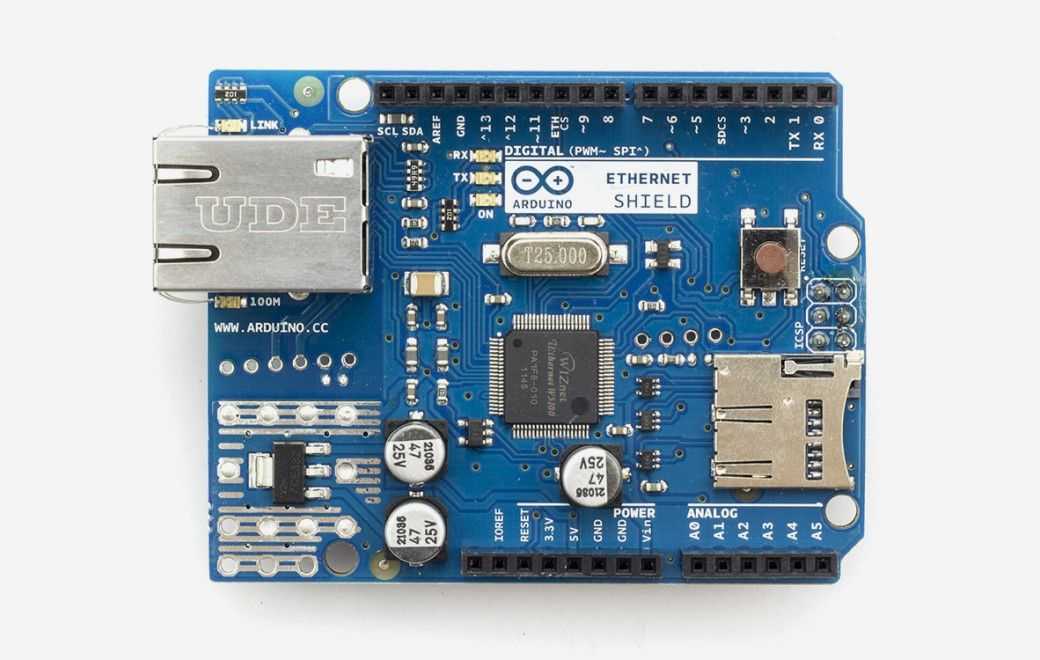
Arduino - Arduino Ethernet Shield
x 1

Project description
This project is focused on setting up a web server using an Arduino Mega2560, an Ethernet Shield, and a micro SD card for controlling an LED. The key components used in this project include: Arduino Mega2560 (with the built-in LED) Arduino Ethernet Shield USB cable (A male - B male) Network switch Micro SD card (16GB or smaller, even 512MB will work) How to Start: To get started, you need to transfer the files from the "SD content" folder to your micro SD card. Then, upload the "WebServerWithSD.ino" sketch to your Arduino. After connecting the Ethernet Shield to your network switch using a…
Keep reading with a free account
Guests can read 15 projects per visit. Log in or create a free account to read the full description, open the documents and join the comments.