


How to Use Both Cellular and Ethernet in a Single Zephyr App with nRF9151 + W5500
A Zephyr example using nRF9151 cellular and W5500 wired Ethernet together, solving the offload vs native socket conflict with the Socket Dispatcher.
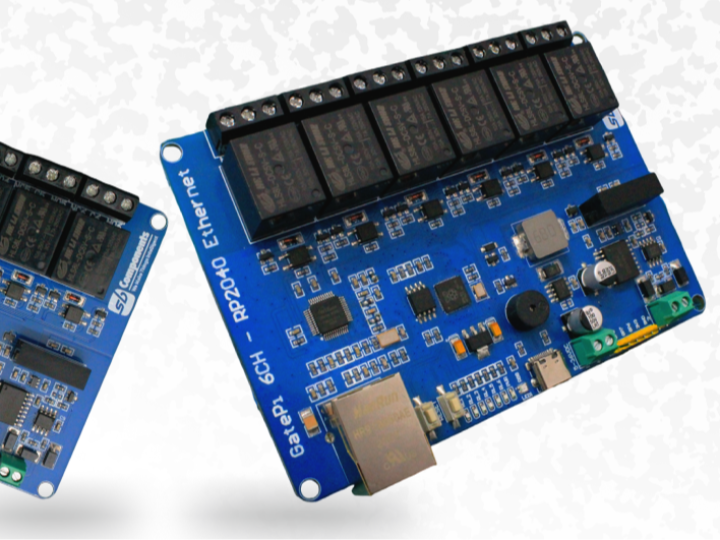

WIZnet - W5500
x 1

Cellular and Wired Ethernet in One Firmware — nRF9151 + W5500 with Zephyr Socket Dispatcher
TL;DR
An open-source example showing how to use Nordic nRF9151's built-in LTE modem and a WIZnet W5500 wired Ethernet interface together in a single Zephyr application. It solves the conflict between "offloaded sockets" and "native sockets" using the Zephyr Socket Dispatcher.
What This Project Is
To be clear up front: this is not a finished product or device — it's a code example for developers.
A developer working with Nordic's nRF9151 cellular SiP added a WIZnet W5500 to it and built this sample to demonstrate how to use LTE cellular and wired Ethernet together in a single program. They tried to implement it themselves, hit a wall, found no usable example anywhere online, and published their working solution on GitHub for others facing the same problem.
What the code actually does is simple. It runs basic network operations — UDP transmission, TCP connection, DNS lookup — once over Ethernet and once over cellular, proving that both paths work. The point isn't fancy features; the real substance is the method for making two networks coexist without conflict.
So why is using two networks together so hard?
Background: Why Cellular + Ethernet Is Difficult
Having two network paths on an IoT device is a common requirement. Use cheap, stable wired Ethernet most of the time, and fall back to cellular (LTE) when the cable drops or the device moves — this pattern is especially valuable in industrial sites, vehicles, and remote monitoring.
But when you try to build this combination on Nordic's nRF91 series (nRF9160/nRF9151), you hit an unexpected wall. The developer of this project put it plainly in the README — "I created this because I was unable to find a good example anywhere online demonstrating how to use both a cellular network interface and an Ethernet interface together in the same application."
The heart of the problem is Socket Offloading.
The Core Problem: Offloaded Sockets vs Native Sockets
The nRF9151 has a dedicated cellular modem core separate from the application core. For the application core to communicate with this modem, it needs socket offloading — meaning standard BSD socket API calls (socket(), connect(), etc.) are all redirected to the modem library.
Nordic uses this approach to simplify porting networking code to the nRF91. Since every socket call automatically goes to the modem, developers don't need to think about it when using cellular alone.
The problem arises the moment you add W5500 Ethernet.
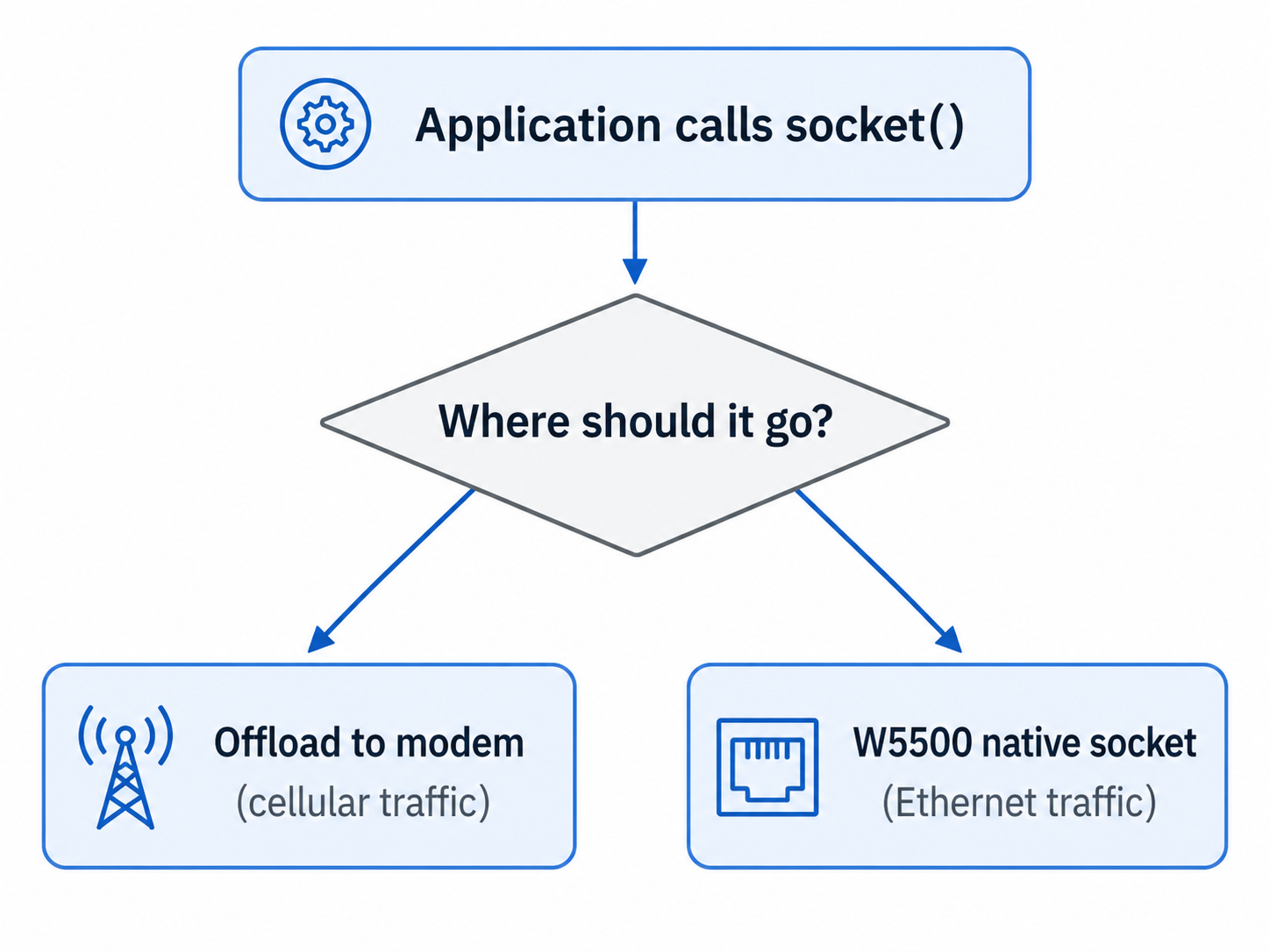
- Cellular requires offloaded sockets (routed to the modem library).
- W5500 Ethernet requires native sockets (using Zephyr's own TCP/IP stack — must NOT go to the modem).
- But the standard
socket()function cannot specify which interface to use.
Both socket types must coexist in one application, yet at the moment socket() is called, there's no way to know whether that socket is for cellular or Ethernet. This is the fundamental challenge of combining the nRF91 with external Ethernet.
The Solution: Zephyr Socket Dispatcher
Zephyr provides a module called the Socket Dispatcher to solve exactly this.
The key idea is to postpone socket creation.
- When the application calls
socket(), the actual socket isn't created immediately. - Instead, the "dispatcher" reserves a placeholder and defers the decision until the first socket operation.
- In the meantime, the developer uses the
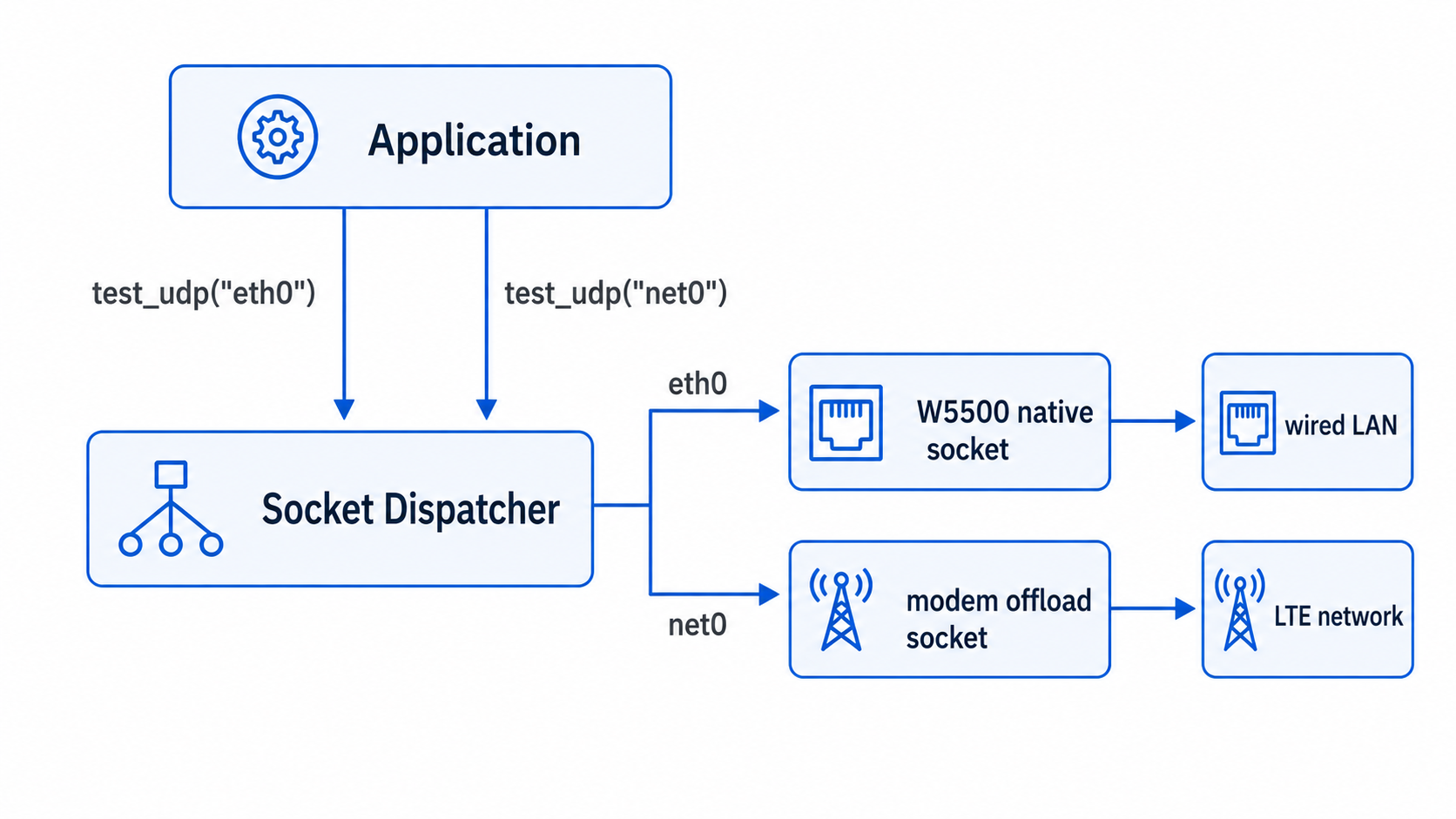
SO_BINDTODEVICEoption ofsetsockopt()to specify "bind this socket to Ethernet (eth0)" or "bind it to cellular (net0)." - When the first real operation occurs, the dispatcher reads that binding and connects the socket to the correct stack (modem offload or W5500 native).
The key settings in this project's prj.conf:
# Socket Dispatcher — the heart of this project
CONFIG_NET_SOCKETS_OFFLOAD_DISPATCHER=y
CONFIG_NET_SOCKETS_OFFLOAD=y

# W5500 Ethernet
CONFIG_ETH_W5500=y
CONFIG_NET_L2_ETHERNET=y

# Cellular modem
CONFIG_NRF_MODEM_LIB=y
CONFIG_LTE_LINK_CONTROL=y
CONFIG_LTE_NETWORK_MODE_LTE_M_NBIOT=y
How It Works: Binding Sockets per Interface
The actual code demonstrates binding sockets to specific interfaces via SO_BINDTODEVICE. The elegant part is that the same code works for both cellular and Ethernet — only the interface name changes.
/* Bind a socket to a specific interface */
int sock = socket(AF_INET, SOCK_DGRAM, IPPROTO_UDP);

struct ifreq ifreq;
memset(&ifreq, 0, sizeof(ifreq));
strncpy(ifreq.ifr_name, iface_name, sizeof(ifreq.ifr_name) - 1);

/* SO_BINDTODEVICE: bind this socket to iface_name */
setsockopt(sock, SOL_SOCKET, SO_BINDTODEVICE, &ifreq, sizeof(ifreq));
The interface names are defined as:
#define IFACE_CELLULAR "net0"   // nRF9151 built-in LTE modem
#define IFACE_ETHERNET "eth0"   // WIZnet W5500
On top of this, the example provides functions to test UDP send/receive, TCP connection, and DNS lookup per interface. Calling test_udp("eth0") and test_udp("net0") runs identical logic over the W5500 wired path and the LTE path respectively.
WIZnet W5500's Role
In this project, the W5500 provides the nRF9151 with a wired network path independent of cellular.
The W5500 connects over SPI and registers as a standard Ethernet interface (eth0) through Zephyr's CONFIG_ETH_W5500 driver. While the W5500 chip integrates a hardwired TCP/IP stack, what matters more in this project is that W5500 traffic takes the "native socket" path through Zephyr's native network stack. This characteristic — clearly distinct from the cellular modem's offloaded sockets — is the foundation that lets the Socket Dispatcher tell the two paths apart.
In other words, the W5500 is not merely "one more Ethernet port." It's the component that opens a second, native-socket-based network domain on an offload-centric cellular SiP.
What's Worth Noting
- Fills a genuine information gap: The developer explicitly states they built this because no good example existed online. It's a rare reference for simultaneous nRF91 + external Ethernet use, with several Nordic DevZone posts from developers stuck on the same problem cited in the README.
- A foundation for hybrid networking: It provides the underlying structure that lets a single firmware handle both wired (Ethernet) and wireless (cellular). It serves as a starting point for fallback and multi-path IoT design, showing a WIZnet chip serving as the secondary path on a cellular SiP.
- Zephyr ecosystem integration: It integrates the W5500 on top of Zephyr RTOS + nRF Connect SDK, the industrial embedded standard stack. It exercises advanced Zephyr networking features like Socket Dispatcher and SO_BINDTODEVICE in practice.
- A debugging asset: The README honestly documents the unresolved limitations of the MQTT client library and DNS resolution, serving as a map of pitfalls for developers walking the same path.
Use Cases
- Dual-path fallback gateway: An industrial gateway that uses wired Ethernet normally and automatically switches to LTE when the cable fails
- Mobile/fixed dual-mode equipment: Vehicle or logistics terminals that use Ethernet when docked and cellular when moving
- Security devices needing network separation: Management traffic over wired, external reporting over cellular — physically separated
- Remote sensor hubs: The same firmware running over wired Ethernet where available, and cellular in remote areas
Tech Stack Summary
| Item | Details |
|---|---|
| Main SiP | Nordic nRF9151 (Cortex-M33 + built-in LTE-M/NB-IoT modem) |
| Ethernet Chip | WIZnet W5500 (SPI, Zephyr CONFIG_ETH_W5500 driver) |
| RTOS | Zephyr RTOS (nRF Connect SDK) |
| Key Technology | Socket Dispatcher, SO_BINDTODEVICE |
| Cellular Path | Offloaded socket (nRF Modem Lib) — net0 |
| Ethernet Path | Native socket (Zephyr TCP/IP stack) — eth0 |
| Test Protocols | UDP, TCP, DNS (getaddrinfo) |
| Language | C |
| Status | Example/reference (some sections still in progress) |
FAQ
Q. What exactly is Socket Offloading? For the nRF9151's application core to communicate with its built-in cellular modem, standard socket API calls must be redirected to the modem library. This is socket offloading. Nordic introduced it to simplify porting networking code, but it creates a conflict when you add an interface like external Ethernet that must NOT go through the modem.
Q. Why can't I just use socket() for Ethernet? The standard socket() function has no argument to specify which network interface to use. With cellular offloading active, every socket call automatically goes to the modem, so there's no way to create a separate socket for W5500 Ethernet. The Socket Dispatcher solves this.
Q. Does it use W5500's hardwired TCP/IP stack? The W5500 chip itself integrates hardwired TCP/IP, but in this project's Zephyr driver configuration, W5500 traffic is handled through the "native socket" path that goes through Zephyr's native network stack. The key point is that this native path is distinct from the cellular offload path.
Q. What does SO_BINDTODEVICE do? It's a setsockopt option that binds a socket to a specific network interface (eth0 or net0). While the Socket Dispatcher defers socket creation, specifying the interface with this option lets the dispatcher connect the socket to the correct stack.
Q. Is this production-ready code? No — it's a proof-of-concept example, not a finished product. The README honestly documents unresolved issues with the MQTT client library and DNS resolution. That said, the core mechanism for simultaneous cellular + Ethernet use is implemented in working form, making it a solid starting point for similar designs.
Project Links
- GitHub: dheadrick1618/zephyr_socket_dispatching_eth_and_cell_example
- WIZnet W5500: https://docs.wiznet.io/Product/Chip/Ethernet/W5500
- Zephyr Socket Dispatcher: https://docs.zephyrproject.org/latest/kconfig.html#CONFIG_NET_SOCKETS_OFFLOAD_DISPATCHER
- Zephyr BSD Sockets: https://docs.zephyrproject.org/latest/connectivity/networking/api/sockets.html